1. Pengenalan
Thank you for choosing the FLYLINKTECH 1500A Car Jump Starter. This portable emergency device is designed to jump-start your vehicle's battery, serve as a power bank for electronic devices, and provide illumination with its multi-function LED light. Please read this manual carefully before use to ensure safe and optimal performance.
2. Maklumat Keselamatan
Sentiasa patuhi langkah berjaga-jaga keselamatan berikut untuk mengelakkan kecederaan atau kerosakan pada peranti atau kenderaan:
- Jangan cuba lompat-mulakan bateri beku.
- Pastikan pemula lompat dicas sepenuhnya sebelum digunakan.
- Sambungkan clamps correctly: MERAH to positive (+), HITAM to negative (-). Incorrect connection can cause sparks or damage.
- Jangan sentuh cl merah dan hitamampbersama-sama.
- Jauhkan peranti daripada kanak-kanak.
- Jangan dedahkan peranti kepada suhu yang melampau, cahaya matahari langsung atau air.
- Jika cl pintaramp indicator shows an error, do not proceed with jump-starting. Consult the troubleshooting section.
- Gunakan peranti hanya untuk tujuan yang dimaksudkan.
3. Kandungan Pakej
Sahkan bahawa semua item terdapat dalam pakej:
- FLYLINKTECH 1500A Car Jump Starter
- Pelompat Pintar Clamps
- Kabel Pengecas USB
- EC5 Adapter
- Manual Pengguna
- Kotak Penyimpanan (jika disertakan)
4. Produk Lebihview
Familiarize yourself with the components and features of your jump starter.
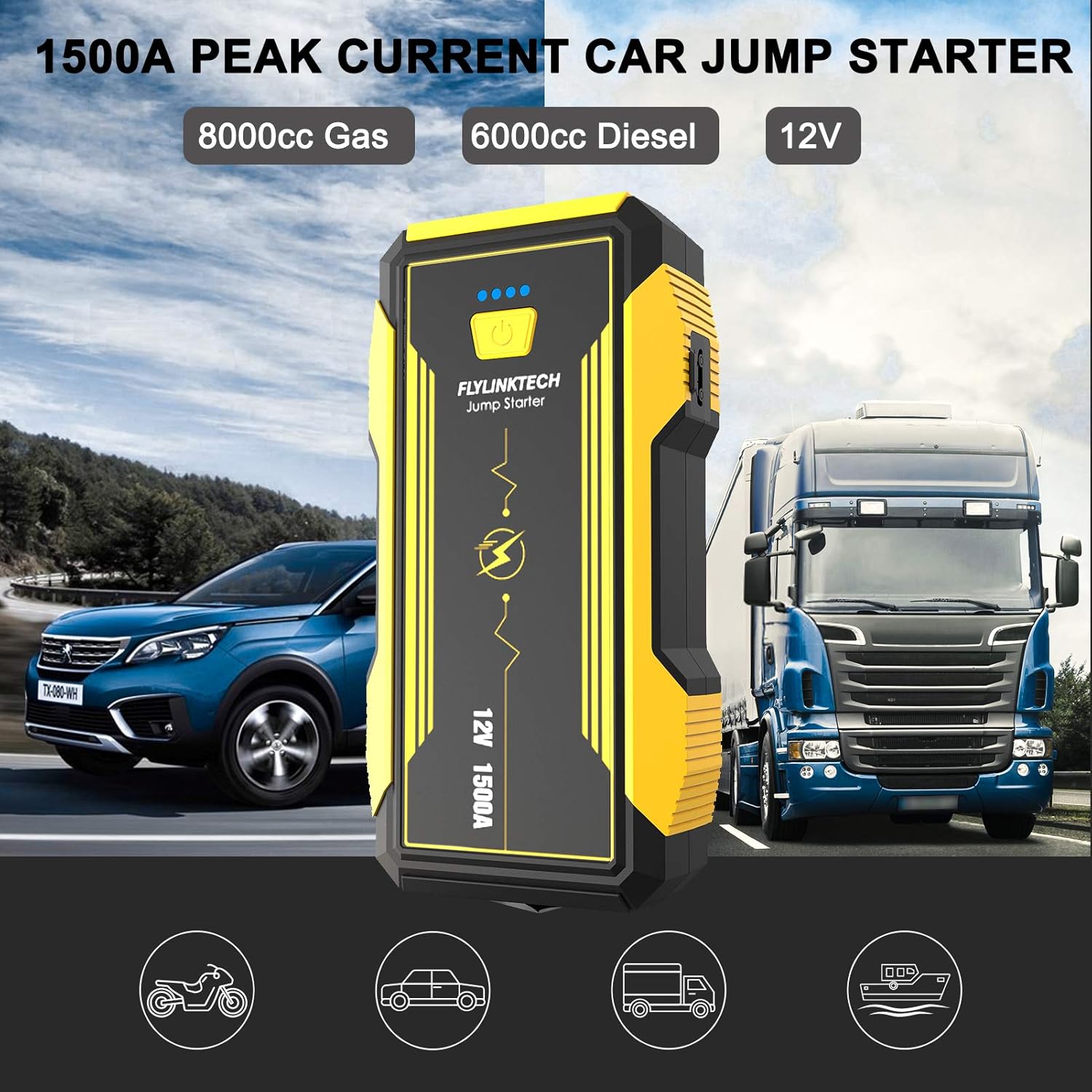
Image 4.1: The FLYLINKTECH 1500A Car Jump Starter, capable of starting 8000cc gas and 6000cc diesel engines, shown next to a car and a truck.

Imej 4.2: Terperinci view of the jump starter indicating the Power Indicator, Power Button, QC USB Output, Type-C Input, USB Output, Jump Starting Port, and LED Light. Dimensions are approximately 18.5cm x 9.5cm x 4.5cm.

Image 4.3: The intelligent jumper clamps featuring anti-reverse, anti-high temperature, anti-high voltage, and short-circuit proof protections, along with an indicator light and buzzer for safe operation.
5. Persediaan
5.1 Mengecas Pemula Lompat
Before first use, fully charge the jump starter. It is recommended to recharge the unit every 3-6 months to maintain battery health, even if not used.
- Connect the provided USB charging cable to the Type-C Input port on the jump starter.
- Connect the other end of the USB cable to a USB wall adapter (not included) or a powered USB port.
- The power indicator lights will illuminate, showing the charging progress. All four lights will be solid when fully charged.
The unit has a 16000mAh capacity and features QC3.0 for faster charging of connected devices.
6. Arahan Operasi
6.1 Lompat Memulakan Kenderaan
Ensure the jump starter is at least 75% charged (3 indicator lights) before attempting to jump-start a vehicle.
- Sambungkan Clamps: Insert the smart jumper clamps into the jump starting port on the device. Ensure a secure connection. The indicator light on the clamps should be green.
- Lampirkan pada Bateri: Sambungkan MERAH (+) clamp to the positive terminal of the vehicle's battery. Connect the HITAM (-) clamp to the negative terminal of the vehicle's battery. The smart clamp indicator should show a solid green light, indicating a correct connection. If it flashes or shows red, check connections and consult troubleshooting.
- Mulakan Kenderaan: Return to the vehicle and start the engine within 30 seconds. If the engine does not start, wait at least 1 minute before attempting again. Do not attempt more than 3 consecutive starts.
- Keluarkan Clamps: Sebaik sahaja kenderaan dihidupkan, segera tanggalkan penutup jumperampdaripada bateri kereta, kemudian tanggalkannya daripada jump starter.

Image 6.1: Visual guide for jump-starting a car. Step 1 shows inserting clamps into the jump starter. Step 2 shows connecting clamps to the car battery. Step 3 shows pressing the car's start button. Step 4 shows removing clamps daripada bateri.
6.2 Menggunakan sebagai Power Bank
The jump starter can charge various electronic devices via its USB output ports.

Image 6.2: The jump starter functioning as a 16000mAh power bank, charging a tablet and a smartphone. It can also power devices like car vacuum cleaners or portable refrigerators using the EC5 adapter.
- Connect your device's USB charging cable to one of the USB Output ports (including the QC USB Output for faster charging).
- Pemula lompat akan mula mengecas peranti anda secara automatik.
- The 16000mAh capacity allows for multiple charges of smartphones, tablets, and other USB-powered gadgets.
6.3 Fungsi Lampu LED
The integrated LED light offers multiple modes for various situations.

Image 6.3: The multi-function LED light offering Torch, SOS, Quick Flash, and alternating Blue & Red Flash modes for emergency signaling and illumination.
- Untuk mengaktifkan: Press and hold the power button for 3 seconds. The light will turn on in Torch mode.
- Untuk mengitar mod: Short press the power button to switch between Torch, SOS, Quick Flash, and Blue & Red Flash modes.
- Untuk mematikan: Tekan dan tahan butang kuasa selama 3 saat.
6.4 EC5 Adapter and Safety Hammer
The included EC5 adapter allows you to power 12V accessories, and the integrated safety hammer provides an emergency tool.
- EC5 Adapter: Connect the EC5 adapter to the jump starting port. This allows you to power 12V devices such as car vacuum cleaners, air pumps, or car refrigerators.
- Safety Hammer: The bottom part of the jump starter features a hard, sharpened stainless steel safety hammer, designed for breaking car windows in emergency situations.
7. Penyelenggaraan
- Isi semula secara berkala: To prolong the lifespan of the internal battery, recharge the jump starter every 3-6 months, even if it has not been used.
- Storan: Simpan peranti di tempat yang sejuk dan kering, jauh dari cahaya matahari langsung, kelembapan dan bahan mudah terbakar.
- Pembersihan: Gunakan kain lembut dan kering untuk membersihkan bahagian luar peranti. Jangan gunakan bahan kimia yang keras atau pembersih yang kasar.
- Pelupusan Bateri: Do not dispose of the lithium-ion battery in household waste. Follow local regulations for proper battery recycling.
8. Penyelesaian masalah
| Masalah | Kemungkinan Punca | Penyelesaian |
|---|---|---|
| Pemula lompat tidak dihidupkan. | Bateri habis. | Recharge the jump starter fully. |
| Vehicle does not start after jump-starting. |
|
|
| Pintar clamp indicator shows red or flashes. |
|
|
| USB devices are not charging. |
|
|
9. Spesifikasi
| Nombor Model | 14851r |
| Arus Puncak | 1500 A |
| Kapasiti Bateri | 16000 mAh |
| Mula Voltage | 12 Volt |
| Compatible Engine Types | Up to 8.0L Gas, Up to 6.0L Diesel |
| Jenis Bateri | Litium-ion |
| Dimensi (L x W x H) | 18.5 x 9.5 x 4.5 cm (lebih kurang) |
| Berat badan | 1.1 Kilogram |
| Output USB | 5V/3A, 9V/2A, 12V/1.5A (QC3.0) |
| Input Jenis-C | 5V/3A |
10. Waranti dan Sokongan
FLYLINKTECH products are designed for reliability and performance. For warranty information or technical support, please refer to the warranty card included with your product or contact FLYLINKTECH customer service through their official website or the retailer where the product was purchased. Please have your model number (14851r) and purchase date ready when contacting support.