1. Pengenalan
This user manual provides detailed instructions for the safe and effective use of your eKids LOL Surprise Kids Bluetooth Headphones. Please read this manual thoroughly before using the product and retain it for future reference. This product is designed for children aged 36 to 96 months.
2. Produk Lebihview
The eKids LOL Surprise Kids Bluetooth Headphones are designed to provide a high-quality, kid-friendly audio experience. These wireless headphones feature a built-in microphone for communication and a foldable design for portability. They are adorned with colorful LOL Surprise character graphics.

Rajah 2.1: Depan view of the eKids LOL Surprise Kids Bluetooth Headphones. The headphones are pink with colorful LOL Surprise character designs on the headband and a star-shaped design on the earcups.

Figure 2.2: Key features of the headphones, highlighting volume reduction for safe listening, up to 28 hours of battery life, and a built-in microphone for communication.
Ciri-ciri Utama:
- Kesambungan Tanpa Wayar: Bluetooth 4.0 for seamless connection to smartphones, tablets, and computers.
- Mikrofon Bersepadu: Allows for hands-free communication during calls or online gaming.
- Reka Bentuk Boleh Laras & Dilipat: Ensures a comfortable fit for various head sizes and compact storage for travel.
- Hayat Bateri yang Panjang: Sehingga 24 jam masa main berterusan dengan sekali cas.
- Kid-Friendly Volume: Engineered with reduced volume levels to protect young ears.
- Pembinaan Tahan Lama: Made from plastic material suitable for children's use.
3. Persediaan
3.1 Membuka Kotak dan Caj Permulaan
Upon opening the package, ensure all components are present. The box should contain the eKids LOL Surprise Kids Bluetooth Headphones and an aux cord. Before first use, fully charge the headphones.
- Locate the charging port on the headphones.
- Connect a compatible charging cable (not included) to the charging port.
- Plug the other end of the charging cable into a compatible USB power source (e.g., computer USB port, USB wall adapter).
- Lampu penunjuk pengecasan (jika ada) akan menyala semasa pengecasan dan padam atau bertukar warna apabila dicas sepenuhnya.
- Cas penuh memberikan jangka hayat bateri selama kira-kira 24 jam.
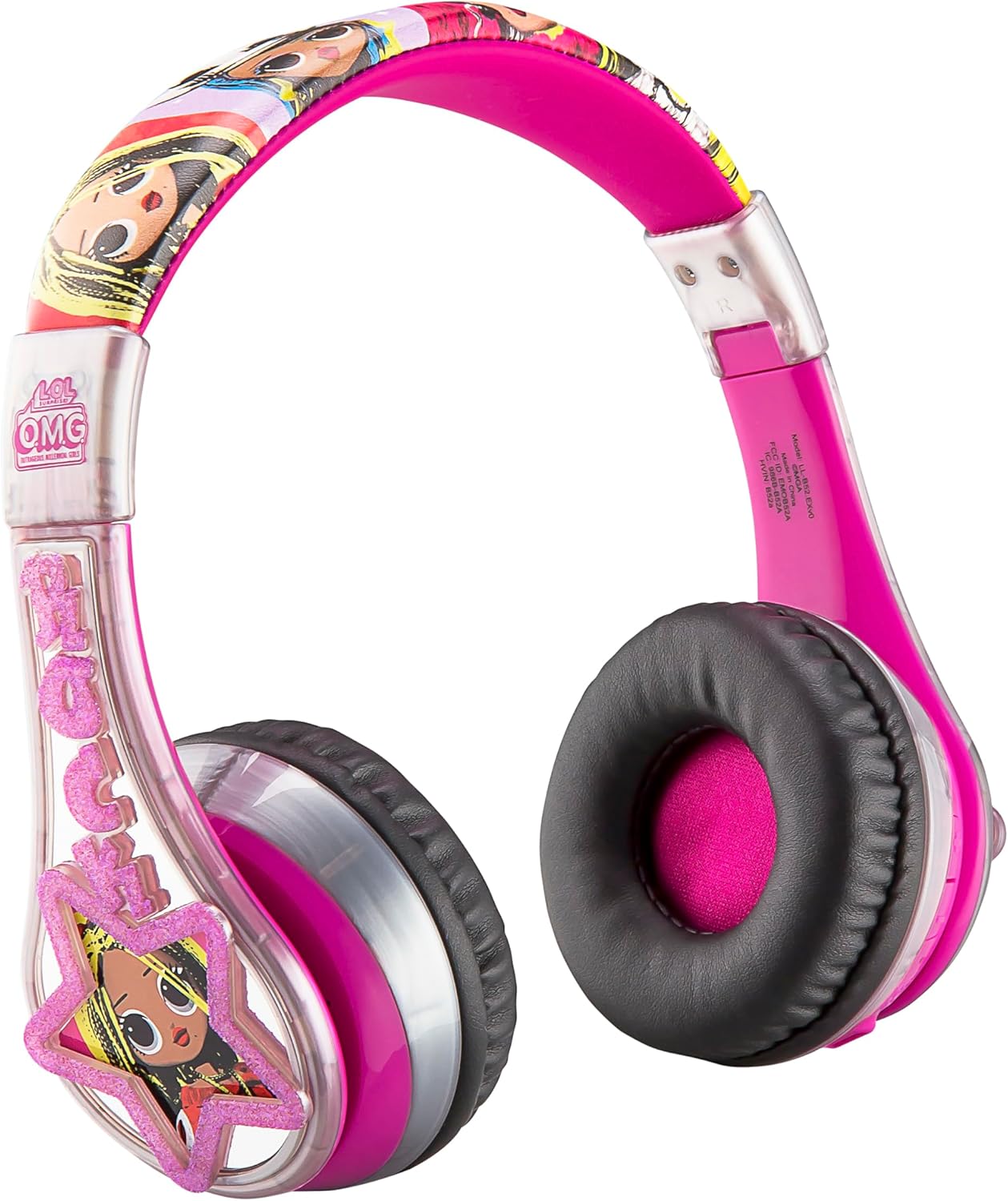
Rajah 3.1: Sisi view of the headphones, showing the earcups and the general shape. The charging port is typically located on one of the earcups.
3.2 Berpasangan Bluetooth
To use the headphones wirelessly, they must be paired with a Bluetooth-enabled device.
- Pastikan fon kepala dicas dan dimatikan.
- Press and hold the Power/Bluetooth button (refer to product diagram if available) on the headphones until the indicator light flashes, indicating pairing mode.
- Pada peranti anda (telefon pintar, tablet, komputer), navigasi ke tetapan Bluetooth.
- Hidupkan Bluetooth dan cari peranti yang tersedia.
- Select "eKids LOL Surprise" or a similar name from the list of found devices.
- Once connected, the indicator light on the headphones will typically stop flashing and remain solid.
- The headphones have a Bluetooth range of up to 10 meters (33 feet).
4. Arahan Operasi
4.1 Hidupkan/Mati Kuasa
- Untuk menghidupkan: Tekan dan tahan butang Kuasa sehingga lampu penunjuk menyala.
- Untuk mematikan: Tekan dan tahan butang Kuasa sehingga lampu penunjuk padam.
4.2 Kawalan Kelantangan
The headphones feature volume control buttons. For safe listening, the maximum volume output is limited.
- Increase Volume: Press the Volume Up button.
- Decrease Volume: Press the Volume Down button.
4.3 Menggunakan Mikrofon
The built-in microphone allows for voice communication. Ensure the headphones are connected via Bluetooth for microphone functionality.
- For calls: Answer/end calls using the multi-function button (if available) or directly from your connected device.
- For gaming/online learning: The microphone will automatically activate when an application requires voice input.
4.4 Wired Mode (Optional)
If the battery is depleted or a wired connection is preferred, use the included aux cord.
- Plug one end of the aux cord into the 3.5mm audio jack on the headphones.
- Palamkan hujung yang satu lagi ke dalam bicu audio 3.5mm peranti anda.
- The headphones will function as wired headphones, and Bluetooth will be disabled.
4.5 Lipatan untuk Penyimpanan
The headphones are designed to fold for compact storage and portability.
- Gently fold the earcups inwards towards the headband until they are compact.
- This feature is ideal for travel or storing the headphones when not in use.

Figure 4.1: A child comfortably using the headphones while interacting with a tablet, demonstrating typical usage.
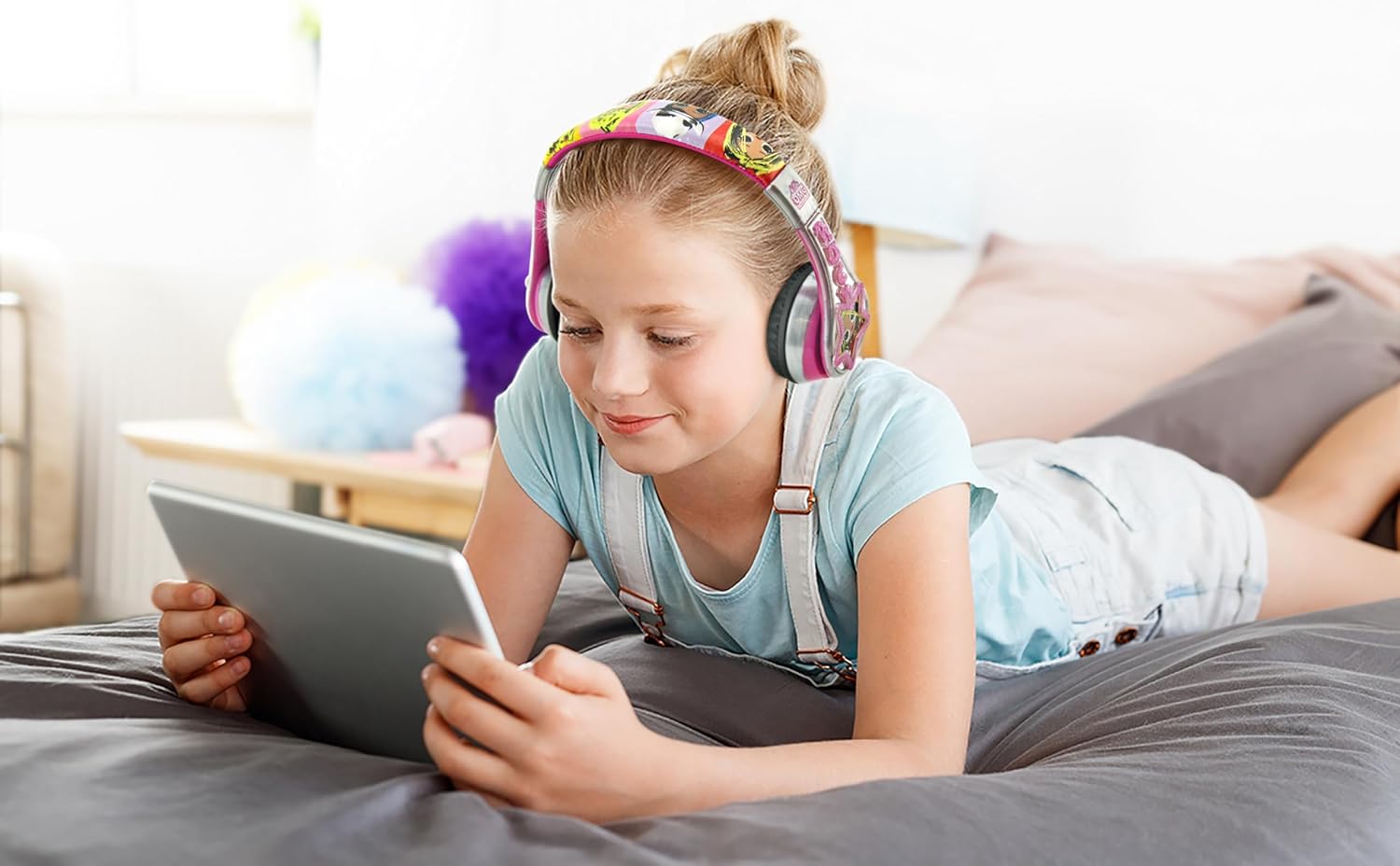
Figure 4.2: The headphones being used by a child in a car, highlighting their portability and suitability for travel.
5. Penyelenggaraan
5.1 Pembersihan
Untuk mengekalkan penampilan dan fungsi fon kepala anda:
- Lap permukaan dengan kain lembut dan kering.
- Untuk kotoran degil, sedikit dampLap kain dengan air. Jangan gunakan bahan kimia yang keras atau pembersih yang kasar.
- Avoid getting moisture into the charging port or audio jack.
5.2 Penyimpanan
When not in use, store the headphones in a cool, dry place, away from direct sunlight and extreme temperatures. Utilize the foldable design to save space and protect the headphones from damage.
5.3 Penjagaan Bateri
To prolong the life of the built-in lithium-ion battery:
- Elakkan menyahcas sepenuhnya bateri dengan kerap.
- Charge the headphones regularly, even if not in constant use.
- Jangan dedahkan fon kepala kepada haba atau sejuk yang melampau.
6. Penyelesaian masalah
Jika anda menghadapi masalah dengan fon kepala anda, sila rujuk masalah dan penyelesaian biasa berikut:
| Masalah | Kemungkinan Punca | Penyelesaian |
|---|---|---|
| Fon kepala tidak dihidupkan. | Bateri habis. | Cas fon kepala sepenuhnya. |
| Tiada bunyi apabila disambungkan melalui Bluetooth. | Volume is too low or muted; headphones not properly paired; device volume is low. | Increase headphone and device volume. Re-pair the headphones with your device. Ensure the correct audio output is selected on your device. |
| Cannot pair headphones with device. | Headphones not in pairing mode; device Bluetooth is off; too far from device. | Ensure headphones are in pairing mode (flashing light). Turn on Bluetooth on your device. Move headphones closer to the device (within 10 meters). |
| Mikrofon tidak berfungsi. | Not connected via Bluetooth; device microphone settings. | Pastikan fon kepala disambungkan melalui Bluetooth. Semak tetapan input mikrofon pada peranti anda. |
| Herotan bunyi atau statik. | Di luar julat Bluetooth; gangguan; bateri lemah. | Move closer to the connected device. Avoid strong electromagnetic interference. Charge the headphones. |
7. Spesifikasi
| Ciri | Perincian |
|---|---|
| Nama Model | LL-B52 |
| Teknologi Ketersambungan | Wayarles (Bluetooth) |
| Teknologi Komunikasi Tanpa Wayar | Bluetooth 4.0 |
| Jack Fon Kepala | 3.5 mm Jack (for wired use) |
| Hayat Bateri | Sehingga 24 Jam |
| Julat Bluetooth | 10 Meter (33 kaki) |
| bahan | plastik |
| Berat Barang | 8.8 auns |
| Dimensi Produk (L x W x H) | 1.1 x 0.94 x 0.43 inci |
| Julat Umur (Perihalan) | 36 bulan hingga 96 bulan |
| Komponen yang Disertakan | Kord aux |
| Pengeluar | Rekaan Kanak-kanak |
| UPC | 092298950822 |
8. Waranti dan Sokongan
Untuk maklumat jaminan dan sokongan pelanggan, sila rujuk dokumentasi yang disediakan bersama pembelian anda atau hubungi peruncit/pengilang secara langsung. Simpan bukti pembelian anda untuk sebarang tuntutan jaminan.
Manufacturer: Kid Designs
For further assistance, you may visit the eKids brand store on Amazon: Kedai eKanak-kanak


