pengenalan
This manual provides detailed instructions for the Amkette Evo Fox Elite Pro Wireless Gamepad. This device is designed for use with PC (X Input), PS3, and Android TV, offering a high-performance wireless gaming experience with dual vibration and extended battery life.


Arahan Persediaan
Follow these steps to set up your Amkette Evo Fox Elite Pro Wireless Gamepad for various platforms.
Kandungan Pakej:
- Amkette Evo Fox Elite Pro Wireless Gamepad
- High Performance USB Receiver
- Charging Cable (Charger included)
Charging the Gamepad:
Before initial use, ensure the gamepad is fully charged. Connect the charging cable to the gamepad and a power source. A full charge typically takes approximately 2 hours. The gamepad contains 2 Lithium Ion batteries.
Menyambung ke Peranti:
The gamepad utilizes a 2.4 GHz wireless USB receiver for connectivity.
- Masukkan Penerima USB: Plug the high-performance USB receiver into an available USB port on your PC, PS3 console, or Android TV.
- Power On the Gamepad: Press the central 'Evo Fox' button to power on the gamepad. The gamepad will automatically attempt to connect to the receiver.
- Pengesanan Automatik: The gamepad features auto-detect functionality for PC, PS3, and Android TV. Once connected, the device should recognize the gamepad. For PC, it supports X Input.


Arahan Operasi
Understand the features and functions of your gamepad for optimal gaming performance.
Kawalan Asas:
- Kayu Analog: Two high-precision analog sticks for movement and camera control.
- D-Pad: Directional pad for precise directional input.
- Butang Tindakan: Standard A, B, X, Y buttons (or corresponding PlayStation symbols) for in-game actions.
- Shoulder Buttons/Triggers: L1/R1 (bumpers) and L2/R2 (triggers) for additional controls.
- Butang Mula/Pilih/Laman Utama: For menu navigation and system functions.
Dual Vibration Feedback:
The gamepad is equipped with dual vibration motors that provide immersive haptic feedback during gameplay, enhancing realism for impacts, explosions, and other in-game events.

Hayat Bateri:
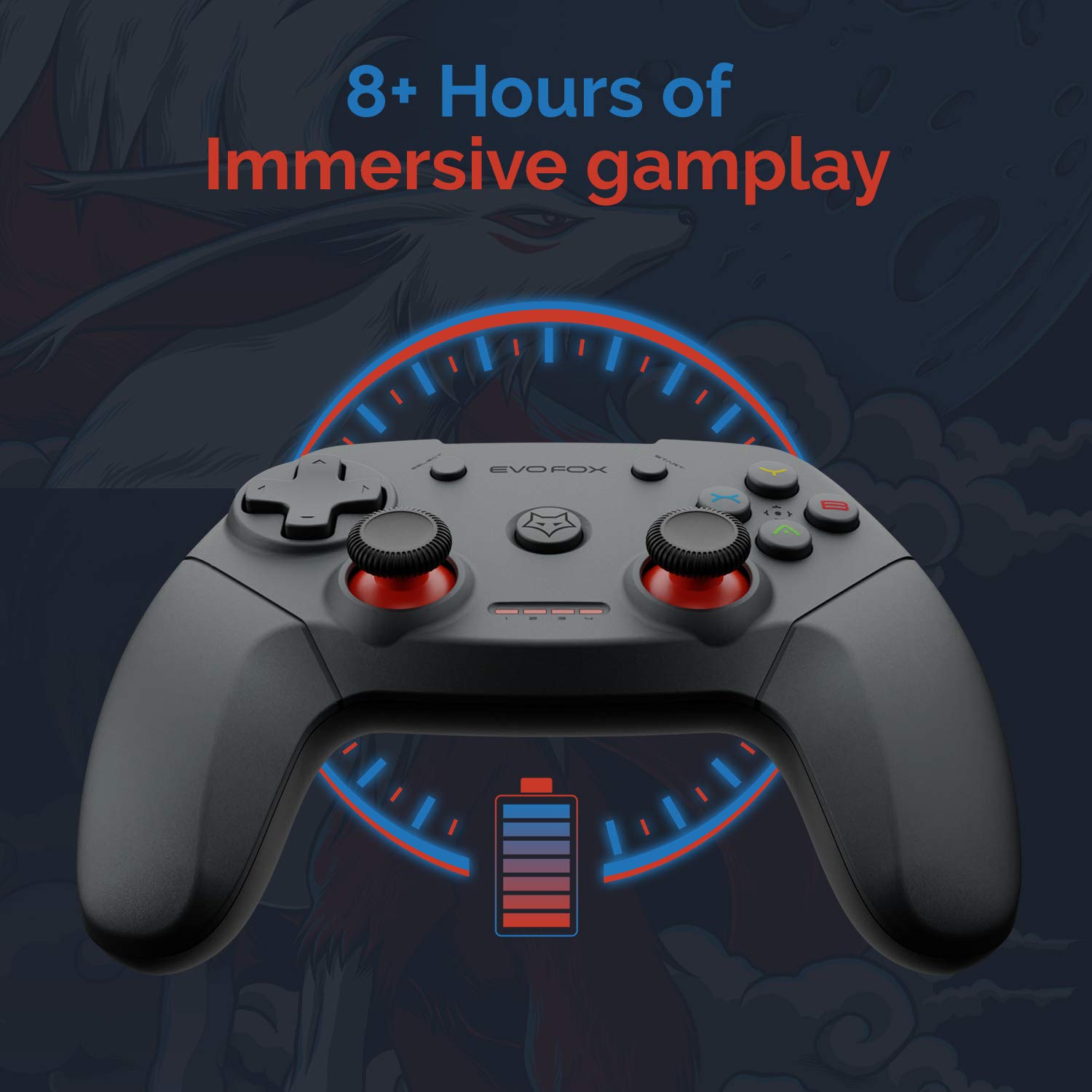
The gamepad offers an average battery life of 8+ hours on a single charge, allowing for extended gaming sessions. The battery indicator lights on the gamepad will provide an indication of the remaining charge.
Pengurusan tenaga:
The gamepad does not feature a dedicated 'off' button. To conserve battery life, it is recommended to remove the USB dongle from the connected device when the gamepad is not in use. Leaving the dongle connected may cause the gamepad to remain active and drain its battery, especially with wall-mounted TVs where the dongle might be less accessible.
Penyelenggaraan
Proper care and maintenance will extend the life of your Amkette Evo Fox Elite Pro Wireless Gamepad.
- Pembersihan: Gunakan kain lembut dan kering untuk membersihkan permukaan gamepad. Elakkan menggunakan bahan kimia yang keras atau bahan yang melelas.
- Storan: Simpan gamepad di tempat yang sejuk dan kering, jauh daripada cahaya matahari langsung dan suhu yang melampau.
- Penjagaan Bateri: Recharge the gamepad when the battery indicator is low. Avoid completely draining the battery frequently to prolong its overall lifespan.
- Penerima USB: Keep the USB receiver protected from dust and physical damage.
Menyelesaikan masalah
If you encounter issues with your gamepad, refer to the following common problems and solutions.
Isu Ketersambungan:
- Gamepad Disconnects Frequently:
- Ensure the USB receiver is not in a hidden spot or obstructed, which can cause range issues. Consider using a USB extension cable if the receiver is far from the gamepad or in an obstructed location.
- Some users have reported conflicts with USB 3.0 ports or other USB devices (like a mouse) when connected to the same USB controller. Try connecting the gamepad's USB receiver to a USB 2.0 port, preferably on the back panel of a PC, and ensure other peripherals are on different USB controllers if possible.
- Pastikan gamepad dicas dengan secukupnya.
- Pad Permainan Tidak Bersambung:
- Sahkan bahawa penerima USB telah dipasang dengan selamat ke dalam peranti.
- Press the central 'Evo Fox' button on the gamepad to ensure it is powered on.
- Cuba palamkan penerima USB ke port USB lain.
- Resetting the Gamepad: If the gamepad is unresponsive, a hard reset may be required. Locate a small pinhole on the gamepad (often on the back or bottom). Use a thin object like a paperclip to press and hold the reset button inside for a few seconds.
Isu Bateri:
- Gamepad Not Charging:
- Check the charging cable and power source for proper connection.
- Cuba kabel pengecasan atau port USB yang berbeza.
- Hayat Bateri Pendek:
- Ensure the gamepad is fully charged before use (approx. 2 hours).
- Remember to remove the USB dongle when not in use to prevent passive battery drain.
Buttons/Joysticks Unresponsive:
- Perform a gamepad reset as described above.
- Ensure the gamepad is properly connected and recognized by your device.
- Test the gamepad with another game or application to rule out software-specific issues.
Spesifikasi
| Ciri | Perincian |
|---|---|
| Jenama | Amkette |
| Nombor Model | 827 |
| warna | Hitam |
| Teknologi Ketersambungan | 2.4 GHz Wireless (via USB Receiver) |
| Peranti Serasi | PC (X Input), PS3, Android TV |
| Jenis Pengawal | Pad permainan |
| Platform Perkakasan | Desktop |
| Sistem Operasi | Android |
| Dimensi Produk | 18 x 12 x 12 cm |
| Berat Barang | 210 g |
| Bateri | 2 bateri Lithium Ion (termasuk) |
| Masa Pengecasan Bateri | 2 Jam |
| Purata Hayat Bateri | 8 Jam |
| Kandungan Tenaga Bateri Lithium | Jam 8 Watt |
| Komponen yang Disertakan | Gamepad, USB Receiver, Charger |
| Tarikh Tersedia Pertama | 1 September 2020 |
Waranti dan Sokongan
Amkette provides comprehensive support for its products.
Maklumat Waranti:
The Amkette Evo Fox Elite Pro Wireless Gamepad comes with a 1-Year Manufacturing Warranty. Waranti ini melindungi kecacatan pada bahan dan mutu kerja di bawah penggunaan biasa.
Sokongan Pelanggan:
For any technical assistance, warranty claims, or product-related inquiries, please contact Amkette customer support:
- Telefon/WhatsApp: +919312691448
- e-mel: techsupport@amkette.in
Sila sediakan nombor model produk anda (827) dan butiran pembelian semasa menghubungi sokongan.


