pengenalan
Terima kasih kerana membeliasing the WEKOME D6 Desktop Mini Bluetooth Speaker. This compact and portable speaker is designed to deliver clear sound quality with convenient wireless connectivity. Please read this manual carefully before using the product to ensure proper operation and to maximize its lifespan.
Produk Selesaiview
The WEKOME D6 is a palm-sized mini Bluetooth speaker, featuring a unique and fashionable design. It is compatible with multiple devices and offers a transmission distance of up to 10 meters. The speaker supports TF card playback for versatile audio options.
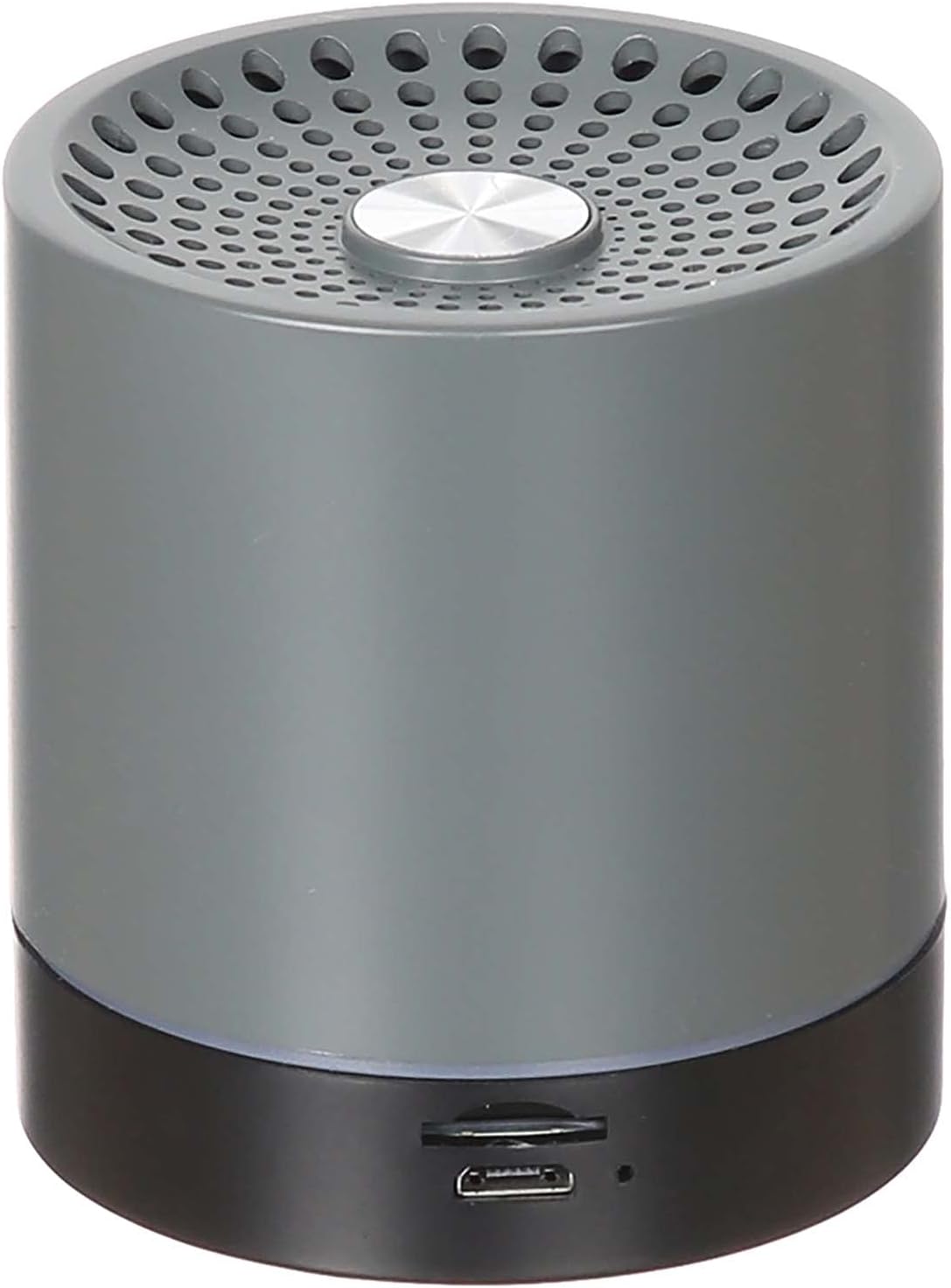
Rajah 1: Depan view of the WEKOME D6 Bluetooth Speaker, showing the speaker grille and central button.
Ciri-ciri Utama:
- Compatible with multiple devices for broad connectivity.
- Unique and fashionable design, suitable for any desktop.
- Constructed from high-quality mixed materials for durability.
- Ringan dan mudah alih, menjadikannya mudah dibawa.
- Menyokong sambungan wayarles Bluetooth.
- Integrated TF card slot for direct audio playback.

Rajah 2: Bawah view of the WEKOME D6 Bluetooth Speaker, showing the control buttons and ports.
Persediaan
1. Mengisi Speaker
Before first use, fully charge the speaker. The WEKOME D6 is equipped with a 500 mAh battery.
- Locate the charging port on the speaker (refer to Figure 2).
- Sambungkan kabel pengecas USB yang disediakan ke port pengecasan pembesar suara.
- Sambungkan hujung kabel USB yang satu lagi ke penyesuai kuasa USB yang serasi (tidak disertakan) atau port USB komputer.
- Lampu penunjuk pengecasan akan menyala semasa pengecasan.
- Charging time is approximately 1.5 hours. The indicator light will change or turn off once fully charged.
A full charge provides approximately 4-5 hours of playing time.
2. Berpasangan Bluetooth
Untuk menyambungkan pembesar suara anda ke peranti yang didayakan Bluetooth:
- Ensure the speaker is sufficiently charged.
- Power on the speaker by pressing and holding the power button (refer to Figure 2 for button location). A voice prompt or indicator light will confirm it's in pairing mode.
- Pada peranti anda (telefon pintar, tablet, komputer), dayakan Bluetooth dan cari peranti yang tersedia.
- Select "WEKOME D6" or a similar name from the list of found devices.
- Once paired, the speaker will indicate a successful connection (e.g., a sound prompt or steady indicator light).
- The speaker has a transmission distance of up to 10 meters (33 feet) in an open environment.
Note: If pairing fails, turn off both the speaker and your device's Bluetooth, then repeat the steps.
Arahan Operasi
Hidupkan/Mati Kuasa
- Hidupkan kuasa: Tekan dan tahan butang kuasa selama lebih kurang 3 saat.
- Matikan: Tekan dan tahan butang kuasa selama lebih kurang 3 saat.
Kawalan Kelantangan
- Tingkatkan Kelantangan: Tekan butang '+'.
- Kurangkan Kelantangan: Tekan butang '-'.
Main Semula Muzik (Mod Bluetooth)
- Main/Jeda: Press the Play/Pause button (often indicated by a triangle or two vertical bars).
- Lagu Seterusnya: Press and hold the '+' button or a dedicated 'Next' button.
- Trek Sebelumnya: Press and hold the '-' button or a dedicated 'Previous' button.
Main Semula Kad TF
The speaker supports TF cards up to 32GB.
- Insert a TF card with audio files into the TF card slot (refer to Figure 2).
- The speaker should automatically switch to TF card playback mode.
- Use the Play/Pause, Next Track, and Previous Track buttons as described above for music control.
Penyelenggaraan
- Pembersihan: Gunakan kain lembut dan kering untuk mengelap permukaan pembesar suara. Jangan gunakan pembersih yang kasar, alkohol atau pelarut kimia.
- Storan: Simpan pembesar suara di tempat yang sejuk dan kering jauh dari cahaya matahari langsung dan suhu yang melampau.
- Penjagaan Bateri: Untuk memanjangkan hayat bateri, elakkan daripada menyahcas sepenuhnya bateri dengan kerap. Cas pembesar suara dengan kerap, walaupun tidak digunakan untuk tempoh yang lama.
- Elakkan Air: This speaker is not waterproof. Keep it away from water, rain, and excessive moisture.
- Tangani dengan Berhati-hati: Elakkan daripada menjatuhkan atau menundukkan pembesar suara kepada impak yang kuat.
Menyelesaikan masalah
| Masalah | Kemungkinan Punca | Penyelesaian |
|---|---|---|
| Speaker tidak dihidupkan. | Bateri lemah. | Cas pembesar suara selama sekurang-kurangnya 1.5 jam. |
| Tidak boleh berpasangan dengan peranti Bluetooth. | Bluetooth is off on device; speaker is not in pairing mode; too far from device. | Ensure Bluetooth is enabled on your device. Put speaker in pairing mode. Move speaker closer to device (within 10m). Clear previous pairings on your device. |
| Tiada bunyi atau kelantangan rendah. | Volume too low on speaker or device; speaker not connected properly. | Increase volume on both speaker and connected device. Re-pair the speaker. |
| Penyelewengan bunyi. | Kelantangan terlalu tinggi; gangguan; bateri lemah. | Reduce volume. Move speaker away from other electronic devices. Charge the speaker. |
| Kad TF tidak dimainkan. | tak betul file format; card not inserted correctly; card corrupted. | Pastikan audio files are in a compatible format (e.g., MP3). Reinsert the TF card. Try a different TF card. |
Spesifikasi
- model: D6
- Jenama: WEKOME
- Teknologi Ketersambungan: Wired/Wireless (Bluetooth)
- Jarak Penghantaran Bluetooth: Sehingga 10 meter (33 kaki)
- Kapasiti Bateri: 500 mAh
- Masa Pengecasan: Lebih kurang 1.5 jam
- Masa Bermain: Lebih kurang 4-5 jam
- Kuasa Output Maksimum Pembesar Suara: 10 Watt
- Mod Output Audio: Stereo
- Jenis Pemasangan: Atas meja
- Bahan: Bahan Campuran
- warna: Hitam
- Storan yang Disokong: Kad TF (sehingga 32GB)
- Dimensi Pakej: 12.2 x 11.4 x 7.6 cm
- Berat Barang: 599 g
Waranti dan Sokongan
Untuk maklumat waranti dan sokongan pelanggan, sila rujuk dokumentasi pembelian atau hubungi peruncit anda. Simpan bukti pembelian anda untuk sebarang tuntutan waranti.
For further assistance or technical inquiries, please visit the official WEKOME webtapak atau hubungi bahagian perkhidmatan pelanggan mereka.


