pengenalan
This manual provides instructions for the proper use and maintenance of your Wireless Gear True Wireless Bluetooth 5.0 Mini Earbuds. Please read this manual thoroughly before using the product to ensure optimal performance and longevity.
Apa yang ada di dalam Kotak:
- True Wireless Mini Earbuds (Left and Right)
- Pangkalan Pengecasan USB
Maklumat Keselamatan
- Do not expose the earbuds or charging base to extreme temperatures, moisture, or corrosive materials.
- Elakkan daripada menjatuhkan atau meletakkan peranti kepada kesan yang kuat.
- Do not attempt to disassemble or modify the product. This will void the warranty and may cause damage.
- Jauhkan daripada kanak-kanak.
- Use only the provided charging base.
- Mendengar berpanjangan pada tahap kelantangan tinggi boleh menyebabkan kerosakan pendengaran. Laraskan kelantangan ke tahap yang selamat.
Produk Selesaiview
Familiarize yourself with the components of your True Wireless Mini Earbuds.

Imej: Jarak dekat view of a single Wireless Gear earbud, highlighting the touch control button on its outer surface.
- Earbud: Left and Right earbuds with built-in microphones and touch controls.
- Pangkalan Pengecasan USB: Compact base for charging the earbuds, featuring an integrated USB plug.
Persediaan
1. Mengecas Fon Telinga
Before first use, fully charge the earbuds. The charging base provides additional hours of playback.
- Insert both earbuds into the charging base. Ensure they are seated correctly.
- Plug the integrated USB connector of the charging base into any standard USB power source (e.g., computer USB port, USB wall adapter).
- The indicator lights on the earbuds will show charging status (refer to product packaging for specific light behavior if available).
- A full charge provides approximately 1.5 hours of playtime from the earbuds, with the charging base offering an additional 8 hours.
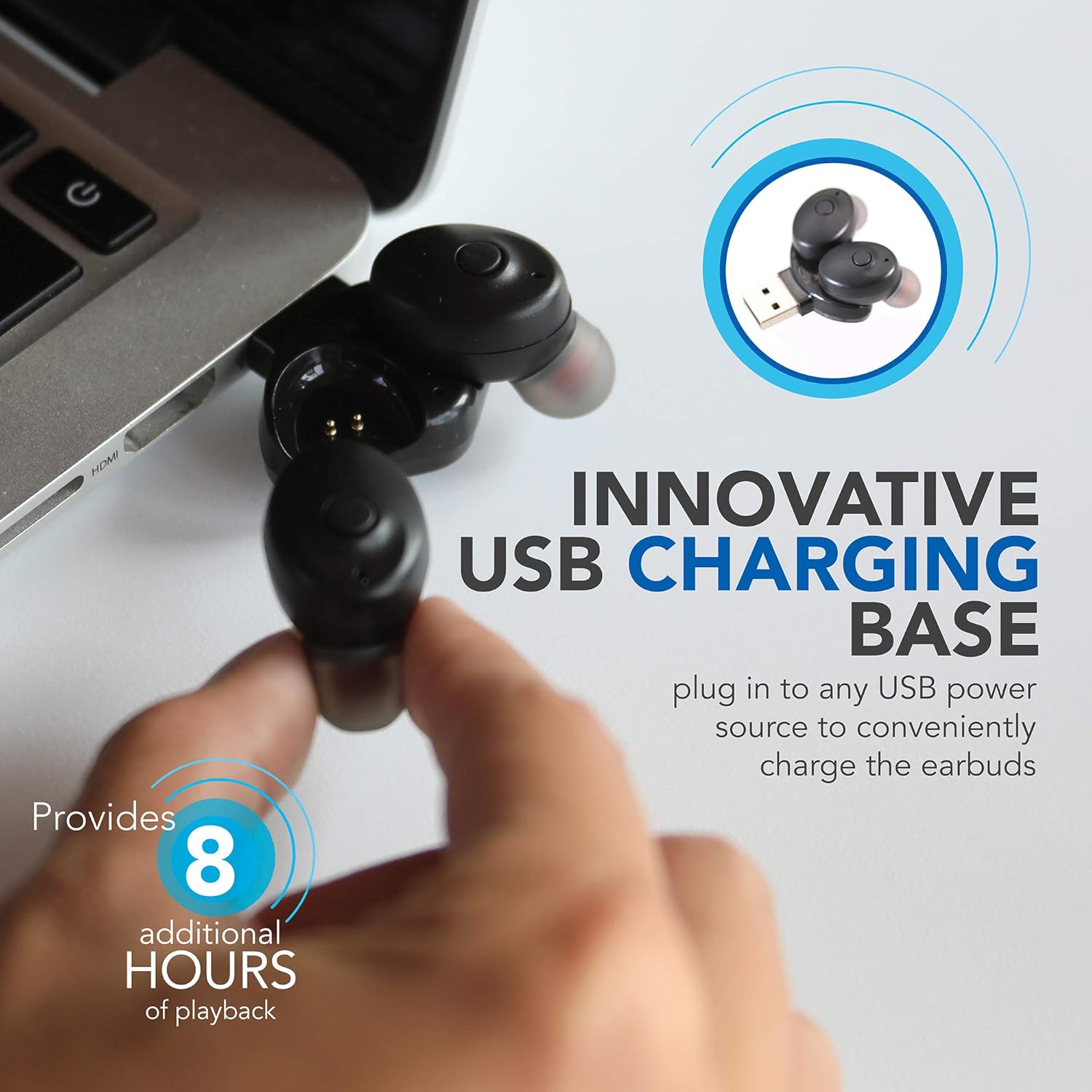
Image: Wireless Gear earbuds placed in their USB charging base, which is plugged into a laptop's USB port.
2. Berpasangan dengan Peranti
The earbuds feature auto-pair and auto-power on functionality for seamless connection.
- Pastikan fon telinga dicas.
- Remove both earbuds from the charging base. They will automatically power on and enter pairing mode.
- On your smartphone, MP3 player, tablet, or laptop, navigate to the Bluetooth settings.
- Cari untuk available devices and select "Wireless Gear Earbuds" (or similar name) from the list.
- Once connected, you will hear an audible confirmation, and the indicator lights on the earbuds will change (refer to product packaging for specific light behavior if available).
- The earbuds will automatically reconnect to the last paired device when removed from the charging base, if Bluetooth is enabled on the device.

Image: Wireless Gear earbuds positioned next to a smartphone, illustrating the pairing process.
Arahan Operasi
Hidupkan/Mati Kuasa
- Hidupkan kuasa: Remove the earbuds from the charging base. They will automatically power on.
- Matikan: Place the earbuds back into the charging base. They will automatically power off and begin charging.
Kawalan Sentuh
Each earbud features a touch-sensitive area for controlling various functions. The specific functions may vary slightly between left and right earbuds or depend on the operating system of your connected device.
- Main/Jeda Muzik: Ketik sekali pada salah satu fon telinga.
- Lagu Seterusnya: Double tap on the right earbud (or specific earbud as per device).
- Lagu Sebelumnya: Double tap on the left earbud (or specific earbud as per device).
- Jawab/Tamatkan Panggilan: Ketik sekali pada sama ada fon telinga semasa panggilan masuk atau panggilan aktif.
- Tolak Panggilan: Tekan dan tahan pada mana-mana fon telinga semasa panggilan masuk.
- Activate Voice Assistant (Siri for iOS): Ketik tiga kali pada salah satu fon telinga.

Image: A woman smiling while wearing a Wireless Gear earbud, demonstrating comfortable fit and discreet design.
Membuat dan Menerima Panggilan
The built-in microphone allows for hands-free calling. Intelligent noise reduction ensures clear communication.
- Apabila panggilan masuk, ketik mana-mana fon telinga sekali untuk menjawab.
- To end a call, tap either earbud once.
- Untuk menolak panggilan masuk, tekan dan tahan salah satu fon telinga.
Penyelenggaraan
Pembersihan
Pembersihan tetap membantu mengekalkan kualiti bunyi dan kebersihan.
- Gently wipe the earbuds and charging base with a soft, dry, lint-free cloth.
- Jangan gunakan pembersih yang melelas, alkohol atau pelarut kimia.
- Periodically check the speaker mesh for debris. Use a soft brush or cotton swab to carefully remove any buildup.

Imej: Jarak dekat view of the speaker mesh on a Wireless Gear earbud, showing fine details.
Penyimpanan
- When not in use, store the earbuds in their charging base to protect them and keep them charged.
- Simpan di tempat yang sejuk dan kering jauh dari cahaya matahari langsung dan suhu yang melampau.
Menyelesaikan masalah
Jika anda menghadapi masalah dengan fon telinga anda, rujuk kepada penyelesaian biasa berikut:
| Masalah | Penyelesaian yang Mungkin |
|---|---|
| Fon telinga tidak dapat dihidupkan. | Ensure earbuds are charged. Place them in the charging base and connect to a USB power source for at least 30 minutes. |
| Fon telinga tidak berpasangan dengan peranti. |
|
| Hanya satu fon telinga berfungsi. |
|
| Kualiti bunyi yang lemah atau sambungan terputus-putus. |
|
Spesifikasi
| Ciri | Perincian |
|---|---|
| Teknologi Ketersambungan | Bluetooth 5.0 |
| Teknologi Komunikasi Tanpa Wayar | Bluetooth |
| Komponen yang Disertakan | Fon kepala, Pengecas |
| Kegunaan Khusus Untuk Produk | Home, Sports and Exercise, Travel |
| Peranti Serasi | Phones, MP3 players, Tablets, Laptops |
| Jenis Kawalan | Kawalan Sentuh |
| Ciri Kabel | Tanpa Kabel |
| Hayat Bateri (Earbud) | Sehingga 1.5 jam |
| Additional Battery Life (Charging Base) | 8 jam |
| Jumlah Hayat Bateri | 9.5 Hours (Earbuds + Charging Base) |
| Julat Bluetooth | 10 Meter (33 kaki) |
| Bentuk alat dengar | Petua Bulat |
| Berat Barang | 1.44 auns |
| Pengeluar | Aksesori Tanpa Wayar ESI |
| ASIN | B08FF73J9X |
| GTIN/UPC | 680988106811 |
Maklumat Waranti
No specific warranty information is provided in the product details. Please refer to the product packaging or contact the retailer/manufacturer directly for warranty terms and conditions.
Sokongan
For further assistance or technical support, please contact Wireless Gear customer service. Contact details are typically found on the product packaging or the manufacturer's official webtapak.


