pengenalan
This manual provides comprehensive instructions for the Wireless Gear Bluetooth 5.0 True Wireless Stereo Earbuds. Please read this manual carefully before using the product to ensure proper operation and to maximize your listening experience. Keep this manual for future reference.
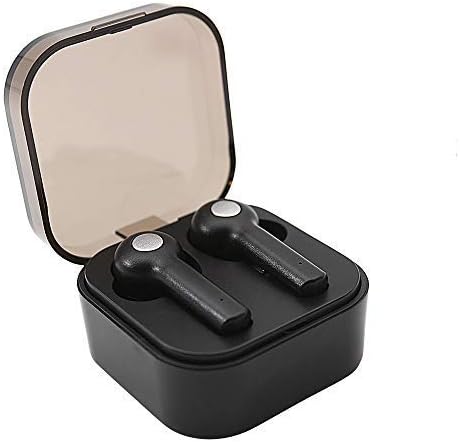
Image: Wireless Gear True Wireless Earbuds in their open charging case, showcasing reka bentuk kompak mereka.
Kandungan Pakej
Pastikan semua item ada dalam pakej:
- Wireless Gear True Wireless Earbuds (Left and Right)
- Sarung Pengecas Mudah Alih
- Kabel Pengecas USB
- Manual Pengguna (dokumen ini)
- Additional Ear Gels (various sizes)
Ciri-ciri Produk
- Teknologi Bluetooth 5.0: Provides stable and efficient wireless connection.
- Stereo Tanpa Wayar Sejati (TWS): Delivers rich audio and powerful bass.
- Mikrofon Bersepadu: Membolehkan panggilan bebas tangan.
- Kawalan Sentuh: Manage music playback, calls, and voice assistant activation directly from the earbuds.
- Auto Pair & Auto Power On: Seamless pairing with previously connected devices.
- Noise-Isolating Ear Gels: Designed for comfort and enhanced sound acoustics.
- Sarung Pengecasan Mudah Alih: Extends playtime and protects earbuds.
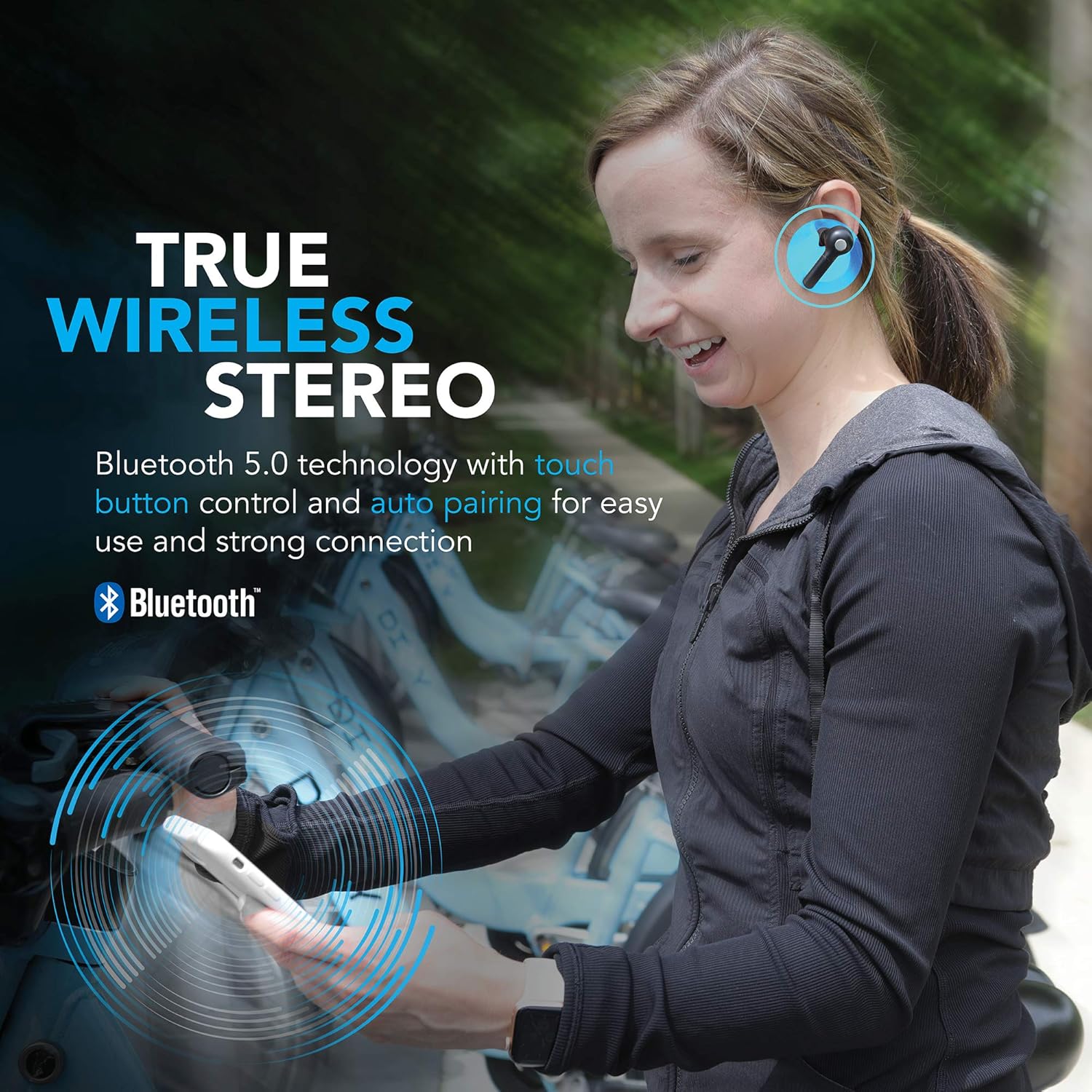
Image: A woman wearing the Wireless Gear earbuds, illustrating the true wireless stereo and Bluetooth 5.0 capabilities.

Image: A woman using the earbuds for hands-free communication, highlighting the built-in microphone feature.
Persediaan dan Penggunaan Pertama
1. Mengecas Fon Telinga dan Sarung
Before first use, fully charge the earbuds and the charging case. Place the earbuds into the charging case. Connect the USB charging cable to the charging port on the case and the other end to a USB power source (e.g., computer, wall adapter).
- The charging indicator lights on the case will show charging status.
- A full charge provides up to 2.5 hours of playtime for the earbuds, and the case can provide 4-5 additional charges, totaling up to 8 hours of playtime.
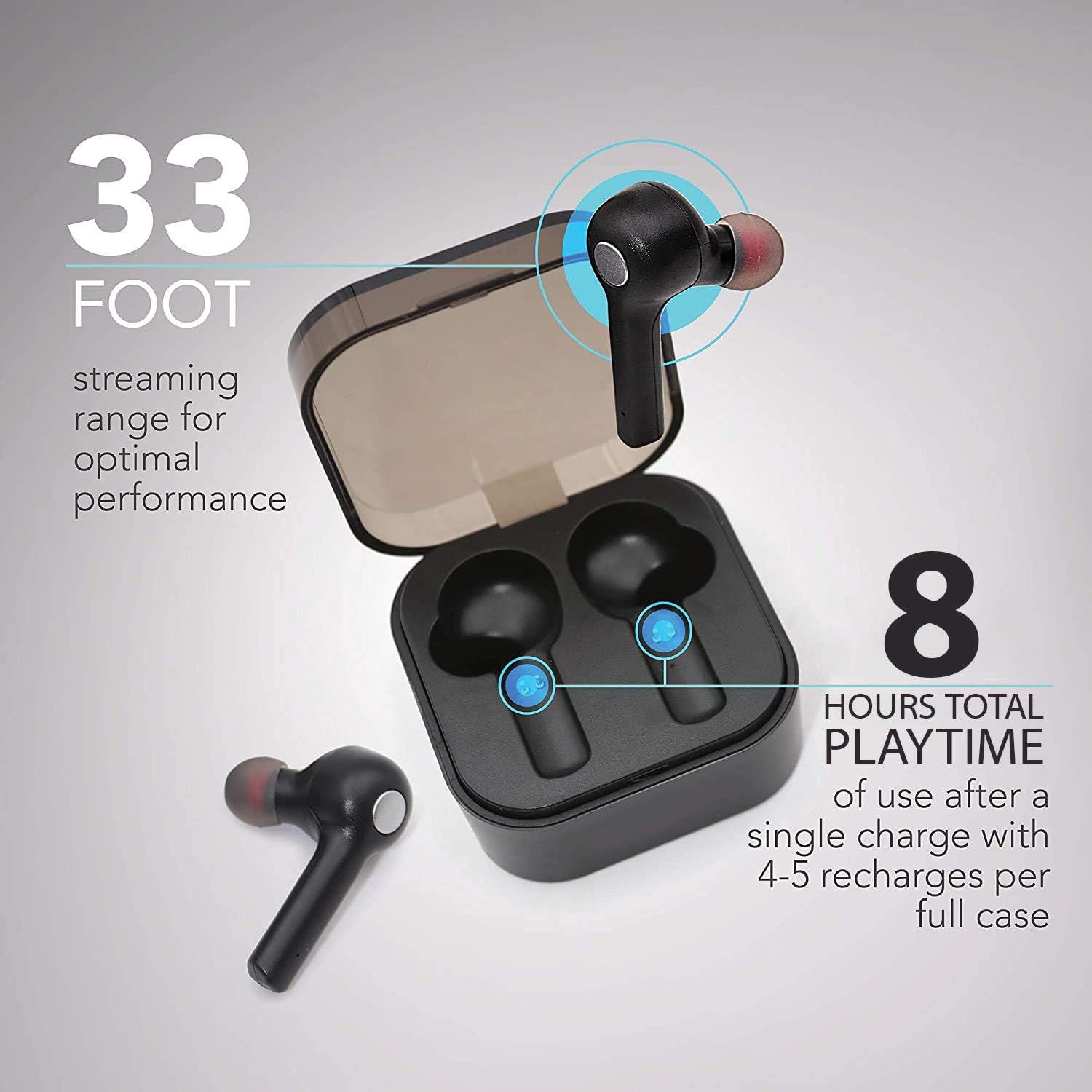
Image: The earbuds in their charging case, illustrating the 33-foot range and 8 hours of total playtime with the case.
2. Berpasangan dengan Peranti
- Pastikan fon telinga dicas.
- Buka bekas pengecas. Fon telinga akan dihidupkan secara automatik dan memasuki mod berpasangan.
- Pada peranti anda (telefon pintar, tablet, komputer riba), dayakan Bluetooth.
- Cari untuk peranti Bluetooth yang tersedia.
- Select "Wireless Gear Earbuds" (or similar name) from the list.
- Once connected, you will hear a confirmation tone, and the earbud indicator lights will change.
The earbuds feature auto-pair functionality, meaning they will automatically connect to the last paired device when removed from the case, if Bluetooth is enabled on that device.
Arahan Operasi
Memakai Earbud
Gently insert the earbuds into your ears. Adjust them for a comfortable and secure fit. The noise-isolating ear gels are designed to provide optimal sound acoustics and comfort.

Image: A man demonstrating the proper fit of the earbud, emphasizing the comfort and sound isolation provided by the ear gels.
Kawalan Sentuh
The earbuds feature intuitive touch controls on the side of each earbud. Refer to the table below for common functions:
| Tindakan | Fungsi |
|---|---|
| Ketik Tunggal (Earbud Kiri/Kanan) | Main/Jeda Muzik, Jawab/Tamatkan Panggilan |
| Dwiketik (Earbud Kanan) | Lagu Seterusnya |
| Dwiketik (Earbud Kiri) | Lagu Sebelumnya |
| Ketik Tiga Kali (Earbud Kiri/Kanan) | Activate Voice Assistant (Siri for iOS) |
| Tekan Lama (Earbud Kiri/Kanan) | Tolak Panggilan |
Hidupkan/Mati Kuasa
- Hidupkan kuasa: Tanggalkan fon telinga daripada bekas pengecas. Ia akan dihidupkan secara automatik.
- Matikan: Letakkan semula fon telinga ke dalam bekas pengecasan. Ia akan dimatikan secara automatik dan mula dicas.
Penyelenggaraan dan Penjagaan
- Pembersihan: Gunakan kain lembut dan kering untuk membersihkan fon telinga dan bekas pengecas. Jangan gunakan bahan kimia yang keras atau bahan yang kasar.
- Gel Telinga: Periodically remove and clean the ear gels with a damp kain. Pastikan ia benar-benar kering sebelum dipasang semula.
- Storan: Apabila tidak digunakan, simpan fon telinga dalam bekas pengecasnya untuk melindunginya dan memastikan ia dicas.
- Elakkan Air: The earbuds are not waterproof. Avoid exposure to water, moisture, or extreme temperatures.
- Penjagaan Bateri: Untuk memanjangkan hayat bateri, elakkan daripada kerap mencas sepenuhnya fon telinga dan sarungnya. Caskannya secara berkala.
Menyelesaikan masalah
| Masalah | Kemungkinan Punca | Penyelesaian |
|---|---|---|
| Fon telinga tidak berpasangan | Fon telinga tidak dalam mod berpasangan; Bluetooth dimatikan pada peranti; peranti yang dipasangkan sebelum ini mengganggu. | Ensure earbuds are out of case and indicator lights are flashing. Turn Bluetooth off and on again on your device. Forget previous pairings on your device and try again. |
| Hanya satu fon telinga berfungsi | Earbuds not properly synced; one earbud out of charge. | Letakkan kedua-dua fon telinga kembali ke dalam bekas pengecasan, tutup penutupnya, kemudian bukanya semula. Pastikan kedua-dua fon telinga telah dicas. |
| Tiada suara atau kelantangan rendah | Volume too low on device; earbuds not connected; media source issue. | Increase volume on your connected device. Reconnect earbuds. Check if audio is playing from the correct source on your device. |
| Kes pengecas tidak dicas | Kabel atau punca kuasa rosak. | Try a different USB cable and/or power adapter. Ensure connections are secure. |
| Poor sound quality / Disconnections | Too far from device; interference; low battery. | Move closer to your device (within 33 ft). Avoid strong electromagnetic interference. Charge earbuds and case. |
Spesifikasi
| Ciri | Perincian |
|---|---|
| Nombor Model | G0679 |
| Versi Bluetooth | 5.0 |
| Julat Tanpa Wayar | Sehingga 33 kaki (10 meter) |
| Masa Main Earbud | Hingga 2.5 jam setiap caj |
| Jumlah Masa Main (dengan kes) | Up to 8 hours (4-5 recharges from case) |
| Jenis Kawalan | Kawalan Sentuh |
| Mikrofon | Terbina Dalam |
| bahan | plastik |
| Jenis Bateri | Litium Ion |
| Dimensi Fon Telinga (anggaran) | Refer to image for detailed dimensions. |
| Case Dimensions (approx.) | 2.25" x 2.25" x 0.75" (5.7 x 5.7 x 1.9 cm) |

Image: Detailed dimensions of the earbuds and charging case for reference.
Maklumat Waranti
For warranty details and terms, please refer to the warranty card included with your product or contact Wireless Gear customer support. Keep your purchase receipt as proof of purchase.
Sokongan Pelanggan
If you encounter any issues or have questions not covered in this manual, please contact Wireless Gear customer support. Visit the official Wireless Gear website for contact information and frequently asked questions.
Pengeluar: Aksesori Tanpa Wayar ESI


