pengenalan
Thank you for choosing the Wireless Gear Bluetooth 5.0 True Wireless Stereo Earbuds. This manual provides comprehensive instructions to help you set up, operate, and maintain your new earbuds, ensuring optimal performance and longevity. These earbuds are designed to deliver rich audio and extreme bass with the convenience of true wireless technology.

Image: A user enjoying music with the Wireless Gear True Wireless Stereo Earbuds, highlighting the seamless wireless experience.
Maklumat Keselamatan
Sila baca semua arahan keselamatan dengan teliti sebelum menggunakan produk ini. Kegagalan mematuhi arahan ini boleh mengakibatkan renjatan elektrik, kebakaran atau bahaya lain.
- Jangan dedahkan fon telinga atau bekas pengecasan kepada suhu, kelembapan atau cecair yang melampau.
- Elakkan daripada menjatuhkan atau meletakkan peranti kepada kesan yang kuat.
- Do not attempt to disassemble, repair, or modify the product. This will void the warranty.
- Jauhkan daripada kanak-kanak.
- Gunakan hanya kabel pengecasan yang disediakan atau setara yang diperakui.
- Mendengar berpanjangan pada tahap kelantangan tinggi boleh menyebabkan kerosakan pendengaran. Laraskan kelantangan ke tahap yang selamat.
Kandungan Pakej
Pastikan semua item ada dalam pakej:
- Wireless Gear True Wireless Stereo Earbuds (Left and Right)
- Kes Pengecasan
- Kabel Pengecas USB
- Manual Pengguna (dokumen ini)
Produk Selesaiview
Familiarize yourself with the components of your Wireless Gear Earbuds:

Image: The Wireless Gear Earbuds nestled in their charging case, ready for use or charging.
- Earbud: Left (L) and Right (R) earbuds with built-in microphones and touch controls.
- Sarung Pengecasan: Portable case that charges the earbuds and protects them when not in use. Features LED indicators for charging status.
- Kawasan Kawalan Sentuh: Located on the side of each earbud for managing playback, calls, and voice assistant.
- Port Pengecasan: On the charging case for connecting the USB charging cable.

Image: Demonstrating the convenient touch control feature on the earbud.
Persediaan
1. Mengecas Fon Telinga dan Sarung
Sebelum penggunaan pertama, cas sepenuhnya fon telinga dan bekas pengecas.
- Place both earbuds into the charging case. Ensure they are seated correctly.
- Sambungkan kabel pengecas USB ke port pengecasan pada kes dan hujung satu lagi ke sumber kuasa USB (cth, komputer, penyesuai dinding).
- The LED indicators on the case will show charging status. Once fully charged, the indicators may turn off or change color.
- A full charge provides up to 10 hours of playtime for the earbuds, and the case can provide 4 to 5 additional charges, totaling up to 50 hours of playback.
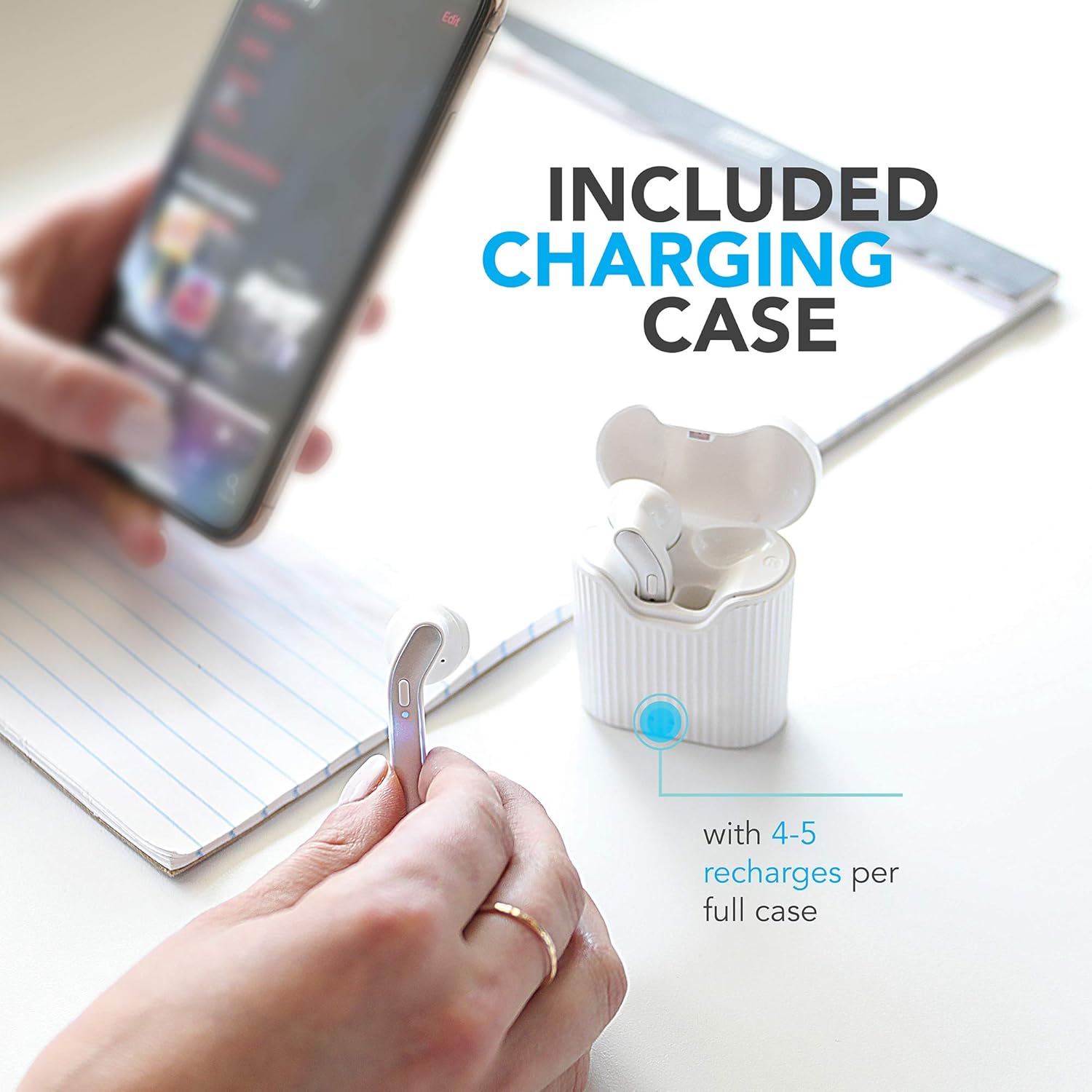
Image: The charging case provides multiple recharges for extended listening.

Image: Visual representation of the earbuds' battery life and sound capabilities.
2. Berpasangan dengan Peranti Bluetooth
The earbuds feature auto-pair and auto-power on functionality for seamless connection.
- Hidupkan kuasa: Open the charging case or take the earbuds out of the case. They will automatically power on and enter pairing mode. You may hear an audible prompt.
- Aktifkan Bluetooth: Pada telefon pintar, tablet atau komputer riba anda, dayakan Bluetooth.
- Pilih Peranti: In the Bluetooth settings, search for "Wireless Gear Earbuds" (or similar name) in the list of available devices and select it to connect.
- Pengesahan: Once successfully paired, you will hear a confirmation sound, and the earbuds' indicator lights may change.
- Penyambungan Semula Automatik: Selepas berpasangan awal, fon telinga akan bersambung secara automatik ke peranti pasangan terakhir apabila dikeluarkan daripada sarung, dengan syarat Bluetooth didayakan pada peranti.
Arahan Operasi
The Wireless Gear Earbuds feature convenient touch controls for easy management of your audio and calls.
Main balik Muzik
- Main/Jeda: Ketik sekali pada salah satu fon telinga.
- Lagu Seterusnya: Ketik dua kali pada fon telinga kanan.
- Trek Sebelumnya: Ketik dua kali pada fon telinga kiri.
Pengurusan Panggilan
- Jawab/Tamatkan Panggilan: Ketik sekali pada sama ada fon telinga semasa panggilan masuk atau panggilan aktif.
- Tolak Panggilan: Tekan dan tahan salah satu fon telinga selama 2 saat semasa panggilan masuk.
Pembantu Suara (Pembantu Siri/Google)
- Aktifkan Pembantu Suara: Ketik tiga kali pada salah satu fon telinga.
Hidupkan/Mati Kuasa
- Hidupkan kuasa: Earbuds automatically power on when removed from the charging case.
- Matikan: Earbuds automatically power off when placed back into the charging case.
Penyelenggaraan
Penjagaan yang betul akan memanjangkan hayat fon telinga anda.
- Pembersihan: Gunakan kain lembut, kering, bebas serabut untuk membersihkan fon telinga dan bekas pengecas. Jangan gunakan bahan kimia yang keras atau bahan yang melelas.
- Storan: Apabila tidak digunakan, simpan fon telinga dalam bekas pengecasnya untuk melindunginya daripada habuk dan kerosakan.
- Elakkan Air: The earbuds are not waterproof. Avoid exposure to water, sweat, or excessive moisture.
- mengecas: Cas peranti dengan kerap, walaupun tidak kerap digunakan, untuk mengekalkan kesihatan bateri.
Menyelesaikan masalah
Jika anda menghadapi masalah, cuba penyelesaian berikut:
| Masalah | Penyelesaian |
|---|---|
| Fon telinga tidak berpasangan/bersambung. |
|
| Hanya satu fon telinga berfungsi. |
|
| Fon telinga tidak dicas. |
|
| Kualiti bunyi yang buruk. |
|
Spesifikasi
Detailed technical specifications for your Wireless Gear Earbuds:
| Ciri | Perincian |
|---|---|
| Nombor Model | G0678 |
| Versi Bluetooth | 5.0 |
| Teknologi Ketersambungan | Bluetooth |
| Masa Main Earbud | Sehingga 10 jam |
| Jumlah Masa Main (dengan kes) | Up to 50 hours (4-5 additional charges) |
| Jenis Kawalan | Kawalan Sentuh |
| Mikrofon | Terbina Dalam |
| Faktor Bentuk | Di Telinga |
| bahan | plastik |
| Dimensi Kes Mengecas | lebih kurang 2" x 3" x 0.5" |
| Pengeluar | Aksesori Tanpa Wayar ESI |
| Jenis Bateri | Litium Ion (termasuk) |
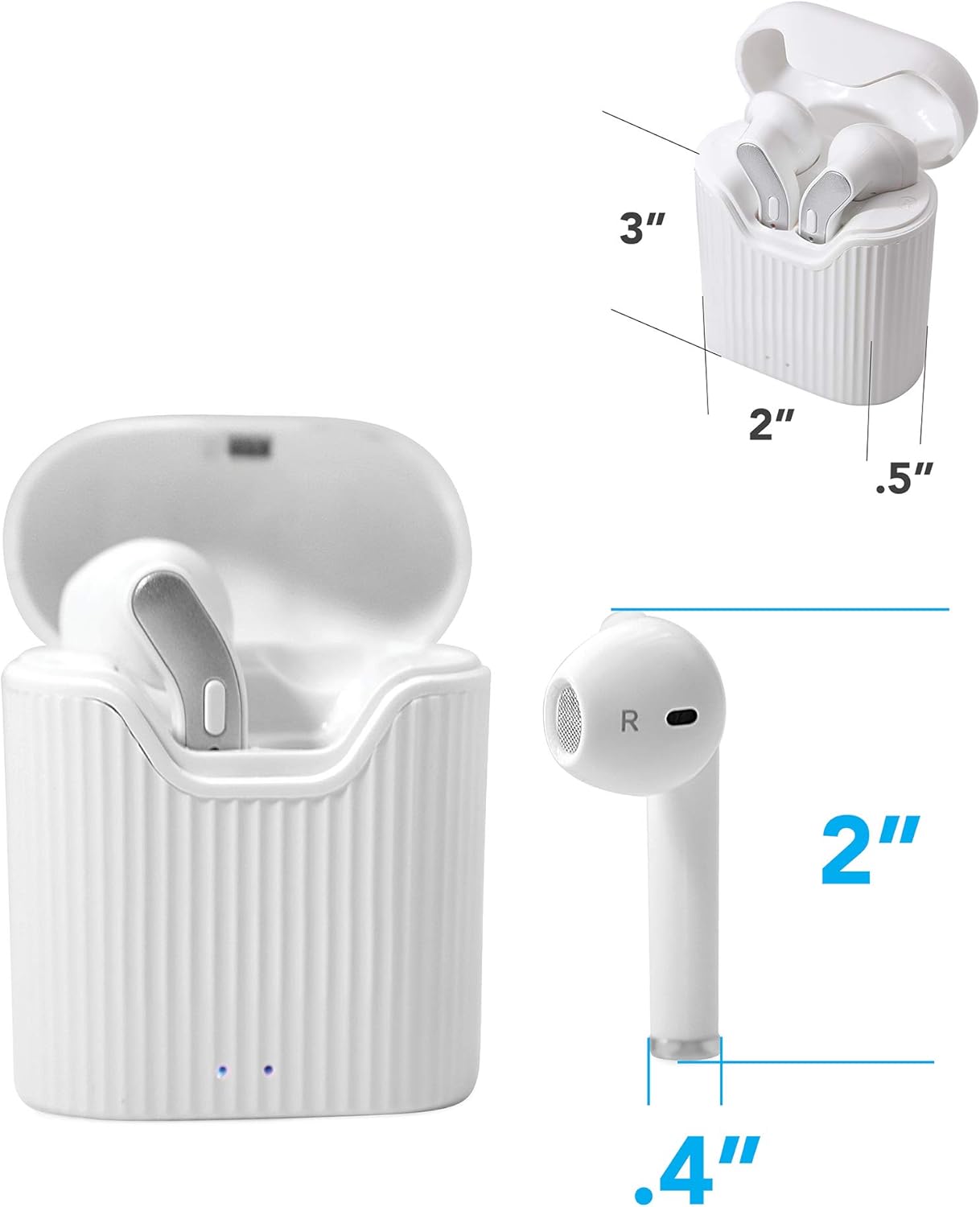
Image: Dimensions of the earbuds and charging case for reference.
Waranti dan Sokongan
For warranty information or technical support, please refer to the contact details provided with your purchase or visit the official Wireless Gear webtapak. Simpan bukti pembelian anda untuk tuntutan waranti.
Pengeluar: Aksesori Tanpa Wayar ESI


