pengenalan
Terima kasih kerana membeliasing the Wireless Gear Secure Fit Wireless Bluetooth Earbuds. This manual provides essential information for setting up, operating, maintaining, and troubleshooting your new device. Please read it carefully to ensure optimal performance and longevity of your earbuds.
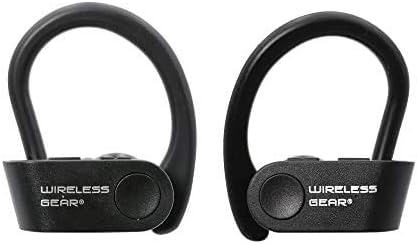
Image: A pair of black Wireless Gear Secure Fit Wireless Bluetooth Earbuds, showing their ergonomic design with ear hooks.
Persediaan
Follow these steps to set up your Wireless Gear earbuds for the first time.
1. Mengecas Fon Telinga
Before first use, ensure the earbuds are fully charged. While specific charging instructions are not provided, these earbuds typically charge via a USB cable. Connect the charging cable to the earbuds and a power source. A full charge usually takes 1-2 hours.
2. Berpasangan dengan Peranti Anda
The Wireless Gear earbuds feature automatic pairing for seamless connection.
- Ensure your earbuds are charged and powered on.
- Activate Bluetooth on your smartphone, tablet, laptop, or MP3 player.
- Cari untuk available Bluetooth devices. The earbuds should appear as "Wireless Gear Earbuds" or a similar name.
- Select the earbuds from the list to connect. Once connected, you will hear an audio confirmation.

Image: The earbuds shown next to a smartphone and laptop, illustrating the automatic pairing and power-on feature for seamless connection with various devices.
3. Mencapai Kesesuaian yang Selamat
The earbuds are designed with secure behind-the-ear hooks and ear gels for comfortable all-day wear, especially during activities like sports.
- Gently place the earbud into your ear canal.
- Position the ear hook over the back of your ear, ensuring it rests comfortably and securely.
- Adjust the earbud and hook until you achieve a snug fit that feels stable without causing discomfort.

Image: A person wearing the Wireless Gear earbuds, demonstrating the secure behind-the-ear fit provided by the contoured shape and ear hooks.
Arahan Operasi
The Wireless Gear earbuds feature convenient one-touch controls for easy operation.
Kawalan Main balik Muzik
- Main/Jeda: Single tap the touch button on either earbud.
- Lagu Seterusnya: Double tap the touch button on the right earbud.
- Trek Sebelumnya: Double tap the touch button on the left earbud.
Pengurusan Panggilan
With the built-in microphone, you can manage calls hands-free.
- Jawab/Tamatkan Panggilan: Single tap the touch button on either earbud during an incoming call.
- Tolak Panggilan: Press and hold the touch button for 2 seconds during an incoming call.
Pengaktifan Pembantu Suara
For iOS devices, you can activate Siri using the earbuds.
- Aktifkan Siri: Triple tap the touch button on either earbud.
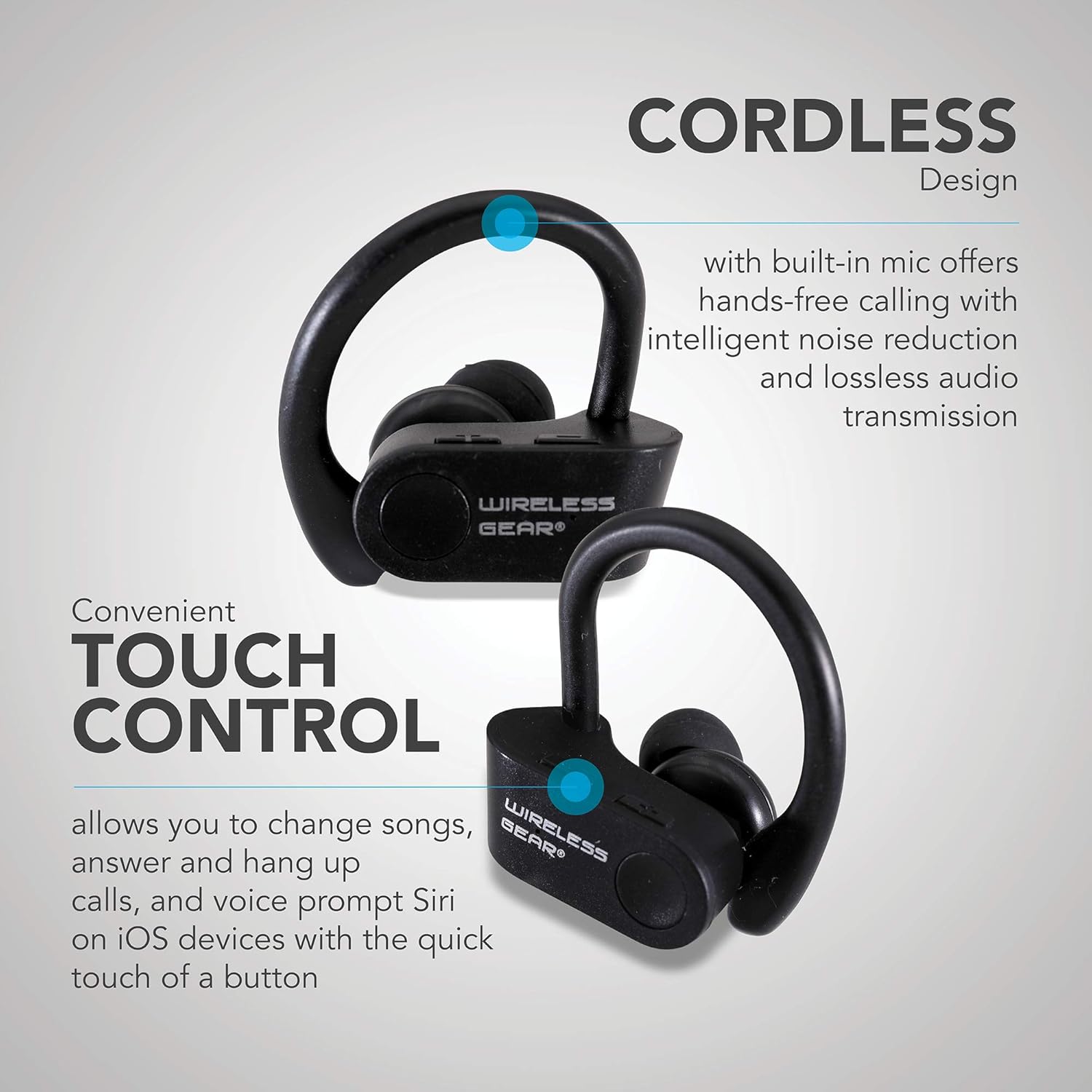
Imej: Jarak dekat view of the earbuds highlighting the touch control area and indicating features like hands-free calling with noise reduction.
Hayat Bateri
The earbuds provide up to 8 hours of playtime on a single charge, depending on usage volume and conditions.

Image: A person wearing the earbuds, with text indicating "True Wireless Bluetooth Sport Earhooks," "up to 8 HOURS of playtime," and "Advanced Bluetooth 5.0."
Penyelenggaraan
Penjagaan yang betul akan memanjangkan hayat fon telinga anda.
- Pembersihan: Use a soft, dry, lint-free cloth to clean the earbuds. Do not use harsh chemicals or abrasive materials.
- Storan: Apabila tidak digunakan, simpan fon telinga di tempat yang sejuk dan kering, jauh daripada cahaya matahari langsung dan suhu yang melampau.
- Pendedahan Air: Avoid exposing the earbuds to excessive moisture or submerging them in water. While designed for sports, they are not fully waterproof unless specified.
Menyelesaikan masalah
Jika anda menghadapi masalah dengan fon telinga anda, cuba penyelesaian berikut:
| Masalah | Kemungkinan Punca | Penyelesaian |
|---|---|---|
| Fon telinga tidak akan dihidupkan. | Bateri lemah. | Cas fon telinga sepenuhnya. |
| Tidak boleh berpasangan dengan peranti. | Bluetooth dimatikan pada peranti; fon telinga tidak dalam mod berpasangan; terlalu jauh dari peranti. | Ensure Bluetooth is enabled. Make sure earbuds are powered on and discoverable. Move earbuds closer to the device (within 10 meters). Try forgetting the device on your phone and re-pairing. |
| Tiada bunyi atau kualiti bunyi yang buruk. | Volume too low; earbuds not properly connected; interference. | Increase volume on both earbuds and connected device. Reconnect the earbuds. Move away from sources of strong electromagnetic interference. |
| Earbuds frequently disconnect. | Di luar julat; bateri lemah; gangguan. | Stay within Bluetooth range. Charge the earbuds. Avoid strong Wi-Fi signals or other Bluetooth devices nearby. |
Spesifikasi
| Ciri | Perincian |
|---|---|
| Nama Model | Wireless Gear True Wireless Bluetooth Secure Fit Earbuds, Black |
| Nombor Model | G0688 |
| Jenama | Gear Tanpa Wayar |
| Teknologi Ketersambungan | Wayarles (Bluetooth 5.0) |
| Penempatan Telinga | In-Ear with Secure Ear Hooks |
| Kaedah Kawalan | Sentuh |
| warna | Hitam |
| Peranti Serasi | Laptops, MP3 Players, Tablets, Mobile Phones |
| Ciri Khas | Designed for Sports, Hands-free Calling, Noise Reduction |
| Jenis Bateri | 2 Litium Ion (termasuk) |
| Estimated Playtime | Sehingga 8 jam |
| Dimensi Produk | Approx. 5.7 cm x 5.7 cm x 1.9 cm (2.25" x 2.25" x 0.75" each earbud) |
| Dimensi Pakej | 13.97 x 7.62 x 3.81 cm |
| Berat Produk | 227 g (berat bungkusan) |

Image: Diagram showing the approximate dimensions of the Wireless Gear earbuds, indicating their compact size.
Waranti dan Sokongan
For detailed warranty information and customer support, please refer to the documentation included with your purchase or visit the official Wireless Gear webtapak. Simpan bukti pembelian anda untuk sebarang tuntutan waranti.
Sokongan dalam talian: www.wirelessgear.com/support (Cthamppautan tersebut, sila rujuk dokumentasi produk sebenar untuk maklumat yang betul URL)


