1. Pengenalan
This manual provides essential instructions for the safe and effective use of your Wellue Bluetooth Blood Pressure Monitor BP2A. This device is designed for home use to measure systolic blood pressure (SYS), diastolic blood pressure (DIA), mean arterial pressure (MAP), pulse rate, and pulse pressure. It also features an ECG function for additional heart health monitoring. Please read this manual thoroughly before first use and retain it for future reference.
2. Maklumat Keselamatan Penting
- Consult your physician before using this device for any medical condition. Self-diagnosis and treatment based on measurements can be dangerous.
- Peranti ini bertujuan untuk kegunaan rumah orang dewasa sahaja. Ia tidak bertujuan untuk digunakan pada bayi, kanak-kanak, atau wanita hamil.
- Do not use this device in conjunction with high-frequency surgical equipment.
- Jauhkan peranti daripada kanak-kanak dan haiwan peliharaan.
- Jangan buka atau cuba membaiki peranti. Rujuk semua servis kepada kakitangan yang berkelayakan.
- Avoid strong electromagnetic fields during use, as they may interfere with the device's operation.
- Kenyataan mengenai suplemen makanan belum dinilai oleh FDA dan tidak bertujuan untuk mendiagnosis, merawat, menyembuhkan atau mencegah sebarang penyakit atau keadaan kesihatan.
3. Kandungan Pakej
Pastikan semua barang ada semasa membuka bungkusan:
- Wellue Bluetooth Blood Pressure Monitor BP2A (integrated with cuff)
- Kabel Pengecas USB
- Manual Pengguna
4. Peranti Lebihview
The Wellue BP2A monitor features a compact, one-piece design for ease of use and portability. It includes an integrated arm cuff, a digital display, and control buttons.

Figure 4.1: Wellue BP2A Blood Pressure Monitor and ViHealth App Interface.

Figure 4.2: Key features of the Wellue BP2A monitor, including Bluetooth connectivity, FDA clearance, rechargeable battery, and built-in memory for 50 readings.
5. Persediaan
5.1 Mengecas Peranti
Before initial use, fully charge the device using the provided USB cable. Connect the cable to the monitor's charging port and a standard USB power adapter (not included). A full charge can provide power for up to 300 measurements.
5.2 Installing the ViHealth App
The Wellue BP2A works with the free ViHealth app, available for iOS and Android devices. Cari untuk "ViHealth" in your device's app store and install it.

Figure 5.1: The ViHealth app for Android and iOS, used to track blood pressure and heart measurements.
5.3 Berpasangan Bluetooth
Ensure Bluetooth is enabled on your smartphone. Open the ViHealth app. Turn on the Wellue BP2A monitor. The device should automatically connect to the app. Follow any on-screen prompts within the app to complete the pairing process.
6. Arahan Operasi
6.1 Penempatan Manset yang Betul
Accurate measurement depends on correct cuff placement. Ensure the cuff is placed directly on your bare upper arm, 1-2 cm above the elbow joint. The air tube (if applicable, though this is a one-piece design, the sensor area should be aligned) should be positioned over the brachial artery. The cuff should fit snugly but not too tightly. Refer to the diagram below for guidance.

Figure 6.1: Correct cuff placement for accurate blood pressure measurement.
6.2 Mengambil Pengukuran Tekanan Darah
- Duduk dengan selesa dengan belakang anda disokong dan kaki rata di atas lantai. Letakkan lengan anda di atas meja supaya manset berada pada paras jantung.
- Ensure the device is powered on and, if desired, connected to the ViHealth app.
- Tekan ke Mula/Berhenti butang pada peranti. Manset akan mula mengembang.
- Kekal diam dan tenang semasa pengukuran.
- Once complete, your blood pressure readings (SYS, DIA, MAP, Pulse Rate, Pulse Pressure) will be displayed on the device screen and automatically uploaded to the ViHealth app if connected.

Figure 6.2: User taking a blood pressure measurement with the Wellue BP2A monitor.
6.3 Taking an ECG Measurement
The device also supports ECG measurements. To take an ECG:
- Ensure the device is powered on and connected to the ViHealth app.
- Hold the device with both hands, placing your thumbs on the designated electrodes (usually the metal strips on the sides or top of the device).
- Remain still and relaxed for the duration of the measurement (typically 30 seconds).
- The ECG waveform and heart rate will be displayed on the device and recorded in the app.
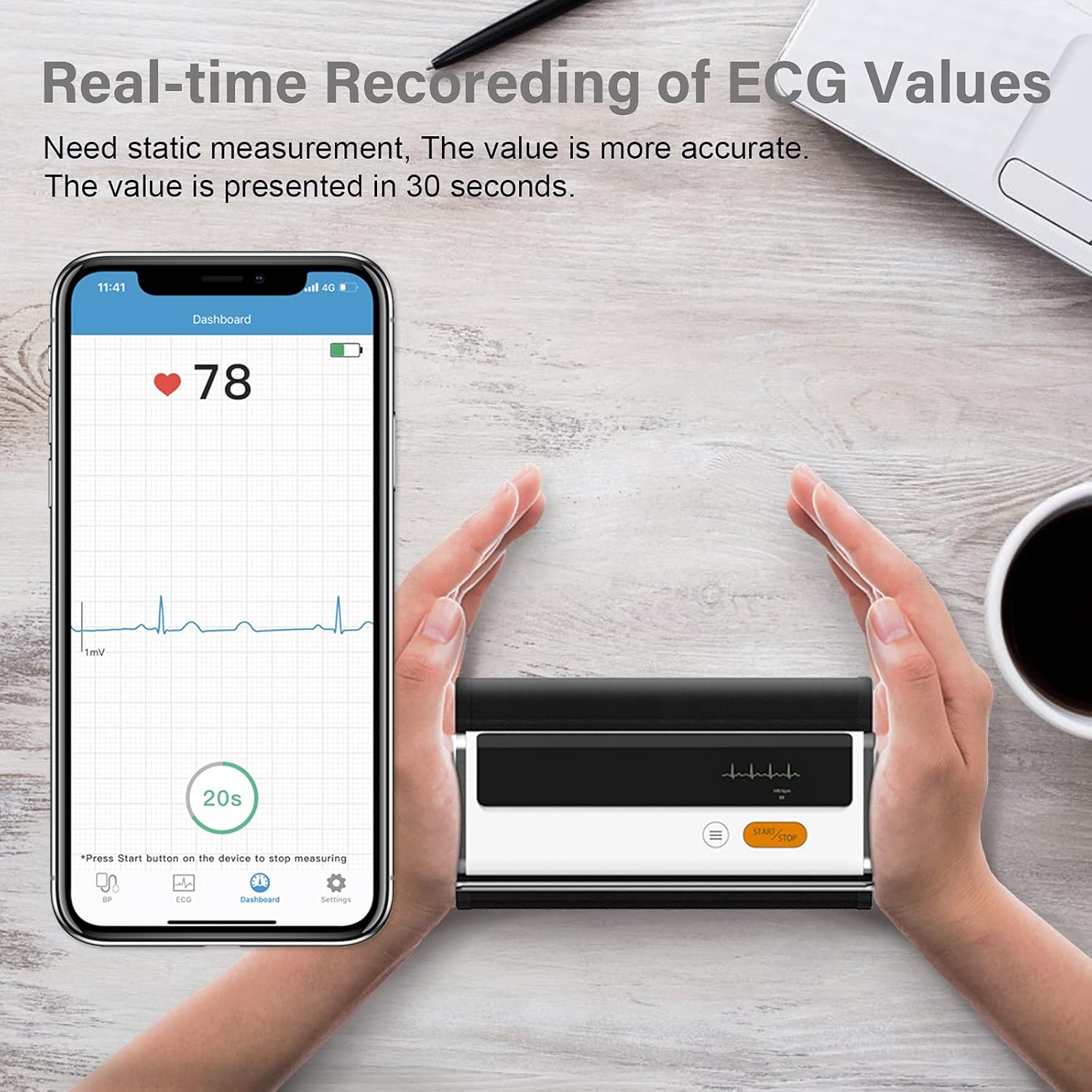
Figure 6.3: Real-time recording of ECG values using the Wellue BP2A monitor.
6.4 Using the ViHealth App for Data Management
The ViHealth app allows you to:
- View real-time readings during measurement.
- Access historical data and trends for multiple users.
- Generate and share PDF/CSV reports with healthcare providers.
- Track both blood pressure and ECG data in one place.
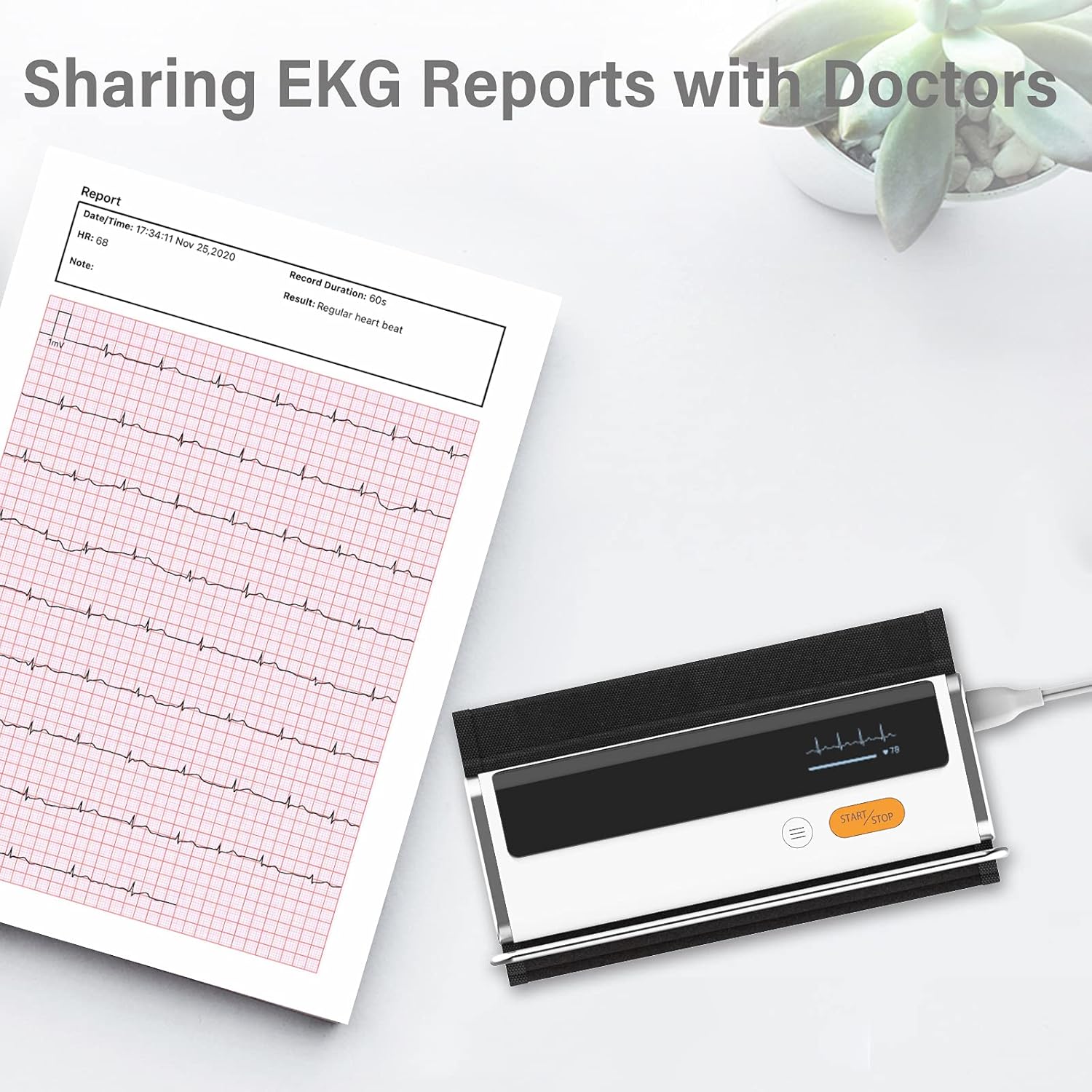
Figure 6.4: Sharing EKG reports generated by the ViHealth app.
Video 6.1: Demonstration of the Wellue blood pressure monitor's features and its integration with the ViHealth app for real-time readings and data sharing.
7. Penyelenggaraan
7.1 Pembersihan
Wipe the device and cuff with a soft, dry cloth. If necessary, use a cloth lightly dampened with water or a mild disinfectant. Do not immerse the device in water or use abrasive cleaners.
7.2 Penyimpanan
Store the device in a cool, dry place, away from direct sunlight and extreme temperatures. Keep it in its original packaging or a protective case when not in use.
7.3 Penjagaan Bateri
To prolong battery life, charge the device regularly, even if not used frequently. Avoid fully discharging the battery for extended periods.
8. Penyelesaian masalah
| Masalah | Kemungkinan Punca | Penyelesaian |
|---|---|---|
| Peranti tidak dihidupkan | Bateri lemah | Cas peranti menggunakan kabel USB. |
| Tidak dapat menyambung ke apl | Bluetooth off, app not open, device not in pairing mode | Ensure Bluetooth is on, open ViHealth app, restart device. |
| Bacaan tidak tepat | Incorrect cuff placement, movement during measurement, speaking during measurement | Re-position cuff correctly, remain still and silent during measurement. |
| Manset tidak mengembang | Cuff not properly attached, air leak | Check cuff connection, ensure no leaks. |
9. Spesifikasi
- Nama Model: Armfit Plus
- Nombor Model Item: BP2A
- Jenama: Wellue
- Saiz manset: 8.7-16.5 inci (22-42 cm)
- Sumber Kuasa: Dikuasakan Bateri (1 bateri Lithium Ion, disertakan)
- Jenis Paparan: digital
- Dimensi Produk: 5.9" L x 1.9" W x 1.18" Th
- Berat: Kira-kira 15.84 auns
- Ketersambungan: Bluetooth
- Ingatan: Built-in memory for 50 sets of readings
10. Waranti dan Sokongan
For warranty information and technical support, please refer to the official Wellue webtapak atau hubungi perkhidmatan pelanggan mereka secara langsung. Simpan resit pembelian anda sebagai bukti pembelian untuk tuntutan waranti.


