Pengenalan dan Lebihview
The Technical Pro H502URBT is a versatile digital hybrid amplifier designed to deliver powerful and clear audio performance. It integrates a preamp tuner, USB and SD card playback, Bluetooth connectivity, and FM radio, making it suitable for a wide range of audio applications from home entertainment to professional setups. This manual provides detailed instructions for setting up, operating, and maintaining your amppelapis untuk memastikan prestasi optimum dan jangka hayat.

Rajah 1: Depan view of the H502URBT Amplebih hidup.

Rajah 2: Belakang view of the H502URBT Amplifier, showing connections.
Ciri-ciri Utama
The H502URBT amplifier is equipped with a comprehensive set of features to enhance your audio experience:
- Output Kuasa Tinggi: 3500 watts peak power for robust sound delivery.
- Berbilang Input Audio: RCA (2 audio sources), USB, SD Card, MP3 (3.5mm) for diverse connectivity.
- Output Serbaguna: Banana binding post (4 speakers), push button (surround sound speakers), RCA (record line, preamp, 2 mono to subwoofer), Headphone (3.5mm).
- Digital Media Playback: Memainkan .mp3, .wav, .wma files from USB drives and SD Cards (max 32GB).
- iPod/iPhone Compatibility: USB input allows direct connection for iPods.
- Fungsi Rakaman: Rekod .wav files onto USB Flash Drive or SD Card from Tuner & RCA inputs (128 kbps / 44.1 KHz sampkadar ling).
- Kesambungan Bluetooth: Features Bluetooth v2.0 with EDR (2.4 GHz) for wireless connection to A2DP stereo Bluetooth devices, with a range of 30 feet.
- Penala Bersepadu: AM/FM digital tuner.
- Input Mikrofon: Dual 1/4'' mic inputs with independent volume, echo, bass, and treble controls.
- Kawalan Audio: Bass, treble, and balance controls, separate gain control for preamp and subwoofer outputs.
- paparan: Digital FL readout with spectrum display.
- Kemudahan: Built-in Speaker selector, cooling speed fan, removable rack-mount brackets, wireless remote included.
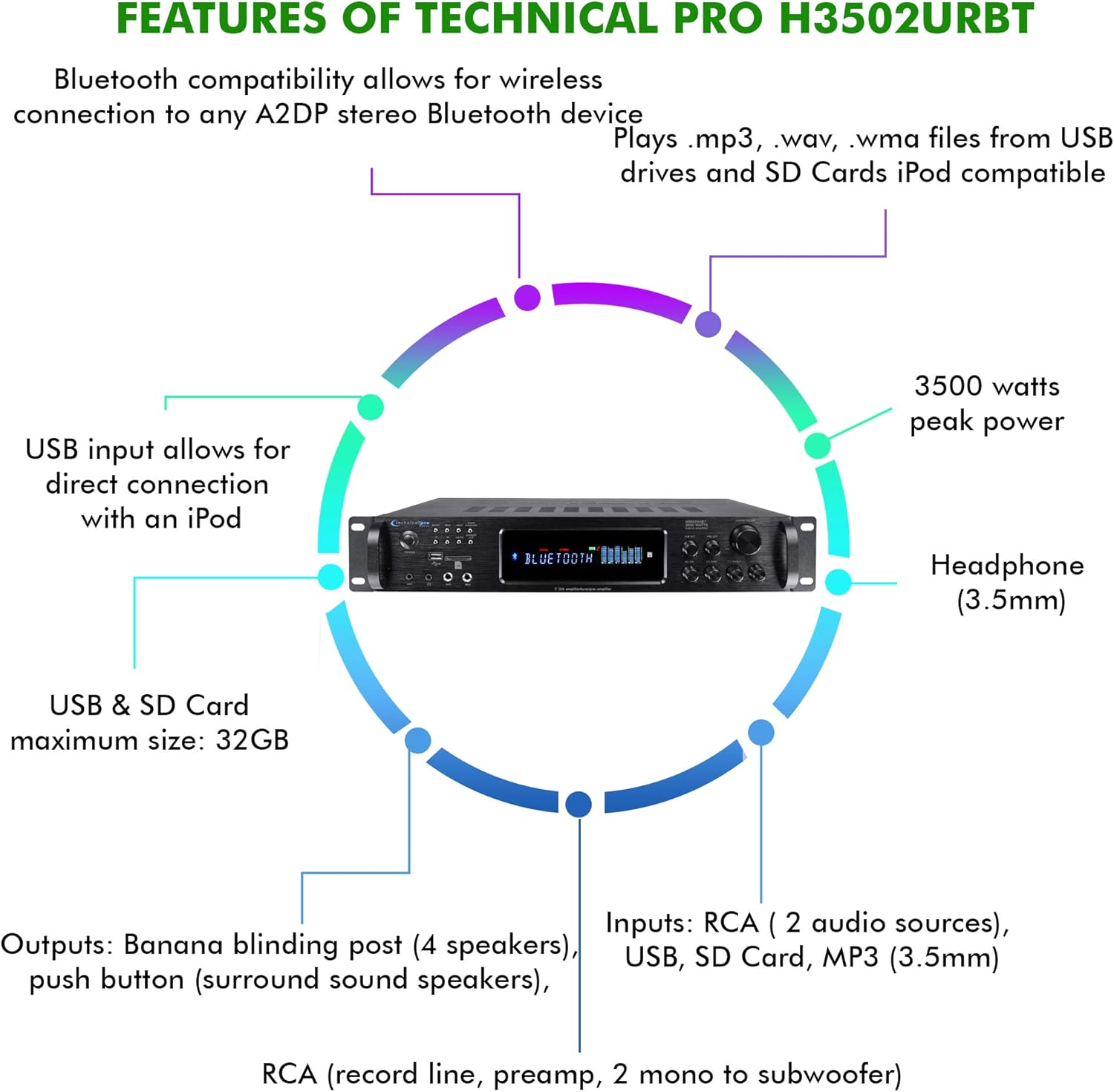
Figure 3: Key features and connectivity options.
Fizikal Lebihview
Kawalan dan Penunjuk Panel Hadapan
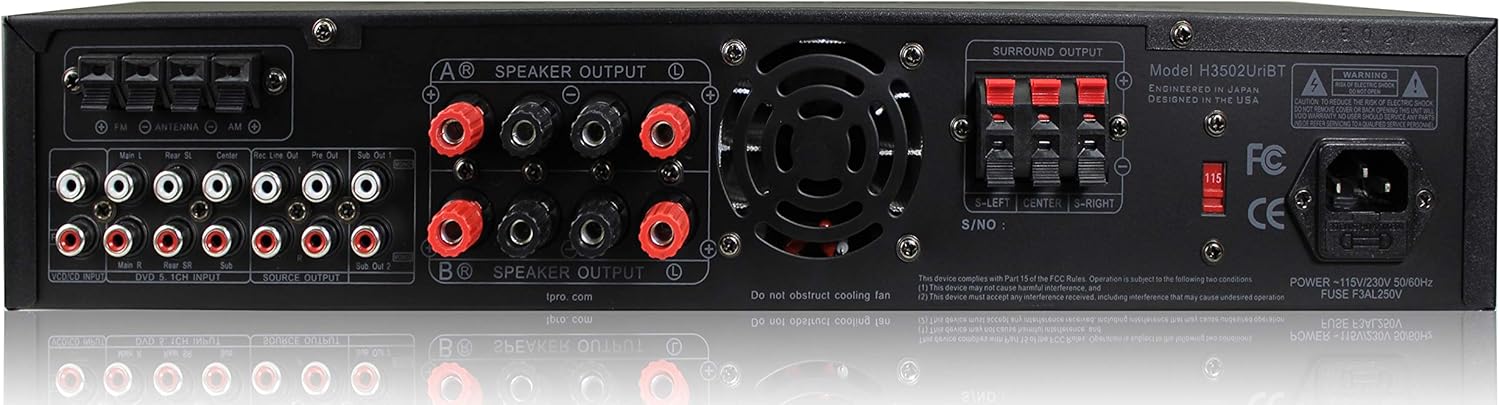
Figure 4: Front Panel Layout.
- Butang Kuasa: Menghidupkan atau mematikan unit.
- Pemilih Input: Cycles through RCA, USB, SD, MP3, Bluetooth, and FM inputs.
- Slot Kad USB/SD: Untuk bermain media files from USB drives and SD cards.
- Input MP3 (3.5mm): Sambungkan peranti audio luaran.
- Output Fon Kepala (3.5mm): Untuk mendengar secara peribadi.
- Microphone Inputs (1/4''): Connect up to two microphones.
- Mic Volume/Echo/Bass/Treble Controls: Adjust microphone audio.
- Jumlah Induk: Mengawal volum keluaran keseluruhan.
- Kawalan Bes/Treble/Imbangan: Adjust audio tone and channel balance.
- Bacaan FL Digital: Displays current status, track information, and spectrum analysis.
Sambungan Panel Belakang
Rajah 5: Sambungan Panel Belakang.
- Input Audio RCA (K/R): Connect external audio sources like CD players, DVD players, or other audio devices.
- Output Pembesar Suara (Tiang Pengikat Pisang): Connect main speakers.
- Surround Sound Speaker Outputs (Push Button): Connect surround sound speakers.
- RCA Record Line Output: For connecting to a recording device.
- RCA Praamp Output: Untuk menyambung kepada kuasa luaran amplebih hidup.
- RCA Subwoofer Outputs (Mono): Connect to powered subwoofers.
- Input Antena FM: Connect the included FM antenna for radio reception.
- Input Kuasa: Sambungkan kord kuasa AC.
Persediaan
1. Pembesar Suara Penyambung
- Memastikan amppenyambung dimatikan dan dicabut dari salur keluar kuasa.
- Connect your main speakers to the "SPEAKER OUTPUT" banana binding posts on the rear panel. Ensure correct polarity (red to red, black to black).
- If using surround sound speakers, connect them to the "SURROUND OUTPUT" push button terminals, observing polarity.
- For powered subwoofers, connect them to the "SUB OUT" RCA outputs.
2. Menyambung Sumber Audio
- For external audio devices (e.g., CD player, TV), connect their RCA audio outputs to the "RCA INPUT" jacks on the rear panel.
- For portable devices, use the 3.5mm MP3 input on the front panel.
- For USB drives or SD cards, insert them into the respective slots on the front panel.
- Connect the FM antenna to the "FM ANTENNA" terminal for radio reception.
3. Sambungan Kuasa
- Once all audio and speaker connections are made, plug the amplifier's power cord into a standard AC power outlet.
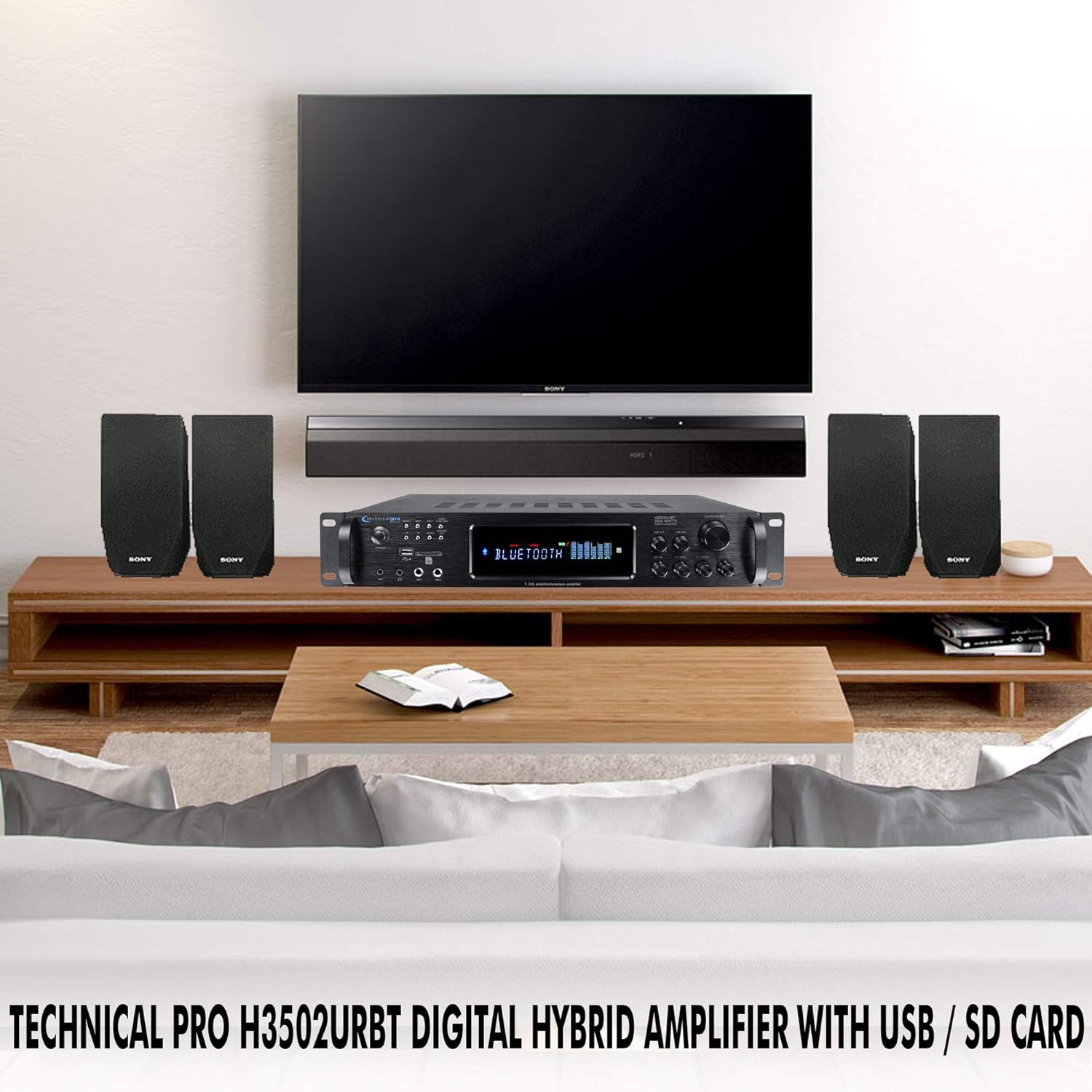
Gambar 6: Cthample of a typical home audio setup.
Arahan Operasi
1. Hidupkan/Mati Kuasa
Tekan ke KUASA butang pada panel hadapan atau alat kawalan jauh untuk memusingkan amplampu hidup atau mati. Paparan digital akan menyala apabila unit dihidupkan.
2. Pemilihan Input
Tekan ke INPUT button on the front panel or the remote control to cycle through the available audio sources: RCA, USB, SD, MP3, Bluetooth, and FM. The selected input will be displayed on the digital readout.
3. Operasi Bluetooth
- Pilih Bluetooth input using the Input Selector.
- Pada peranti anda yang didayakan Bluetooth (cth., telefon pintar, tablet), dayakan Bluetooth dan cari peranti yang tersedia.
- Select "Technical Pro H502URBT" from the list of devices to pair.
- Setelah dipasangkan, anda boleh menstrim audio secara wayarles dari peranti anda ke amplebih hidup.
4. Main Semula USB/SD
- Insert a USB flash drive or SD card (up to 32GB) containing .mp3, .wav, or .wma files into the corresponding slot on the front panel.
- Pilih USB or SD input.
- The amplifier will automatically begin playing the media. Use the playback controls (Play/Pause, Next/Previous Track) on the front panel or remote. Track title, number, and elapsed time will be displayed.
5. Penggunaan Mikrofon
- Plug 1/4'' microphones into the MIC1 or MIC2 input pada panel hadapan.
- Laraskan MIC VOL, MIC ECHO, MIC BASS, dan MIC TREBLE knobs to achieve the desired sound.
6. Fungsi Rakaman
The amplifier can record audio from the Tuner or RCA inputs directly to a connected USB flash drive or SD card as .wav files. To record, ensure a USB drive or SD card is inserted, select the desired input source, and initiate recording via the appropriate control (refer to the full manual for specific recording button location if not explicitly labeled).
7. Tone and Volume Controls
Gunakan VOLUME MASTER knob to adjust the overall sound level. The BASS, TREBLE, dan BAKI knobs allow you to fine-tune the audio output to your preference.
Penyelenggaraan
Penyelenggaraan yang betul memastikan ketahanan dan prestasi optimum peranti anda amplebih hidup.
- Pembersihan: Disconnect the power before cleaning. Use a soft, dry cloth to wipe the exterior of the unit. Do not use liquid cleaners or aerosol sprays, as they may damage the finish or internal components.
- Pengudaraan: Pastikan bukaan pengudaraan pada amplifier are not blocked. Adequate airflow is crucial to prevent overheating.
- Storan: Jika menyimpan unit untuk tempoh yang lama, simpan di tempat yang sejuk dan kering, jauh daripada cahaya matahari langsung dan suhu yang melampau.
Menyelesaikan masalah
Jika anda menghadapi masalah dengan anda amplifier, rujuk kepada masalah dan penyelesaian biasa berikut:
| Masalah | Kemungkinan Punca | Penyelesaian |
|---|---|---|
| Tiada kuasa | Power cord not securely connected; Power outlet not active; Unit fuse blown. | Check power cord connection; Test outlet with another device; Consult a qualified technician for fuse replacement. |
| Tiada keluaran bunyi | Incorrect input selected; Speaker wires loose or incorrectly connected; Volume too low; Mute function active. | Select correct input; Check all speaker connections and polarity; Increase Master Volume; Ensure unit is not muted. |
| Bluetooth tidak bersambung | AmpPengaktif tiada dalam mod Bluetooth; Peranti terlalu jauh; Peranti telah dipasangkan dengan unit lain. | pastikan amplifier is on Bluetooth input; Move device closer; Disconnect device from other Bluetooth connections and try again. |
| Isu main balik USB/SD | Tidak disokong file format; USB/SD card corrupted; Card size exceeds 32GB. | pastikan files are .mp3, .wav, or .wma; Try a different USB/SD card; Use a card within the 32GB limit. |
| Bunyi herot | Volume too high; Speaker impedance mismatch; Poor cable connection. | Reduce volume; Ensure speakers match amplifier impedance; Check all audio cable connections. |
Spesifikasi
Detailed technical specifications for the Technical Pro H502URBT Digital Hybrid Amplebih hidup:
| Ciri | Perincian |
|---|---|
| Kuasa Puncak | 3500 Watt |
| Dimensi Produk | 19.1 x 14 x 18 inci |
| Berat Barang | 14.9 paun |
| Nombor Model | H502URBT |
| Teknologi Ketersambungan | RCA, Bluetooth, USB |
| Jenis Pengawal | Android (serasi) |
| Peranti Serasi | Speaker, iPod, iPhone |
| Mod Keluaran Audio | Mono (for subwoofer), Stereo |
| Konfigurasi Saluran Bunyi Sekeliling | 7.2 Channel up conversion |
| USB & SD Card Max Size | 32GB |
| Format Rakaman | .wav (128 kbps / 44.1 KHz) |
| Versi Bluetooth | v2.0 with EDR |
| Julat Bluetooth | 30 Kaki |
| warna | Hitam |
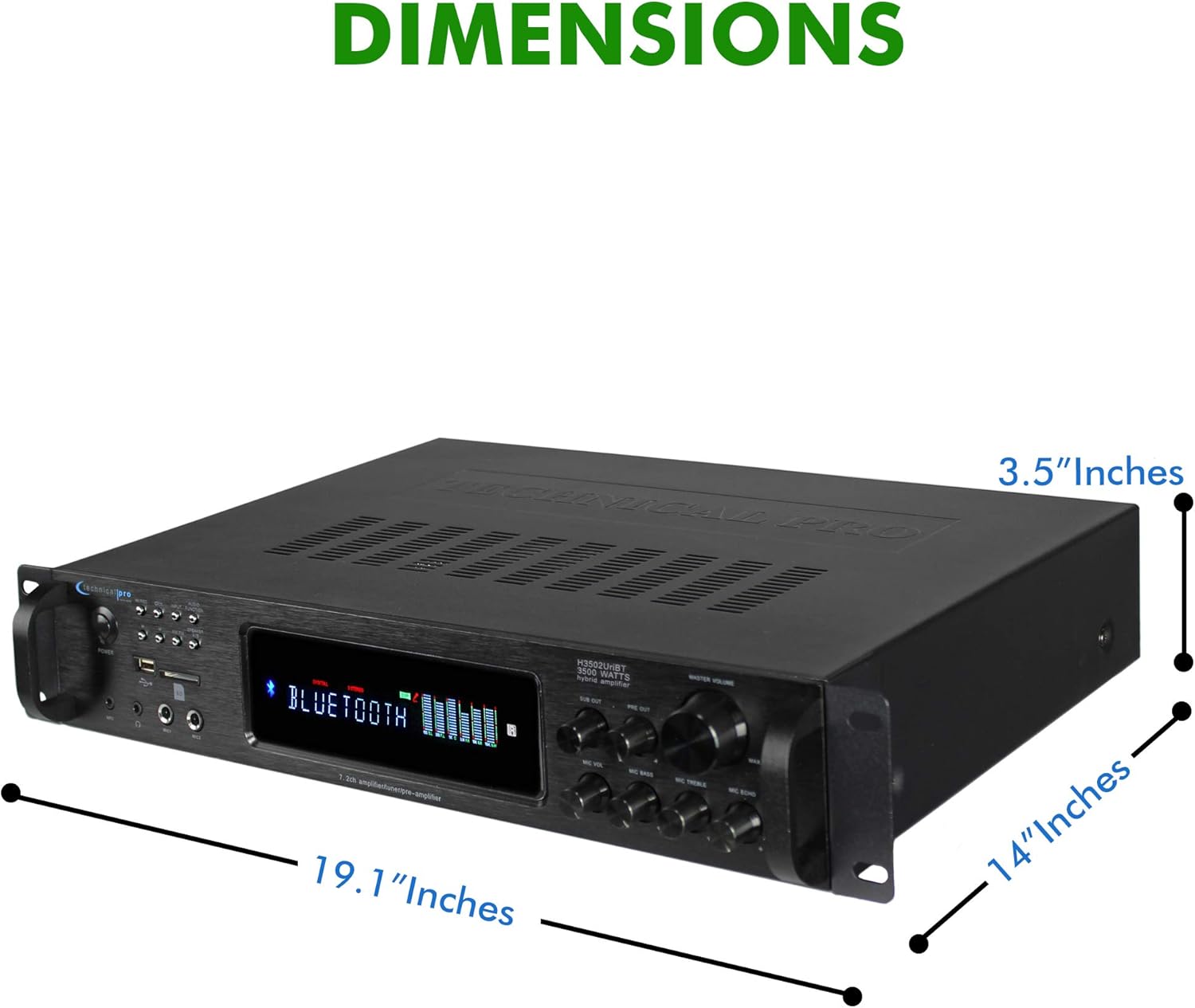
Rajah 7: Dimensi Produk.
Waranti dan Sokongan
Technical Pro products are manufactured with high standards and undergo rigorous quality control. This product is covered by a manufacturer's warranty against defects in materials and workmanship. For specific warranty terms and conditions, please refer to the warranty card included with your purchase or visit the official Technical Pro webtapak.
For technical support, troubleshooting assistance, or service inquiries, please contact Technical Pro customer service. Contact information can typically be found on the Technical Pro webtapak atau dalam pembungkusan produk anda.


