pengenalan
Thank you for choosing the Tecno Minipod M1 True Wireless Stereo (TWS) Earbuds. This manual provides detailed instructions on how to set up, operate, and maintain your Minipod M1 earbuds to ensure optimal performance and longevity. The Minipod M1 offers a seamless audio experience with its portable charging case, long playback time, IPX4 water resistance, and smart touch controls.
Apa yang ada dalam Kotak
- 1 x Tecno Minipod M1 TWS Earphone (Left and Right)
- 1 x Sarung Pengecasan Mudah Alih
- 1 x Kabel Pengecas USB
- 1 x Manual Pengguna
- 2 x Pairs of Eartips (various sizes)
- 1 x Silicone Protective Cover
- 1 x Hook (Carabiner)

Image: Infographic highlighting key features of the Tecno Minipod M1, including 18 hours non-stop music, ENC Noise Reduction Technology, Bluetooth 5.0, cool touch controls, portable charging case, IPX4 water resistance, and 4.2gm ultra-light body.
Produk Selesaiview
The Tecno Minipod M1 consists of two lightweight earbuds and a compact charging case. The case not only protects the earbuds but also provides additional battery life for extended listening.
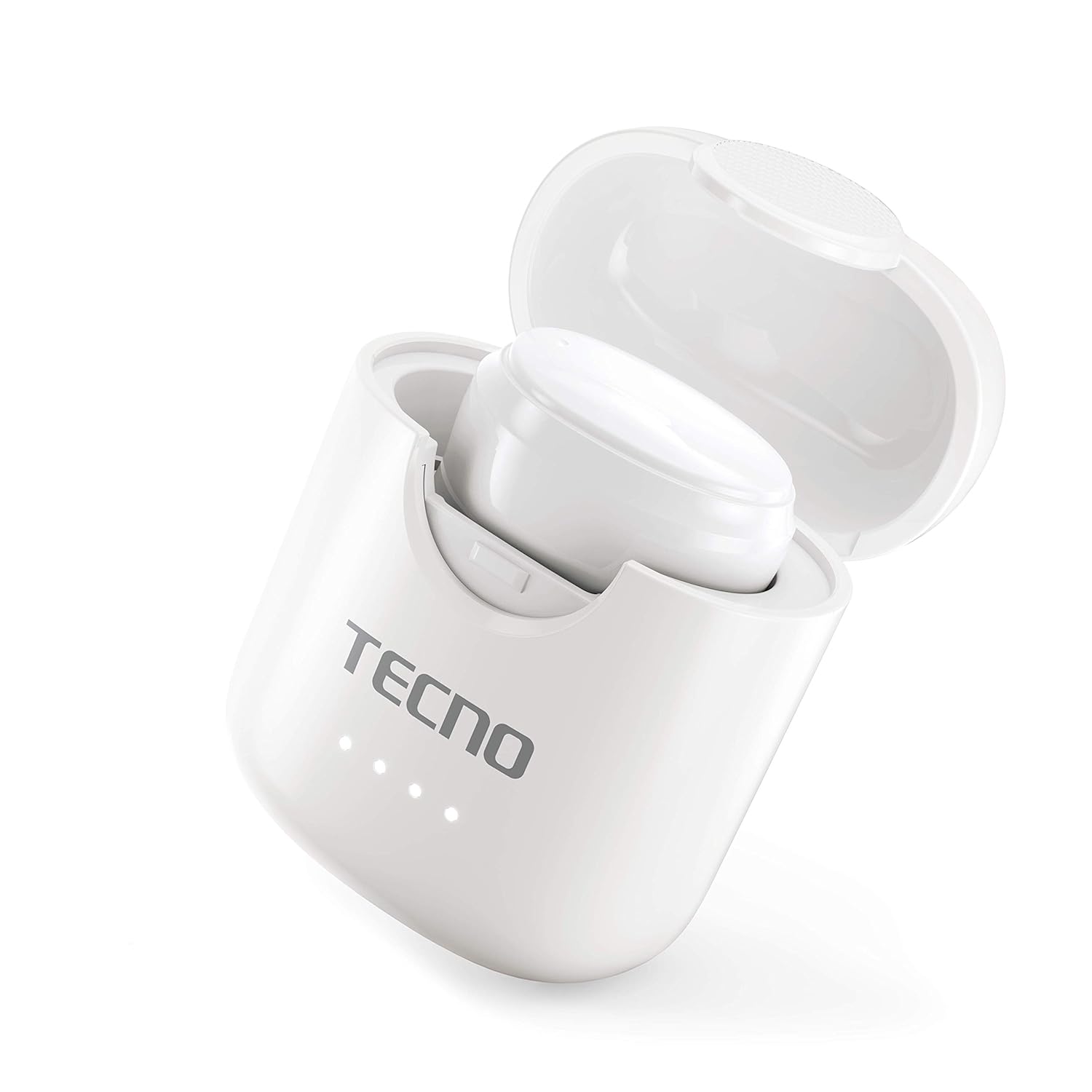
Image: The Tecno Minipod M1 earbud securely placed inside its open charging case, showing the compact design and charging indicators.

Image: A detailed close-up of a single Tecno Minipod M1 earbud, highlighting its ergonomic shape and touch-sensitive surface.
Komponen:
- Earbud: Left and Right, each with touch controls and built-in microphone.
- Sarung Pengecasan: Menyumbat dan mengecas fon telinga, dengan penunjuk LED untuk status bateri.
- Port Pengecasan USB: Located on the charging case for power input.
Persediaan
1. Pengecasan Awal:
Before first use, fully charge the Tecno Minipod M1 earbuds and their charging case.
- Letakkan kedua-dua fon telinga ke dalam bekas pengecas. Pastikan ia diletakkan dengan betul di slot masing-masing.
- Sambungkan kabel pengecas USB yang disediakan ke port pengecasan pada bekas dan hujung yang satu lagi ke sumber kuasa USB (cth., komputer, penyesuai dinding).
- Penunjuk LED pada bekas pengecasan akan menyala untuk menunjukkan status pengecasan. Setelah dicas sepenuhnya, penunjuk mungkin berubah warna atau padam.

Image: The Tecno Minipod M1 charging case in a closed position, showing the LED indicators on the front that display charging status.
2. Berpasangan dengan Peranti Anda:
The Minipod M1 earbuds use Bluetooth 5.0 for a stable and quick connection.
- Buka bekas pengecas. Fon telinga akan memasuki mod berpasangan secara automatik.
- Pada telefon pintar atau peranti berdaya Bluetooth anda, pergi ke tetapan Bluetooth.
- Cari untuk available devices and select "Tecno Minipod M1" from the list.
- Sebaik sahaja disambungkan, anda akan mendengar nada pengesahan dan lampu penunjuk fon telinga akan bertukar.
- Untuk kegunaan seterusnya, fon telinga akan bersambung secara automatik ke peranti pasangan terakhir apabila dikeluarkan daripada sarung.
Beroperasi
Kawalan Sentuhan Pintar:
The Tecno Minipod M1 features intuitive touch controls on each earbud.
| Tindakan | Kawalan |
|---|---|
| Main/Jeda Muzik | Ketik sekali pada salah satu fon telinga |
| Trek Seterusnya | Ketik dua kali pada fon telinga kanan |
| Trek Sebelumnya | Ketik dua kali pada fon telinga kiri |
| Jawab/Tamatkan Panggilan | Ketik sekali pada salah satu fon telinga |
| Tolak Panggilan | Tekan dan tahan salah satu fon telinga selama 2 saat |
| Aktifkan Pembantu Suara | Ketik tiga kali pada salah satu fon telinga |
Memakai Earbud:
Choose the correct size of eartips for a comfortable and secure fit. Insert the earbuds gently into your ear canal and twist slightly to ensure a snug fit. A proper fit enhances sound quality and noise cancellation.
Penyelenggaraan
Pembersihan:
- Bersihkan fon telinga dan bekas pengecas dengan kerap menggunakan kain yang lembut, kering dan tidak berbulu.
- Jangan gunakan pembersih yang melelas, alkohol atau pelarut kimia.
- Perlahan-lahan keluarkan sebarang tahi telinga atau serpihan dari hujung telinga dan jaring pembesar suara menggunakan berus kecil yang lembut atau sapu kapas.
Storan:
- Apabila tidak digunakan, sentiasa simpan fon telinga dalam bekas pengecasnya untuk melindunginya dan memastikan ia dicas.
- Simpan peranti di tempat yang sejuk dan kering, jauh dari suhu yang melampau dan cahaya matahari langsung.
Rintangan Air (IPX4):
The Tecno Minipod M1 earbuds are IPX4 water resistant, meaning they are protected against splashing water from any direction. This makes them suitable for workouts and light rain. However, they are not designed for swimming or submersion in water. Do not charge the earbuds or case if they are wet.

Image: The Tecno Minipod M1 charging case shown with various colorful silicone protective covers, emphasizing the included accessory for better protection and portability.
Menyelesaikan masalah
| Masalah | Penyelesaian yang Mungkin |
|---|---|
| Fon telinga tidak dicas | Ensure the charging cable is securely connected. Check if the charging case has power. Clean the charging contacts on both earbuds and the case. |
| Tidak boleh berpasangan dengan peranti | Make sure Bluetooth is enabled on your device. Ensure earbuds are in pairing mode (open case). Forget "Tecno Minipod M1" from your device's Bluetooth list and try pairing again. Move closer to your device. |
| Only one earbud playing sound | Letakkan kedua-dua fon telinga kembali ke dalam bekas pengecas, tutup penutup, tunggu beberapa saat, kemudian buka penutup dan cuba lagi. Pastikan kedua-dua fon telinga dicas. |
| Kelantangan rendah atau kualiti bunyi yang lemah | Adjust the volume on your device. Ensure earbuds are properly seated in your ears. Clean any debris from the speaker mesh and eartips. |
| Mikrofon tidak berfungsi semasa panggilan | Ensure the earbuds are connected as a "headset" profile in your device's Bluetooth settings. Check for any obstructions on the microphone opening. |
Spesifikasi
| Ciri | Perincian |
|---|---|
| Nama Model | Tecno Minipod M1 |
| Versi Bluetooth | 5.0 |
| Jumlah Masa Main Semula | Sehingga 18 jam (6 jam pada fon telinga + 12 jam dengan bekas pengecas) |
| Tahan Air | IPX4 (Kalis peluh dan percikan) |
| Pembatalan Bunyi | Pembatalan Kebisingan Alam Sekitar (ENC) |
| Kawalan | Kawalan Sentuhan Pintar |
| Berat Earbud | Lebih kurang 4.2g setiap fon telinga |
| Dimensi (Produk) | 2.4 x 1.7 x 2.7 cm |
| bahan | Polikarbonat (PC), Akrilonitril Butadiena Stirena (ABS) |
| Keserasian Sistem Pengendalian | iOS, Android |
Waranti dan Sokongan
The Tecno Minipod M1 comes with a Waranti 6 bulan dari tarikh pembelian. Waranti ini meliputi kecacatan pembuatan. Sila simpan bukti pembelian anda untuk tuntutan waranti.
For technical support, warranty claims, or any other inquiries, please contact Tecno customer service through their official website or the contact information provided with your purchase documentation. You can also visit the Kedai Tecno di Amazon untuk maklumat lanjut.


