1. Pengenalan
This manual provides comprehensive instructions for the installation, operation, and maintenance of the VIVOTEK FE9380-HV 5MP Outdoor Network Fisheye Dome Camera. Please read this manual thoroughly before using the product to ensure proper setup and functionality. The FE9380-HV is designed for robust outdoor surveillance, offering a 360-degree panoramic view with high-resolution imaging.
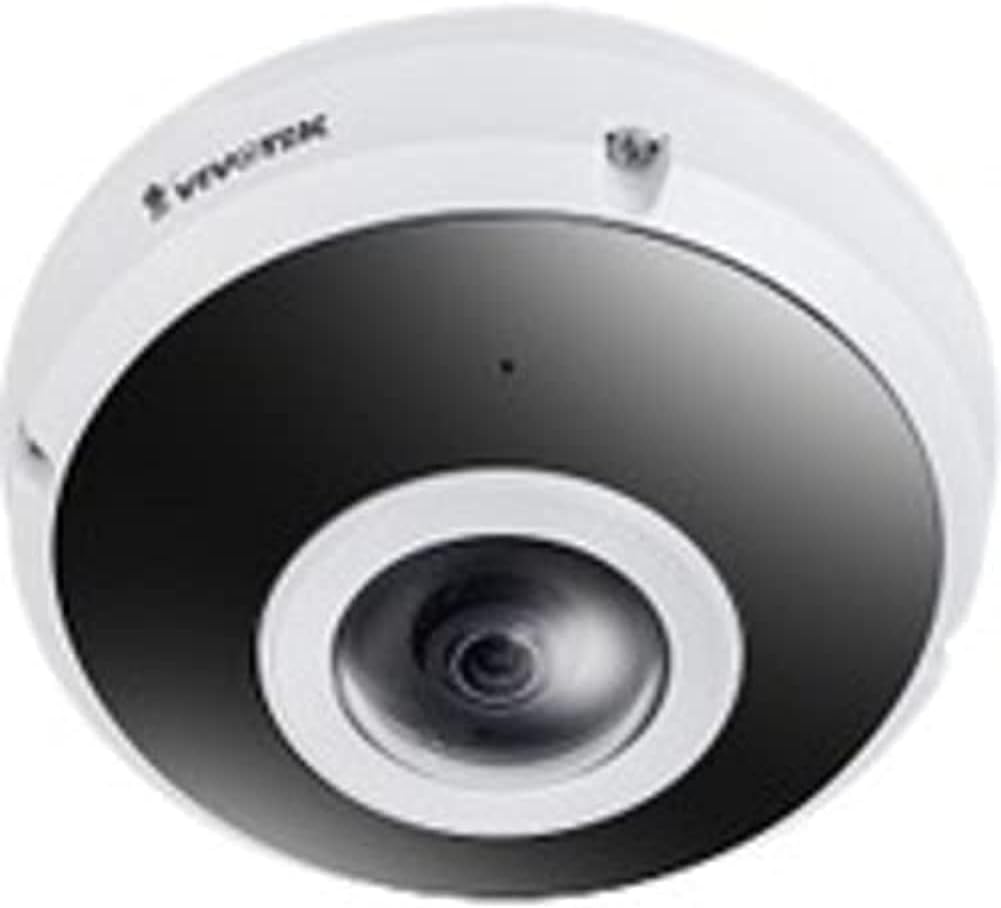
Figure 1: VIVOTEK FE9380-HV Fisheye Dome Camera. This image displays the camera's white dome housing with a central black lens assembly, characteristic of a fisheye surveillance camera.
2. Maklumat Keselamatan
Observe the following safety precautions to prevent damage to the camera and ensure safe operation:
- Ensure the power source matches the camera's requirements (220V, Corded Electric).
- Do not expose the camera to extreme temperatures or humidity beyond its specified operating conditions.
- Elakkan pendedahan langsung kepada sumber cahaya yang kuat, yang boleh merosakkan sensor imej.
- Pemasangan hendaklah dilakukan oleh kakitangan yang berkelayakan mengikut kod elektrik tempatan.
- Jangan cuba membuka atau mengubah suai kamera. Ini akan membatalkan jaminan.
- Clean the camera lens and housing with a soft, dry cloth. Avoid abrasive cleaners.
3. Kandungan Pakej
Sahkan bahawa semua item terdapat dalam pakej sebelum meneruskan pemasangan:
- VIVOTEK FE9380-HV Fisheye Dome Camera (1 unit)
- Skru dan Penambat Pemasangan
- Panduan Pemasangan Pantas
- Waterproof Connector (if applicable)
- Alignment Sticker (if applicable)
Note: Specific accessories may vary by region or package.
4. Persediaan dan Pemasangan
4.1 Lokasi Pemasangan
The FE9380-HV is designed for outdoor wall mount installation. Choose a location that provides the desired field of view (360 degrees) and is within reach of a power source and network connection. Ensure the mounting surface is strong enough to support the camera's weight (approximately 4.4 pounds).
4.2 Pemasangan Fizikal
- Sediakan Permukaan Pemasangan: Use the provided alignment sticker (if included) to mark drilling points for the mounting screws.
- Lubang gerudi: Drill pilot holes according to the marks. Insert wall anchors if mounting on drywall or masonry.
- Selamatkan Tapak Kamera: Attach the camera's mounting base securely to the prepared surface using the provided screws.
- Sambungan Pendawaian:
- Kuasa: Connect the camera to a 220V corded electric power source. Ensure connections are secure and waterproof for outdoor use.
- Rangkaian: Connect an Ethernet cable to the camera's network port. This camera supports Wi-Fi connectivity, but a wired connection is recommended for initial setup and stable performance.
- Pasangkan Badan Kamera: Secure the main camera body to the mounted base, ensuring all connections are properly seated and sealed.
4.3 Konfigurasi Rangkaian
After physical installation, connect the camera to your network. The camera supports Wi-Fi connectivity. Refer to the Quick Installation Guide for detailed instructions on initial network discovery and IP address assignment. Typically, you will use a VIVOTEK utility or access the camera's web interface via its default IP address to configure network settings, including Wi-Fi connection details.
5. Mengendalikan Kamera
5.1 Accessing the Camera Interface
The VIVOTEK FE9380-HV can be controlled via a dedicated mobile application or through its web-based interface using a standard web browser. Once the camera is connected to your network, use the VIVOTEK utility to discover its IP address, then enter the IP address into your browser's address bar.
5.2 Fungsi Asas
- Langsung View: Access real-time video streams from the camera. The 360-degree fisheye view can be de-warped into various display modes (e.g., panoramic, quad view) through the interface.
- Rakaman: Configure recording schedules, motion detection triggers, and storage locations (e.g., local storage via 128 GB Flash Memory, Network Attached Storage).
- Main balik: Review dirakam footage.
- tetapan: Adjust image quality (5 MP resolution), network settings, user accounts, and advanced features like night color technology for low-light conditions.
- Kawalan Apl: Utilize the dedicated VIVOTEK app for remote monitoring and control from your smartphone or tablet.
6. Penyelenggaraan
Regular maintenance ensures optimal performance and longevity of your VIVOTEK FE9380-HV camera:
- Pembersihan: Periodically clean the camera lens and housing to remove dust, dirt, or water spots. Use a soft, lint-free cloth. For stubborn marks, a mild, non-abrasive cleaning solution can be applied to the cloth (not directly to the camera).
- Kemas kini Firmware: Check the VIVOTEK official website regularly for firmware updates. Keeping the firmware updated ensures the latest features, security patches, and performance improvements.
- Pemeriksaan Kabel: Periodically inspect all cables (power and network) for any signs of wear, damage, or loose connections, especially in outdoor environments.
- Pemeriksaan Alam Sekitar: Ensure the camera's immediate environment remains clear of obstructions that could block its field of view or interfere with its operation.
7. Penyelesaian masalah
This section addresses common issues you might encounter with your VIVOTEK FE9380-HV camera.
| Masalah | Kemungkinan Punca | Penyelesaian |
|---|---|---|
| No video feed / Camera offline |
|
|
| Kualiti imej yang lemah |
|
|
| Tidak boleh akses web antara muka |
|
|
8. Spesifikasi
| Nombor Model | FE9380-HV |
| Jenama | VIVOTEK |
| Penerangan | Kamera Fisheye Dome Rangkaian Luaran 5MP |
| Jenis Pemasangan | Lekap di dinding |
| Resolusi Tangkapan Video | 5 MP |
| Resolusi Video Berkesan | 5 MP |
| maksimum Webcam Resolusi Imej | 5 MP |
| Bilangan Saluran | 4 |
| Teknologi Komunikasi Tanpa Wayar | Wi-Fi |
| Faktor Bentuk | Kubah |
| Sumber Kuasa | Elektrik Bertali arus (220V) |
| Wattage | 3600W |
| Dimensi (L x W x H) | 3.15 x 5.12 x 4.72 inci |
| Saiz Terpasang Memori Flash | 128 GB |
| Berat Barang | 4.4 paun (2 Kilogram) |
| Zum Optik | 3 x |
| Bidang Dari View | 360 Darjah |
| Teknologi Cahaya Rendah | Warna Malam |
| Recommended Usage Environments | Keselamatan Luar |
| Penggunaan Dalaman/Luar | Luar |
| Format Tangkapan Video | MPEG-4 |
| Penilaian Perlindungan Antarabangsa | IP21 |
| Kaedah Kawalan | Apl |
| Pengeluar | Vivotek |
| Tarikh Mula-mula Tersedia | 31 Julai 2020 |
9. Waranti dan Sokongan
For detailed warranty information, please refer to the warranty card included with your product or visit the official VIVOTEK website. VIVOTEK provides technical support for its products. For assistance with installation, configuration, or troubleshooting beyond this manual, please contact VIVOTEK customer support through their official channels.
Sumber Dalam Talian:


