pengenalan
Thank you for choosing BEBEN T9 Wireless Earbuds. These earbuds are designed to provide a high-quality audio experience with advanced features such as Bluetooth 5.3 connectivity, intelligent touch control, and a long-lasting battery. This manual will guide you through the setup, operation, and maintenance of your new earbuds to ensure optimal performance and longevity.
Apa yang ada dalam Kotak
- BEBEN T9 Wireless Earbuds (Left and Right)
- Kes Pengecasan
- Kabel Pengecas USB (Jenis-C)
- Manual Pengguna
Produk Selesaiview
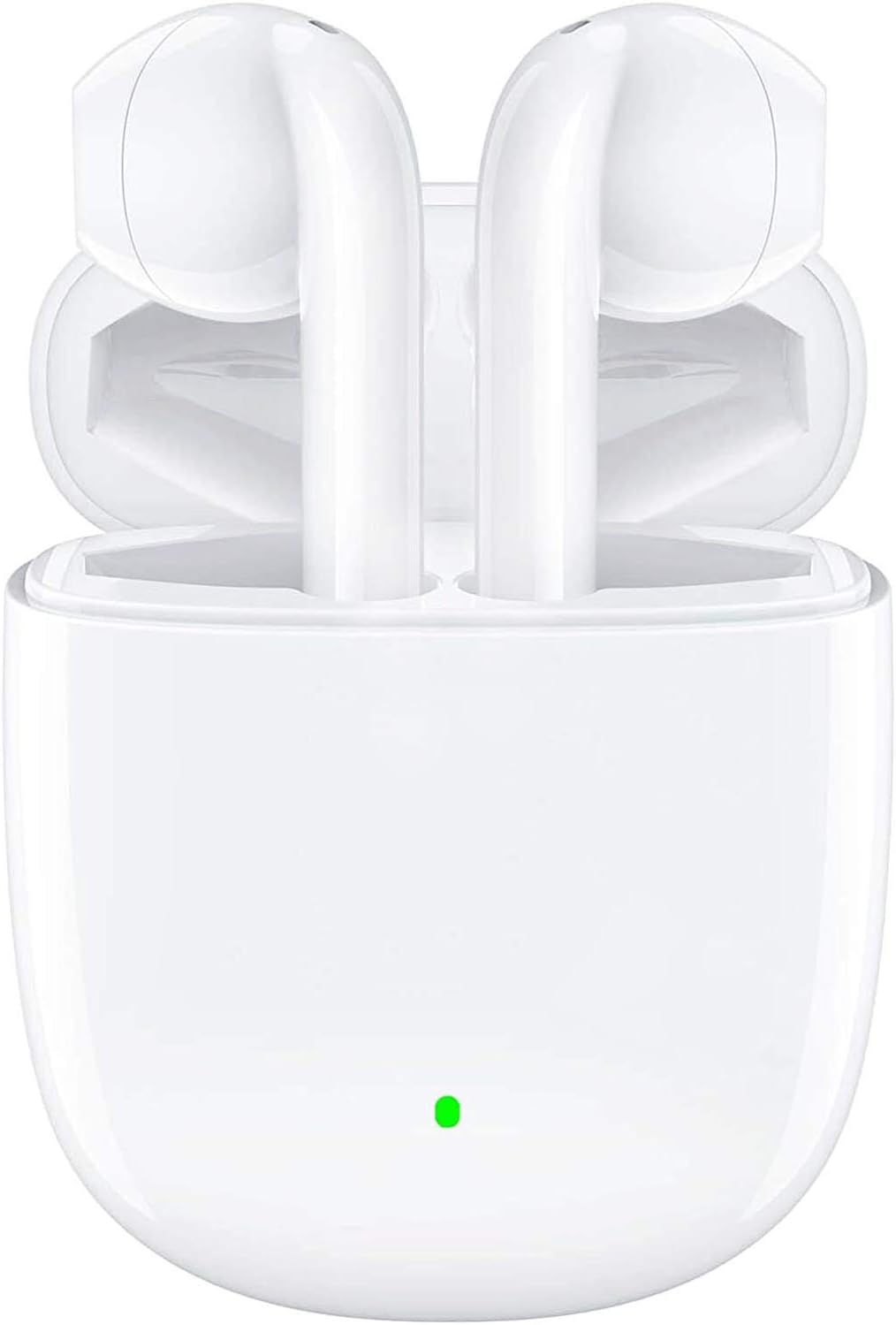
The BEBEN T9 Wireless Earbuds are housed in a compact charging case, designed for portability and convenience. The earbuds feature an ergonomic semi-in-ear design for comfortable wear.

Each earbud is equipped with a 14mm dynamic driver, engineered to deliver high-fidelity stereo sound with clear audio reproduction.

The charging case is designed to be pocket-sized, making it easy to carry your earbuds and charge them on the go. Its dimensions are approximately 2.2 inches by 1.85 inches by 0.86 inches.
Persediaan
1. Mengecas Fon Telinga dan Sarung
Before first use, ensure both the earbuds and the charging case are fully charged. The charging case provides extended battery life for your earbuds.
- Letakkan fon telinga ke dalam bekas pengecasan.
- Connect the provided USB Type-C charging cable to the charging port on the case and to a compatible USB power source (e.g., wall adapter, computer USB port, power bank).
- The indicator light on the charging case will show charging status. A full charge typically takes about 1.5 hours.
- Once fully charged, the earbuds offer 4 to 5 hours of continuous use, and the charging case provides multiple recharges for a total playtime of up to 35 hours.

The earbuds and case support Type-C fast charging, providing up to 35 hours of total playtime with the charging case's backup power.
2. Berpasangan dengan Peranti Anda (Berpasangan Satu Langkah)
The BEBEN T9 earbuds feature a convenient one-step pairing process thanks to Bluetooth 5.3 technology.
- Ensure Bluetooth is enabled on your smartphone, tablet, or other Bluetooth-enabled device.
- Buka penutup bekas pengecas. Fon telinga akan dihidupkan secara automatik dan memasuki mod berpasangan.
- On your device, search for Bluetooth devices and select "T9" from the list.
- Setelah disambungkan, anda akan mendengar nada pengesahan dan fon telinga akan sedia untuk digunakan.
- After the initial pairing, the earbuds will automatically connect to the last paired device when you open the charging case.

The earbuds offer one-step pairing, automatically connecting to your device when the charging case is opened.
Arahan Operasi
Kawalan Sentuhan Pintar
The T9 earbuds utilize intelligent touch controls for various functions. Gently tap the touch area on either earbud to perform the following actions:

The earbuds feature intelligent touch controls for easy management of music playback, calls, and voice assistant activation.
| Tindakan | Sentuh Perintah |
|---|---|
| Main/Jeda Muzik | Ketik sekali pada salah satu fon telinga |
| Jawab/Tamatkan Panggilan | Ketik sekali pada salah satu fon telinga |
| Tolak Panggilan | Tekan dan tahan selama 2 saat pada mana-mana fon telinga |
| Lagu Seterusnya | Ketik dua kali pada fon telinga kanan |
| Lagu Sebelumnya | Ketik dua kali pada fon telinga kiri |
| Kelantangan Naik | Triple tap on the Right earbud |
| Kelantangan Kurang | Triple tap on the Left earbud |
| Aktifkan Pembantu Suara (Siri/Google Assistant) | Tekan dan tahan selama 3 saat pada mana-mana fon telinga |
Single Earbud Mode vs. Binaural Mode
The T9 wireless earbuds allow flexible usage, supporting both single earbud (mono) and binaural (stereo) modes. You can switch between modes seamlessly.
- Mod Earbud Tunggal: You can use either the left or right earbud independently. Simply take one earbud out of the charging case, and it will connect to your device. This is useful for situations where you need to be aware of your surroundings.
- Mod Binaural: To use both earbuds for stereo sound, take both earbuds out of the charging case. They will automatically connect to each other and then to your device.
- Menukar Mod: If you are using one earbud and wish to switch to binaural mode, simply take the other earbud out of the case. They will automatically connect. If you are using both and wish to switch to single mode, place one earbud back into the charging case; the other will continue to function.

The earbuds support flexible usage, allowing for single earbud use, binaural stereo sound, or even sharing one earbud with another person.
Penyelenggaraan
Pembersihan
Pembersihan tetap membantu mengekalkan kualiti bunyi dan kebersihan.
- Gunakan kain lembut, kering dan tidak berbulu untuk mengelap fon telinga dan bekas pengecas.
- Untuk kotoran degil, sedikit dampen kain dengan air atau pembersih yang lembut dan tidak melelas.
- Jangan gunakan bahan kimia yang keras, alkohol atau bahan yang melelas.
- Pastikan sesentuh pengecasan pada kedua-dua fon telinga dan bekas bersih dan kering.
Penyimpanan
Apabila tidak digunakan, simpan fon telinga dalam bekas pengecasnya untuk melindunginya dan memastikan ia dicas.
- Simpan di tempat yang sejuk, kering, jauh dari suhu yang melampau dan cahaya matahari langsung.
- Elakkan menyimpan di persekitaran yang berdebu atau kotor.
Tahan Air
The BEBEN T9 earbuds are designed with a waterproof exterior, making them suitable for sports and fitness activities where they may encounter sweat or light splashes. However, they are not designed for submersion in water. Avoid prolonged exposure to water or using them while swimming or showering.
Menyelesaikan masalah
| Masalah | Penyelesaian yang Mungkin |
|---|---|
| Fon telinga tidak berpasangan/bersambung | Ensure earbuds are charged. Turn off and on Bluetooth on your device. Forget "T9" in your device's Bluetooth settings and re-pair. Place earbuds back in case, close lid, then open again. |
| Hanya satu fon telinga berfungsi | Ensure both earbuds are charged. Place both earbuds back in the charging case, close the lid for 5 seconds, then open it again. They should automatically re-sync. |
| Kelantangan rendah atau kualiti bunyi yang lemah | Adjust volume on both your device and using the earbud touch controls. Ensure earbuds are clean and free of debris. Check if the earbuds are properly seated in your ears. |
| Fon telinga tidak dicas | Ensure the charging cable is securely connected to both the case and the power source. Check if the charging contacts on the earbuds and inside the case are clean. Try a different USB port or cable. |
| Kawalan sentuhan tidak bertindak balas | Pastikan jari anda bersih dan kering. Cuba mulakan semula fon telinga dengan meletakkannya dalam bekas dan mengeluarkannya semula. |
Spesifikasi
| Ciri | Perincian |
|---|---|
| Nama Model | T9 |
| Teknologi Ketersambungan | Wayarles (Bluetooth) |
| Teknologi Komunikasi Tanpa Wayar | Bluetooth 5.3 |
| Julat Bluetooth | Sehingga 10 meter (33 kaki) |
| Jenis Pemacu Audio | Pemandu Dinamik |
| Saiz Pemacu Audio | 13 Milimeter |
| Hayat Bateri (Earbud) | 4-5 hours (continuous use) |
| Jumlah Masa Main (dengan Sarung Pengecasan) | Sehingga 35 jam |
| Port Pengecasan | USB Jenis-C |
| Kaedah Kawalan | Kawalan Sentuh |
| Tahap Ketahanan Air | Waterproof (suitable for sweat/light splashes) |
| Penempatan Telinga | In Ear (Semi-in-ear design) |
| Dimensi Produk | 3.15 x 3.15 x 3.15 inci |
| Berat Barang | 3.2 auns |
Waranti dan Sokongan
BEBEN products are manufactured to high standards and undergo rigorous quality checks. For specific warranty information, please refer to the warranty card included with your product or visit the official BEBEN webtapak.
If you encounter any issues or have questions regarding your BEBEN T9 Wireless Earbuds, please contact BEBEN customer support through the retailer's platform or the contact information provided on the official BEBEN weblaman web. Sila sediakan model produk dan butiran pembelian anda semasa menghubungi sokongan.


