pengenalan
This manual provides detailed instructions for the operation and maintenance of your GTMEDIA Z3 Portable DAB+/FM RDS Radio. Please read this manual thoroughly before using the device to ensure proper functionality and to maximize your listening experience.
Maklumat Keselamatan Penting
- Jangan dedahkan peranti kepada hujan, lembapan atau suhu yang melampau.
- Elakkan daripada menjatuhkan atau meletakkan peranti kepada kesan yang kuat.
- Jangan cuba membuka atau membaiki unit sendiri. Rujuk semua servis kepada kakitangan yang berkelayakan.
- Gunakan hanya kabel pengecasan dan penyesuai kuasa yang ditentukan.
- Jauhkan daripada kanak-kanak.
Kandungan Pakej
Pastikan semua item ada dalam pakej:
- 1 x GTMEDIA Z3 DAB+/FM Radio
- 1 x Kabel Pengecas USB
- 1 x Manual Pengguna

Image: The GTMEDIA Z3 radio, its retail box, USB charging cable, and user manual.
Produk Selesaiview
The GTMEDIA Z3 is a portable DAB+/FM RDS radio featuring a 2.4-inch TFT-LCD screen. It supports 60 preset stations for both DAB+ and FM, and includes functions such as clock, alarm, and sleep timer. The device is powered by a rechargeable 18650 lithium battery.
Kawalan dan Paparan Panel Hadapan
- Butang Kuasa/Sedia: Turns the radio on/off or puts it in standby mode.
- Butang Imbas: Initiates station scanning.
- Butang DAB/FM: Switches between DAB+ and FM modes.
- Butang Menu: Mengakses menu utama.
- Butang EQ: Adjusts equalizer settings.
- Butang Pratetap: Accesses preset stations.
- Tombol Kelantangan/Pilih: Adjusts volume and navigates/selects menu options.
- 2.4-inch TFT-LCD Display: Menunjukkan maklumat stesen, masa dan pilihan menu.
Panel Belakang dan Port
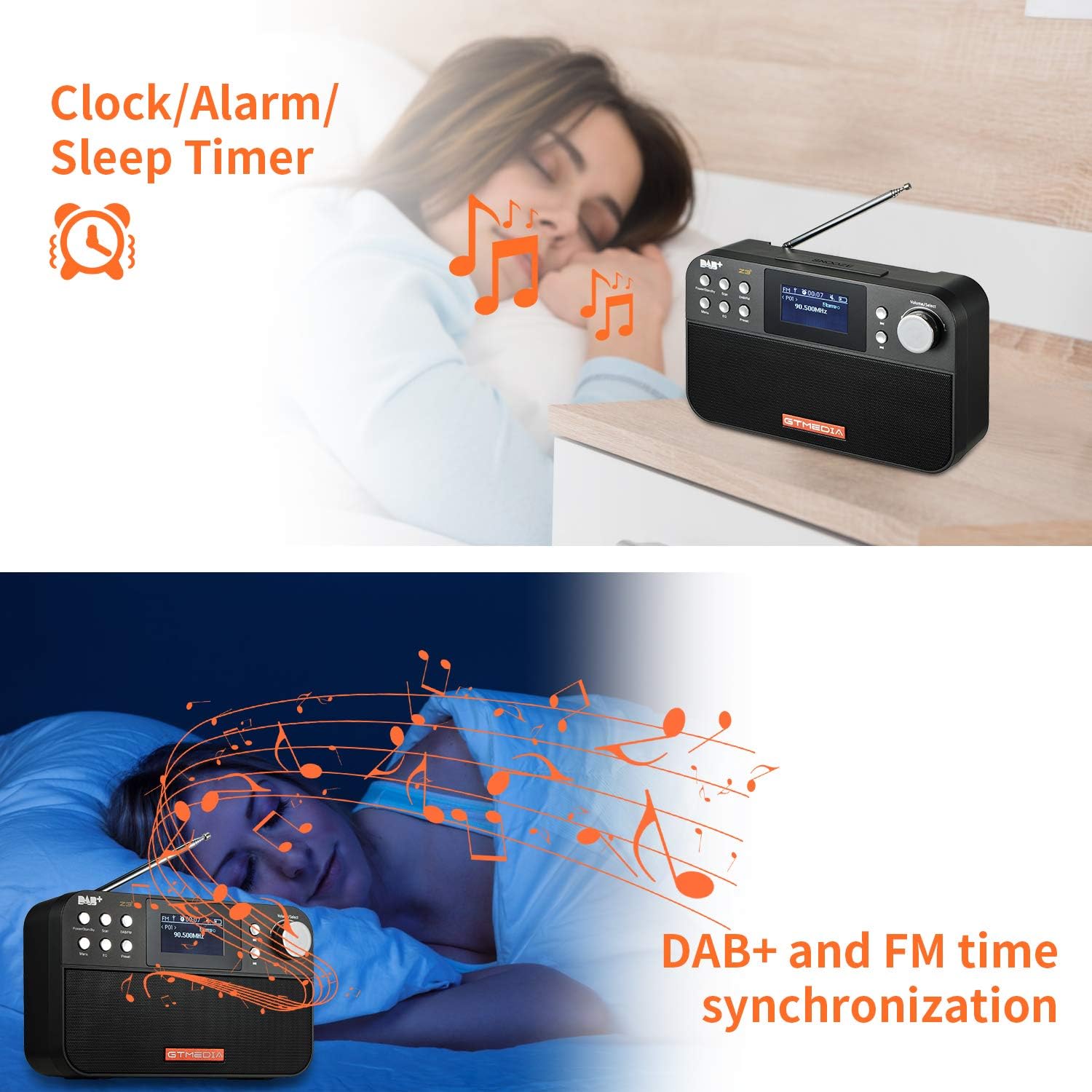
Image: The back of the GTMEDIA Z3 radio, highlighting the 18650 lithium battery compartment and the DC 5V USB charging port.
- 18650 Lithium Battery Compartment: Menempatkan bateri boleh dicas semula.
- DC 5V USB Charging Port: Untuk mengecas peranti.
Panduan Persediaan
1. Mengecas Bateri
- Locate the USB charging port on the rear of the radio.
- Connect the provided USB charging cable to the radio and to a compatible USB power adapter (DC 5V, ≥1500mA) or a computer USB port.
- The battery indicator on the display will show charging status. A full charge typically provides 4-7 hours of operation.
Image: The GTMEDIA Z3 radio's rear panel, illustrating the USB charging port and battery specifications.
2. Penghidupan Awal dan Pemilihan Bahasa
- Tekan dan tahan butang Kuasa/Siaga butang untuk menghidupkan radio.
- Upon first use, you may be prompted to select a language. Use the Kelantangan/Pilih knob to navigate and press to confirm your choice. English is the default language.
3. Penyegerakan Masa
The clock can be set manually or synchronized automatically with DAB+ or FM signals.
- Penyegerakan Automatik: When tuned to a DAB+ or FM station that broadcasts time information, the radio will automatically update its clock.
- Pelarasan Manual: Access the system settings via the Menu button to manually set the time and date.
Arahan Operasi
1. Radio Modes (DAB+/FM)
Menukar Mod:
Tekan ke DAB / FM butang untuk bertukar antara mod radio DAB+ dan FM.
Mengimbas Stesen:
- Auto Scan (FM): Dalam mod FM, tekan butang Imbas butang untuk mencari dan menyimpan stesen yang tersedia secara automatik.
- Local Scan (DAB+): Dalam mod DAB+, tekan butang Imbas button to perform a local scan for DAB+ stations. Manual tuning is also supported.
Pratetap Stesen:
The radio supports 60 preset stations for both FM and DAB+ (10 quick access presets). To save a station:
- Tune ke stesen yang dikehendaki.
- Tekan dan tahan butang Pratetap butang.
- Gunakan Kelantangan/Pilih knob to choose a preset number and press to confirm.
Untuk memanggil semula stesen pratetap, tekan sebentar Pratetap butang dan gunakan Kelantangan/Pilih tombol untuk memilih.
FM RDS Station Name Display:
When tuned to an FM station broadcasting RDS (Radio Data System) information, the 2.4-inch TFT-LCD screen will display the station name and other relevant data.
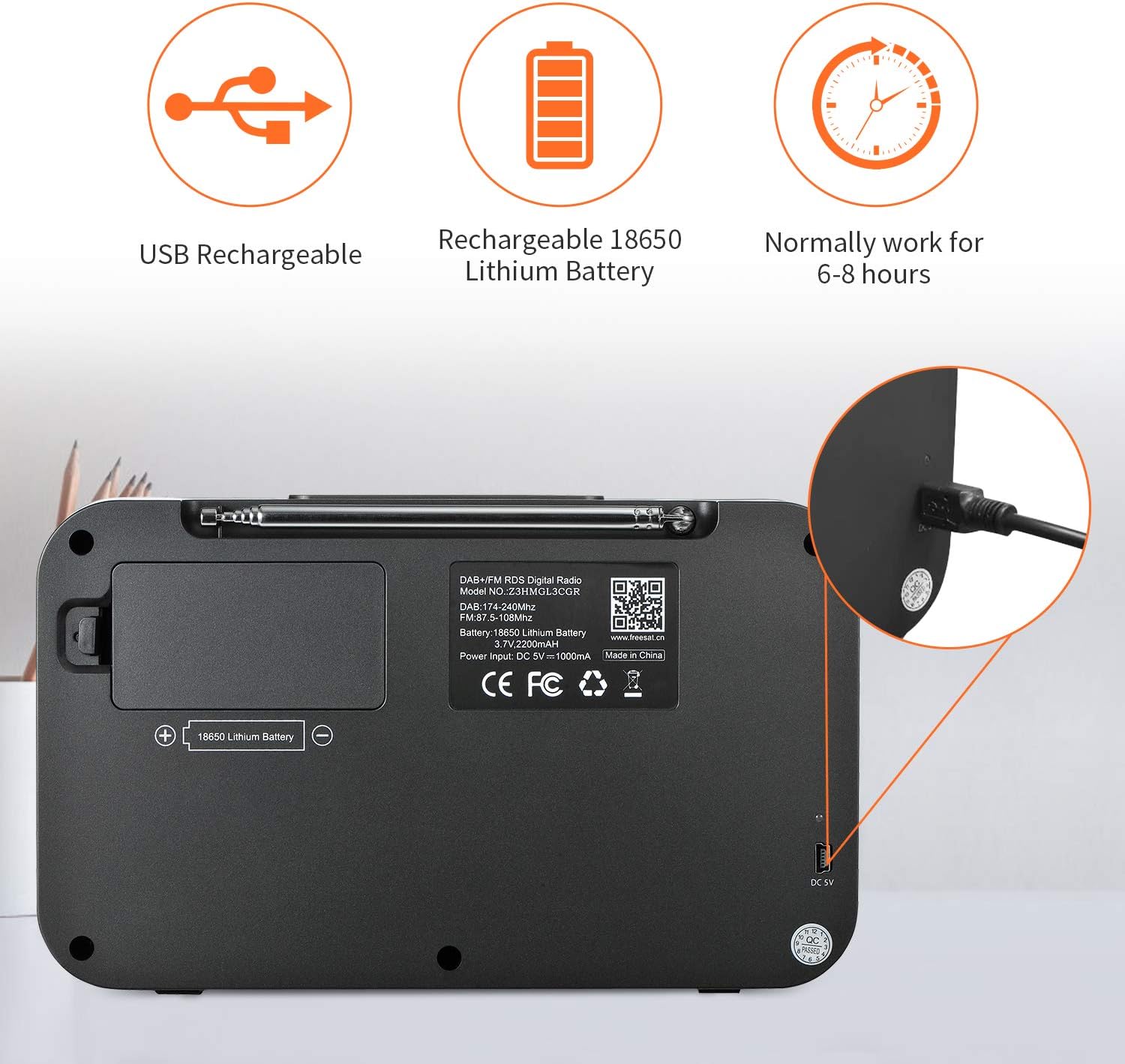
Image: The GTMEDIA Z3 radio's display showing "FM" and "90.500MHz" along with a station name, demonstrating the RDS feature.
2. Clock, Alarm, and Sleep Timer
The GTMEDIA Z3 radio includes integrated clock, alarm, and sleep timer functions for enhanced convenience.

Image: The GTMEDIA Z3 radio with icons representing clock, alarm, and sleep timer functions, depicted in a bedroom setting.
Menetapkan Penggera:
- Tekan ke Menu button and navigate to the "Alarm" settings.
- Gunakan Kelantangan/Pilih knob to set the alarm time, duration, and alarm source (e.g., buzzer, DAB+, FM).
- Sahkan tetapan anda.
Menetapkan Pemasa Tidur:
- Tekan ke Menu button and navigate to the "Sleep Timer" settings.
- Gunakan Kelantangan/Pilih knob to choose the desired sleep duration (e.g., 15, 30, 60 minutes).
- Radio akan dimatikan secara automatik selepas masa yang ditetapkan.
3. Main balik Muzik
The GTMEDIA Z3 supports playback of various music formats including MP3, FLAC, and WAV. Playback modes include single play, repeat, and shuffle. Specific instructions for accessing and controlling music playback are typically found within the device's menu system.
Penyelenggaraan
Pembersihan:
- Wipe the radio with a soft, dry cloth.
- Jangan gunakan pembersih cecair atau bahan yang melelas.
Penjagaan Bateri:
- Untuk memanjangkan hayat bateri, elakkan daripada menyahcas sepenuhnya bateri dengan kerap.
- Cas bateri dengan kerap, walaupun radio tidak kerap digunakan.
- Simpan radio di tempat yang sejuk dan kering apabila tidak digunakan untuk tempoh yang lama.
Menyelesaikan masalah
| Masalah | Kemungkinan Punca | Penyelesaian |
|---|---|---|
| Tiada kuasa | Bateri dinyahcas. | Cas bateri menggunakan kabel USB yang disediakan. |
| Penerimaan radio yang lemah | Isyarat lemah; antena tidak dipanjangkan. | Extend the telescopic antenna fully. Try repositioning the radio. Perform a new scan for stations. |
| Tiada bunyi | Volume too low; Mute activated. | Tingkatkan kelantangan menggunakan Kelantangan/Pilih knob. Check if mute is active in settings. |
| Paparan tidak jelas | Tetapan kecerahan terlalu rendah. | Adjust LCD brightness in the system settings. |
Spesifikasi
| Ciri | Perincian |
|---|---|
| Jenama | GTMEDIA |
| Model | Z3 |
| Teknologi Penala | DAB Plus, FM RDS |
| Kumpulan Radio yang Disokong | DAB+ (174.92-239.20 MHz), FM (87.5-108 MHz) |
| Paparan | 2.4-inch TFT-LCD (240 x 320 pixels) |
| Stesen Pratetap | 60 FM, 60 DAB+ |
| Sumber Kuasa | Dikuasakan Bateri |
| Jenis Bateri | 18650 Lithium Battery (3.7V 2200mAh) |
| Waktu Operasi | 4-7 hours (typical) |
| Input Pengecasan | DC 5V, ≥1500mA (via USB) |
| Teknologi Ketersambungan | USB |
| Ciri Khas | Portable, Clock, Alarm, Sleep Timer, USB Upgradeable |
| Berat Barang | 620 g |
| Dimensi Produk | 20 x 5 x 12 cm |
| Suhu Operasi | 0~+45°C |
| Suhu Penyimpanan | -10~+60°C |
| Format Muzik | MP3, FLAC, WAV |

Image: Dimensions of the GTMEDIA Z3 radio, showing approximate measurements of 200mm x 120mm x 50mm.
Peningkatan Perisian Tegar
The GTMEDIA Z3 radio supports firmware upgrades via a USB connection to a PC. For the latest firmware and detailed instructions, please visit the official support webtapak.

Image: The GTMEDIA Z3 radio connected to a laptop via a USB cable, indicating its upgradeable feature.
Waranti dan Sokongan
For technical support, warranty information, or any questions regarding your GTMEDIA Z3 radio, please visit the official GTMEDIA support webtapak:


