pengenalan
This manual provides detailed instructions for the installation, operation, and maintenance of your Eogifee UC7083T Ceiling Fan Remote Control. This remote is designed as a replacement for original Hampton Bay UC7083T remotes and is compatible with various Hampton Bay and Harbor Breeze ceiling fans that utilize a receiver with matching dip switches. Please read this manual thoroughly before use to ensure proper function and safety.
Maklumat Keselamatan
- Ensure the ceiling fan's power is turned off at the circuit breaker before any installation or maintenance.
- This remote control is a transmitter only. It requires an existing compatible receiver within your ceiling fan.
- Jangan dedahkan alat kawalan jauh kepada air atau kelembapan berlebihan.
- Jauhkan bateri daripada kanak-kanak.
- Buang bateri terpakai secara bertanggungjawab mengikut peraturan tempatan.
Kandungan Pakej
- 1 x Eogifee UC7083T Remote Control Transmitter
- 1 x Pendakap Pelekap Dinding
- 2 x Skru Pemasangan
Nota: A 12V "A23" battery is required and is not included in this package. This package does not include a receiver.

Image: The Eogifee UC7083T remote control, its retail packaging, the wall mount bracket, and two mounting screws.
Produk Selesaiview
Familiarize yourself with the buttons and features of your remote control.

Imej: Depan view of the Eogifee UC7083T remote control, showing the fan speed buttons (HI, MED, LOW), light control button, and OFF button.
- Butang Cahaya: Controls the ceiling fan light. Press to turn on/off. For incandescent bulbs, press and hold to dim.
- HI Button: Sets fan speed to High.
- MED Button: Sets fan speed to Medium.
- LOW Button: Sets fan speed to Low.
- Butang MATI: Turns the ceiling fan off.
- Lampu Penunjuk: Illuminates when a button is pressed. If it stays on, the battery may be low.
Persediaan
1. Pemasangan Bateri
- Cari penutup petak bateri di belakang alat kawalan jauh.
- Press firmly below the arrow on the cover and slide it off.
- Insert one 12V "A23" battery, ensuring correct polarity (+/-).
- Gantikan penutup petak bateri.

Image: The back of the remote control with the battery compartment open, revealing the slot for a 12V "A23" battery and the four dip switches.
2. Setting the Dip Switches
The remote control and your ceiling fan's receiver must have matching dip switch settings to communicate. There are 16 possible code combinations.
- Identify Receiver Dip Switches: Locate the dip switches on your ceiling fan's receiver. This is typically found within the fan's canopy or motor housing. Note the current ON/OFF (or UP/DOWN) positions of these switches.
- Access Remote Dip Switches: With the battery cover removed from your Eogifee UC7083T remote, you will see four small switches (numbered 1-4) inside the battery compartment.
- Tetapan Padanan: Using a small screwdriver or a pen, slide the dip switches on the remote control to match the exact ON/OFF (or UP/DOWN) positions of the dip switches on your ceiling fan's receiver. All four switches must match.
- Gantikan penutup bateri pada alat kawalan jauh.
Nota Penting: Before setting the code, ensure your fan is operated in "HIGH speed" and the light is in the "ON" condition at the switch knob (if applicable) for optimal setup.

Image: The retail packaging for the Eogifee UC7083T remote control, displaying detailed instructions for setting the dip switches on both the transmitter and receiver.
3. Pemasangan Pemasangan Dinding
The included wall mount bracket allows for convenient storage of your remote control.
- Pilih lokasi yang sesuai di dinding, jauh daripada cahaya matahari langsung atau sumber haba.
- Use the wall mount bracket as a template to mark the positions for the two mounting screws.
- Gerudi lubang pandu jika perlu.
- Pasangkan pendakap dinding pada dinding menggunakan skru yang disediakan.
- Luncurkan alat kawalan jauh ke dalam braket yang dipasang.

Image: The Eogifee UC7083T remote control shown alongside its wall mount bracket, illustrating how the remote fits into the bracket.
Arahan Operasi
Once the dip switches are matched and the battery is installed, your remote is ready for use.
- Kawalan Kelajuan Kipas:
- Tekan HI for high fan speed.
- Tekan MED untuk kelajuan kipas sederhana.
- Tekan RENDAH for low fan speed.
- Tekan DIMATIKAN untuk mematikan kipas.
- Kawalan Cahaya:
- Tekan ke Butang Cahaya to toggle the light on or off.
- If using incandescent bulbs, press and hold the Butang Cahaya to dim or brighten the light. Release when the desired brightness is reached.
- Nota: If using LED bulbs, the light button will typically only control on/off functionality and may not support dimming, depending on the LED bulb and fan receiver capabilities.
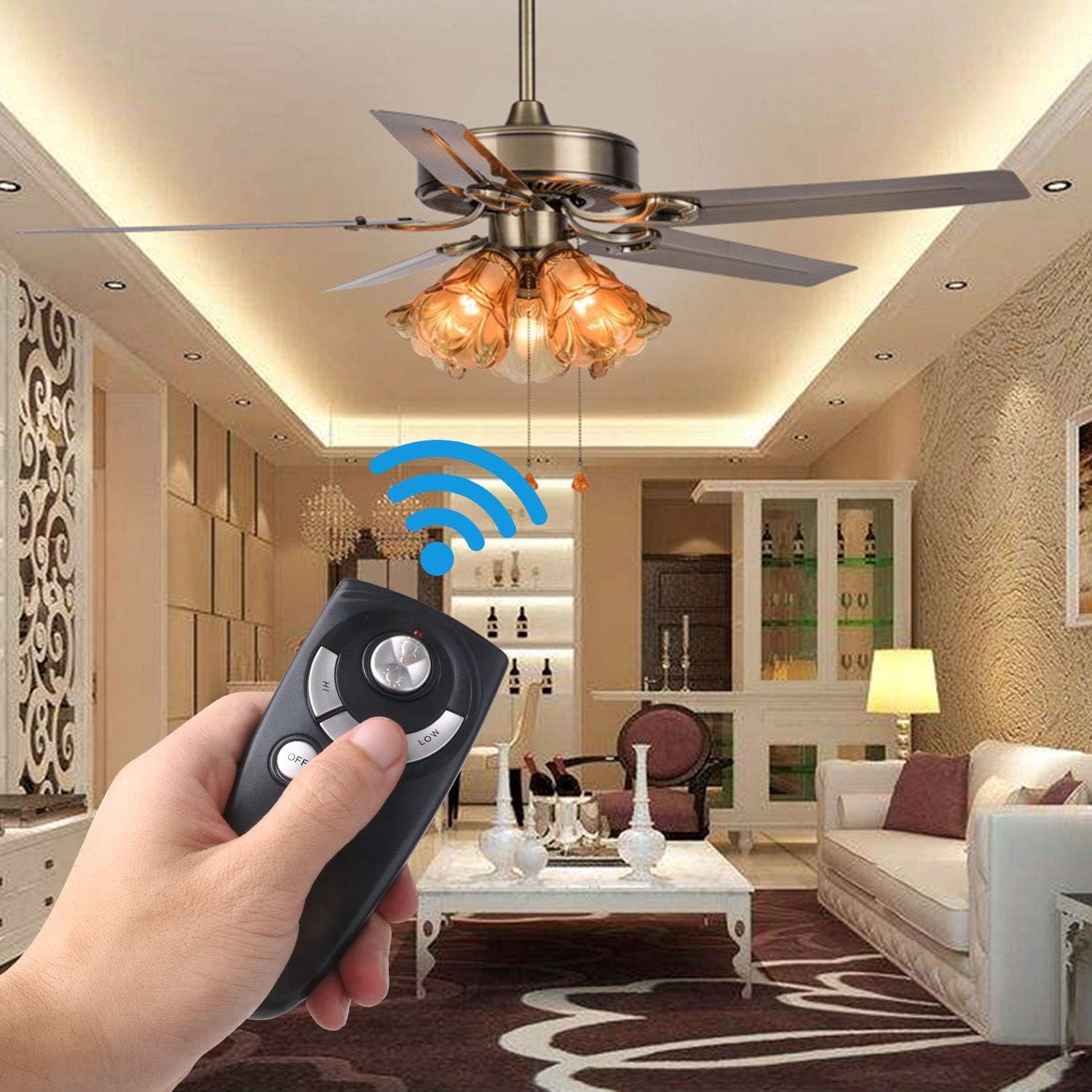
Image: A hand holding the Eogifee UC7083T remote control, with a ceiling fan and its lights visible in the background, illustrating the remote in active use.
Menyelesaikan masalah
| Masalah | Kemungkinan Punca | Penyelesaian |
|---|---|---|
| Remote does not control the fan/light. |
|
|
| Lampu penunjuk menyala. | Kuasa bateri rendah. | Replace the 12V "A23" battery. |
| Light does not dim. |
|
|
| Fan does not reverse direction. | This remote does not have a reverse function. | The UC7083T remote control does not support fan reverse. This function is typically controlled by a switch on the fan motor housing itself. |
Spesifikasi
- model: UC7083T
- Jenama: Eogifee
- Sumber Kuasa: 1 x 12V "A23" battery (not included)
- Dimensi: Kira-kira 4 x 2 x 0.01 inci (10.16 x 5.08 x 0.025 cm)
- Berat: Kira-kira 3.2 auns (90.7 gram)
- Keserasian: Hampton Bay and Harbor Breeze ceiling fans with UC7083T compatible receivers.
- ciri-ciri: 3-speed fan control (High, Medium, Low), Light On/Off, Light Dimming (for incandescent bulbs).
Penyelenggaraan
- Bersihkan alat kawalan jauh dengan kain lembut dan kering. Jangan gunakan pembersih atau pelarut yang kasar.
- If the remote will not be used for an extended period, remove the battery to prevent leakage.
- Replace the battery when the indicator light stays on or when the remote's range decreases.
Waranti dan Sokongan
For warranty information or technical support, please refer to the seller's contact information or visit the Eogifee store on Amazon. Keep your purchase receipt for warranty claims.
Eogifee Store: Visit the Eogifee Store on Amazon


