pengenalan
The Timex TW500 is a versatile alarm clock radio designed for modern living. It features wireless charging for compatible devices, a USB charging port, dual digital alarms, an FM radio with presets, a dimmable display, and a sleep timer. This manual provides detailed instructions for setting up and operating your device.
Produk Selesaiview

Depan View: The Timex TW500 alarm clock radio features a large, clear green LED display showing the time, along with indicators for PM, alarm status, and charging. Control buttons are located on the top panel.

Keupayaan Pengecasan Dwi: This image illustrates the dual charging feature of the TW500, with a smartphone wirelessly charging on the top surface and another smartphone connected to the USB-A charging port located on the back of the unit.
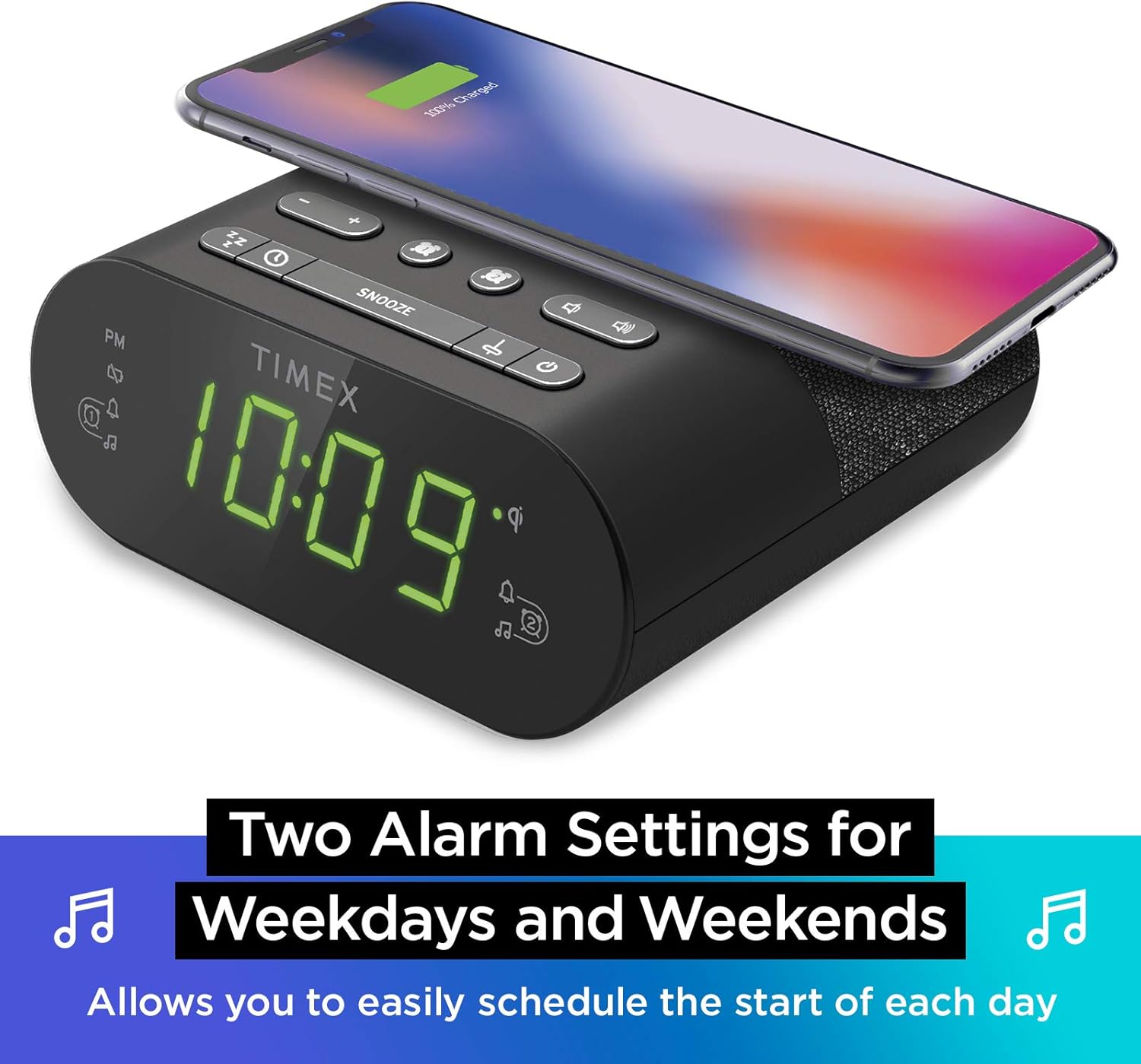
Tetapan Dwi Penggera: The TW500 supports two independent alarm settings, allowing users to schedule separate wake times for different days or for two individuals.
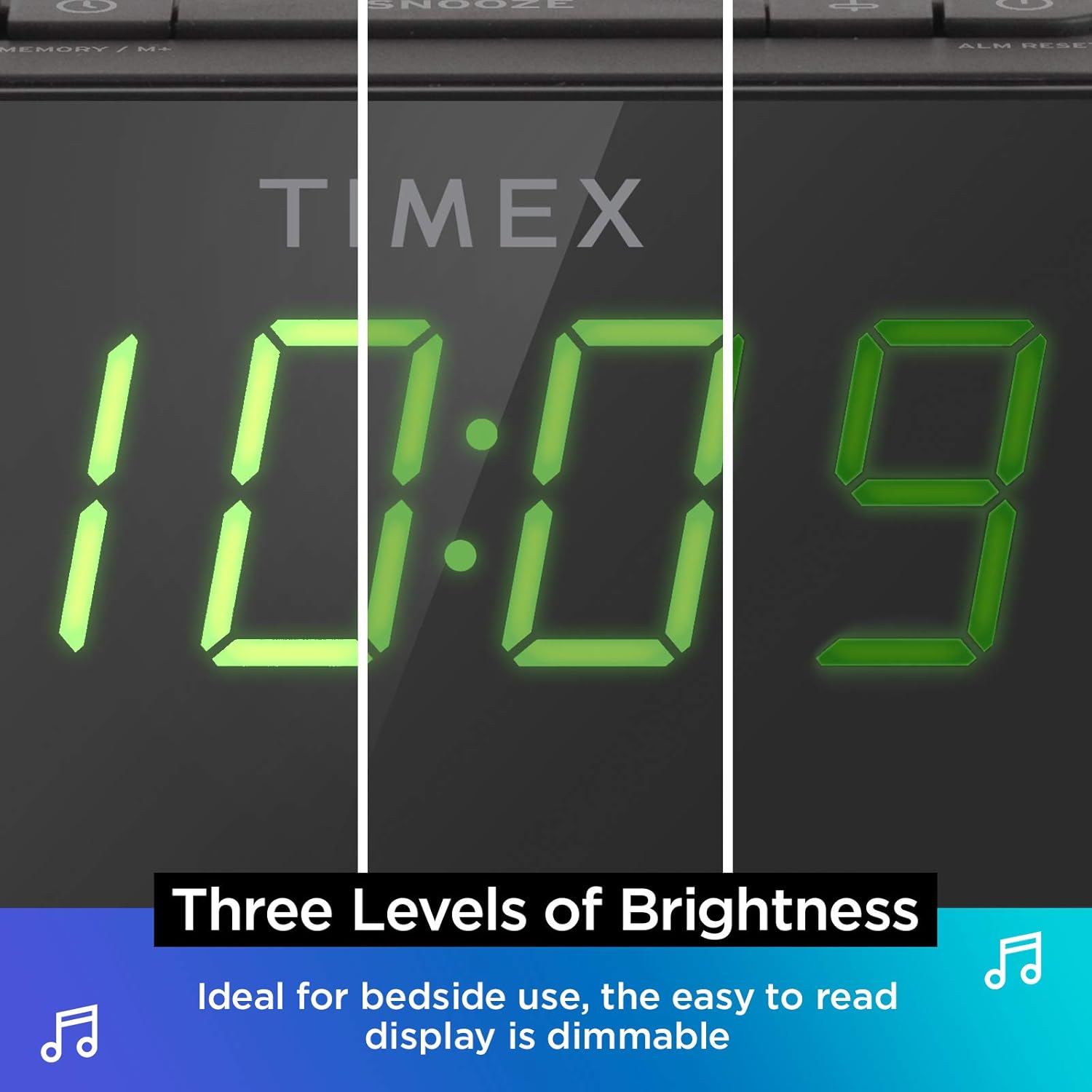
Paparan Boleh Dimalapkan: The digital display offers multiple brightness levels, ensuring comfortable viewing in various lighting conditions, from bright daylight to a dark bedroom.
Persediaan
1. Sambungan Kuasa
Connect the supplied AC power adapter to the DC jack on the back of the unit and plug the other end into a working wall outlet. The unit will power on and the display will light up.
2. Pemasangan Sandaran Bateri
Untuk ketepatan masa berterusan semasa kuasa outages, install one CR-2032 battery (included) into the battery compartment on the bottom of the unit. Ensure correct polarity (+/-) as indicated.
3. Persediaan Antena
Extend the FM wire antenna on the back of the unit fully for optimal FM radio reception. Adjust its position as needed to improve signal quality.
Arahan Operasi
Menetapkan Masa
- Tekan dan tahan butang MASA DITETAPKAN butang yang terletak pada panel atas sehingga paparan masa berkelip.
- Tekan ke - or + buttons to adjust the hour. Pay attention to the PM indicator.
- Tekan ke MASA DITETAPKAN button again to confirm the hour and move to minutes setting.
- Tekan ke - or + butang untuk melaraskan minit.
- Tekan ke MASA DITETAPKAN button one last time to save the time and exit time setting mode.
Menetapkan Penggera (Penggera 1 & Penggera 2)
The TW500 features two independent alarms. The process is identical for both.
- Tekan dan tahan butang PENGGERA SATU or PENGGERA DUA butang sehingga masa penggera berkelip.
- Tekan ke - or + buttons to adjust the alarm hour. Observe the PM indicator.
- Tekan masing-masing PENGGERA SATU or PENGGERA DUA button again to confirm the hour and move to minutes setting.
- Tekan ke - or + butang untuk melaraskan minit penggera.
- Tekan masing-masing PENGGERA SATU or PENGGERA DUA button again to select the alarm source (FM radio or Tone). The corresponding icon will light up.
- Tekan masing-masing PENGGERA SATU or PENGGERA DUA button one last time to save the alarm setting. The alarm indicator will remain lit.
To turn an alarm off, repeatedly press the corresponding PENGGERA SATU or PENGGERA DUA button until the alarm indicator light turns off.
Operasi Radio FM
- Tekan ke HIDUP/MATI butang untuk menghidupkan radio.
- Tekan ke - or + buttons to tune to your desired FM station. Press and hold to auto-scan for the next available station.
- Tekan ke JILID - or JILID + butang untuk melaraskan kelantangan.
- Tetapan Pratetap: Tekan dan tahan butang MEMORY/M+ button. The preset number will flash. Use the - or + butang untuk memilih nombor pratetap (1-10). Tekan MEMORY/M+ sekali lagi untuk berjimat.
- Pratetap Mengingat: Tekan sebentar PRESET FM button to cycle through saved stations.
- Tekan ke HIDUP/MATI button to turn off the radio.
Pengecasan Tanpa Wayar
The top surface of the TW500 features a Qi-compatible wireless charging pad.
- Place your Qi-enabled smartphone or other compatible device directly onto the wireless charging pad.
- Ensure the device is centered on the charging pad for optimal connection. A charging indicator on your device or the TW500 (if applicable) will confirm charging has begun.
- Keluarkan peranti anda setelah dicas sepenuhnya.
Pengecasan USB
A 5W USB-A charging port is located on the back of the unit.
- Connect your device's USB charging cable to the USB port on the TW500.
- Connect the other end of the cable to your device. Charging will begin automatically.
Paparan lebih malap
The display brightness can be adjusted to suit your preference.
- Tekan ke DIMMER button repeatedly to cycle through different brightness levels (High, Medium, Low, Off).
Pemasa Tidur
Pemasa tidur membolehkan anda tertidur dengan radio, yang akan dimatikan secara automatik selepas tempoh yang ditetapkan.
- Semasa radio dimainkan, tekan butang TIDUR button repeatedly to cycle through sleep timer options (e.g., 10, 20, 30, 60, 90 minutes, Off).
- Radio akan dimainkan untuk tempoh yang dipilih dan kemudian dimatikan secara automatik.
Fungsi Tunda
Apabila penggera berbunyi, tekan butang besar MENGEJUTKAN button on the top of the unit to temporarily silence the alarm for 9 minutes. The alarm will sound again after the snooze period.
Penyelenggaraan
- Pembersihan: Gunakan kain lembut dan kering untuk membersihkan bahagian luar unit. Jangan gunakan pembersih cecair atau bahan kasar.
- Penggantian Bateri: Replace the CR-2032 backup battery annually or if the time display is incorrect after a power outage.
- Storan: If storing the unit for an extended period, disconnect it from power and remove the backup battery.
Menyelesaikan masalah
| Masalah | Kemungkinan Punca | Penyelesaian |
|---|---|---|
| Unit tidak dihidupkan. | Penyesuai kuasa tidak disambungkan atau soket tidak berfungsi. | Ensure AC adapter is securely plugged into the unit and a live wall outlet. Test the outlet with another device. |
| Penggera tidak berbunyi. | Alarm not set, alarm volume too low, or alarm turned off. | Verify alarm time and source are set correctly. Increase radio volume if alarm source is FM. Ensure alarm indicator is lit. |
| Penerimaan radio FM yang lemah. | Antena tidak dilanjutkan atau kawasan isyarat lemah. | Fully extend the FM wire antenna and reposition it for better reception. Try moving the unit to a different location. |
| Pengecasan tanpa wayar tidak berfungsi. | Device not Qi-compatible, not centered, or foreign object on pad. | Ensure your device supports Qi wireless charging. Re-position the device centrally on the pad. Remove any metal objects or thick cases. |
| Pengecasan USB tidak berfungsi. | Cable faulty or device not compatible. | Try a different USB cable. Ensure the device is compatible with standard USB charging. |
Spesifikasi
- model: TW500
- Dimensi: 5.48" (L) x 2.17" (D) x 5.20" (T)
- Berat: 0.7 paun (lebih kurang 0.32 kg)
- Input Kuasa: Penyesuai Kuasa AC (termasuk)
- Bateri tambahan: 1 x bateri CR-2032 (termasuk)
- Pengecasan Tanpa Wayar: serasi Qi
- Port Pengecasan USB: 5W USB-A
- Radio: FM with 10 presets
- paparan: 0.9" Green LED, Dimmable
- Alarms: Dual Digital Alarms (Wake to Radio or Tone)
Video Produk Rasmi
Video ini menyediakan visual overview of the Timex TW500, highlighting its key features such as wireless charging, USB charging, FM radio, dual alarms, and dimmable display. It demonstrates the product's compact design and functionality.
Waranti dan Sokongan
This Timex product comes with a limited warranty. For detailed warranty information, product support, or to register your product, please refer to the warranty card included in your product packaging or visit the official Timex website. If you are not 100% satisfied with your new Timex alarm clock radio and its performance, please contact the seller for assistance.
Pengeluar: Timex
UPC: 758859207179


