1. Pengenalan
This manual provides essential instructions for the installation, operation, and maintenance of your Ring Plug-In Adapter (2nd Generation). This adapter is designed to provide continuous power to compatible Ring Battery Doorbells, eliminating the need for frequent battery recharging and enabling 24/7 power and protection without existing doorbell wiring.
2. Maklumat Keselamatan
Please read and understand all safety instructions before installing and using this product. Failure to follow these instructions may result in electric shock, fire, or other hazards.
- Penyesuai ini direka untuk kegunaan dalaman sahaja. Do not expose it to water, moisture, or extreme temperatures.
- Connect the adapter only to standard indoor power outlets (100-240V AC, 50/60Hz).
- The adapter includes built-in short circuit protection. However, ensure proper wiring connections to prevent damage to the device or doorbell.
- Do not attempt to open or modify the adapter. Refer all servicing to qualified personnel.
- Jauhkan daripada kanak-kanak.
3. Kandungan Pakej
- Ring Plug-In Adapter (2nd Generation)
- 10-foot cable with fork connectors
4. Persediaan dan Pemasangan
Follow these steps to install your Ring Plug-In Adapter:
- Prepare Your Doorbell: Ensure your compatible Ring Battery Doorbell has its rechargeable Quick Release Battery Pack inserted. The adapter will keep this battery charged.
- Connect the Adapter Cable: Locate the two terminal screws on the back of your Ring Doorbell. Connect the fork connectors of the adapter's 10-foot cable to these screws. It does not matter which wire (red or black) connects to which terminal, as long as they do not touch each other. Tighten the screws to secure the connections.
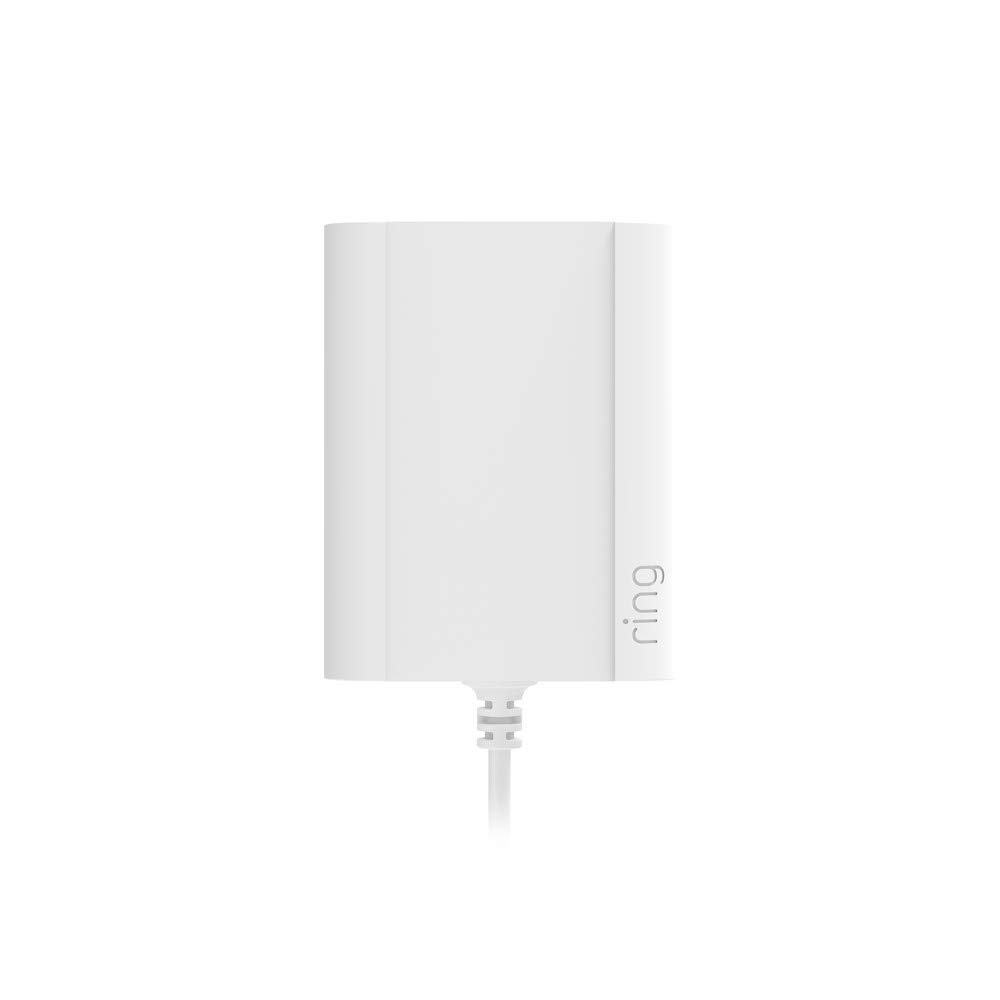
Rajah 1: Depan view of the Ring Plug-In Adapter (2nd Generation). This image shows the compact white adapter unit with the Ring logo on the side and the power cable extending from the bottom.
- Laluan Kabel: Carefully route the 10-foot cable from your doorbell to a standard indoor power outlet. Ensure the cable is not pinched or damaged, especially if passing through door frames or walls. Use the included clips to secure the cable if needed.
- Palamkan ke dalam Kuasa: Plug the Ring Plug-In Adapter into a standard indoor electrical outlet.

Rajah 2: Belakang view of the Ring Plug-In Adapter (2nd Generation) with its electrical specifications label. The label details the model number, input/output power, and regulatory marks.
- Sahkan Sambungan: Your Ring Doorbell should power on, and the Ring app should indicate a "Hardwired" status in the Device Health section. If the doorbell's light changes to a permanent white color, it indicates a successful power connection.
5. Operasi
Once installed, the Ring Plug-In Adapter provides continuous power to your compatible Ring Battery Doorbell. This means your doorbell will remain powered without requiring you to remove the battery for recharging.
The adapter utilizes a trickle charge mechanism. This means it will slowly and continuously recharge the battery. It is normal for the battery percentage in the Ring app to fluctuate or drop slightly (e.g., to 90%) before the adapter initiates a recharge cycle. This behavior is designed to prolong the overall lifespan of your doorbell's battery.
6. Keserasian
The Ring Plug-In Adapter (2nd Generation) is compatible with the following Ring Doorbell models:
- Bel Video Berwayar
- Video Doorbell (1st Generation)
- Video Doorbell (2nd Generation - 2020 Release)
- Loceng Pintu Video 2
- Loceng Pintu Video 3
- Pintu Video 3 Plus
- Loceng Pintu Video 4
- Loceng Pintu Bateri
- Bateri Loceng Pintu Plus
- Video Loceng Pintu Pro
- Video Loceng Pintu Pro 2
Tidak serasi dengan:
- Cam lubang intip
- Doorbell Elite Video
7. Penyelesaian masalah
- Doorbell not showing "Hardwired" in app: During the initial setup tutorial, the doorbell might not immediately recognize the hardwired power source. If this occurs, proceed with the setup. Once the doorbell is fully set up, check the "Device Health" section in the Ring app; it should then correctly display "Hardwired."
- Peratusan bateritage dropping: As explained in the Operation section, the adapter uses a trickle charge. It is normal for the battery percentage to drop to around 90% before the adapter recharges it back to full. This is a protective measure for battery longevity.
- No power to doorbell:
- Ensure the adapter is securely plugged into a working indoor outlet.
- Verify that the cable connections to the doorbell terminals are secure and not loose.
- Check for any visible damage to the cable or adapter.
8. Spesifikasi
| Model | DBA-12PF16-24 |
| Input Kuasa | 100-240V AC, 50/60Hz, 0.5A |
| Output Kuasa | 24V DC, 0.5A, 12.0W |
| Panjang Kabel | 10 kaki (kira-kira 3 meter) |
| Dimensi (Unit Penyesuai) | 2.8in (7sm) x 2.2in (5.5sm) x 1.5in (3.7sm) |
| Perlindungan | Perlindungan litar pintas terbina dalam |
| Persekitaran | Penggunaan dalaman sahaja |
9. Waranti dan Sokongan
For warranty information, technical support, or further assistance, please visit the official Ring support website or contact Ring customer service. Details can typically be found on the Ring website or within your Ring app.
Anda juga boleh melawat Ring Store on Amazon untuk maklumat dan sumber produk tambahan.


