1. Pengenalan
This manual provides comprehensive instructions for setting up, operating, and maintaining your Microsoft Surface Go 2 tablet. The Surface Go 2 is a versatile 10.5-inch touch-screen device, powered by an Intel Pentium processor, 8GB of RAM, and a 128GB SSD, running Windows 10. It is designed for portability and efficiency, suitable for various tasks from productivity to entertainment.
2. Komponen dan Pelabuhan
Familiarize yourself with the physical components and connection ports of your Surface Go 2.
2.1 Peranti Selesaiview
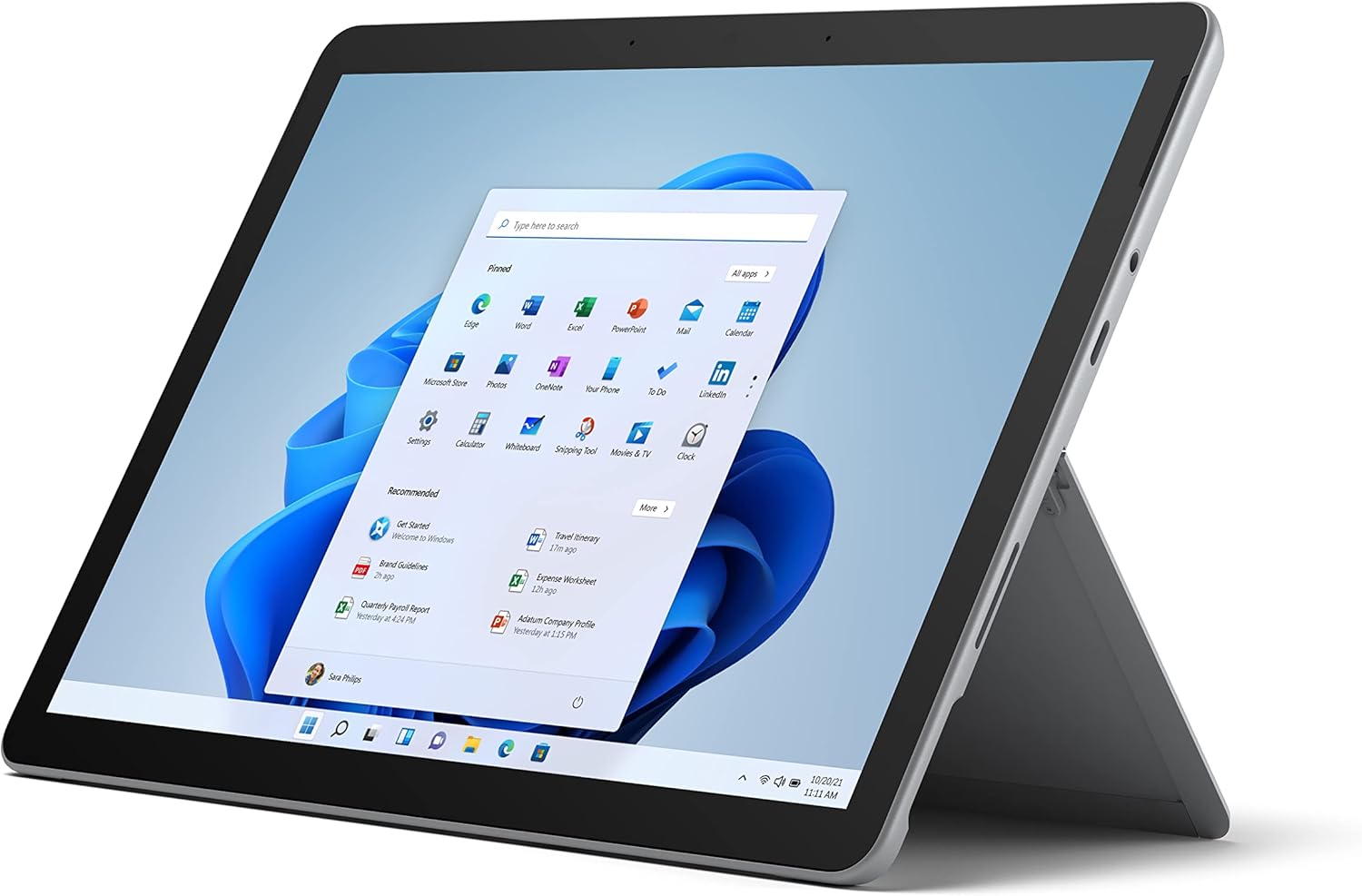
Figure 2.1: Microsoft Surface Go 2 tablet in landscape orientation, showcasing the Windows desktop interface.
2.2 Side Ports and Buttons
- Port USB Jenis-C: For data transfer, video output, and charging.
- 3.5 mm Headphone Jack: Untuk menyambungkan fon kepala atau peranti audio luaran.
- Port Sambung Permukaan: Magnetic port for charging and connecting to Surface Dock (sold separately).
- Pembaca Kad MicroSD: For expanding storage with a microSD card.
- Butang Kelantangan: To adjust audio volume.
- Butang Kuasa: To turn the device on/off or put it to sleep.

Figure 2.2: A side profile of the Surface Go 2, illustrating the various ports and buttons along its edge.
2.3 Penyangga Bersepadu
The Surface Go 2 features an integrated kickstand on the back, allowing for multiple viewing angles. This enables comfortable use in various modes, such as tablet, laptop (with Type Cover), or studio mode.

Figure 2.3: The Surface Go 2 with its Type Cover keyboard attached and the kickstand deployed, demonstrating its laptop-like configuration.
3. Persediaan Awal
Follow these steps to set up your Surface Go 2 for the first time.
3.1 Menghidupkan dan Konfigurasi Asas
- Cas Peranti: Connect the included power adapter to the Surface Connect port on your device and plug it into a power outlet.
- Hidupkan kuasa: Press and hold the power button located on the top edge of the device until the Microsoft logo appears on the screen.
- Ikuti Gesaan Pada Skrin: The device will guide you through selecting your region, language, and connecting to a Wi-Fi network.
- Microsoft Account Setup: Sign in with an existing Microsoft account or create a new one. This is essential for accessing Microsoft services and applications.
- Tetapan Privasi: Review and adjust your privacy settings as prompted.
- Windows Hello: Set up facial recognition for faster and more secure sign-in (optional).
4. Arahan Operasi
The Surface Go 2 offers flexible interaction methods.
4.1 Navigasi Skrin Sentuh
The 10.5-inch PixelSense display supports 10-point multi-touch. You can navigate Windows 10 using gestures similar to a smartphone or tablet:
- Ketik: Pilih item atau buka aplikasi.
- Leret: Tatal melalui kandungan atau navigasi antara skrin.
- Cubit-untuk-Zum: Besarkan atau kecilkan saiz kandungan.
- Tekan dan Tahan: Access context menus (right-click equivalent).
4.2 Using the Type Cover Keyboard (Sold Separately)
Attach the Type Cover keyboard to transform your Surface Go 2 into a laptop. The keyboard connects magnetically to the bottom edge of the tablet.
- Lampiran: Align the Type Cover with the magnetic connector at the bottom of the Surface Go 2 until it snaps into place.
- Menaip: Use the physical keys for efficient text input.
- Pad jejak: The integrated trackpad allows for precise cursor control and multi-touch gestures.

Figure 4.1: The Surface Go 2 tablet separated from its Type Cover keyboard, illustrating the modular design.
4.3 Using the Surface Pen (Sold Separately)
The Surface Pen (sold separately) enhances creativity and productivity, allowing for natural writing and drawing directly on the screen.

Figure 4.2: The Surface Go 2 tablet displayed with a compatible Surface Pen, highlighting its digital inking capabilities.
5. Penyelenggaraan
Proper care ensures the longevity and performance of your Surface Go 2.
- Membersihkan Skrin: Gunakan kain lembut dan tidak berbulu sedikit dampdibilas dengan air atau pembersih skrin yang diluluskan. Elakkan bahan kimia yang keras.
- Membersihkan Badan Peranti: Lap bahagian luar dengan kain lembut dan kering.
- Kemas Kini Perisian: Semak dan pasang kemas kini Windows secara berkala untuk memastikan prestasi dan keselamatan yang optimum. Pergi ke Tetapan > Kemas Kini & Keselamatan > Kemas Kini Windows.
- Penjagaan Bateri: Untuk memaksimumkan jangka hayat bateri, elakkan suhu yang melampau dan cuba kekalkan cas bateri antara 20% dan 80% jika boleh.
- Pengurusan Storan: Kosongkan sementara secara berkala files and unnecessary data to free up storage space. Go to Tetapan > Sistem > Storan.
6. Penyelesaian masalah
Isu biasa dan penyelesaiannya.
- Peranti Tidak Dihidupkan: Ensure the device is charged. Connect the power adapter and wait a few minutes before attempting to power on again.
- Skrin sentuh Tidak Responsif: Restart the device. If the issue persists, check for pending Windows updates or consider a system restore.
- Isu Sambungan Wi-Fi: Verify your Wi-Fi network is active. Restart your router and the Surface Go 2. Check Wi-Fi settings on the device.
- Prestasi Perlahan: Close unnecessary applications. Check for background processes consuming high resources (Task Manager). Ensure sufficient free storage space.
- Bateri Habis Cepat: Adjust screen brightness, disable unnecessary background apps, and ensure all software is up to date.
7. Spesifikasi
| Ciri | Perincian |
|---|---|
| Paparan | 10.5" PixelSense 10-Point Touch Display |
| Resolusi | 1920 x 1280 (216 piksel per inci) |
| Pemproses | 1.6 GHz Intel Pentium 4425Y Dual-Core Processor |
| RAM | 8GB |
| Penyimpanan | 128GB SSD |
| Grafik | Grafik Intel HD Bersepadu 615 |
| Tanpa wayar | Wi-Fi 5 (802.11ac) | Bluetooth 4.1 |
| Kamera | 8MP Rear Camera | 5MP Front Camera |
| Pelabuhan | USB Type-C, 3.5 mm Headphone Jack, Surface Connect, MicroSD Card Reader |
| Hayat Bateri | Sehingga 9 jam (penggunaan biasa) |
| Sistem Operasi | Windows 10 |
| Berat badan | 1.15 lbs (lebih kurang) |
| Dimensi | 6.8 x 9.64 x 0.32 inci |
8. Waranti dan Sokongan
This Microsoft Surface Go 2 is a renewed product. Renewed products are eligible for replacement or refund under the Amazon Renewed Guarantee if you are not satisfied with your purchase. For specific terms and conditions, please refer to the Amazon Renewed program details.
For further technical support or inquiries, please visit the official Microsoft Surface support webtapak atau hubungi perkhidmatan pelanggan mereka.


