1. Pengenalan
This manual provides detailed instructions for the installation, operation, and maintenance of your Imou A1 Indoor IP Security Camera. The Imou A1 is a spherical indoor security camera designed for reliable surveillance, offering 1080p video resolution and Wi-Fi connectivity. Please read this manual thoroughly before using the product to ensure proper setup and functionality.

Rajah 1: Depan view of the Imou A1 Indoor IP Security Camera.
2. Kandungan Pakej
Sahkan bahawa semua komponen terdapat dalam pakej:
- Imou A1 Camera Unit
- Penyesuai Kuasa
- Plat Pemasangan
- Skru Pemasangan dan Palam Dinding
- Panduan Mula Pantas
3. Kamera Lebihview
Biasakan diri anda dengan komponen kamera.

Figure 2: Imou A1 camera with key features highlighted (e.g., lens, microphone, speaker, status LED, power port, reset button, microSD card slot).
- Kanta: Merakam video.
- LED Status: Indicates camera status (e.g., solid green for connected, flashing red for network error).
- mikrofon: Untuk input audio.
- Penceramah: Untuk komunikasi audio dua hala.
- Pelabuhan Kuasa: Menyambung kepada penyesuai kuasa.
- Butang Tetapkan Semula: Press and hold for 10 seconds to factory reset the camera.
- Slot Kad MicroSD: Untuk storan video setempat (kad tidak disertakan).
4. Persediaan
4.1 Download the Imou Life App
The Imou Life app is required to set up and manage your camera.
- Scan the QR code below or search for "Imou Life" in the App Store (iOS) or Google Play Store (Android).
- Muat turun dan pasang apl.
- Buat akaun atau log masuk jika anda sudah mempunyai akaun.
(QR code image placeholder for app download)
4.2 Menghidupkan Kamera
Connect the power adapter to the camera's power port and plug it into a wall outlet. The camera will power on, and the status LED will flash green.
4.3 Adding the Camera to the Imou Life App
- Open the Imou Life app.
- Ketik ikon "+" di penjuru kanan sebelah atas untuk menambah peranti baharu.
- Imbas kod QR yang terdapat di bahagian bawah kamera anda.
- Follow the on-screen instructions to connect the camera to your Wi-Fi network. Ensure your phone is connected to a 2.4GHz Wi-Fi network during setup.
- Once connected, the status LED will turn solid green.
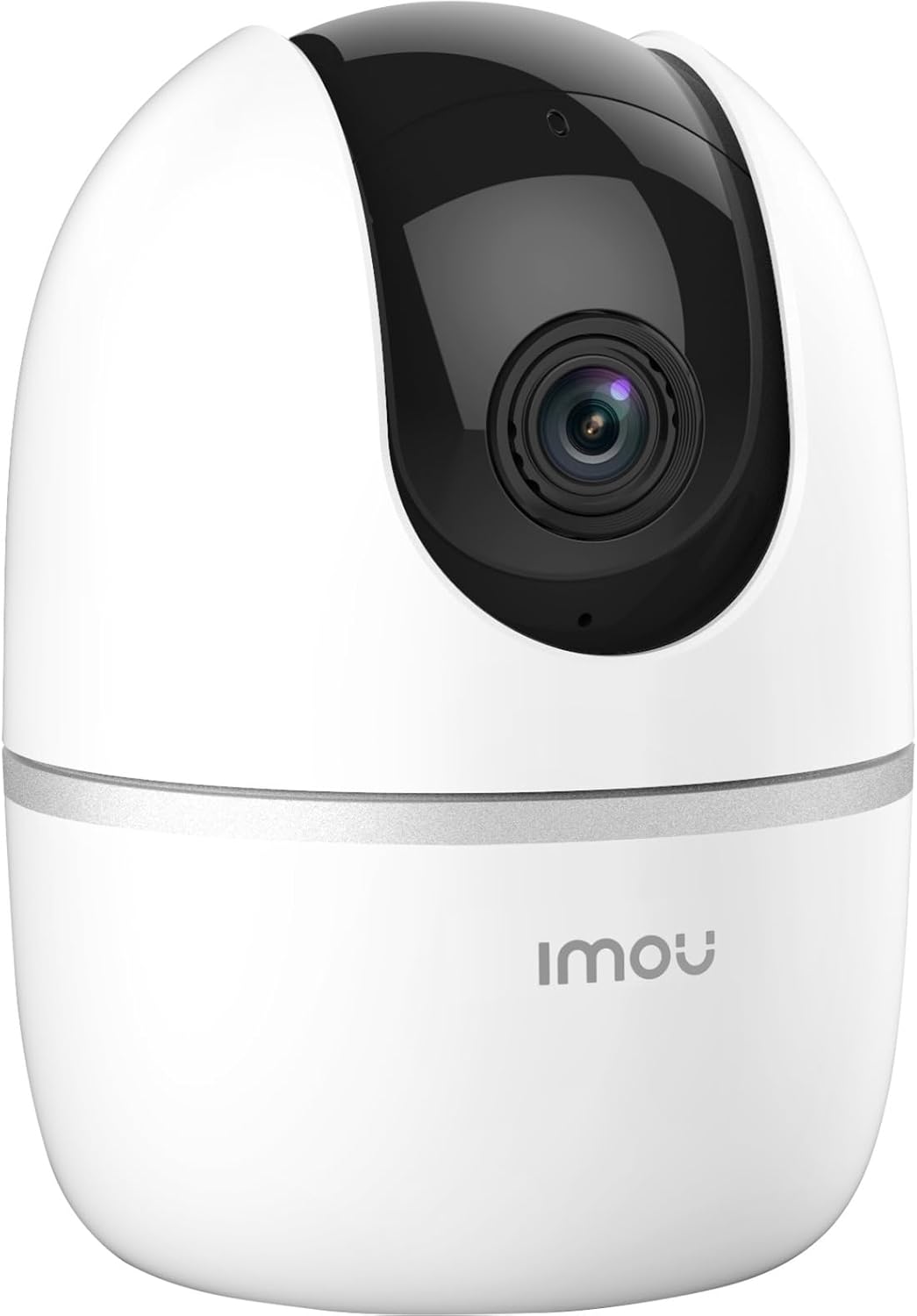
Figure 3: Bottom of the Imou A1 camera, where the QR code for app pairing is located.
4.4 Memasang Kamera (Pilihan)
Kamera boleh diletakkan di atas permukaan rata atau dipasang pada dinding atau siling.
- Pilih lokasi yang sesuai untuk pemasangan.
- Secure the mounting plate to the desired surface using the provided screws.
- Pasangkan kamera pada plat pelekap dengan memusingkannya sehingga ia terkunci pada tempatnya.

Gambar 4: Cthample of the Imou A1 camera mounted on a ceiling.
5. Mengendalikan Kamera
Once set up, you can access and control your camera through the Imou Life app.
5.1 Langsung View
Open the Imou Life app and select your camera to view the live feed. You can pan and tilt the camera remotely using the controls in the app.
5.2 Audio Dua Hala
Ketik ikon mikrofon dalam siaran langsung view to speak through the camera's speaker. Tap again to end.
5.3 Rakaman dan Main semula
The camera supports continuous recording or event-triggered recording to a microSD card (if installed) or to the Imou Cloud (subscription may be required). Access recorded footage via the playback feature in the app.
5.4 Pengesanan Gerakan dan Makluman
Enable motion detection in the app settings to receive instant alerts on your smartphone when movement is detected. You can customize detection zones and sensitivity.
6. Penyelenggaraan
6.1 Pembersihan
Lap perlahan-lahan lensa kamera dan badan dengan kain lembut dan kering. Elakkan menggunakan bahan kimia yang keras atau pembersih yang kasar.
6.2 Kemas Kini Perisian Tegar
Regularly check for firmware updates through the Imou Life app to ensure optimal performance and access to new features.
7. Penyelesaian masalah
| Masalah | Penyelesaian yang Mungkin |
|---|---|
| Kamera gagal menyambung ke Wi-Fi. |
|
| Kualiti video yang teruk. |
|
| Tiada amaran pengesanan gerakan. |
|
| Camera offline. |
|
8. Spesifikasi
| Ciri | Perincian |
|---|---|
| Nombor Model | IPC-A22EP-V2-IMOU |
| Resolusi Video | 1080p (1920 x 1080 piksel) |
| Teknologi Tanpa Wayar | Wi-Fi (2.4GHz) |
| kuasa | 3.5 Watt |
| Dimensi (L x W x H) | 7.74 x 7.74 x 10.61 cm |
| Berat badan | 238 gram |
| Ciri Khas | Night Vision, Two-Way Audio, Motion Detection |
| Pilihan Storan | MicroSD Card (up to 256GB, not included), Cloud Storage |
| Jenis Pemasangan | Wall/Ceiling/Tabletop |
9. Maklumat Waranti
The Imou A1 camera comes with a Waranti pengilang selama 2 tahun. Please retain your proof of purchase for warranty claims. For detailed terms and conditions, refer to the official Imou webtapak atau hubungi sokongan pelanggan.
Ketersediaan alat ganti: 1 Tahun.
10. Sokongan Pelanggan
If you encounter any issues not covered in this manual or require further assistance, please contact Imou customer support.
- Visit the official Imou webtapak untuk Soalan Lazim dan sumber sokongan.
- Contact technical support via the Imou Life app or the website's contact page.


