1. Pengenalan
This manual provides essential instructions for the safe and efficient use of your LIFX Color Smart LED Bulb. The LIFX Color bulb offers a wide spectrum of colors and white tones, controllable via Wi-Fi without the need for a separate hub. It is designed to enhance your lighting experience with smart features and energy efficiency.

Image: The LIFX Color Smart LED Bulb alongside its product packaging, highlighting its features.
Ciri-ciri Utama:
- Billions of Colors: Access a vast range of colors and a wide cool-to-warm white spectrum (1500K to 9000K).
- Kecerahan 800 Lumen: Menyediakan amppencahayaan untuk pelbagai tetapan.
- E26 Edison Screw Base: Standard fitting for easy installation.
- Kesambungan Wi-Fi: Connects directly to your 2.4GHz Wi-Fi network, no hub required.
- Kawalan Suara: Compatible with Alexa, Apple HomeKit/Siri, and Hey Google.
- Scheduling & Scenes: Customize lighting schedules and create personalized scenes.
2. Maklumat Keselamatan
Please read and follow these safety guidelines to prevent injury or damage to the product.
- Penggunaan Dalaman Sahaja: This bulb is designed for indoor use in dry locations.
- Pemasangan yang betul: Pastikan kuasa dimatikan sebelum memasang atau menanggalkan mentol.
- Voltage Keserasian: Use only within the specified voltage range (AC 100-240V, 50/60 Hz).
- Elakkan Lekapan Tertutup: Do not use in fully enclosed luminaires as this may reduce bulb life.
- Suis Dimmer: Do not use with standard dimmer switches. Dimming is controlled via the app or voice assistants.
- Pelupusan: Buang sisa elektronik secara bertanggungjawab mengikut peraturan tempatan.
3. Kandungan Pakej
Your LIFX Color Smart LED Bulb package should contain the following:
- 1 x LIFX Color Smart LED Bulb (E26 Edison Screw)
4. Panduan Persediaan
4.1 Pemasangan Fizikal
- Pastikan kuasa pada lampu dimatikan pada suis.
- Carefully screw the LIFX Color Smart LED Bulb into a standard E26 Edison screw socket. Do not overtighten.
- Turn the power back on at the switch. The bulb should illuminate with a default white light.

Image: A visual guide showing the three simple steps for setting up the LIFX bulb: screwing it into a lamp, downloading the app, and enjoying the light.
4.2 Muat Turun Apl dan Sambungan Wi-Fi
- Download the official LIFX app from the Apple App Store or Google Play Store.
- Open the LIFX app and create an account or log in.
- Follow the in-app instructions to add your new LIFX bulb. This typically involves scanning a QR code on the bulb or its packaging and connecting to your home's 2.4GHz Wi-Fi network.
- Ensure your mobile device is connected to the 2.4GHz Wi-Fi network during the setup process.
4.3 Integrasi Pembantu Suara
The LIFX Color bulb is compatible with popular voice assistants. Follow the instructions within your preferred voice assistant's app to link your LIFX account.
- Amazon Alexa: Enable the LIFX skill in the Alexa app and discover devices.
- Apple HomeKit/Siri: Use the Home app on your iOS device to add the accessory.
- Hey Google: Link your LIFX account in the Google Home app.

Image: A collage of logos indicating compatibility with various smart home platforms and voice assistants.
5. Arahan Operasi
5.1 Controlling Color and Brightness
Use the LIFX app to adjust the bulb's color and brightness. The app features a color wheel and sliders for precise control.
- Open the LIFX app and select your bulb.
- Drag your finger across the color wheel to choose a desired color.
- Adjust the brightness slider to set the light intensity from 1% to 100%.
- For white light, select from the warm to cool white spectrum options.

Image: A smartphone displaying the LIFX app interface, featuring a color wheel for selecting light colors and adjusting brightness.
5.2 Kawalan Suara
Once integrated with a voice assistant, you can control your LIFX bulb using simple voice commands.
- "Alexa, bukak lampu ruang tamu."
- "Hey Google, set the kitchen light to blue."
- "Siri, dim the bedroom light to 50%."
- "Alexa, set the kitchen to 'Frozen'."

Image: A person in a kitchen interacting with a voice assistant to control the lighting, demonstrating hands-free operation.
5.3 Penjadualan dan Adegan
Automate your lighting to fit your daily routine or create custom ambiances.
- Jadual: In the LIFX app, set specific times for your lights to turn on/off, change color, or adjust brightness. For example, schedule lights to gradually brighten in the morning for a gentle wake-up or dim in the evening for winding down.
- Adegan: Create and save custom lighting configurations (e.g., "Movie Night," "Relax," "Party"). Activate these scenes with a single tap in the app or via voice command.
- Keselamatan: Use scheduling to make it appear as if someone is home when you are away.

Imej: Bahagian luar view of a house at dusk, illustrating how scheduled lighting can provide added security by making it appear occupied.

Image: A person waking up in bed as a smart light gradually brightens, demonstrating the use of light as an alarm clock replacement.
6. Penyelenggaraan
The LIFX Color Smart LED Bulb requires minimal maintenance.
- Pembersihan: Ensure the bulb is cool and the power is off before cleaning. Wipe with a soft, dry cloth. Do not use liquid cleaners or abrasive materials.
- Storan: Jika menyimpan mentol, simpannya di dalam pembungkusan asalnya atau bekas pelindung di tempat yang sejuk dan kering.
7. Penyelesaian masalah
If you encounter issues with your LIFX Color Smart LED Bulb, refer to the following common solutions:
| Masalah | Penyelesaian yang Mungkin |
|---|---|
| Bulb not connecting to Wi-Fi/App |
|
| Bulb is unresponsive or offline |
|
| Arahan suara tidak berfungsi |
|
8. Spesifikasi
Detailed technical specifications for the LIFX Color Smart LED Bulb (Model: L3A19LC08E26US):
| Ciri | Perincian |
|---|---|
| Nama Model | LIFX Color - 800 Lumens |
| Nombor Model | L3A19LC08E26US |
| Jenis Cahaya | LED |
| Saiz Bentuk Mentol | A19 |
| Pangkalan Mentol | E26 |
| Kecerahan | 800 Lumen |
| Wattage Penggunaan | 9.0W at full brightness |
| Setara Pijar | 60W |
| Voltage Julat | AC 100-240V 50/60 Hz |
| Suhu Warna | 1500K hingga 9000K |
| Indeks Paparan Warna (CRI) | 80 |
| Sudut Rasuk | 235° |
| Peredupan | Software dimming 1% - 100% |
| Wi-Fi | 2.4GHz (WPA, WPA2 Security) |
| Dimensi (W x H) | 2.36 in x 4.13 in (60mm x 105mm) |
| bahan | Aluminium, Plastik |
| Kehidupan Purata | 206,432 Jam (lebih kurang 22.8 tahun) |
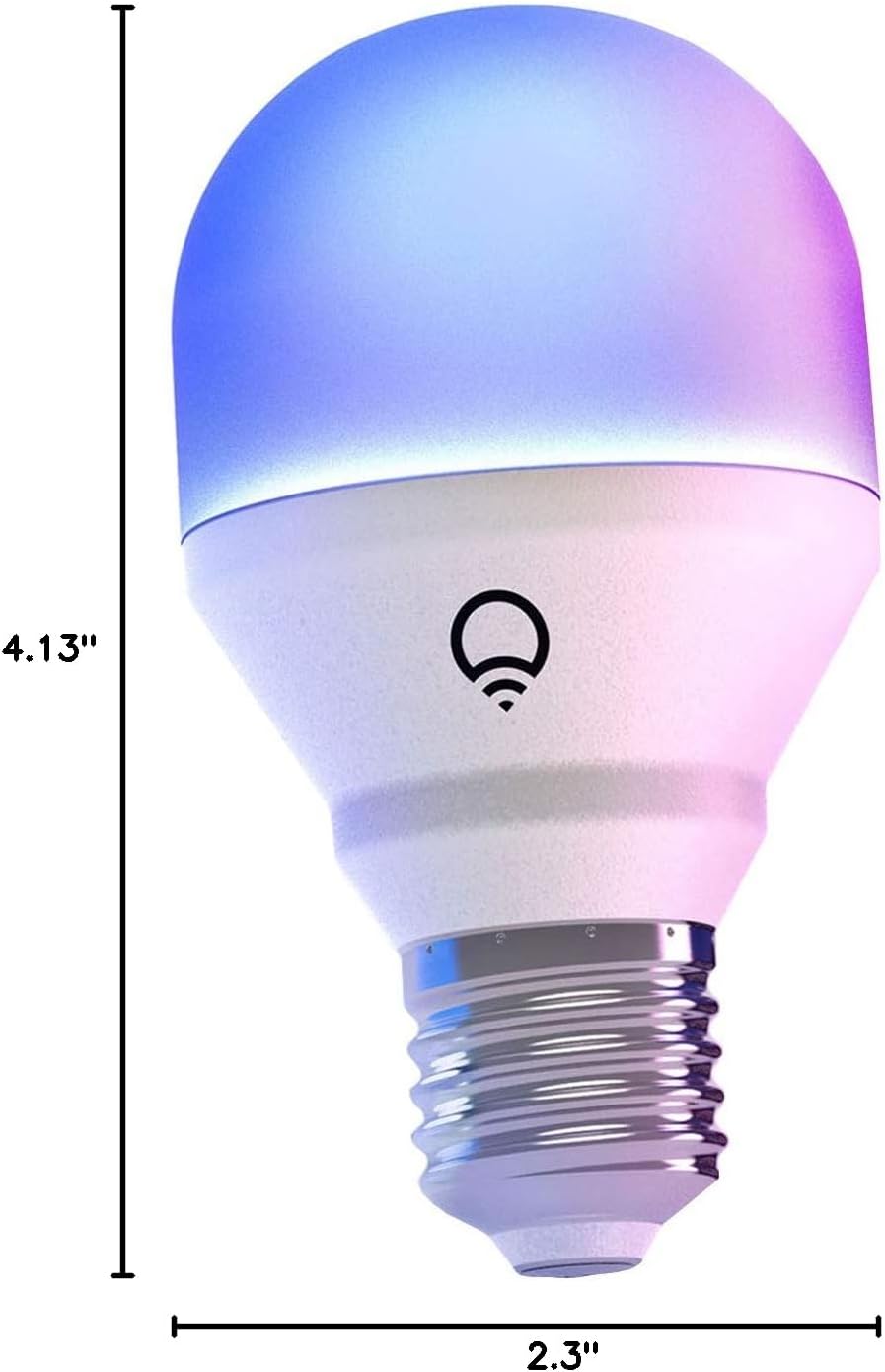
Image: A diagram illustrating the physical dimensions of the LIFX Color Smart LED Bulb.
9. Maklumat Waranti
The LIFX Color Smart LED Bulb comes with a Waranti 2 tahun. Please retain your proof of purchase for warranty claims. For specific terms and conditions, refer to the official LIFX webtapak atau hubungi sokongan pelanggan.
10. Sokongan
Untuk bantuan lanjut, sokongan teknikal, atau untuk view frequently asked questions, please visit the official LIFX support website. You can typically find contact information for customer service on their webtapak juga.
Sumber Dalam Talian:
- LIFX Official Webtapak: www.lifx.com
- Support Section: Refer to the support or FAQ section on the official website for troubleshooting guides and contact options.


