1. Pengenalan
This manual provides comprehensive instructions for the installation, operation, and maintenance of your ErGear Single Monitor Mount, Model EGSS7. This monitor arm is designed to enhance your workspace ergonomics by providing adjustable positioning for a single monitor. Please read this manual thoroughly before installation and retain it for future reference.

Image 1.1: The ErGear Single Monitor Arm (Model EGSS7) in a typical office setup.
2. Maklumat Keselamatan
Sila patuhi langkah berjaga-jaga keselamatan berikut untuk mengelakkan kecederaan atau kerosakan pada peralatan anda:
- Jangan melebihi kapasiti berat maksimum 14.3 lbs (6.5 kg).
- Ensure your monitor is between 17 and 27 inches in size.
- Verify that your monitor is VESA compatible (75x75mm or 100x100mm).
- Pasangkan dudukan pada permukaan meja yang kukuh yang dapat menampung berat gabungan dudukan dan monitor anda.
- Follow all installation steps carefully. Improper installation may result in equipment damage or personal injury.
- Jauhkan bahagian kecil daripada kanak-kanak.
3. Kandungan Pakej
Before proceeding with installation, please ensure all components are present and undamaged. Refer to the included parts list for detailed identification.
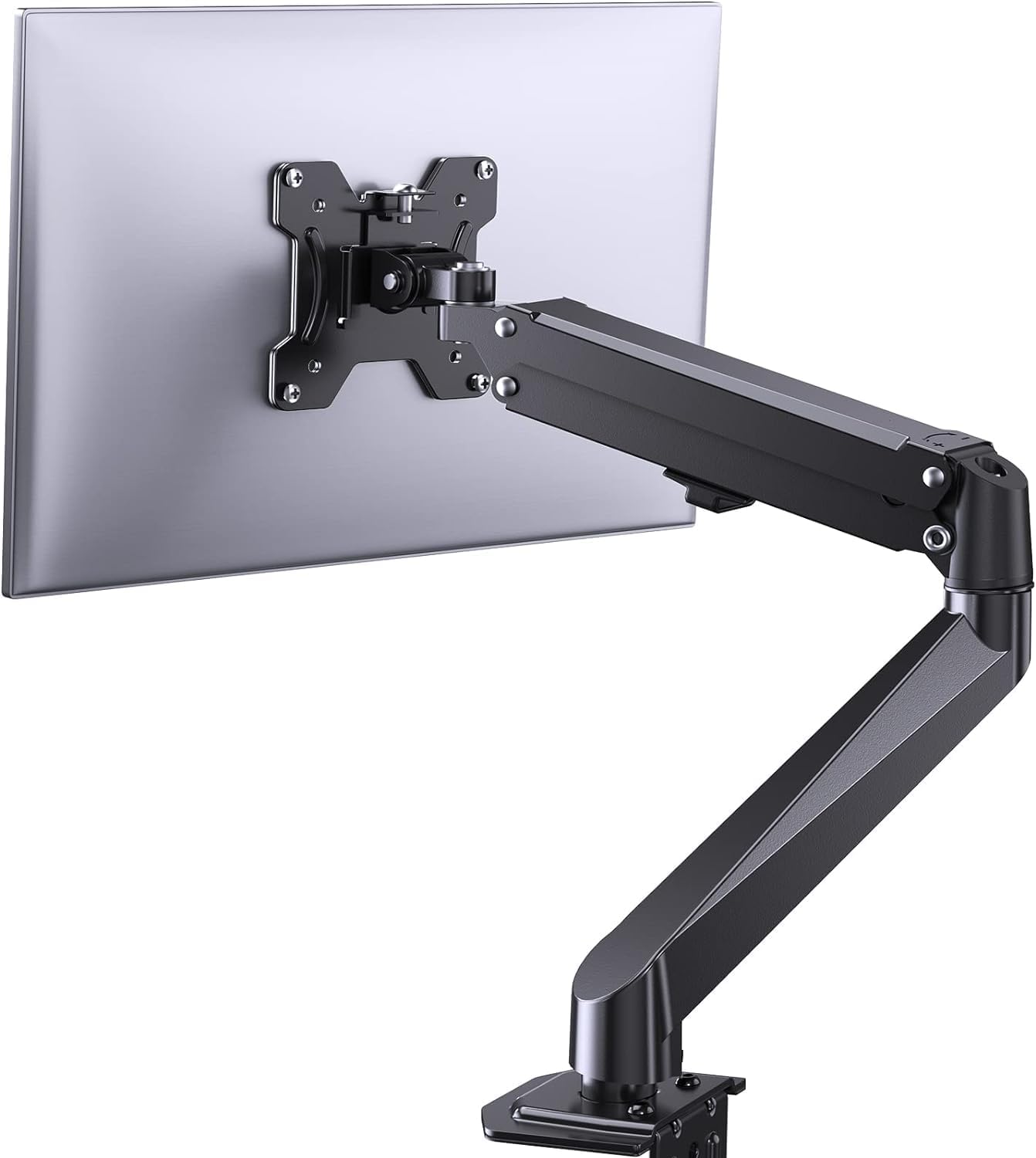
Imej 3.1: Selesaiview of the ErGear Single Monitor Mount components.
4. Spesifikasi
| Ciri | Spesifikasi |
|---|---|
| Jenama | Ergear |
| Model | EGSS7 |
| Saiz Monitor yang Serasi | 17 - 27 inci |
| Kapasiti Berat | Sehingga 14.3 paun (6.5 kg) |
| Keserasian VESA | 75x75mm, 100x100mm |
| Jenis Pemasangan | C-clamp atau Grommet |
| bahan | Keluli Aloi |
| warna | Hitam |
| Julat Kecondongan | -35° hingga +50° |
| Julat Putar | -90° hingga +90° |
| Putaran | 360° |
| Dimensi Produk | 41.2 x 30.4 x 10 cm |

Image 4.1: Monitor size and weight capacity details.
5. Arahan Persediaan
The ErGear Single Monitor Mount offers two installation options: C-clamp or Grommet mounting. Choose the option best suited for your desk.

Image 5.1: C-clamp and Grommet mounting options with desk thickness ranges.
5.1 C-Clamp Pemasangan
- Pasangkan C-clamp to the base of the monitor arm.
- Letakkan C-clamp on the edge of your desk. Ensure the desk thickness is between 0.4 and 3.3 inches.
- Ketatkan clamp securely using the provided knob until the mount is stable.
5.2 Grommet Installation
- If your desk has a grommet hole, insert the grommet bolt through the base of the monitor arm and the desk hole. Ensure the desk thickness is between 0.4 and 3.1 inches.
- Secure the mount from underneath the desk using the provided plate and nut.
5.3 Memasang Monitor
- Carefully attach your VESA-compatible monitor to the VESA plate on the arm using the appropriate screws.
- Ensure the screws are tightened firmly but do not overtighten.
5.4 Pelarasan Ketegangan
The gas spring arm requires tension adjustment to properly support your monitor's weight. Use the included Allen key to adjust the tension screw located on the arm. Turn clockwise to increase tension for heavier monitors, and counter-clockwise to decrease tension for lighter monitors. Adjust until the monitor stays in position when moved.

Imej 5.2: Dalaman view of the flexible gas spring arm.
6. Arahan Operasi
Once installed, your ErGear monitor mount allows for flexible positioning of your monitor.
6.1 Melaraskan Kedudukan Monitor
- Pelarasan Ketinggian: Gently push or pull the monitor to the desired height. The gas spring mechanism will hold it in place.
- Condong: The monitor can be tilted from -35° to +50° to reduce glare and optimize viewsudut-sudut.
- Pusing: Swivel the monitor from -90° to +90° for collaborative work or to view content from different angles.
- Putaran: Putar monitor 360° untuk bertukar antara orientasi landskap dan potret.

Image 6.1: Monitor height adjustment.

Image 6.2: Full motion range capabilities of the monitor arm.
6.2 Pengurusan Kabel
The monitor arm features an integrated cable management system to keep your workspace tidy. Route your monitor cables through the designated channels on the arm to conceal them.

Image 6.3: Integrated cable management system.
7. Penyelenggaraan
Regular maintenance ensures the longevity and optimal performance of your monitor mount.
- Periksa semua skru dan sambungan secara berkala untuk memastikan ia ketat.
- Bersihkan permukaan pelekap dengan kain lembut,amp kain. Elakkan pembersih yang kasar.
- Re-adjust the gas spring tension if your monitor feels too loose or too stiff when moving.
8. Penyelesaian masalah
| Masalah | Kemungkinan Punca | Penyelesaian |
|---|---|---|
| Monitor kendur atau tidak kekal pada kedudukannya. | Gas spring tension is too low. | Increase gas spring tension using the Allen key (clockwise). |
| Monitor is difficult to move. | Gas spring tension is too high. | Decrease gas spring tension using the Allen key (counter-clockwise). |
| Mount terasa tidak stabil. | C-clamp or grommet connection is loose. | Ketatkan C-clamp knob or grommet nut. |
| Monitor does not fit the VESA plate. | Incorrect VESA pattern. | Ensure your monitor has a 75x75mm or 100x100mm VESA pattern. |
9. Waranti dan Sokongan
For warranty information or technical support, please refer to the contact details provided with your purchase or visit the official ErGear website. Please have your model number (EGSS7) and purchase date available when contacting support.


