1. Pengenalan
This manual provides detailed instructions for the KOSPET TICWRIS MAX 4G/LTE Smart Watch. Please read this manual carefully before using your device to ensure proper operation and to maximize its features.
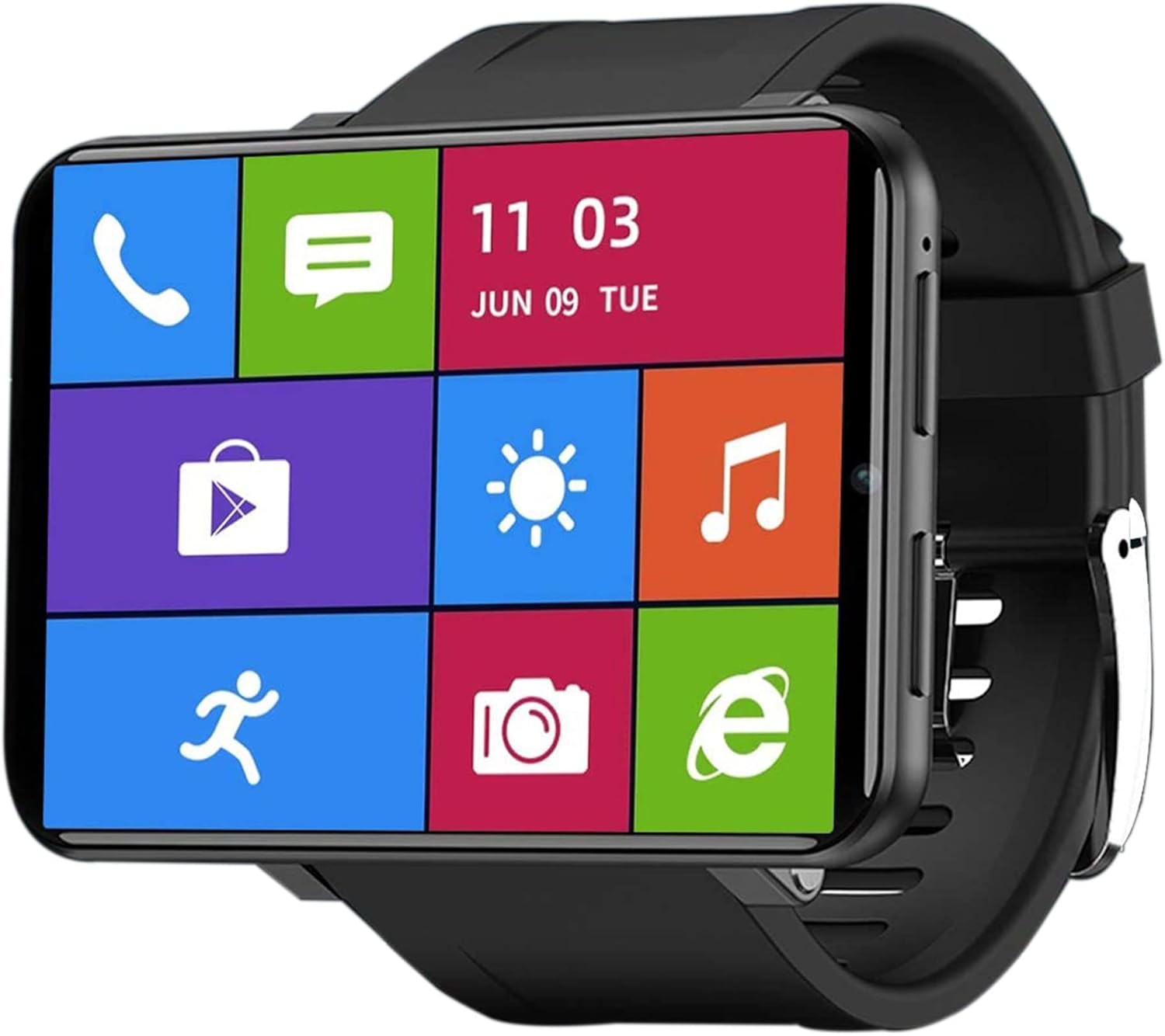
Image 1.1: The KOSPET TICWRIS MAX Smart Watch showing its vibrant main interface with quick access icons for phone, messages, time, weather, music, shopping, fitness tracking, camera, and browser.
2. Persediaan
2.1 Kandungan Pakej
- KOSPET TICWRIS MAX Smart Watch
- Kabel Pengecasan
- Manual Pengguna
2.2 Mengecas Peranti
Before first use, fully charge the smart watch. Connect the charging cable to the watch and a power source. A full charge typically takes approximately 2 hours.
2.3 Pemasangan Kad SIM
The TICWRIS MAX supports Nano-SIM cards for 4G/LTE network connectivity. Locate the SIM card slot on the side of the watch. Carefully insert a Nano-SIM card (not included) into the slot as indicated by the diagram or markings on the device. Ensure the SIM card is correctly oriented.

Image 2.1: This image illustrates the connectivity options of the KOSPET TICWRIS MAX, including support for 4G/3G/2G cellular networks, Wi-Fi, and the use of a Nano-SIM card for independent communication.
2.4 Menghidupkan/Mematikan
- Untuk Menghidupkan: Tekan dan tahan butang kuasa yang terletak di sisi jam tangan sehingga skrin menyala.
- Untuk Mematikan: Press and hold the power button, then select the 'Power Off' option on the screen.
2.5 Berpasangan dengan Telefon Pintar
To receive notifications and synchronize data, pair your TICWRIS MAX with your smartphone using the 'Wiiwatch 2' application. Download the 'Wiiwatch 2' app from your smartphone's app store, then follow the in-app instructions to connect your watch.
3. Arahan Operasi
3.1 Network Connectivity and Calls
With a Nano-SIM card installed, the watch supports 4G/LTE and Wi-Fi connectivity. You can make and receive phone calls, send SMS messages, and access online services directly from the watch.
3.2 Pemberitahuan
Once paired with the 'Wiiwatch 2' app, the watch will display notifications from your smartphone, including text messages, SNS messages, calls, and emails.
3.3 Paparan dan Antara Muka
The TICWRIS MAX features a 2.86-inch square LCD screen with a 480x640 resolution, providing a clear and immersive visual experience for videos, games, and photos.

Image 3.1: The KOSPET TICWRIS MAX Smart Watch highlighting its expansive 2.86-inch display, designed for enhanced viewing dan interaksi.
3.4 Ciri Keselamatan
The watch includes Face ID unlock technology, allowing you to unlock your device quickly and securely in approximately 0.1 seconds. Pattern unlock is also available.

Image 3.2: This image displays the security options for the KOSPET TICWRIS MAX, showing both pattern unlock and the Face ID unlock feature in action.
3.5 GPS dan Navigasi
Integrated GPS/GLONASS allows for accurate tracking of sports data and real-time display of your exercise route on a map. You can use Google Maps for navigation, Google Search, and Google Weather while on the go.
3.6 Android Operating System and Applications
Running on Android 7.1.1 OS, the watch is compatible with a wide range of Android and iPhone devices. With 3GB RAM and 32GB ROM, you can download and install applications from the Google Play Store, store music, and save photos.

Image 3.3: The KOSPET TICWRIS MAX Smart Watch showcasing its Android 7.1.1 operating system with a variety of popular application icons, indicating its smart functionality.
Kamera 3.7
The watch is equipped with an 8.0 MP HD camera, suitable for capturing photos and videos.
4. Penyelenggaraan
4.1 Penjagaan Bateri
The 2880mAh battery provides extended usage. To prolong battery life:
- Elakkan suhu yang melampau.
- Cas peranti secara berkala, tetapi elakkan pengecasan berlebihan untuk tempoh yang lama.
- Close unused applications and features (e.g., Wi-Fi, GPS) to conserve power.

Image 4.1: This image details the battery performance of the KOSPET TICWRIS MAX, highlighting its 2880mAh capacity and estimated usage times for standby, video watching, daily use, continuous calls, and GPS exercise, along with charging time.
4.2 Pembersihan
Wipe the watch with a soft, dry cloth. Avoid using harsh chemicals or abrasive materials that could damage the screen or casing.
5. Penyelesaian masalah
If you encounter any issues with your KOSPET TICWRIS MAX Smart Watch, please refer to the following general advice:
- Peranti tidak dihidupkan: Pastikan bateri telah dicas. Sambungkan ke pengecas selama sekurang-kurangnya 30 minit.
- Isu ketersambungan: Check SIM card insertion, Wi-Fi connection, or Bluetooth pairing. Restart the watch and your smartphone.
- Aplikasi tidak berfungsi: Ensure the app is updated. Try reinstalling the app.
- Prestasi perlahan: Close background applications. Clear cache if possible.
For persistent problems or specific technical support, please contact customer service.
6. Spesifikasi
| Ciri | Spesifikasi |
|---|---|
| Jenama | KOSPET |
| Nombor Model | TICWRIS MAX |
| Sistem Operasi | Android 7.1.1 |
| Saiz Skrin | 2.86 Inci |
| Resolusi Skrin | 480 x 640 |
| RAM | 3 GB |
| ROM | 32 GB |
| Kapasiti Bateri | 2880 mAh Litium-ion |
| Ketersambungan | 4G/LTE, Wi-Fi, Bluetooth |
| GPS | Integrated GPS/GLONASS |
| Ciri Khas | GPS, Heart Rate Monitor, Face ID Unlock |
| Peranti Serasi | Huawei, Samsung, Smartphone, Xiaomi, iPhone |
| Kamera | 8.0 MP HD |
| bentuk | segi empat tepat |
7. Waranti dan Sokongan
For any questions, problems, or technical assistance regarding your KOSPET TICWRIS MAX Smart Watch, please do not hesitate to contact our customer service. Information regarding specific warranty terms may be provided with your purchase documentation.


