pengenalan
Terima kasih kerana membeliasing the SAMI RS-11807 3-Band Radio. This portable analog radio offers versatile listening options with FM, AM, and SW bands, along with modern connectivity features including Bluetooth, USB, Micro SD, and Aux-In. It features a telescopic antenna for enhanced reception, an ambient LED light, and can be powered by its rechargeable battery or two UM-1 batteries (not included).
Arahan Keselamatan
- Baca semua arahan dengan teliti sebelum menggunakan peranti.
- Do not expose the unit to rain, moisture, or direct sunlight for extended periods.
- Elakkan meletakkan unit berhampiran sumber haba seperti radiator, dapur atau peralatan penghasil haba yang lain.
- Gunakan hanya penyesuai kuasa atau bateri yang ditentukan.
- Jangan buka casing; merujuk semua perkhidmatan kepada kakitangan yang berkelayakan.
- Jauhkan daripada kanak-kanak.
Kandungan Pakej
- SAMI RS-11807 3-Band Radio
- Kabel Kuasa AC
- Manual Arahan (dokumen ini)
Susun Atur Produk
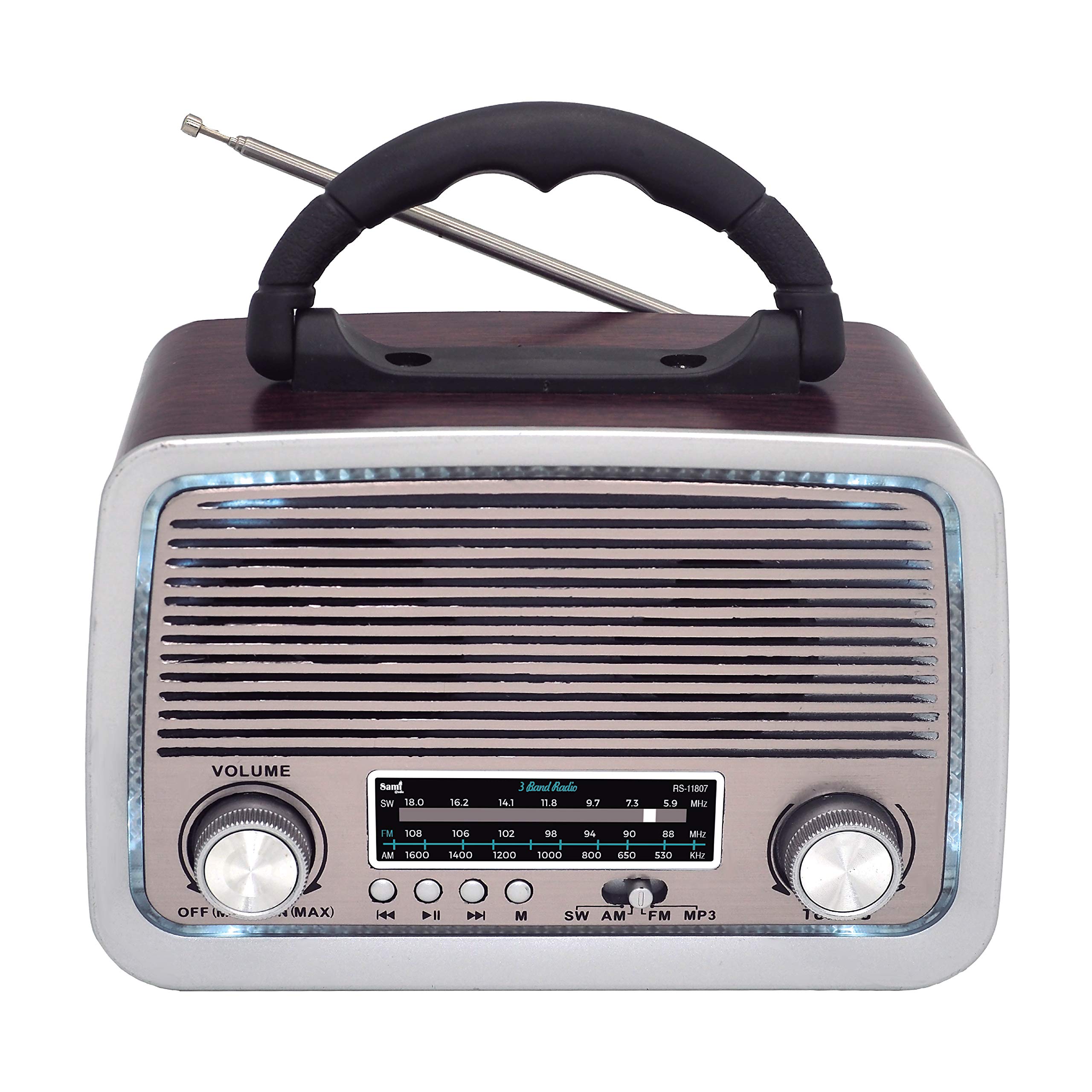
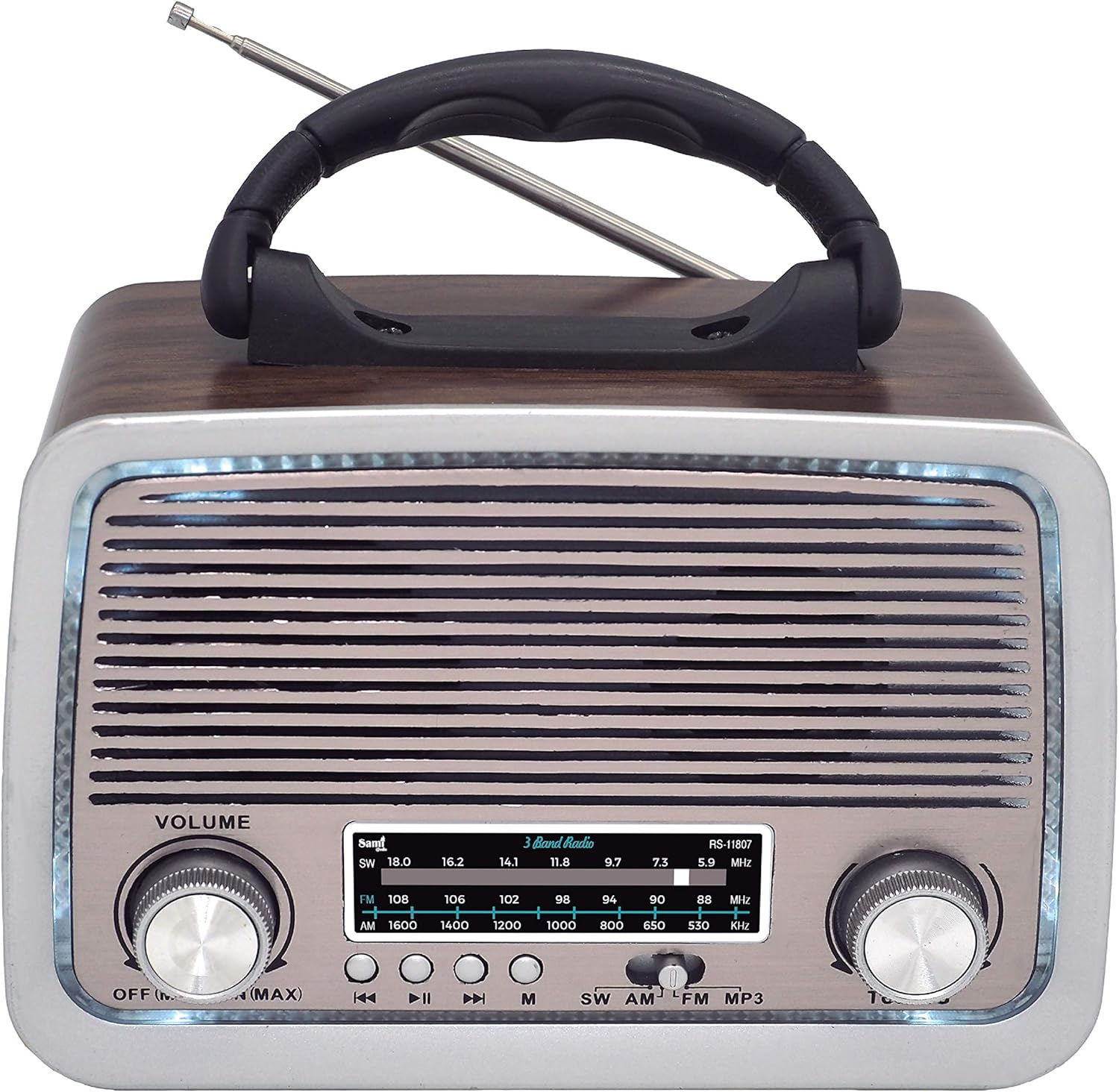
Rajah 1: Depan View of SAMI RS-11807 Radio. Displays the main speaker, frequency display, volume control (left), tuning control (right), and playback buttons (rewind, play/pause, fast forward, mode).
Rajah 2: Sisi View of SAMI RS-11807 Radio. Shows the telescopic antenna extended, the carry handle, and the various input ports on the side: USB, Micro SD card slot, Aux-In, and the DC charging port.
Kawalan dan Pelabuhan:
- Tombol Kelantangan: Rotate to adjust sound level.
- Tombol Penalaan: Rotate to select radio frequencies.
- Pemilih Band: Switch between FM, AM, SW, BT, USB/SD, and Aux modes.
- Kawalan Main Semula: For USB/Micro SD/Bluetooth modes (Previous Track, Play/Pause, Next Track).
- Port USB: Untuk pemacu kilat USB.
- Slot Kad Mikro SD: For Micro SD memory cards.
- Pelabuhan Aux-In: Untuk menyambungkan peranti audio luaran.
- Port Pengecasan DC: For connecting the AC power cable to charge the internal battery or power the unit.
- Antena Teleskopik: Lanjutkan untuk penerimaan radio yang lebih baik.
- Petak Bateri: Located on the back/bottom for UM-1 batteries.
Persediaan
1. Mengkuasakan Peranti
- Bateri Boleh Dicas Semula Dalaman: The radio has a built-in rechargeable battery. Connect the provided AC power cable to the DC charging port on the radio and plug the other end into a wall outlet to charge the battery. The LED indicator will show charging status.
- UM-1 Batteries (Not Included): For portable use without recharging, open the battery compartment and insert two UM-1 size batteries, ensuring correct polarity (+/-).
2. Antena
For optimal radio reception, fully extend the telescopic antenna. Adjust its direction for the clearest signal.
Arahan Operasi
1. Operasi Radio (FM/AM/SW)
- Turn the Volume knob clockwise to power on the radio and set a low volume.
- Use the Band Selector to choose your desired band: FM, AM, or SW.
- Extend the telescopic antenna and adjust its position for best reception.
- Rotate the Tuning knob to scan for radio stations. The frequency display will show the selected frequency.
- Adjust the Volume knob to your preferred listening level.
2. Fungsi Bluetooth (BT).
- Turn on the radio and set the Band Selector to 'BT' mode. A voice prompt will indicate Bluetooth pairing mode.
- Dayakan Bluetooth pada peranti mudah alih anda (telefon pintar, tablet, dll.).
- Cari untuk available devices and select 'SAMI RS-11807' (or similar name) from the list.
- Once paired, a confirmation sound will be heard. You can now play audio from your device through the radio.
- Use the playback controls on the radio or your device to manage music.
3. Main Semula USB/Mikro SD
- Masukkan pemacu kilat USB ke dalam port USB atau kad Micro SD ke dalam slot Micro SD.
- Set the Band Selector to 'USB/SD' mode. The radio will automatically detect and begin playing audio files (format MP3 disyorkan).
- Use the playback controls (Previous Track, Play/Pause, Next Track) to navigate your music.
4. Aux-In Connection
- Connect one end of a 3.5mm audio cable (not included) to the Aux-In port on the radio.
- Sambungkan hujung kabel yang satu lagi ke bicu fon kepala atau output audio peranti luaran anda (cth., pemain MP3, telefon pintar).
- Set the Band Selector to 'Aux In' mode.
- Play audio from your external device. The sound will be output through the radio's speaker.
5. Ambient LED Light
The radio features an ambient LED light. This light typically activates automatically when the radio is powered on. There may be a dedicated switch or a long press on a mode button to toggle it on/off, depending on the specific model variant.
Penyelenggaraan
- Pembersihan: Lap radio dengan kain lembut dan kering. Jangan gunakan pembersih atau pelarut yang melelas.
- Penjagaan Bateri: If using UM-1 batteries, remove them if the radio will not be used for an extended period to prevent leakage. For the rechargeable battery, charge it regularly to maintain its lifespan.
- Storan: Simpan radio di tempat yang sejuk dan kering jauh dari cahaya matahari langsung dan suhu yang melampau.
Menyelesaikan masalah
| Masalah | Kemungkinan Punca | Penyelesaian |
|---|---|---|
| Tiada kuasa | Battery depleted or incorrectly installed; AC cable not connected. | Charge the internal battery, check UM-1 battery polarity, or ensure AC cable is securely connected. |
| Penerimaan radio yang lemah | Antenna not extended or poorly positioned; weak signal area. | Fully extend and adjust the telescopic antenna. Try moving the radio to a different location. |
| Bluetooth tidak bersambung | Radio not in BT mode; device Bluetooth off; already connected to another device. | Ensure radio is in BT mode. Turn on Bluetooth on your device. Disconnect from other devices. |
| USB/Micro SD not playing | tak betul file format; media not inserted correctly; radio not in USB/SD mode. | Pastikan audio files are MP3. Reinsert media. Select USB/SD mode. |
Spesifikasi
| Ciri | Perincian |
|---|---|
| Jenama | Sami |
| Model | RS-11807 |
| Pancaragam Radio | FM, AM, SW (3 Bands) |
| Teknologi Penala | AM, FM, SW |
| Ketersambungan | Bluetooth, USB, Micro SD, Aux-In |
| Sumber Kuasa | Rechargeable Battery, 2 x UM-1 Batteries (not included), AC Power Cable |
| Ciri Khas | Telescopic Antenna, Ambient LED Light, Portable Design |
| Peranti Serasi | Smartphone, MP3 Player, Laptop |
| warna | kayu |
Waranti dan Sokongan
This product comes with a standard manufacturer's warranty. For specific warranty details, please refer to the documentation provided at the time of purchase or contact your retailer. If you encounter any issues or require technical assistance, please contact Sami customer support through their official webtapak atau maklumat hubungan yang diberikan bersama pembelian anda.