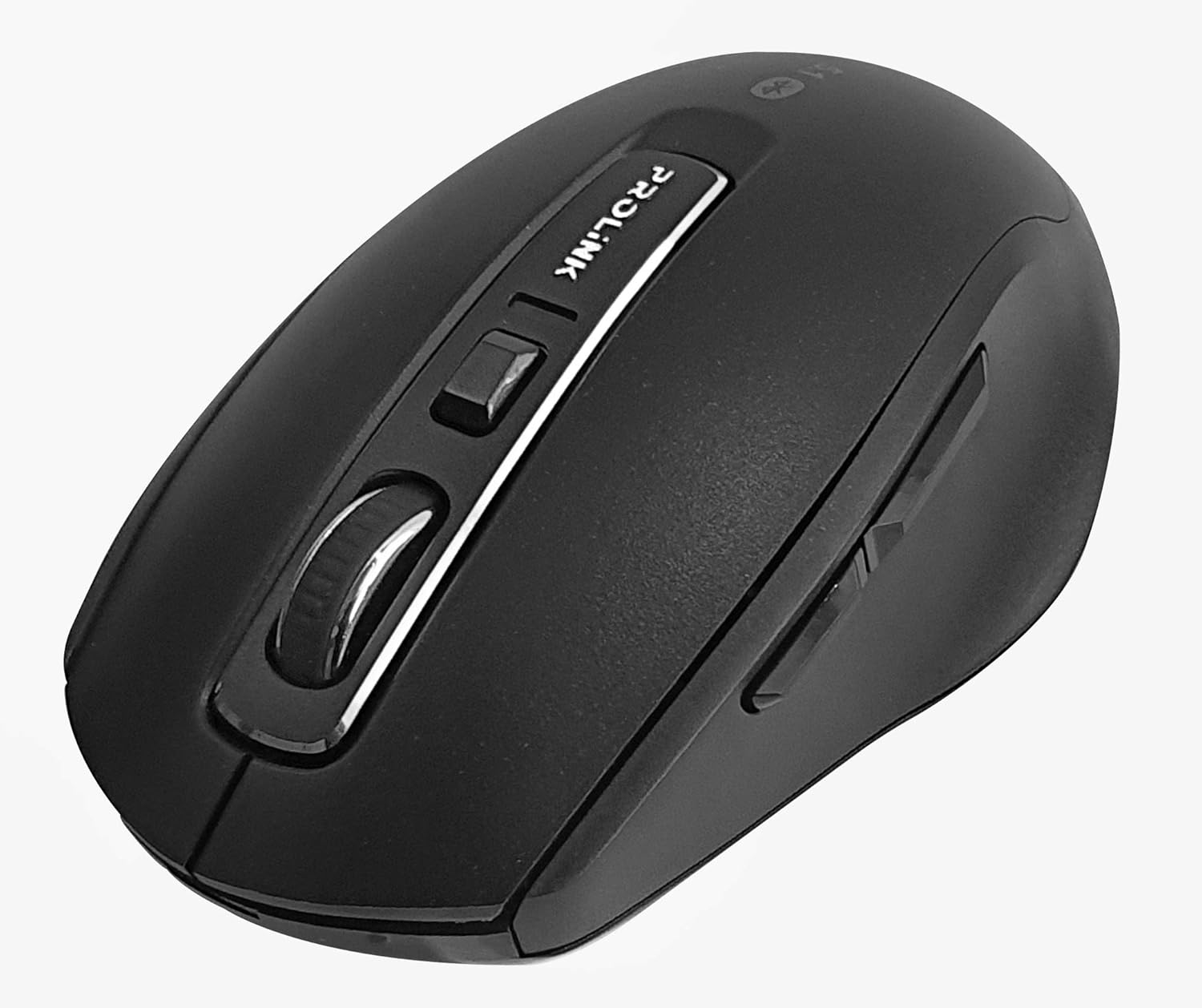
Imej: Atas ke bawah view of the Prolink PMB8502 Bluetooth Wireless Optical Mouse.
1. Pengenalan dan Lebihview
The Prolink PMB8502 Bluetooth Mouse is designed for seamless wireless control of your desktop, laptop, or tablet. It features Bluetooth 5.2 connectivity, an ergonomic design, and adjustable DPI settings for personalized comfort and precision. This manual provides detailed instructions for setup, operation, maintenance, and troubleshooting.
Ciri-ciri Utama:
- Bluetooth 5.2 connectivity (backward compatible with 5.1/5.0/4.2/4.1/4.0)
- Up to 27 months battery life (based on supplied batteries)
- DPI laras: 800/1200/1600
- 6-button design including back and forward buttons
- Reka bentuk ergonomik untuk penggunaan yang selesa
- Operating range of up to 10 meters

Image: Prolink PMB8502 mouse highlighting its Bluetooth 5.2, battery life, DPI, and range features.
2. Kandungan Pakej
- Prolink PMB8502 Bluetooth Wireless Optical Mouse
- 1 x Bateri AA (dipasang terlebih dahulu atau disertakan secara berasingan)
- Manual Pengguna (dokumen ini)
3. Arahan Persediaan
3.1. Pemasangan Bateri
- Cari penutup petak bateri di bahagian bawah tetikus.
- Gelongsor atau angkat penutup perlahan-lahan untuk membuka petak.
- Masukkan satu bateri AA, pastikan terminal positif (+) dan negatif (-) sejajar dengan tanda di dalam petak.
- Gantikan penutup petak bateri sehingga ia terkunci pada tempatnya.
3.2. Berpasangan Bluetooth
Before pairing, ensure your device (computer, laptop, tablet) has Bluetooth enabled.
- Hidupkan tetikus menggunakan suis Hidup/Mati yang terletak di bahagian bawah.
- Press and hold the Bluetooth 'Connect' button (usually located near the On/Off switch or within the battery compartment) for 3-5 seconds until the LED indicator on the mouse begins to flash, indicating it is in pairing mode.
- Pada peranti anda, navigasi ke tetapan Bluetooth.
- Cari untuk new devices. The mouse should appear as "Prolink PMB8502" or similar.
- Select the mouse from the list to complete the pairing process. The LED indicator on the mouse will stop flashing and remain solid for a few seconds, then turn off, indicating a successful connection.

Imej: Depan view of the Prolink PMB8502 mouse, showing its ergonomic shape.
4. Arahan Operasi
4.1. Fungsi Butang
- Butang Klik Kiri: Pemilihan dan pengaktifan standard.
- Butang Klik Kanan: Mengakses menu kontekstual.
- Roda Tatal: Skrol dokumen dan web pages vertically. Can also be pressed for middle-click functionality.
- Butang Pelarasan DPI: Located below the scroll wheel. Press to cycle through DPI settings (800/1200/1600).
- Butang ke hadapan: Navigasi ke hadapan web pelayar atau file penjelajah.
- Butang Belakang: Navigasi ke belakang web pelayar atau file penjelajah.

Imej: Sisi view of the Prolink PMB8502 mouse, illustrating the placement of the back and forward navigation buttons.
4.2. Pelarasan DPI
The mouse offers three DPI (Dots Per Inch) settings: 800, 1200, and 1600. Press the DPI button located below the scroll wheel to switch between these sensitivities. A higher DPI setting results in faster cursor movement across the screen.
4.3. Pengurusan Kuasa
- Suis Hidup/Mati: To conserve battery life, turn off the mouse using the switch on its underside when not in use for extended periods.
- Mod Tidur Automatik: The mouse automatically enters a sleep mode after more than 10 minutes of inactivity. To wake it up, simply move the mouse or click any button.
5. Penyelenggaraan
5.1. Pembersihan
To clean the mouse, use a soft, dry, lint-free cloth. For stubborn dirt, slightly dampen the cloth with water or a mild cleaning solution. Avoid using harsh chemicals, abrasive cleaners, or spraying liquids directly onto the mouse.
5.2. Penggantian Bateri
When the mouse performance degrades or the LED indicator suggests low battery, replace the AA battery following the steps in Section 3.1. Dispose of used batteries responsibly according to local regulations.
6. Penyelesaian masalah
- Mouse not connecting or erratic movement:
- Pastikan tetikus dihidupkan.
- Periksa tahap bateri dan ganti jika perlu.
- Pastikan Bluetooth didayakan pada peranti anda.
- Try re-pairing the mouse with your device (refer to Section 3.2).
- Move the mouse closer to your device to rule out range issues.
- Ensure there are no other strong wireless signals interfering with the Bluetooth connection.
- Cursor not moving smoothly:
- Bersihkan sensor optik di bahagian bawah tetikus.
- Gunakan tetikus pada permukaan yang bersih dan tidak memantulkan cahaya.
- Adjust the DPI setting to a level that suits your preference.
- Butang tidak bertindak balas:
- Periksa tahap bateri.
- Ensure the mouse is properly connected via Bluetooth.
- Mulakan semula komputer atau peranti anda.
7. Spesifikasi
| Ciri | Perincian |
|---|---|
| Butang | 6 |
| Sensor | Optik |
| Resolusi DPI | 800 / 1200 / 1600 DPI |
| Antara muka | Bluetooth 5.2 (backward compatible with Bluetooth 5.1/5.0/4.2/4.1/4.0) |
| Kadar Laporan USB | 125Hz |
| FPS | 2400 kali/saat |
| Kelembapan Operasi | 30%RH - 95%RH |
| Suhu Operasi | -20°C - +60°C |
| Sistem Operasi | Windows 7 / 10 / 11, Mac OS 10.2 above |
| Dimensi (L x W x H) | 108 mm x 66.7 mm x 40.2 mm |
| Berat badan | 69.2g (product only) |
| Jenis Bateri | 1 x Bateri AA |

Image: Graphic displaying the technical specifications of the Prolink PMB8502 mouse.
8. Waranti dan Sokongan
The Prolink PMB8502 Bluetooth Wireless Optical Mouse typically comes with a Waranti 3 tahun from the date of purchase. Please refer to your purchase receipt or the official Prolink webtapak untuk terma dan syarat jaminan khusus yang terpakai di rantau anda.
For technical support, troubleshooting assistance, or warranty claims, please visit the official Prolink website or contact their customer service department. Contact information can usually be found on the product packaging or the Prolink official webtapak.
Sumber Dalam Talian:

Image: Prolink PMB8502 mouse with a "3 Year Warranty" label, indicating product assurance.


