1. Pengenalan
Terima kasih kerana membeliasing the Everycom X10 Home & Business Native Full HD 1080p LED Projector. This projector is designed to provide a superior viewing experience with its impressive native resolution of 1920 x 1080, 5500 Lumens of brightness, and a high contrast ratio of 5000:1. This manual provides detailed instructions for setting up, operating, and maintaining your projector to ensure optimal performance and longevity. Please read this manual thoroughly before using the product and keep it for future reference.
2. Maklumat Keselamatan
To prevent fire or electric shock, do not expose this appliance to rain or moisture. To avoid electric shock, do not open the cabinet. Refer servicing to qualified personnel only.
- Jangan menyekat bukaan pengudaraan.
- Gunakan hanya lampiran/aksesori yang ditentukan oleh pengilang.
- Cabut plag radas ini semasa ribut petir atau apabila tidak digunakan untuk tempoh yang lama.
- Lindungi kord kuasa daripada berjalan atau tersepit, terutamanya pada palam, bekas kemudahan dan tempat keluar dari radas.
- Jangan lihat terus ke dalam kanta projektor apabila lamp sedang aktif.
- Ensure the projector is placed on a stable, level surface.
3. Apa yang ada di dalam Kotak
Sila pastikan semua item berikut disertakan dalam pakej anda:
- Everycom X10 Projector
- Alat Kawalan Jauh
- Manual Pengguna
- AV kabel
- Kabel HDMI
- Kord Kuasa
4. Produk Lebihview
4.1 Depan View
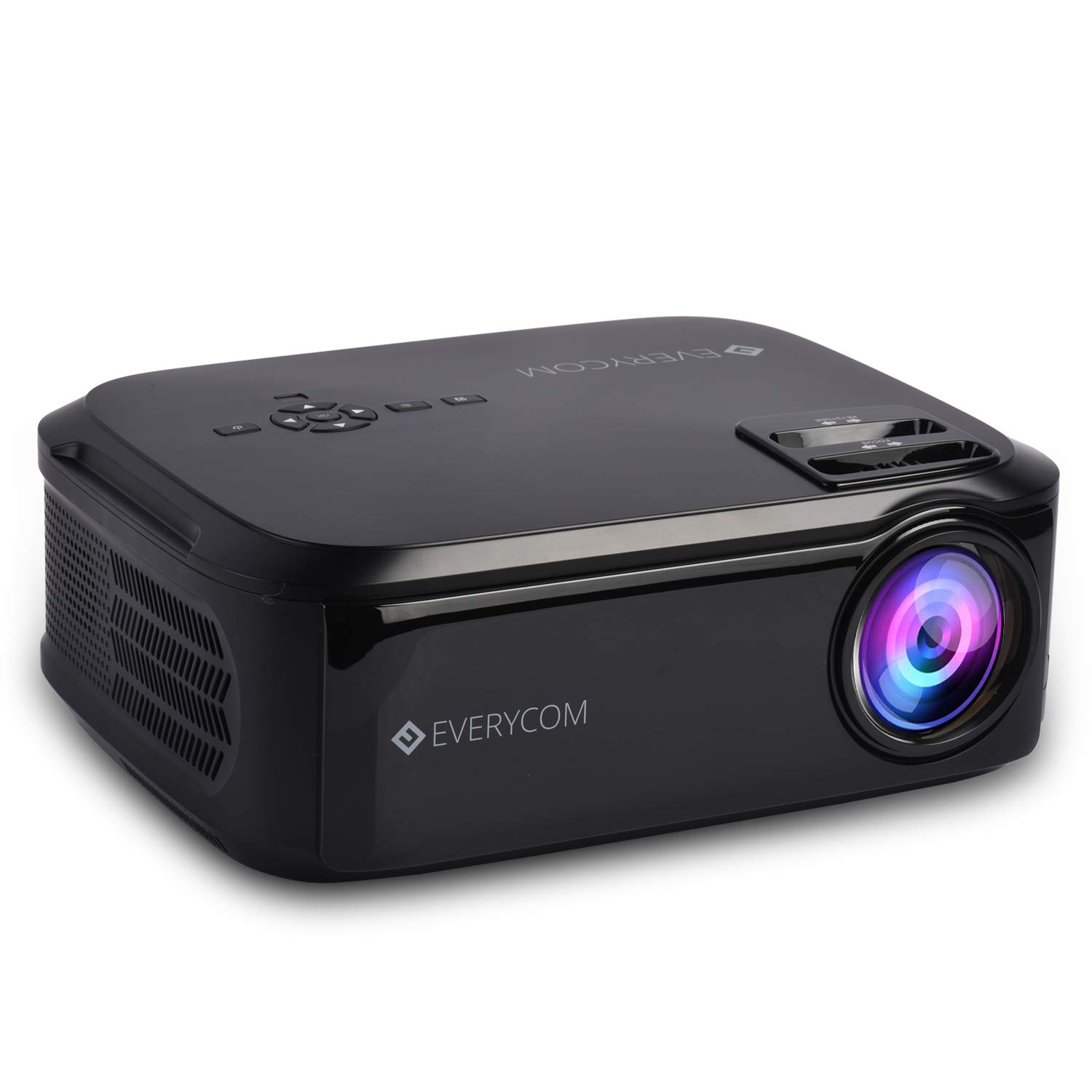
This image displays the front of the Everycom X10 projector, highlighting the main lens and the sleek black casing. The lens is the primary component for projecting images onto a screen or wall.
4.2 Bahagian View (Pelabuhan)

This image shows the side of the Everycom X10 projector, featuring the various input and output ports. These include two HDMI inputs, two USB inputs, and a VGA port, allowing for versatile connectivity with different devices.
4.3 Atas View (Kawalan)

Bahagian atas view of the Everycom X10 projector displays the integrated control panel and the focus and keystone adjustment dials. The control panel allows for basic navigation and settings adjustments directly on the unit, while the dials are used to fine-tune image clarity and shape.
4.4 Bawah View

This image shows the bottom of the Everycom X10 projector, revealing the product label with model information, serial number, and certification marks. It also shows the adjustable feet for leveling and mounting points.
5. Persediaan
5.1 Penempatan
Place the projector on a stable, flat surface. Ensure there is adequate ventilation around the projector to prevent overheating. The projection distance can range from 1.6m to 7.1m to achieve a screen size of 45" to 200".
5.2 Sambungan Kuasa
- Sambungkan kord kuasa ke port input kuasa projektor.
- Palamkan hujung kord kuasa yang lain ke dalam salur keluar kuasa.
5.3 Menyambungkan Peranti Input
The Everycom X10 supports multiple input sources:
- HDMI: Connect your PC, laptop, gaming console, Amazon Fire TV, or Chromecast using an HDMI cable to one of the two HDMI ports.
- USB: Insert a USB stick or connect a media player to one of the two USB ports.
- VGA: Connect older PCs or laptops using a VGA cable.
- DARI: Use the provided AV cable to connect DVD players or other devices with AV output.
5.4 Pelarasan Fokus dan Keystone
- Fokus: Rotate the focus ring on the top of the projector until the projected image is clear and sharp.
- Batu Kunci: Use the keystone correction dial (vertical ±15 degrees) to adjust the image shape if it appears trapezoidal. This ensures the projected image is rectangular.
6. Arahan Operasi
6.1 Menghidupkan/Mematikan
- Hidupkan kuasa: Tekan butang kuasa pada projektor atau alat kawalan jauh. Lampu penunjuk akan menyala.
- Matikan: Press the power button again. The projector will shut down. Always allow the projector to cool down properly before unplugging it.
6.2 Pemilihan Sumber
After powering on, select the desired input source:
- Press the 'Source' button on the remote control or the projector's control panel.
- Use the arrow keys to navigate through the input options (HDMI1, HDMI2, USB1, USB2, VGA, AV).
- Tekan 'OK' untuk mengesahkan pilihan anda.
6.3 Menu Navigasi
Use the 'Menu' button on the remote or projector to access settings:
- Tetapan Gambar: Adjust brightness, contrast, color, and aspect ratio (16:9/4:3).
- Tetapan Bunyi: Control volume and audio modes for the built-in dual stereo speakers.
- Tetapan Masa: Set sleep timer or adjust time-related functions.
- Tetapan Pilihan: General settings like language, factory reset, etc.
7. Penyelenggaraan
7.1 Membersihkan Lensa
Use a soft, lint-free cloth or lens cleaning paper to gently wipe the lens. Do not use abrasive cleaners or solvents.
7.2 Membersihkan Badan Projektor
Wipe the projector's exterior with a soft, dry cloth. For stubborn dirt, dampLap kain sedikit dengan air dan detergen lembut, kemudian lap hingga kering.
7.3 Penyelenggaraan Kipas
The projector features an innovative cooling system with heat dispersion and noise suppression. Ensure the ventilation vents are clear of dust and obstructions to maintain efficient cooling.
8. Penyelesaian masalah
| Masalah | Kemungkinan Punca | Penyelesaian |
|---|---|---|
| Tiada imej dipaparkan | Power cord loose; Incorrect input source; Device not connected properly. | Check power connection; Select correct input source; Reconnect input device. |
| Imej kabur | Focus not adjusted; Projector too far/close. | Adjust focus ring; Adjust projection distance. |
| Imej adalah trapezoid | Keystone tidak dilaraskan. | Adjust keystone correction dial. |
| Tiada bunyi | Volume too low; Audio cable not connected; Source device audio settings. | Increase volume; Check audio connections; Adjust audio output on source device. |
| Projektor terlalu panas | Ventilation blocked; Prolonged use in hot environment. | Ensure vents are clear; Operate in a well-ventilated area; Allow cool-down periods. |
9. Spesifikasi
| Ciri | Spesifikasi |
|---|---|
| Jenama | Everycom |
| Model | X10 |
| Resolusi Asli | 1920 x 1080 (HD Penuh) |
| Kecerahan | 5500 Lumen |
| Nisbah Kontras | 5000:1 |
| Nisbah Aspek | 16:9 / 4:3 |
| Saiz Unjuran | 45" hingga 200" |
| Jarak Unjuran | 1.6m hingga 7.1m |
| Pembetulan Batu Kunci | ±15° Menegak |
| Port Input | 2 x HDMI, 2 x USB, 1 x VGA, 1 x AV |
| Audio | Pembesar Suara Stereo Berkembar Terbina Dalam |
| Dimensi Produk | 32 x 26 x 12 cm |
| Berat Barang | 2.6 kg |
10. Waranti dan Sokongan
10.1 Maklumat Waranti

The Everycom X10 Projector comes with a Nationwide 1 Year Indian Warranty. This product is also Bureau of Indian Standards (BIS) certified.
10.2 Sokongan Pelanggan

For any assistance, queries, or support regarding your Everycom X10 Projector, please contact our customer service team:
- Nombor Bebas Tol: 1800 121 4480
- Customer Support Working Hours: Isnin - Sabtu, 10:00 PG - 6:30 PTG (Kecuali pada Cuti Umum)


