1. Pengenalan
This manual provides detailed instructions for the installation, operation, and maintenance of your Phanteks Eclipse P500 Air Mid Tower Computer Case. Please read this manual thoroughly before beginning assembly or use to ensure proper functionality and safety.
The Phanteks Eclipse P500 Air is a mid-tower chassis designed for high airflow performance and versatile component support, including ATX, Micro ATX, Mini ITX, and E-ATX motherboards. It features a steel chassis with a tempered glass side panel and comes with three pre-installed 140mm D-RGB fans in the front.

Rajah 1: Depan view of the Phanteks Eclipse P500 Air Mid Tower Computer Case.
2. Persediaan dan Pemasangan
Follow these steps to install your computer components into the Phanteks Eclipse P500 Air chassis.
2.1 Membongkar dan Pemeriksaan Awal
- Tanggalkan casis daripada pembungkusannya dengan berhati-hati.
- Inspect the chassis for any signs of damage during transit.
- Ensure all accessories (screws, cable ties, manual) are present.

Rajah 2: Meletup view showing removable panels and components for assembly.
2.2 Menanggalkan Panel Sisi
The tempered glass side panel is hinged and secured with magnets. Gently pull the panel open to access the interior. The solid side panel can be removed by unscrewing the thumbscrews at the rear and sliding it off.
2.3 Pemasangan Motherboard
- Install the necessary motherboard standoffs for your motherboard form factor (ATX, Micro ATX, Mini ITX, E-ATX).
- Carefully place your motherboard onto the standoffs and secure it with screws.

Rajah 3: Dalaman view of the chassis, illustrating motherboard mounting area and fan locations.
2.4 Pemasangan Pemacu Storan
The case supports up to 10 x 3.5" internal bays and 3 x 2.5" internal bays.
- 3.5" Drives: Utilize the drive cages located in the PSU shroud area or behind the motherboard tray.
- 2.5" Drives: Mount 2.5" SSDs/HDDs to the dedicated brackets behind the motherboard tray.

Rajah 4: Bahagian dalam belakang view, highlighting cable management channels and 2.5" drive mounts.
2.5 Pemasangan Bekalan Kuasa
Install your ATX power supply into the dedicated compartment at the bottom rear of the chassis. Secure it with screws from the rear.
2.6 Pemasangan Kad Grafik dan Kad Pengembangan
- Remove the necessary PCI slot covers from the rear of the chassis.
- Insert your graphics card or other expansion cards into the motherboard's PCIe slots and secure them with screws.
- The case supports 7+3 PCI slots, allowing for vertical GPU mounting with an optional riser cable (not included).

Figure 5: Rear exterior view, detailing the PCI expansion slots and rear fan mount.
2.7 Pengurusan Kabel
Utilize the integrated Velcro straps and cable ties provided to route and secure cables behind the motherboard tray. This improves airflow and aesthetics.
3. Operasi
The Phanteks Eclipse P500 Air features convenient front I/O ports and integrated D-RGB lighting controls.
3.1 Panel I/O Hadapan
The top front panel provides access to essential controls and ports:
- Butang Kuasa: Untuk menghidupkan atau mematikan sistem.
- Butang Mod LED: Cycles through various D-RGB lighting effects.
- LED Color Button: Changes the color of the D-RGB lighting.
- 2 x Port USB 3.0: For connecting USB 3.0 devices.
- Jack Mikrofon: Untuk input audio.
- Jack fon kepala: Untuk output audio.

Figure 6: Close-up of the top front I/O panel, showing USB ports, audio jacks, and LED controls.
3.2 D-RGB Lighting Control
The three pre-installed 140mm D-RGB fans are controlled via the integrated D-RGB controller. Use the LED Mode and LED Color buttons on the front I/O panel to customize the lighting. The D-RGB lighting can also be optionally synchronized with compatible motherboards and software.
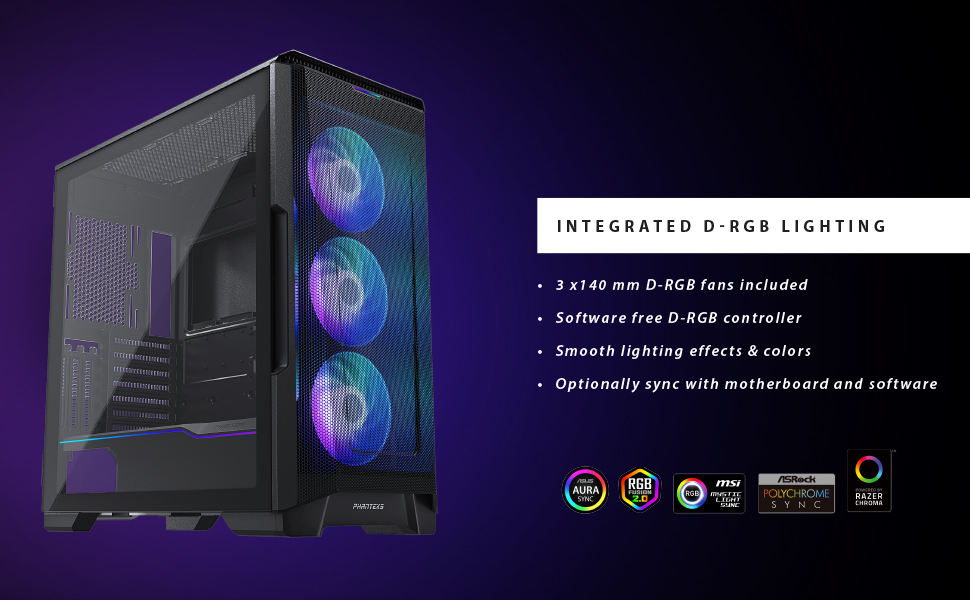
Figure 7: Illustration of the integrated D-RGB lighting effects on the front fans.
4. Penyelenggaraan
Penyelenggaraan tetap membantu memastikan prestasi optimum dan jangka hayat sarung komputer anda.
4.1 Pembersihan Penapis Habuk
The Eclipse P500 Air features integrated dust filters on the front, top, and bottom (PSU intake) to prevent dust buildup. Regularly clean these filters to maintain optimal airflow.
- Penapis Depan: The front mesh panel acts as a dust filter. It can be removed for cleaning.
- Penapis Atas: The magnetic top filter can be easily lifted off for cleaning.
- Penapis Bawah: The PSU intake filter slides out from the rear for cleaning.
Use compressed air or a soft brush to remove accumulated dust. Do not use harsh chemicals or abrasive materials.
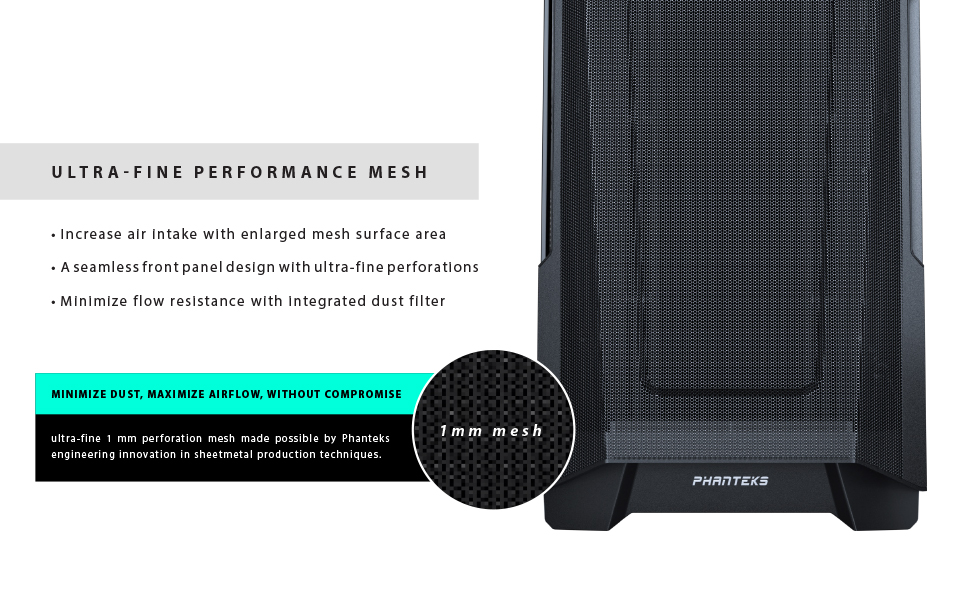
Figure 8: Detail of the ultra-fine mesh front panel, designed for dust filtration and airflow.
4.2 Pembersihan Am
Wipe the exterior surfaces of the case with a soft, damp cloth. Avoid direct contact with electronic components inside the case.
5. Penyelesaian masalah
This section addresses common issues you might encounter during the setup or operation of your Phanteks Eclipse P500 Air case.
- Sistem Tidak Dihidupkan:
- Ensure the power supply is properly connected to the wall outlet and switched on.
- Verify that the power switch cable from the case is correctly connected to the motherboard's front panel header.
- Periksa semua sambungan kuasa dalaman (ATX 24-pin, CPU 8-pin, kuasa PCIe untuk GPU).
- D-RGB Fans Not Lighting Up:
- Confirm that the D-RGB cables from the fans are correctly connected to the integrated D-RGB controller or your motherboard's D-RGB header.
- Press the LED Mode and LED Color buttons on the front I/O panel to cycle through effects and colors.
- Jika disambungkan ke papan induk, pastikan perisian RGB papan induk dipasang dan dikonfigurasikan dengan betul.
- Aliran Udara Lemah/Suhu Tinggi:
- Bersihkan semua penapis habuk (depan, atas, bawah).
- Ensure fans are oriented correctly for optimal airflow (front intake, rear/top exhaust).
- Verify that no cables are obstructing airflow inside the case.
- Front USB Ports Not Functioning:
- Check that the USB 3.0 header cable from the case is securely connected to the corresponding header on your motherboard.
6. Spesifikasi
Below are the detailed specifications for the Phanteks Eclipse P500 Air Mid Tower Computer Case (PH-EC500ATG_DWT01).
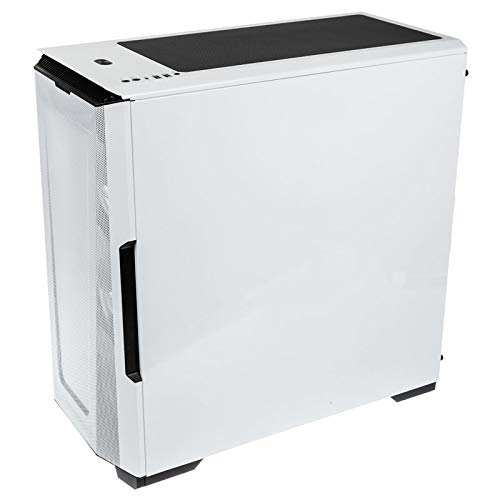
Figure 9: Manufacturer's specification table for the Eclipse P500 Air.
| Ciri | Perincian |
|---|---|
| Nombor Model | PH-EC500ATG_DWT01 |
| Faktor Bentuk | Mid Tower |
| Dimensi (LxWxH) | 240 x 510 x 505 mm (9.45 x 20.1 x 19.9 inci) |
| Bahan | Steel Chassis, Tempered Glass |
| Sokongan Papan Induk | E-ATX (up to 280mm wide), ATX, Micro ATX, Mini ITX, Mini ITX |
| I/O hadapan | 2 x USB 3.0, Microphone, Headphone, Power Button, LED Mode Button, LED Color Button |
| Internal 3.5" Bay | 10 (2x included, also supports 2.5" drives) |
| Internal 2.5" Bay | 3 (3x included) |
| Slot PCI | 7 + 3 (vertical) |
| Peminat prapasang | 3 x 140mm D-RGB fans (Front) |
| Sokongan Kipas (Depan) | 3 x 120mm atau 3 x 140mm |
| Sokongan Peminat (Atas) | 3 x 120mm atau 2 x 140mm |
| Sokongan Kipas (Belakang) | 1 x 120mm atau 1 x 140mm |
| Sokongan Radiator (Depan) | Sehingga 360mm atau 420mm |
| Sokongan Radiator (Atas) | Sehingga 360mm atau 280mm |
| Sokongan Radiator (Belakang) | 120mm atau 140mm |
| Pembersihan GPU | 435 mm / 17.2 inci |
| Ketinggian Penyejuk CPU | 190 mm / 7.5 inci |
| Panjang PSU | 195 mm (250 mm if 2 HDD brackets are removed) |
| Berat Bersih | 8 kg / 17.6 paun |
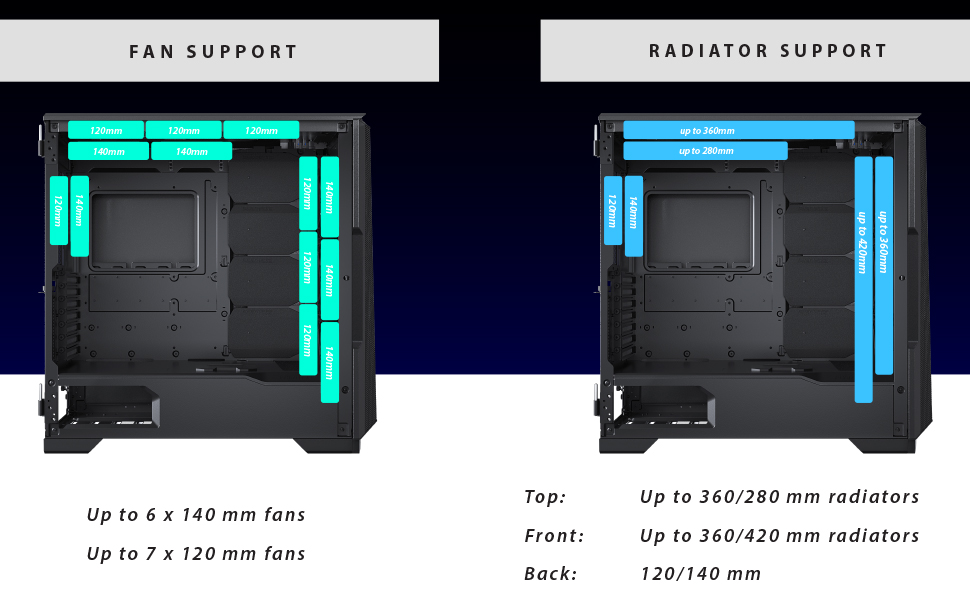
Figure 10: Visual representation of fan and radiator mounting options within the chassis.
7. Waranti dan Sokongan
Phanteks provides a manufacturer's warranty for this product.
- Tempoh Waranti: 5 Years Manufacturer Warranty.
- For warranty claims or technical support, please contact Phanteks customer service or visit their official webtapak.
- Simpan bukti pembelian anda untuk pengesahan waranti.
For further assistance, refer to the official Phanteks webtapak atau hubungi saluran sokongan mereka.


