pengenalan
Thank you for choosing the 360 S9 Robot Vacuum and Mop. This intelligent cleaning device is designed to provide efficient and thorough cleaning of your home with advanced navigation and dual cleaning capabilities. Please read this manual carefully before using the product to ensure proper operation and maintenance.

The 360 S9 Robot Vacuum and Mop, showcasing its sleek design and the accompanying mobile application for control.
Maklumat Keselamatan
Untuk mengurangkan risiko kecederaan atau kerosakan, baca arahan keselamatan ini dengan teliti dan pastikan ia mudah digunakan untuk rujukan masa hadapan.
- Perkakas ini boleh digunakan oleh kanak-kanak berumur 8 tahun ke atas dan orang yang kurang keupayaan fizikal, deria atau mental atau kurang pengalaman dan pengetahuan jika mereka telah diberi penyeliaan atau arahan mengenai penggunaan perkakas dengan cara yang selamat dan memahami bahaya yang terlibat .
- Kanak-kanak tidak boleh bermain dengan perkakas. Pembersihan dan penyelenggaraan pengguna tidak boleh dibuat oleh kanak-kanak tanpa pengawasan.
- Hanya gunakan penyesuai kuasa asal yang disediakan oleh pengilang.
- Do not use the robot in environments with open flames or fragile objects.
- Pastikan robot dicas sepenuhnya sebelum penggunaan pertama.
- Jangan dedahkan robot kepada cahaya matahari langsung atau suhu yang melampau.
- Jauhkan rambut, pakaian longgar, jari dan semua bahagian badan daripada bukaan dan bahagian yang bergerak.
Kandungan Pakej
Please check if all components are included in the package:
- 360 S9 Robot Vacuum and Mop
- Dok Pengecasan
- Penyesuai Kuasa
- Tangki Air
- Kain Mop
- Berus Sampingan (2x)
- Alat Pembersihan
- Manual Pengguna
Produk Selesaiview
Familiarize yourself with the different parts of your 360 S9 Robot Vacuum and Mop.
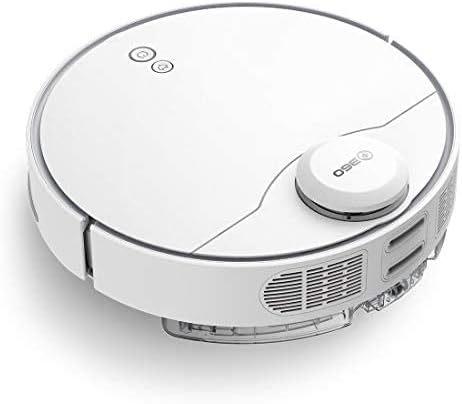
sebelah view of the 360 S9, highlighting the dustbin and side brush assembly.

Bahagian terperinci view of the 360 S9, illustrating its wheels and various sensors.
Atas View
- Sensor Navigasi Laser LDS: Untuk pemetaan dan navigasi yang tepat.
- Power/Clean Button: Start/pause cleaning.
- Recharge Button: Send robot back to charging dock.
- Dustbin Compartment: Houses the dustbin and water tank.
Bawah View
- Berus Sisi: Menyapu serpihan ke dalam laluan berus utama.
- Main Brush: Collects dust and debris.
- Driving Wheels: For movement across various surfaces.
- Cliff Sensors: Prevents the robot from falling down stairs.
- Charging Contacts: For connecting with the charging dock.
Persediaan
1. Penempatan Dok Pengecasan
Place the charging dock against a wall on a hard, level surface. Ensure there is at least 0.5 meters (1.6 feet) of clear space on both sides and 1.5 meters (4.9 feet) in front of the dock. Connect the power adapter to the dock and plug it into a wall outlet. Ensure the indicator light on the dock is on.
2. Pengecasan Awal
Place the robot onto the charging dock, ensuring the charging contacts align. The robot will automatically begin charging. For first-time use, fully charge the robot before operation. A full charge takes approximately 4-5 hours.
3. Pemasangan & Sambungan Aplikasi
Download the "360 Robot" app from the App Store (iOS) or Google Play Store (Android). Follow the in-app instructions to connect your robot to your home Wi-Fi network. This will enable advanced features like map management, scheduled cleaning, and remote control.

The 360 Robot app interface, demonstrating various cleaning modes and compatibility with Amazon Alexa and Google Assistant.
Arahan Operasi
Mod Pembersihan
The 360 S9 offers multiple cleaning modes to suit your needs:
- Pembersihan Auto: The robot intelligently plans its cleaning route using LDS Lidar and SLAM algorithm to cover the entire area. Press the Power/Clean button on the robot or select "Auto Cleaning" in the app.
- Pembersihan Tepi: The robot cleans along the edges of your rooms. Select "Edge Cleaning" in the app.
- Pembersihan Tempat: The robot performs an intensive clean in a specific area. Place the robot in the desired area and select "Spot Cleaning" in the app.
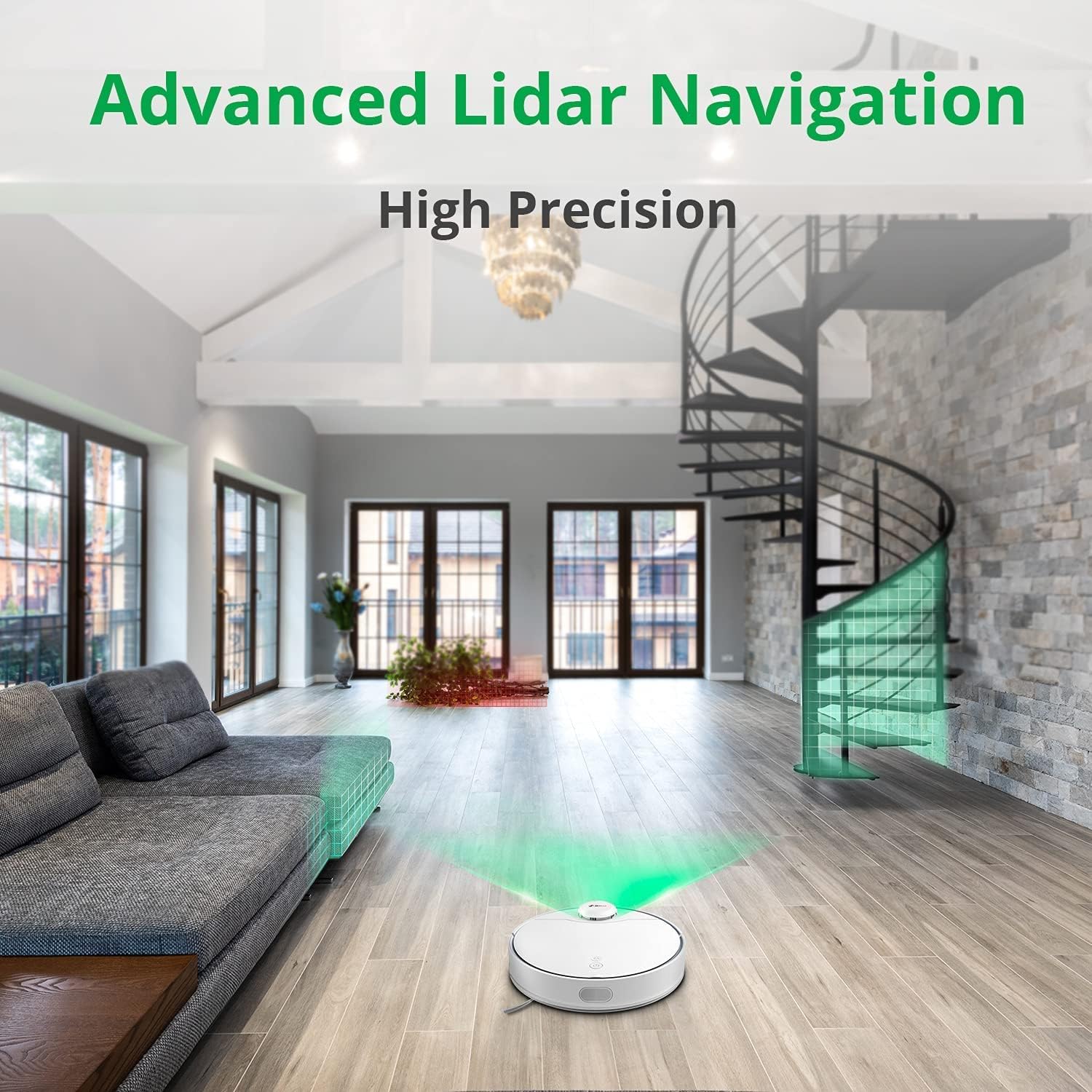
The 360 S9 utilizing its advanced Lidar navigation system for high-precision mapping and cleaning.
Memvakum dan Mengemop
The S9 can vacuum and mop simultaneously. To use the mopping function:
- Isi tangki air dengan air bersih. Jangan gunakan detergen atau cecair menghakis.
- Attach the mop cloth securely to the water tank.
- Insert the filled water tank into the robot's designated slot. The robot will automatically detect the water tank and switch to sweep+mop mode.

Visual representation of the 360 S9's 2-in-1 vacuuming and mopping function, showing the dustbin (0.42L) and water tank (0.2L) capacities.
The robot features a powerful 2650Pa suction with carpet boost, automatically increasing suction on carpets for deeper cleaning.

The 360 S9 showcasing its 2650Pa powerful suction with automatic carpet boost, effectively cleaning a rug.
No-Go Zones and Virtual Walls
Using the 360 Robot app, you can set up virtual walls or no-go zones to restrict the robot from entering certain areas. This is useful for protecting fragile items or preventing the robot from entering bathrooms while mopping.
Kawalan Suara
The 360 S9 is compatible with Amazon Alexa and Google Assistant. Link your robot vacuum to your smart home system through the 360 Robot app to control it with voice commands, such as "Alexa, tell 360 Robot to start cleaning" or "Hey Google, ask 360 Robot to go home."
Penyelenggaraan
Penyelenggaraan tetap memastikan prestasi optimum dan memanjangkan jangka hayat vakum robot anda.
1. Mengosongkan Tong Sampah
It is recommended to empty the dustbin after each cleaning cycle. Open the top cover of the robot, remove the dustbin, open its lid, and discard the collected debris. The dustbin capacity is 0.42 Liters.
2. Mengisi Semula Tangki Air
For mopping, ensure the water tank is filled with clean water. The water tank capacity is 0.2 Liters. Refill as needed before each mopping session.
3. Berus Pembersih
- Berus Utama: Remove the main brush cover and lift out the main brush. Use the provided cleaning tool to remove hair and debris tangled around the brush. Clean regularly, especially if pet hair is present.
- Berus Sisi: Check side brushes for tangled hair or debris. If damaged or worn, replace them.
4. Membersihkan Penapis
The filter inside the dustbin should be cleaned regularly. Tap the filter against a trash can to remove dust. For a more thorough clean, the filter can be rinsed with water, but ensure it is completely dry before reinserting it into the dustbin and robot.
5. Penderia Pembersihan
Wipe the cliff sensors (on the bottom of the robot), charging contacts (on the robot and dock), and the LDS laser sensor window (on top of the robot) with a clean, dry cloth. This prevents navigation errors and ensures proper charging.
Menyelesaikan masalah
| Masalah | Kemungkinan Punca | Penyelesaian |
|---|---|---|
| Robot tidak dihidupkan. | Bateri lemah; Matikan kuasa. | Charge the robot; Ensure power switch is on. |
| Robot tidak dapat mencari dok pengecasan. | Dock is blocked or out of range. | Ensure clear space around dock; Manually place robot on dock. |
| Kuasa sedutan lemah. | Tong sampah penuh; Penapis tersumbat; Berus utama kusut. | Kosongkan tong sampah; Bersihkan/ganti penapis; Bersihkan berus utama. |
| Robot kerap tersangkut. | Obstacles; Cliff sensors dirty. | Clear obstacles; Clean cliff sensors. |
| Fungsi mengemop tidak berfungsi. | Water tank empty; Mop cloth not attached. | Fill water tank; Attach mop cloth correctly. |
Spesifikasi
| Jenama | 360 |
| Nama Model | S9 |
| Nombor Model | 360-S9-WHITE |
| Navigasi | LDS Laser, SLAM Algorithm |
| Kapasiti Bateri | 5200mAh |
| Kuasa Sedutan Maks | 2650Pa |
| Masa Larian | Sehingga 180 minit |
| Kapasiti tong sampah | 0.42 Liter |
| Kapasiti Tangki Air | 0.2 Liter |
| Tahap Kebisingan | 53dB |
| Wi-Fi Disambungkan | ya |
| Kaedah Kawalan | Apl, Jauh |
| Peranti Serasi | Amazon Echo (Alexa), Pembantu Google |
| Dimensi Produk | 13.78"L x 13.78"W x 3.94"H |
| Berat Barang | 8.47 paun |
Waranti dan Sokongan
For warranty information and technical support, please refer to the official 360 webtapak atau hubungi perkhidmatan pelanggan mereka. Simpan resit pembelian anda sebagai bukti pembelian untuk tuntutan waranti.
Untuk bantuan lanjut, anda boleh melawati halaman produk di Amazon or contact 360 Smart Network customer support.


