1. Pengenalan
Terima kasih kerana membeliasing the HOMPOW Mini Projector. This projector is designed to provide a high-quality viewing experience with its 1080P Full HD support and 6500 lumens brightness. It includes a 100-inch projection screen for immediate use. This manual will guide you through the setup, operation, and maintenance of your new projector.
Kandungan Pakej
- HOMPOW Mini Projector
- 100-inch Projection Screen
- Alat Kawalan Jauh
- Kabel HDMI
- Penyesuai Kuasa
- Manual Pengguna
2. Arahan Keselamatan
Sila baca semua arahan keselamatan dengan teliti sebelum menggunakan projektor. Kegagalan mematuhi arahan ini boleh mengakibatkan kebakaran, renjatan elektrik atau kecederaan lain.
- Jangan lihat terus ke dalam kanta projektor apabila lamp sedang dihidupkan. Cahaya terang boleh menyebabkan kerosakan mata.
- Do not block the ventilation openings. Proper airflow is essential to prevent overheating.
- Jauhkan projektor daripada air atau cecair lain. Jangan kendalikan dalam persekitaran basah.
- Letakkan projektor di atas permukaan yang stabil dan rata untuk mengelakkannya daripada jatuh.
- Gunakan hanya penyesuai kuasa yang disediakan bersama projektor.
- Cabut plag projektor semasa ribut petir atau apabila tidak digunakan untuk tempoh yang lama.
- Jangan cuba membaiki projektor sendiri. Rujuk semua servis kepada kakitangan yang berkelayakan.
3. Produk Lebihview
Komponen Projektor
Familiarize yourself with the main parts of your HOMPOW Mini Projector.


Port Input/Output
- Port HDMI: Connect to devices like laptops, gaming consoles (PS3/PS4), Fire TV Stick, and TV boxes.
- Port USB: Connect USB drives for media playback or power for streaming devices.
- Slot Kad SD: Insert SD cards for direct media playback.
- Pelabuhan AV: Sambungkan ke peranti lama menggunakan kabel AV.
- Port VGA: Connect to computers with VGA output.
- Audio Keluar (Bicu 3.5mm): Sambungkan pembesar suara atau fon kepala luaran.
- DC Dalam: Input kuasa untuk projektor.
4. Persediaan
Penempatan Awal
Place the projector on a stable surface. For optimal viewing, ensure the projector is positioned directly in front of the projection surface (wall or screen). The recommended projection distance is approximately 3 meters for a clear image.
Sambungan Kuasa
- Sambungkan penyesuai kuasa ke port DC In pada projektor.
- Palamkan penyesuai kuasa ke dalam salur keluar kuasa.
- Tekan butang kuasa pada projektor atau alat kawalan jauh untuk menghidupkannya.
Menyambung Peranti
The projector supports various input sources. Below are common connection methods:
HDMI Connection (e.g., Fire TV Stick, Laptop, Gaming Console)
- Connect the HDMI output cable from your device (e.g., Fire TV Stick) to the HDMI input port on the projector.
- If using a streaming stick like Fire TV Stick, connect its USB power cable to the projector's USB port for power.
- On the projector's main menu, select the "HDMI" input source.
Smartphone/Tablet Connection
To connect a smartphone or tablet, an HDMI conversion adapter (not included) is required. Connect your device to the adapter, then connect the adapter to the projector's HDMI port.

USB Drive/SD Card Playback
Insert a USB drive into the USB port or an SD card into the SD card slot. Select the corresponding input source from the main menu to browse and play media files.
5. Arahan Operasi
Pelarasan Fokus
Rotate the focus ring on the projector lens until the image appears clear and sharp on the screen.
Pembetulan Batu Kunci
The projector features a ±15-degree keystone correction function. Adjust the keystone dial to correct distorted images (trapezoidal shape) if the projector is not perfectly perpendicular to the screen.
Pemilihan Sumber
Use the remote control or the buttons on the projector to navigate the main menu and select your desired input source (HDMI, USB, SD, AV, VGA).
Output Audio
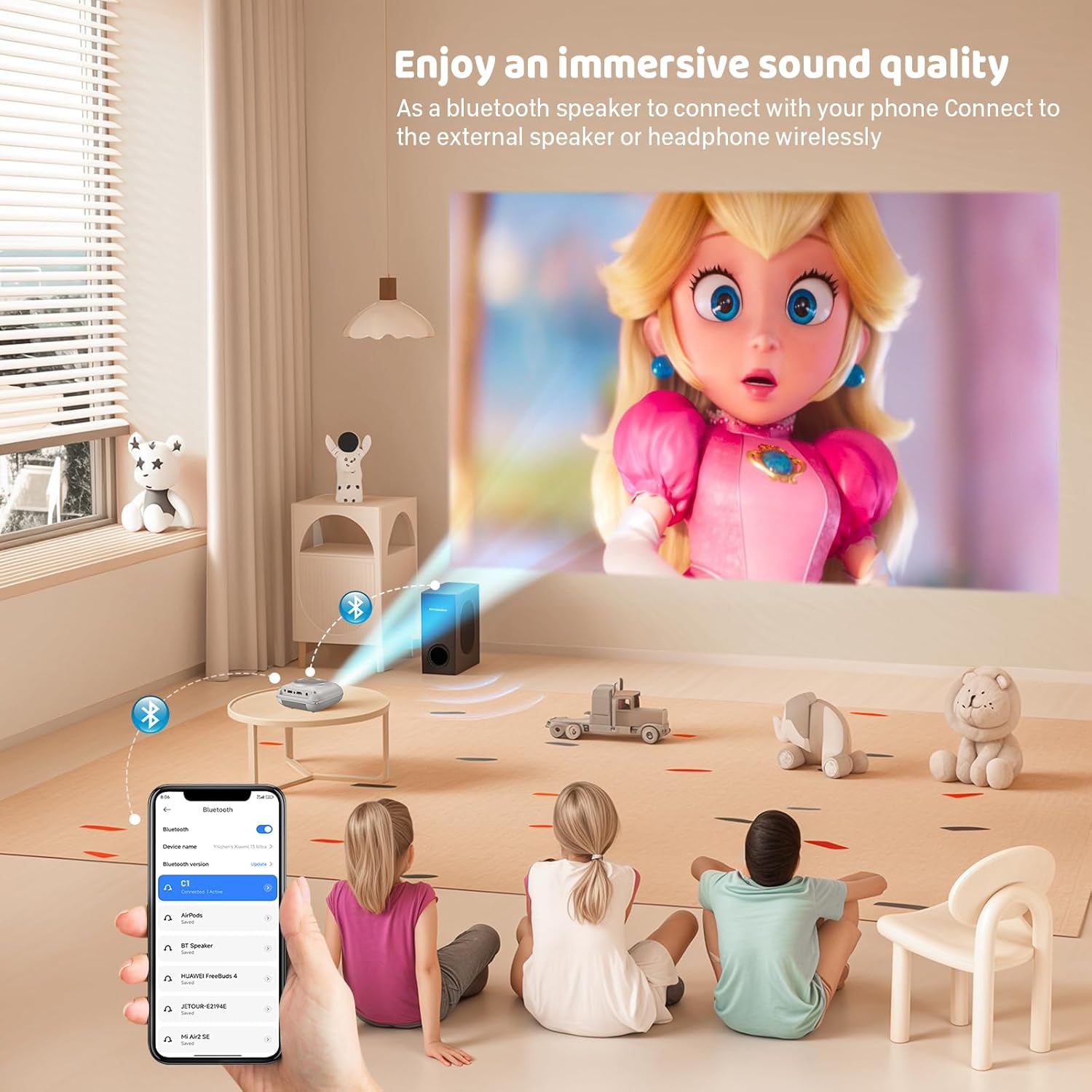
The projector has two built-in speakers for immersive sound. For a different audio experience, you can connect external speakers or headphones via the 3.5mm audio jack.
Pencerminan Skrin
The projector supports screen mirroring for compatible devices. Refer to the on-screen instructions or the projector's menu for specific steps to enable screen mirroring from your smartphone or tablet.
6. Penyelenggaraan
Membersihkan Lensa
Use a soft, lint-free cloth specifically designed for optical lenses to gently wipe the projector lens. Avoid using abrasive cleaners or cloths that could scratch the lens.
Cleaning the Projector Body
Wipe the exterior of the projector with a soft, dry cloth. Do not use liquid cleaners or solvents.
Pengudaraan
Ensure the ventilation openings are clear of dust and debris. The projector features a dual-fan cooling system to maintain optimal operating temperature and extend lamp life. Do not obstruct these vents.
Lamp kehidupan
LED lamp in your HOMPOW projector has a lifespan of approximately 60,000 hours, providing long-term use without frequent lamp penggantian.
7. Penyelesaian masalah
| Masalah | Kemungkinan Punca | Penyelesaian |
|---|---|---|
| Tiada imej atau imej kabur | Focus not adjusted; incorrect input source; cable not connected properly. | Adjust the focus ring; select the correct input source; check all cable connections. |
| Tiada bunyi | Volume too low; audio cable not connected; device audio settings. | Increase projector volume; ensure audio cables are connected; check audio output settings on the connected device. |
| Imej adalah trapezoid | Projektor tidak berserenjang dengan skrin. | Adjust the keystone correction dial or reposition the projector. |
| Alat kawalan jauh tidak berfungsi | Batteries low or dead; obstruction between remote and projector. | Replace batteries; ensure clear line of sight to the projector's IR receiver. |
| Projektor terlalu panas | Port pengudaraan tersumbat. | Ensure all ventilation ports are clear and unobstructed. |
8. Spesifikasi
- Teknologi Paparan: LCD
- Resolusi Asli: 1280 x 720 piksel
- Resolusi yang Disokong: Sehingga 1080P HD Penuh
- Kecerahan: 6500 Lumen
- Nisbah Kontras: 3000:1
- Lamp kehidupan: 60,000 jam
- Saiz Unjuran: 32-176 inches (Recommended: 100 inches)
- Jarak Unjuran: 1m - 5.2m (Recommended: 3m)
- Pembetulan Keystone: ±15 degrees manual
- Ketersambungan: HDMI, USB, SD, AV, VGA
- Audio: Built-in dual speakers, 3.5mm audio out
- Penggunaan Kuasa: 48W
- Dimensi Produk: 19 x 15 x 8 cm
- Berat produk: 1.71 kg
9. Waranti dan Sokongan
The HOMPOW Mini Projector comes with a manufacturer's warranty. Please refer to the warranty card included in your package for specific terms and conditions. For any product inquiries, technical support, or warranty claims, please contact HOMPOW customer service through the contact page on their official website or the platform where you purchased the product. Our customer support team aims to respond promptly during business hours.


