pengenalan
Thank you for choosing the EDUPLINK M6Pro Portable Bluetooth Speaker. This manual provides essential information for setting up, operating, and maintaining your speaker to ensure optimal performance and longevity. Please read this manual thoroughly before using the product.
The EDUPLINK M6Pro is a versatile and durable portable wireless speaker designed for various environments, including home, travel, and outdoor activities. It features IPX7 waterproofing, TWS stereo pairing capability, a built-in microphone for hands-free calls, and long battery life.
Apa yang ada dalam Kotak
Selepas membuka pakej, sila sahkan bahawa semua item berikut disertakan:
- M6Pro Bluetooth Speaker
- TYPE-C Charge Cable
- Kabel Aux-in
- Manual Pengguna
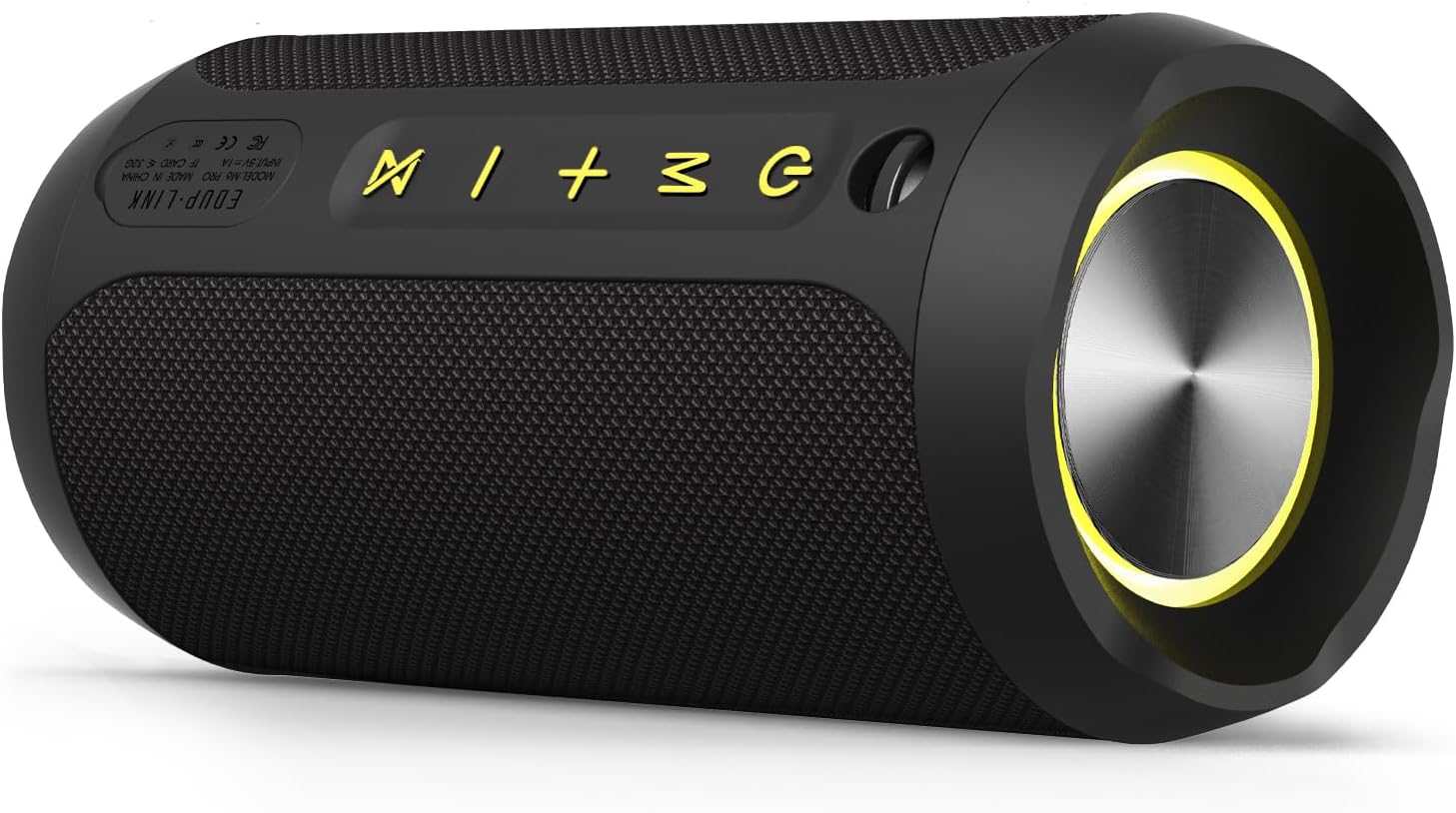
Image: The EDUPLINK M6Pro Bluetooth Speaker, a black cylindrical device with control buttons on top and a speaker grille on the front.
Produk Selesaiview
Familiarize yourself with the various parts and controls of your EDUPLINK M6Pro speaker.
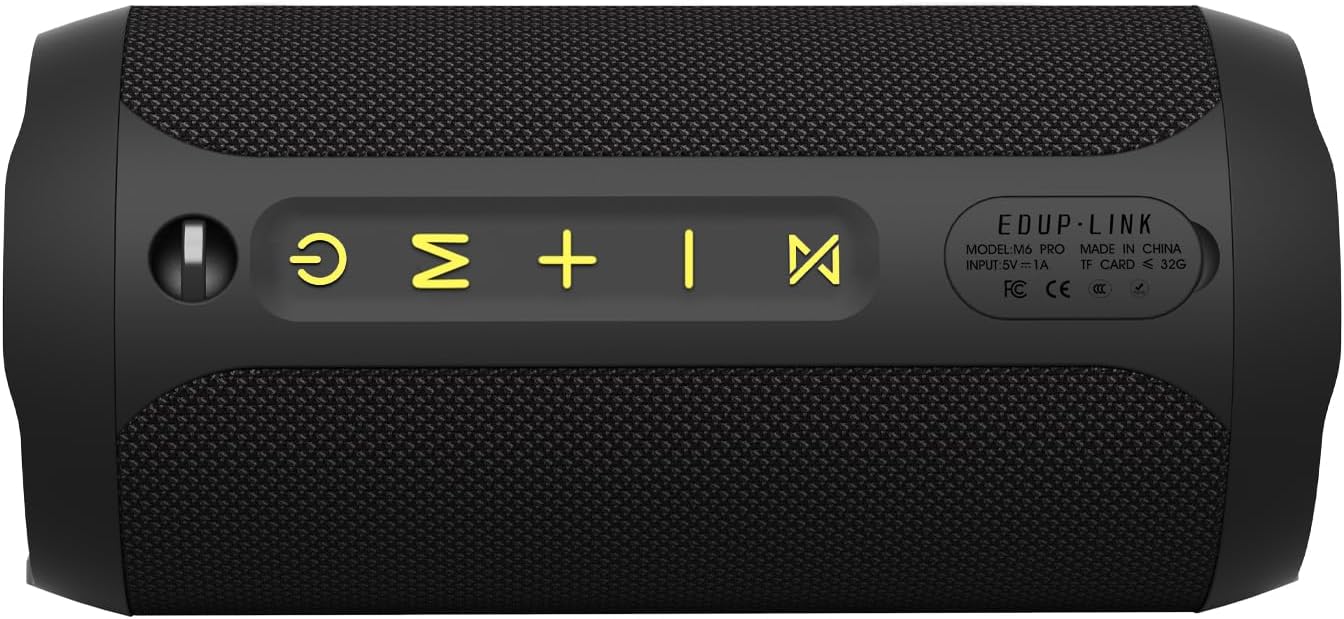
Imej: Atas view of the EDUPLINK M6Pro speaker, highlighting the control panel with illuminated icons for power, mode, volume up, volume down, and play/pause.
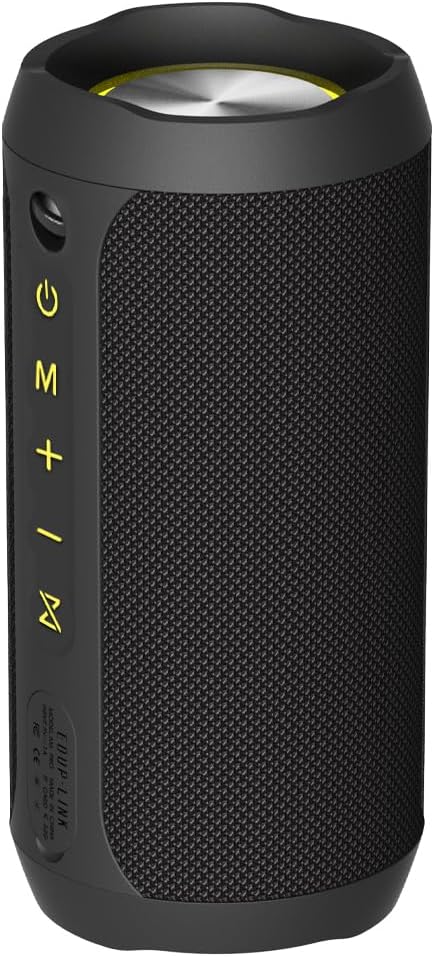
Imej: Belakang view of the EDUPLINK M6Pro speaker, displaying the charging port, AUX input, and TF card slot, along with model and regulatory information.
Butang Kawalan:
- Butang kuasa (⏻): Tekan dan tahan untuk menghidupkan/mematikan kuasa.
- Butang Mod (M): Short press to switch between Bluetooth, AUX, and TF card modes.
- Kelantangan Rendah / Trek Sebelumnya (-): Tekan pendek untuk kelantangan turun, tekan lama untuk trek sebelumnya.
- Naikkan Kelantangan / Trek Seterusnya (+): Tekan pendek untuk kelantangan, tekan lama untuk trek seterusnya.
- Play/Pause / Call Management (⏸ / ▶): Tekan sebentar untuk main/jeda muzik. Tekan sebentar untuk jawab/tamatkan panggilan. Tekan lama untuk tolak panggilan.
- TWS Pairing / LED Control (⏸): Press and hold to initiate TWS pairing. Short press to turn LED lights on/off.
Pelabuhan:
- Port Pengecasan Jenis-C: Untuk mengecas pembesar suara.
- Input AUX: For wired audio connection using the included Aux-in cable.
- Slot Kad TF: For playing music directly from a TF (MicroSD) card (supports up to 32GB).
Persediaan
1. Mengisi Speaker
Before first use, fully charge the speaker. Connect the provided Type-C charging cable to the speaker's charging port and the other end to a USB power adapter (not included) or a computer's USB port. The charging indicator light will show charging status and turn off when fully charged.
- Masa Pengecasan: Lebih kurang 4 jam.
- Hayat Bateri: Up to 20 hours (at 50% volume).
2. Hidupkan/Mati Kuasa
Press and hold the Power button (⏻) for 2-3 seconds to turn the speaker on or off. A sound prompt will indicate the power status.
3. Berpasangan Bluetooth
- Hidupkan pembesar suara. Ia akan memasuki mod gandingan Bluetooth secara automatik, ditunjukkan oleh lampu LED yang berkelip.
- Dayakan Bluetooth pada peranti anda (telefon pintar, tablet, komputer).
- Cari untuk "EDUPLINK M6Pro" in the list of available Bluetooth devices.
- Select "EDUPLINK M6Pro" to connect. Once connected, the LED light will become solid, and you will hear a confirmation sound.
The speaker has a wireless range of up to 80 feet (24 meters) in an open environment.
4. Penggandingan TWS (Stereo Tanpa Wayar Sejati)
To achieve a true wireless stereo sound experience, you can pair two EDUPLINK M6Pro speakers together.
- Ensure both M6Pro speakers are powered on and not connected to any Bluetooth device.
- On one speaker (this will be the primary speaker), press and hold the TWS Pairing button (⏸) for 2-3 seconds until you hear a prompt indicating TWS pairing mode.
- The primary speaker will automatically search for the second speaker. Once connected, you will hear a confirmation sound, and the LED lights on both speakers will indicate a successful TWS connection.
- Sekarang, sambungkan peranti anda kepada pembesar suara utama melalui Bluetooth seperti yang diterangkan dalam langkah 3. Audio akan dimainkan melalui kedua-dua pembesar suara dalam stereo.

Image: Two EDUPLINK M6Pro speakers, one black and one red, positioned to illustrate True Wireless Stereo (TWS) pairing.
5. Mod AUX-masuk
Connect one end of the included 3.5mm Aux-in cable to the speaker's AUX port and the other end to the audio output jack of your device. The speaker will automatically switch to AUX mode. If not, short press the Mode button (M) to select AUX mode.
6. Main Semula Kad TF
Insert a TF (MicroSD) card loaded with MP3 audio files into the TF card slot. The speaker will automatically switch to TF card playback mode and begin playing music. If not, short press the Mode button (M) to select TF card mode.
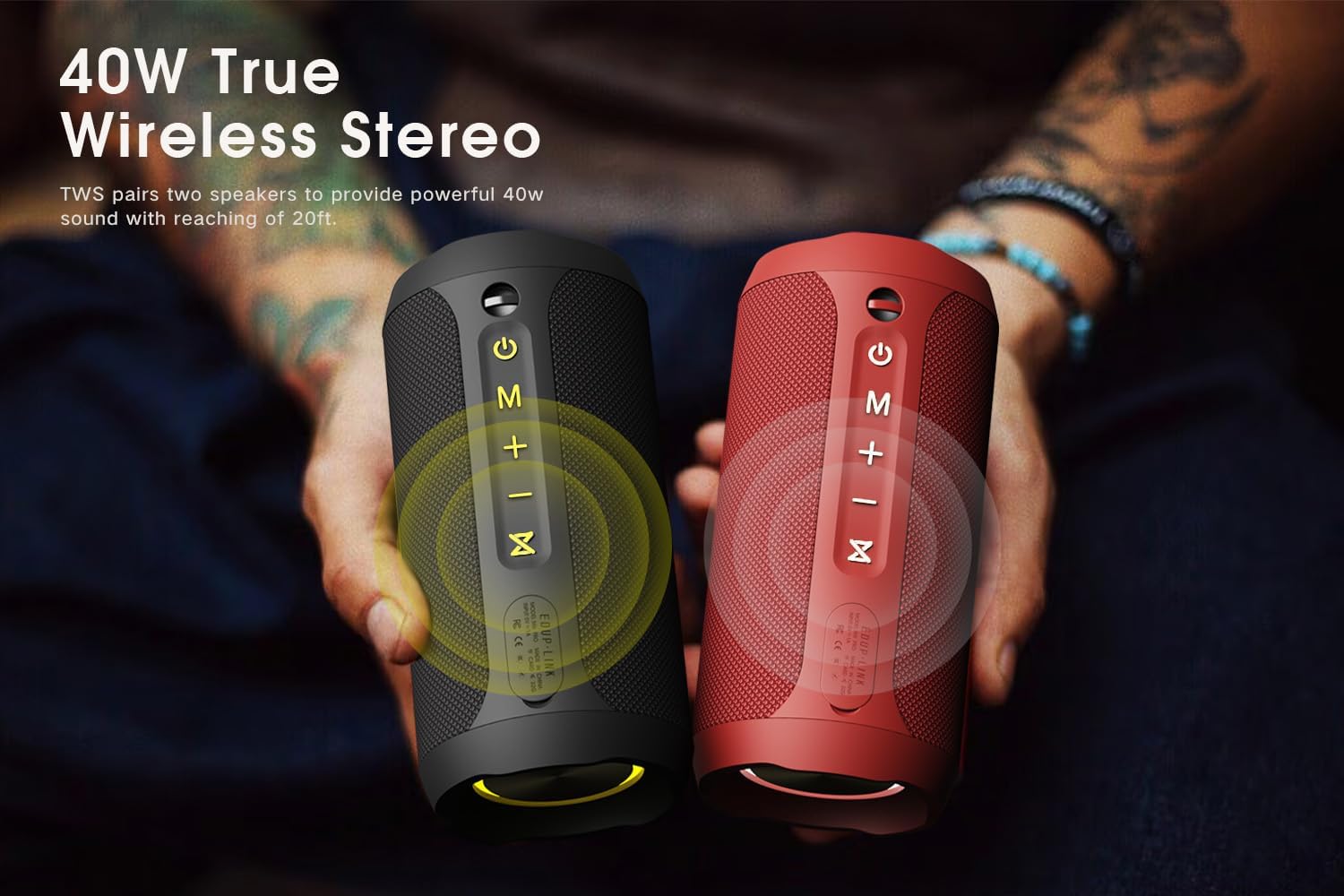
Image: The EDUPLINK M6Pro speaker next to a smartphone, illustrating various playback modes including Bluetooth, AUX, TF card, and Type-C, along with features like 20H playtime, 360° stereo sound, IP67 waterproof, and RGB lighting.
Beroperasi
Kawalan Main Semula Muzik:
- Main/Jeda: Short press the Play/Pause button (⏸ / ▶).
- Kelantangan: Tekan pendek butang Kelantangan Naik (+).
- Perlahankan suara: Tekan pendek butang Kelantangan Turun (-).
- Lagu Seterusnya: Tekan lama butang Kelantangan Naik (+).
- Trek Sebelumnya: Tekan lama butang Kelantangan Turun (-).
Pengurusan Panggilan:
When connected via Bluetooth, the built-in microphone allows for hands-free calls.
- Jawab/Tamatkan Panggilan: Short press the Play/Pause button (⏸ / ▶).
- Tolak Panggilan: Long press the Play/Pause button (⏸ / ▶).
Kawalan Lampu LED:
The speaker features RGB lighting. To switch the LED lights on or off, simply short press the TWS Pairing / LED Control button (⏸).
Penyelenggaraan
Waterproof Information (IPX7):
The EDUPLINK M6Pro speaker is IPX7 waterproof, meaning it can be submerged in water up to 1 meter (3.3 feet) for up to 30 minutes. This makes it suitable for use near pools, at the beach, or in the shower. Ensure the charging port and AUX port covers are securely closed before exposing the speaker to water.

Image: The EDUPLINK M6Pro speaker partially submerged in clear water, demonstrating its IPX7 waterproof capability.
Important: Do not intentionally submerge the speaker for extended periods or beyond the specified depth. Ensure all port covers are sealed before water exposure.
Pembersihan dan Penyimpanan:
- Bersihkan pembesar suara dengan lembut, damp kain. Jangan gunakan pembersih atau pelarut yang melelas.
- Simpan pembesar suara di tempat yang sejuk dan kering jauh dari cahaya matahari langsung dan suhu yang melampau.
- If not used for a long period, charge the speaker at least once every three months to preserve battery life.
Menyelesaikan masalah
| Masalah | Kemungkinan Punca | Penyelesaian |
|---|---|---|
| Speaker tidak dihidupkan. | Bateri lemah. | Cas pembesar suara sepenuhnya. |
| Tidak boleh berpasangan dengan peranti Bluetooth. | Pembesar suara tidak dalam mod berpasangan; peranti Bluetooth dimatikan; terlalu jauh dari pembesar suara. | Ensure speaker is in pairing mode. Turn on device Bluetooth. Move device closer to speaker (within 80 ft). Forget "EDUPLINK M6Pro" on your device and try pairing again. |
| Tiada bunyi. | Volume too low; incorrect mode; device not playing. | Increase speaker and device volume. Check if speaker is in correct mode (Bluetooth, AUX, TF). Ensure music is playing on your device. |
| Gandingan TWS gagal. | Pembesar suara sudah disambungkan ke peranti lain; terlalu jauh terpisah. | Disconnect both speakers from any Bluetooth devices. Ensure speakers are close to each other. Try TWS pairing again. |
| Kualiti bunyi yang buruk. | Bateri rendah; gangguan; kualiti audio sumber. | Charge the speaker. Move speaker away from other electronic devices. Use high-quality audio files. |
Spesifikasi
| Ciri | Perincian |
|---|---|
| Nama Model | Portable Speaker (M6Pro) |
| Dimensi (D x W x H) | 2.76" x 6.3" x 2.76" (7cm x 16cm x 7cm) |
| Berat Barang | 1 Paun (0.45 kg) |
| Teknologi Ketersambungan | Bluetooth, WiFi |
| Julat Bluetooth | 80 Kaki (24 meter) |
| Tahap Ketahanan Air | IPX7 Kalis Air |
| Kuasa Output Maksimum Pembesar Suara | 24 Watt |
| Hayat Bateri | 20 Jam |
| Kapasiti Bateri | 3600 Miliamp jam |
| Masa Mengecas | 4 Jam |
| Input Voltage | 5 Volt (AC) |
| bahan | Plastik, Fabrik |
| Mikrofon Terbina dalam | Yes (1 microphone) |
| Ciri Khas | Built In Microphone, LED Light, Portable, Shockproof, Waterproof, TWS Stereo |
| Mod Keluaran Audio | Stereo |
| Respons Kekerapan | 20 KHz |
| Nisbah Isyarat-ke-Bunyi | 8 dB |

Image: A diagram showing the dimensions of the EDUPLINK M6Pro speaker: 6.3 inches in length, 2.76 inches in depth, and 2.76 inches in height.
Waranti dan Sokongan
Maklumat Waranti:
The EDUPLINK M6Pro Bluetooth Speaker comes with a Waranti Terhad. Please refer to the warranty card included in your package for specific terms and conditions, or contact EDUPLINK customer support for details.
Sokongan Pelanggan:
For any questions, technical assistance, or warranty claims, please contact EDUPLINK customer support through the official webtapak atau maklumat hubungan yang diberikan dalam pembungkusan produk anda. Anda juga boleh melawat EDUPLINK Store on Amazon untuk maklumat lanjut.
Maklumat Keselamatan
- Jangan dedahkan pembesar suara kepada suhu yang melampau (panas atau sejuk).
- Do not disassemble, repair, or modify the speaker yourself. This will void the warranty.
- Jauhkan pembesar suara daripada medan magnet yang kuat.
- Gunakan hanya kabel pengecasan yang disediakan atau setara yang diperakui.
- Jauhkan daripada kanak-kanak.


