1. Pengenalan
This manual provides detailed instructions for the installation, operation, and maintenance of your SYLVANIA SMART+ WiFi LED Smart Light Bulb A19. This product offers dimmable soft white lighting and is designed for seamless integration with Amazon Alexa and Google Home voice assistants.

Image: Four SYLVANIA SMART+ WiFi LED Smart Light Bulbs, showcasing the product design.
2. Maklumat Keselamatan Penting
- Penggunaan Dalaman Sahaja: These LED light bulbs are designed for indoor use exclusively.
- Elakkan Lekapan Tertutup: Do not use these bulbs in fully enclosed light fixtures. This can lead to overheating and reduced product lifespan.
- Dimmer: These bulbs are dimmable via the app or voice control with a smart speaker. They are tidak serasi with traditional wall dimmers. Do not install this device on a circuit with a dimmer switch.
- Matikan Sebelum Pemasangan: Always ensure power is turned off at the switch before installing or removing the bulb.
- 2.4 GHz WiFi Network: A 2.4 GHz WiFi network is required for proper functionality and setup.
3. Kandungan Pakej
Pakej anda harus mengandungi item berikut:
- 4 x SYLVANIA SMART+ WiFi LED Smart Light Bulbs (A19, Soft White)
4. Spesifikasi Produk
| Jenama | LEDVANCE |
| Nombor Model | 75672 |
| Jenis Cahaya | LED |
| Saiz Bentuk Mentol | A19 |
| Pangkalan Mentol | E26 Sederhana |
| Wattage | 9 Watt |
| Setara Pijar | 60 Watt |
| Kecerahan | 800 Lumen |
| Warna Cerah | Soft White (2700 Kelvin) |
| Voltage | 120 Volt |
| Kaedah Kawalan | Suara, Apl |
| Kehidupan Purata | 15,000 Jam |
| Dimensi Produk | 2.36"W x 4.41"H |
| Ketersambungan | WiFi (2.4 GHz only) |

Image: Diagram illustrating the dimensions of the SYLVANIA SMART+ A19 bulb, with measurements for width and height.
5. Arahan Persediaan
Follow these steps to set up your SYLVANIA SMART+ WiFi LED Smart Light Bulbs:
- Pasang Mentol: Screw the SYLVANIA SMART+ WiFi LED Smart Light Bulb into a standard E26 medium base socket. Ensure the power to the fixture is turned off before installation.
- Muat turun Apl: Download the free SYLVANIA SMART+ WiFi App from your device's app store. You can find links to the app on the official LEDVANCE website or by searching "SYLVANIA SMART+ WiFi" in your app store.
- Buat Akaun: Open the SYLVANIA SMART+ WiFi App and follow the on-screen prompts to create a new user account.
- Sambung ke WiFi: Ensure your smartphone is connected to a 2.4 GHz WiFi network. The SYLVANIA SMART+ bulbs require a 2.4 GHz network for initial pairing and operation. (Note: 5 GHz networks are not supported.)
- Pasangkan Mentol:
- Turn on the light fixture. The bulb should begin flashing, indicating it is in pairing mode.
- In the SYLVANIA SMART+ WiFi App, select "Add Device" or the "+" icon.
- Follow the app's instructions to discover and connect your new bulb. This typically involves confirming the flashing light and entering your WiFi network password.
- Once successfully paired, the bulb will stop flashing and remain steadily lit.
- Integrasikan dengan Pembantu Suara (Pilihan):
- Untuk Amazon Alexa: Open the Alexa app, go to "Skills & Games," search for "SYLVANIA SMART+ WiFi," enable the skill, and link your SYLVANIA account. Then, discover devices.
- Untuk Google Home: Open the Google Home app, tap "Add" > "Set up device" > "Works with Google," search for "SYLVANIA SMART+ WiFi," link your account, and assign rooms.
- For Siri Shortcuts: Use the SYLVANIA SMART+ WiFi App to create custom scenes and then add them as Siri Shortcuts.

Image: A graphic illustrating the three easy steps for setup: 1) Download the SYLVANIA SMART WiFi app, 2) Create an account and pair your light with your account, 3) Easily control your new bulb with voice or phone. A 2.4GHz WiFi network is required.
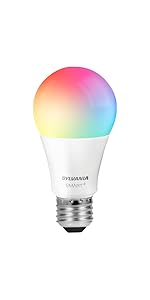
Image: A graphic showing simplified setup steps: download the app, create an account and pair, control lights from phone or smart speaker.
6. Arahan Operasi
6.1. Kawalan Apl
The SYLVANIA SMART+ WiFi App provides full control over your smart bulbs:
- Hidupkan/Matikan: Ketik ikon mentol dalam aplikasi untuk menukar kuasa.
- Peredupan: Use the brightness slider to adjust the light intensity from 1% to 100%.
- Penjadualan: Set schedules for your lights to turn on/off or dim at specific times, such as morning routines or bedtime.
- Kawalan Jauh: Control your lights from anywhere with an internet connection, even when you are away from home.

Image: A screenshot of the SYLVANIA SMART+ WiFi app, showing controls for brightness and on/off functionality.
Image: People on a boat using a smartphone, demonstrating remote control capabilities of the smart bulbs to manage home lighting while away.
6.2. Kawalan Suara
Once integrated with Amazon Alexa or Google Home, you can control your lights using simple voice commands:
- "Alexa, bukak lampu ruang tamu."
- "Hei Google, malapkan lampu bilik tidur kepada 50%."
- "Alexa, set the kitchen light to soft white."
- "Hei Google, matikan semua lampu."
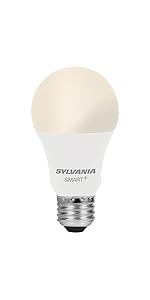
Image: A woman painting in a brightly lit room, with a speech bubble indicating a voice command: "Alexa, turn on the dining room!" This illustrates hands-free voice control.
7. Penyelenggaraan
The SYLVANIA SMART+ WiFi LED Smart Light Bulbs require minimal maintenance:
- Pembersihan: Pastikan mentol sejuk dan kuasa dimatikan sebelum membersihkan. Lap dengan kain lembut dan kering. Jangan gunakan pembersih cecair atau bahan kasar.
- Kemas kini Firmware: Periodically check the SYLVANIA SMART+ WiFi App for available firmware updates to ensure optimal performance and security.
- Storan: If storing the bulbs, keep them in a cool, dry place away from direct sunlight and extreme temperatures.
8. Penyelesaian masalah
| Masalah | Kemungkinan Punca | Penyelesaian |
|---|---|---|
| Mentol tidak menyala. | No power to the fixture; bulb not screwed in properly; bulb failure. | Check the light switch and circuit breaker. Ensure the bulb is securely screwed into the socket. Test the bulb in another working fixture. |
| Bulb does not connect to WiFi or app. | Incorrect WiFi network (5 GHz); weak WiFi signal; incorrect pairing steps; network congestion. |
|
| Bulb flickers or flashes unexpectedly. | Incompatible dimmer switch; unstable power supply; faulty bulb. |
|
| Kawalan suara tidak berfungsi. | Incorrect integration; device not discovered; voice assistant not connected to internet. |
|
9. Waranti dan Sokongan
Waranti: This SYLVANIA SMART+ WiFi LED Smart Light Bulb comes with a Waranti terhad 2 tahun dari tarikh pembelian. Waranti ini melindungi kecacatan pada bahan dan mutu kerja di bawah penggunaan biasa.
Sokongan: For technical assistance, troubleshooting beyond this manual, or warranty claims, please visit the official LEDVANCE website or contact their customer support. Refer to the product packaging for specific contact details.
Anda juga boleh melawat Kedai LEDVANCE di Amazon untuk maklumat dan sumber produk tambahan.


