1. Pengenalan
This manual provides essential information for the safe and effective use of your Paladone PP7335MAN The Mandalorian Child Grogu Desktop Light. Please read these instructions carefully before operating the product and retain them for future reference.
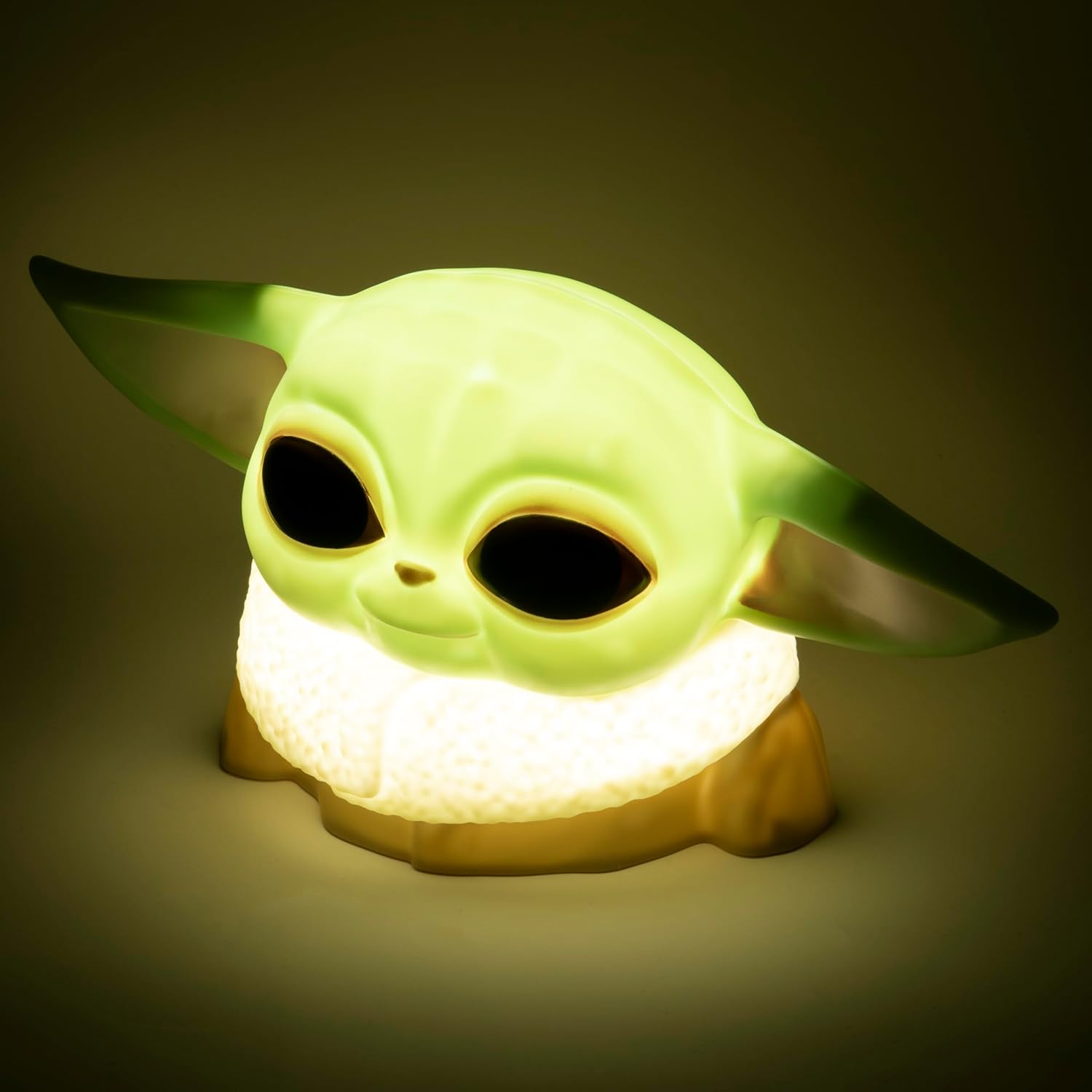
Image 1.1: The Paladone The Mandalorian Child Grogu Desktop Light, illuminated and ready for use.
2. Maklumat Keselamatan
- Amaran: Tidak sesuai untuk kanak-kanak di bawah 36 bulan kerana bahagian yang kecil. Bahaya tercekik.
- Produk ini bertujuan untuk kegunaan dalaman sahaja.
- Jangan dedahkan produk kepada air atau kelembapan berlebihan.
- Jangan cuba membuka atau mengubah suai produk. Ini akan membatalkan jaminan.
- Buang bateri terpakai secara bertanggungjawab mengikut peraturan tempatan.
3. Kandungan Pakej
Sila semak kandungan pakej untuk memastikan semua item ada:
- 1 x Paladone PP7335MAN The Mandalorian Child Grogu Desktop Light
- 1 x Manual Pengguna (dokumen ini)
Nota: 2x AAA batteries are required for operation and are tidak termasuk dalam bungkusan.

Image 3.1: The Paladone The Mandalorian Child Grogu Desktop Light shown in its retail box.
4. Persediaan
- Buka bungkusan Cahaya: Carefully remove the Grogu Desktop Light from its packaging.
- Pasang Bateri: Locate the battery compartment on the underside of the light. Open the compartment cover. Insert 2x AAA batteries, ensuring correct polarity (+/-) as indicated inside the compartment. Close the battery compartment cover securely.
- penempatan: Place the light on a stable, flat surface away from direct sunlight, heat sources, and moisture.

Image 4.1: The Paladone The Mandalorian Child Grogu Desktop Light in an unlit state, showing its detailed design.
5. Arahan Operasi
To operate your Grogu Desktop Light:
- Menghidupkan: Locate the power switch, typically on the base or back of the figure. Press the switch to the 'ON' position to illuminate the light.
- Mematikan: To turn off the light, press the power switch to the 'OFF' position.

Image 5.1: The Paladone The Mandalorian Child Grogu Desktop Light displayed on a wooden shelf, demonstrating its decorative appeal.
6. Penyelenggaraan
- Pembersihan: To clean the light, gently wipe it with a dry, soft cloth. Do not use abrasive cleaners, solvents, or harsh chemicals, as these may damage the surface.
- Penggantian Bateri: When the light begins to dim or stops working, it is time to replace the batteries. Follow the battery installation steps in Section 4.2.
- Storan: If storing the light for an extended period, remove the batteries to prevent leakage and corrosion. Store in a cool, dry place.
7. Penyelesaian masalah
| Masalah | Kemungkinan Punca | Penyelesaian |
|---|---|---|
| Cahaya tidak menyala. | Bateri mati atau tidak dimasukkan dengan betul. | Gantikan bateri dengan bateri AAA baharu, memastikan kekutuban yang betul. |
| Cahaya malap. | Bateri hampir habis. | Gantikan bateri dengan bateri AAA baharu. |
| Cahaya berkelip-kelip. | Sambungan bateri longgar atau bateri lemah. | Periksa petak bateri untuk sambungan yang selamat. Gantikan bateri jika perlu. |
8. Spesifikasi
| Nombor Model | PP7335MAN |
| Dimensi Produk | 14D x 21.7W x 12.5H cm (approx. 25 x 25 x 13 cm) |
| Berat Barang | 130 Gram |
| Sumber Kuasa | 2 x Bateri AAA (tidak termasuk) |
| bahan | plastik |
| Jenis Suis | Butang Tekan |
| Jenis Cahaya | Lampu Desktop LED |
9. Waranti dan Sokongan
This product is covered by a manufacturer's warranty. For specific details regarding the warranty period and terms, please refer to the packaging or contact Paladone customer support.
If you encounter any issues not covered in the troubleshooting section or require further assistance, please contact Paladone customer support through their official website or the retailer from whom you purchased the product. Please have your model number (PP7335MAN) and proof of purchase ready.


