1. Pengenalan
This manual provides instructions for the proper setup, operation, and maintenance of your IPD IPH-160 Monaural Wired Headset. The IPH-160 is designed for clear communication in various environments, featuring a noise-cancelling microphone and a 3.5mm jack for broad compatibility.
2. Kandungan Pakej
Sila sahkan bahawa semua item terdapat dalam pakej anda:
- IPD IPH-160 Monaural Headset
- Quick Disconnect (QD) to 3.5mm Jack Cable (4-pole)
- Kusyen Telinga (sudah dipasang atau ganti)
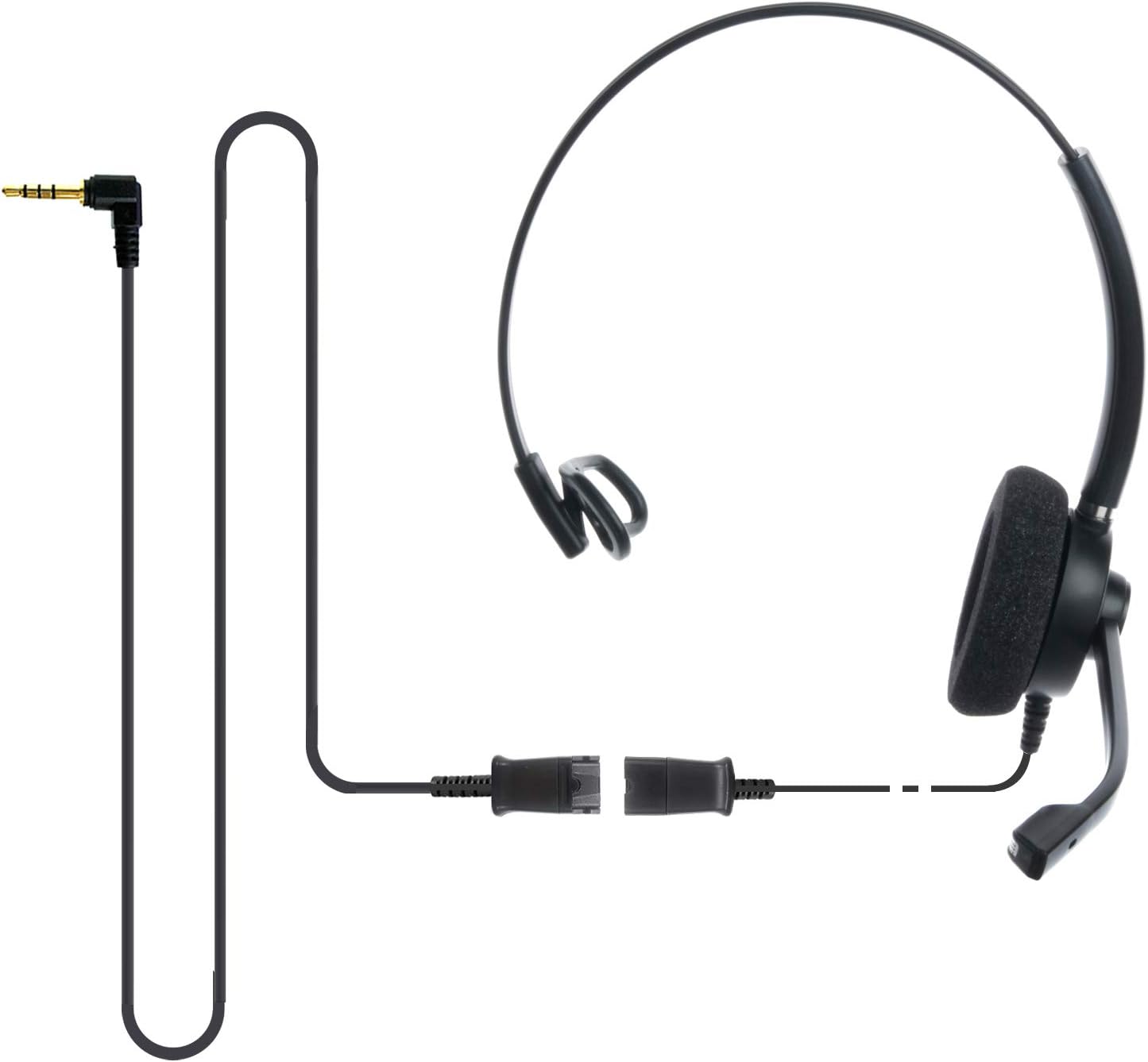
Image: The IPD IPH-160 headset with its detachable Quick Disconnect cable and 3.5mm jack connector.
3. Persediaan
3.1 Menyambung Alat Dengar
- Connect the Quick Disconnect (QD) cable to the headset. Ensure a secure connection.
- Insert the 3.5mm jack of the cable into the corresponding port on your device (Android cell phone, laptop, tablet, Apple MacBook, or other smart device).

Imej: Dari dekat view of the 3.5mm jack connector, illustrating its connection to a mobile device and laptop.
3.2 Keserasian Peranti
The 3.5mm jack (4 poles) is compatible with a wide range of devices including:
- Android cell phones (e.g., Samsung, Huawei, HTC, ZTE)
- Komputer riba
- Tablet
- Apple MacBooks with a single 3.5mm headset port
Nota:
- iPhone 7/7S and later models may require an additional Lightning to 3.5mm adapter (not included).
- If your specific phone model is not listed or you encounter compatibility issues, please contact IPD support for assistance.

Image: The IPD headset shown with various connection options for desk phones, PCs/softphones, and mobile phones, highlighting the versatility of Quick Disconnect cables.
4. Mengendalikan Alat dengar
4.1 Wearing and Adjusting
The IPH-160 headset is designed for all-day comfort. Adjust the headband for a secure yet comfortable fit. The microphone boom is flexible; position it approximately 1-2 inches from your mouth for optimal voice pickup.
4.2 Mikrofon Pembatalkan Bunyi
The headset features a passive noise-cancelling microphone to reduce background noise, ensuring clearer conversations. Proper microphone positioning is crucial for effective noise cancellation.

Image: A user wearing the headset, demonstrating the microphone's position and illustrating the effect of noise cancellation on audio waveforms.
4.3 Acoustic Shock Protection (ASP)
The headset incorporates an Acoustic Shock Protection (ASP) circuit on the speaker. This feature protects your hearing from sudden, unwanted loud noises by cutting sounds over 105dB and maintaining levels below 105dB.
4.4 Wideband Audio
The HD Wideband speaker delivers clear sound, enhancing the quality of your calls and audio monitoring.

Image: A close-up of the headset's ear cushion, visually representing the distinction between acoustic noise and clear sound for high-quality voice communication.
5. Penyelenggaraan
5.1 Pembersihan
To maintain hygiene and performance, regularly clean the ear cushions and other surfaces of the headset with a soft, dry cloth. Avoid using harsh chemicals or abrasive materials.
5.2 Penyimpanan
When not in use, store the headset in a clean, dry place away from direct sunlight and extreme temperatures. Avoid tangling the cable to prevent damage.
6. Penyelesaian masalah
6.1 Tiada Bunyi atau Kelantangan Rendah
- Pastikan bicu 3.5mm dimasukkan sepenuhnya ke dalam peranti anda.
- Semak tetapan kelantangan peranti anda.
- Verify that the headset is selected as the audio output device in your computer's sound settings.
- Confirm the Quick Disconnect (QD) cable is securely connected to the headset.
6.2 Mikrofon Tidak Berfungsi
- Ensure the microphone boom is positioned correctly near your mouth.
- Semak tetapan input mikrofon peranti anda dan pastikan alat dengar dipilih sebagai peranti input.
- Test the headset with another compatible device to rule out a device-specific issue.
6.3 Isu Keserasian
If you experience compatibility problems with your device, especially if it's not explicitly listed as compatible, please contact IPD customer support for guidance.
7. Spesifikasi
| Ciri | Spesifikasi |
|---|---|
| Nama Model | IPH-160-35 |
| Teknologi Ketersambungan | berwayar |
| Jack Fon Kepala | 3.5 mm Jack (4-pole) |
| Kawalan Bunyi | Pembatalan Bunyi Pasif |
| Respons Kekerapan | 10 KHz |
| Sensitiviti | 58 dB |
| Impedans | 150 ohm |
| Berat Barang | 198 Gram (7 auns) |
| bahan | plastik |
| Penempatan Telinga | Atas Telinga |
| Ciri Khas | Pembatalan Bunyi |
| Komponen yang Disertakan | Kusyen Telinga |
8. Maklumat Waranti
The IPD IPH-160 Headset comes with a Waranti 3 tahun dari tarikh pembelian. Waranti ini meliputi kecacatan pembuatan di bawah penggunaan biasa. Sila simpan bukti pembelian anda untuk tuntutan waranti.
9. Sokongan
For technical assistance, warranty claims, or any questions regarding your IPD IPH-160 Headset, please contact IPD customer support. You can find contact information on the official IPD webtapak atau melalui peruncit anda.
Lawati IPD Store untuk maklumat lanjut dan produk.


