1. Pengenalan
Thank you for choosing the DELIPOP 3D LED Digital Alarm Clock. This manual provides detailed instructions for the setup, operation, and maintenance of your new clock. Please read this manual thoroughly before use to ensure proper functionality and to maximize your user experience. Keep this manual for future reference.

Image 1.1: The DELIPOP 3D LED Digital Alarm Clock displaying the time 23:57 with bright white LED digits.
2. Maklumat Keselamatan
- Ensure the clock is powered by a 5V 1A USB power source. Using an incorrect power adapter may damage the device.
- The CR2032 button cell battery (not included) is for memory backup only and does not power the clock's display. The clock requires continuous USB power to operate.
- Avoid placing the clock in direct sunlight, high temperatures, or high humidity environments.
- Do not disassemble or attempt to repair the clock yourself. Contact customer support for assistance.
- Keep the clock away from water and other liquids.
3. Kandungan Pakej
Sila semak pakej untuk item berikut:
- 1 x DELIPOP 3D LED Digital Alarm Clock
- 1 x USB Power Cable (5V)
- 1 x Manual Pengguna (dokumen ini)

Image 3.1: The DELIPOP 3D LED Digital Alarm Clock, USB cable, and the included instruction manual.
4. Produk Lebihview
The DELIPOP 3D LED Digital Alarm Clock features a large, clear LED display for easy readability. It is designed for both wall mounting and desktop placement.

Imej 4.1: Depan dan sisi view of the clock with dimensions (235mm length, 93mm height, 40mm depth) and button labels (PM, AL, SET, UP, DOWN, ALARM, TEMP).
4.1 Komponen
- Paparan led: Large 3D LED digits for time display.
- Butang Kawalan: SET, UP, DOWN buttons for configuration.
- Detachable Bracket: For desktop placement.
- Input Kuasa (DC 5V): USB port for power connection.
- Memory Battery Compartment: For CR2032 button cell battery (not included) to retain settings during power loss.

Imej 4.2: Belakang view of the clock indicating the DC 5V power input and the memory battery compartment (CR2032, not included).
5. Persediaan
5.1 Sambungan Kuasa
- Connect the provided USB cable to the DC 5V input port on the back of the clock.
- Plug the other end of the USB cable into a 5V 1A USB power adapter (not included) or a compatible USB port.
- The clock display will light up.
5.2 Installing Memory Battery (Optional)
To retain time and alarm settings during a power outage, install a CR2032 button cell battery (not included) into the memory battery compartment on the back of the clock. This battery does not power the display.
5.3 Penempatan
The clock can be placed on a table using its detachable bracket or mounted on a wall.
- Peletakan Desktop: Attach the detachable bracket to the bottom of the clock.
- Pemasangan Dinding: Use the keyhole slots on the back of the clock to hang it on screws or hooks (not included) securely fastened to the wall.

Image 5.1: The DELIPOP 3D LED Digital Alarm Clock displayed mounted on a wall.
6. Arahan Operasi
6.1 Fungsi Butang
- SET: Enter setting mode, confirm settings.
- KE ATAS: Increase value, switch modes.
- TURUN: Decrease value, switch modes.
6.2 Penetapan Masa
- Tekan dan tahan butang SET butang selama 3 saat untuk memasuki mod tetapan masa. Digit jam akan berkelip.
- Gunakan UP or TURUN butang untuk melaraskan jam.
- Tekan SET sekali lagi untuk mengesahkan jam dan beralih ke tetapan minit. Digit minit akan berkelip.
- Gunakan UP or TURUN butang untuk melaraskan minit.
- Tekan SET again to confirm the minute and exit time setting mode.
6.3 Format 12/24 Jam
Dalam mod paparan masa biasa, tekan butang UP button to switch between 12-hour and 24-hour formats. When 12-hour format is selected, the "PM" indicator will light up for afternoon hours.
6.4 Tetapan Penggera
- Tekan dan tahan butang PENGGERA butang (atau SET button if ALARM is not a dedicated button, refer to product diagram) for 3 seconds to enter alarm setting mode. The alarm hour digits will flash.
- Gunakan UP or TURUN butang untuk melaraskan jam penggera.
- Tekan PENGGERA (atau SET) again to confirm the alarm hour and move to alarm minute setting. The alarm minute digits will flash.
- Gunakan UP or TURUN butang untuk melaraskan minit penggera.
- Tekan PENGGERA (atau SET) again to confirm the alarm minute and exit alarm setting mode.
- Untuk mengaktifkan/menyahaktifkan penggera, tekan sebentar PENGGERA button (or a specific button indicated in the product diagram, e.g., SET) during the alarm sound. The "AL" indicator will light up when the alarm is active.
6.5 Fungsi Tunda
When the alarm sounds, press any button (except the alarm off button) to activate the snooze function. The alarm will sound again after a few minutes (default snooze time is typically 5 minutes, refer to product specifics if available). To turn off the alarm completely, press the PENGGERA button (or a specific button indicated in the product diagram, e.g., SET) during the alarm sound.
6.6 Pelarasan Kecerahan
The clock features 3 levels of brightness. In normal time display mode, short press the UP or TURUN button to cycle through the brightness levels (High, Medium, Low). The clock also has an automatic dimming feature for night time.
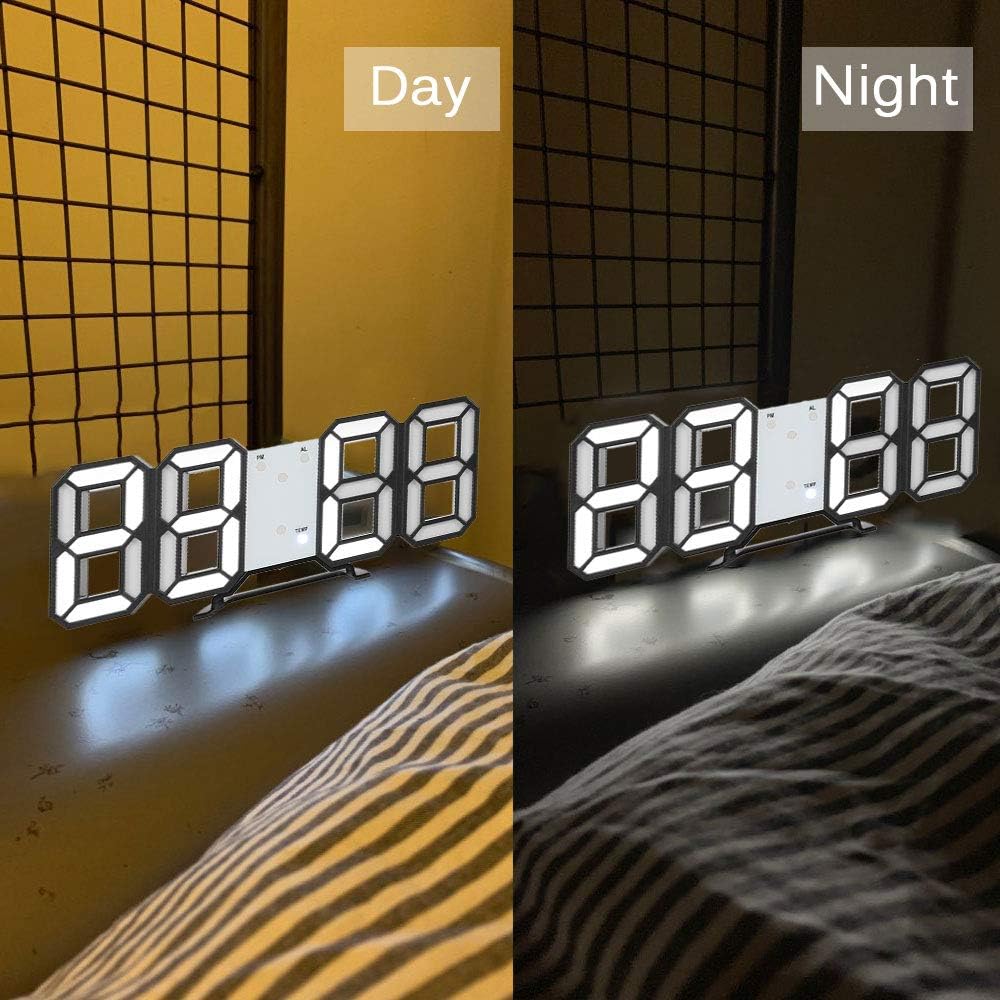
Image 6.1: The DELIPOP 3D LED Digital Alarm Clock showing its display brightness during daytime (brighter) and nighttime (dimmer).
7. Penyelenggaraan
- Clean the clock surface with a soft, dry cloth. Do not use abrasive cleaners or solvents.
- Ensure the USB cable and power adapter are in good condition.
- If the clock is not used for an extended period, disconnect it from power and remove the memory battery.
8. Penyelesaian masalah
| Masalah | Kemungkinan Punca | Penyelesaian |
|---|---|---|
| Paparan jam dimatikan. | Tiada bekalan kuasa. | Ensure the USB cable is securely connected to a 5V 1A power source. Check if the power outlet is working. |
| Time/settings reset after power loss. | Memory battery not installed or depleted. | Install a new CR2032 button cell battery in the memory compartment. |
| Penggera tidak berbunyi. | Penggera tidak diaktifkan atau ditetapkan dengan tidak betul. | Verify the alarm is set and activated (check for "AL" indicator). Ensure the volume is not muted (if applicable, though this model doesn't specify volume control). |
| Display is too dim/bright. | Tahap kecerahan perlu diselaraskan. | Tekan pendek UP or TURUN button to cycle through brightness levels. |
9. Spesifikasi
| Jenama | DELIPOP |
| Nombor Model | 307NZH57602 |
| bahan | Akrilonitril Butadiena Stirena (ABS) |
| Warna LED | putih |
| Bekalan Kuasa | USB 5V 1A (cable included) |
| Bateri Memori | 1 x CR2032 button cell (not included) |
| Jenis Paparan | LED digital |
| Format Masa | 12/24 Jam boleh dipilih |
| Fungsi | Time display, Alarm, Snooze, Brightness adjustment |
| Dimensi Produk (L x W x H) | 23.5 x 3.81 x 9.3 cm (9.25 x 1.5 x 3.66 inci) |
| Berat Barang | 245 g (8.64 oz) |
10. Waranti dan Sokongan
DELIPOP products are designed for reliability and performance. For warranty information or technical support, please refer to the contact details provided with your purchase or visit the official DELIPOP website. Please have your model number (307NZH57602) ready when contacting support.

