pengenalan
This manual provides detailed instructions for the Keychron K4 Bluetooth Wireless Mechanical Keyboard. The K4 features a 96% layout with 100 keys, an aluminum frame, and hot-swappable Gateron Brown switches, offering a tactile typing experience. It supports both Bluetooth wireless and USB Type-C wired connectivity, and is compatible with Mac and Windows operating systems.

Image: Keychron K4 Mechanical Keyboard with Hot-swappable Brown Switches.

Image: Keychron K4 Mechanical Keyboard highlighting its features, including 96% layout, wireless/wired, aluminum body, Gateron switches, Mac & Windows compatibility, RGB, 3-device connectivity, and Type-C plug.
Persediaan
Ketersambungan
The Keychron K4 keyboard offers versatile connectivity options:
- Tanpa Wayar Bluetooth: Connects with up to 3 devices simultaneously. Easily switch between paired devices. Features a reliable Broadcom Bluetooth chipset.
- USB Type-C Wired: Connect to a single device using the included USB Type-C cable.

Image: Keychron K4 keyboard showing wireless and wired connectivity options with a monitor and mouse, illustrating its dual-mode functionality.

Image: Diagram showing wireless and wired modes for the Keychron K4 keyboard, emphasizing its ability to connect to up to 3 devices via Bluetooth or a single device via USB Type-C.
Suis Sistem Pengendalian
The K4 is designed for compatibility with both Mac and Windows. Use the dedicated switch on the side of the keyboard to select your operating system. Extra keycaps for both systems are included for customization.

Image: Keychron K4 keyboard compatible with both Mac and Windows operating systems, shown with respective computer screens to highlight its cross-platform functionality.

Image: Keychron K4 keyboard shown with a MacBook and an iPhone, illustrating its broad compatibility with various devices, including macOS and iOS.
Video: A semulaview of the Keychron K4 Wireless Keyboard, demonstrating its features and connectivity options for different operating systems.
Beroperasi
Lampu latar RGB
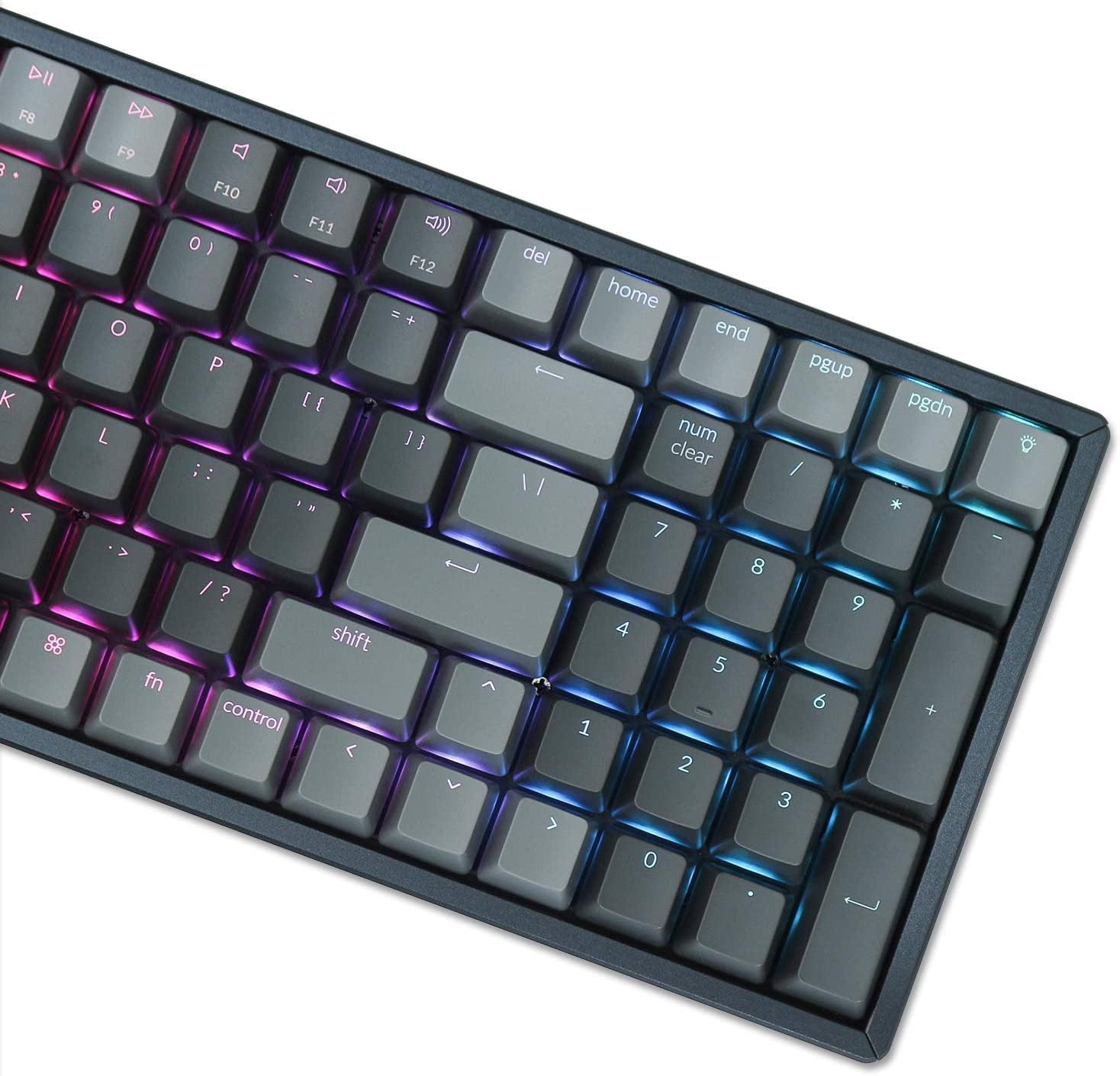
The K4 features enchanting RGB backlighting with over 15 types of flashing light modes, including a static white light mode. These can be cycled through using the dedicated light bulb key on the keyboard.

Image: Close-up of Keychron K4 keyboard keys with RGB backlighting, showing various color effects and modern keycap legends.

Image: Keychron K4 keyboard showcasing its 15+ RGB lighting modes, highlighting the variety of backlight options available.
Video: A demonstration of the Keychron K4 wireless mechanical keyboard's RGB lighting effects and wired connectivity option.
Fungsi Utama
The K4 supports N-key rollover (NKRO) in wired mode and 6-key rollover (6KRO) in wireless mode, ensuring all key presses are registered accurately. The Gateron Brown switches provide a tactile response suitable for both typing and light gaming.
Penyelenggaraan
Suis Boleh Tukar Panas
The hot-swappable version of the K4 allows you to easily change every switch without soldering, enabling personalization of your typing experience. This feature also simplifies switch replacement if needed.

Image: Diagram illustrating the hot-swappable switch feature of the Keychron K4 keyboard, showing different switch types (Brown, Red, Blue) and the PCB for easy replacement.

Image: Gateron G Pro Mechanical Switch features table, detailing specifications for Red (Linear, Quiet), Blue (Clicky, Typist), and Brown (Tactile, Gentle) switches, including operating force, pre-travel, travel distance, and pre-lubed status.
Pembersihan
To maintain optimal performance, regularly clean your keyboard. Use a soft brush or compressed air to remove dust and debris from between the keycaps. For deeper cleaning, keycaps can be carefully removed.
Menyelesaikan masalah
Hayat Bateri
The K4 is equipped with a 4000 mAh battery, providing up to 72 hours of typing or 7 days of normal use (8 hours/day). If you experience shorter battery life, ensure the keyboard is fully charged and consider adjusting RGB lighting brightness or patterns, as these can affect power consumption.

Image: Keychron K4 keyboard on a desk, emphasizing its 4000 mAh battery capacity and compact design with number pads, alongside a book and a mouse.
Isu Ketersambungan
If you encounter issues with Bluetooth connectivity, ensure the keyboard is within range of your device and that Bluetooth is enabled on both devices. Try re-pairing the keyboard. For wired connection problems, ensure the USB Type-C cable is securely connected to both the keyboard and your computer.
Spesifikasi
- Nombor Model: HS-K4J
- Susun atur: 96% (100 kunci)
- Suis: Gateron Brown (Boleh ditukar panas)
- Ketersambungan: Bluetooth, USB Jenis-C
- Pencahayaan latar: RGB (15+ types)
- Bahan Bingkai: aluminium
- Bateri: 4000 mAh
- Hayat Bateri: Up to 72 hours (typing), 7 days (normal use)
- Penggulingan Kunci: NKRO (wired), 6KRO (wireless)
- Peranti Serasi: Komputer riba, telefon pintar
- OS yang serasi: Mac, Windows
- Berat Barang: 3.14 paun
- Dimensi Pakej: 15.71 x 6.61 x 2.05 inci
Imej: Sisi view of Keychron K4 keyboard showing adjustable feet at 6 and 9 degrees for ergonomic typing, and OEM profile curved keycaps.
Apa yang ada dalam Kotak
- Keychron K4 Bluetooth Wireless Mechanical Keyboard
- Kabel Jenis-C USB
- Penarik Kekunci
- Switch Puller (for hot-swappable versions)
- Extra Keycaps for Mac and Windows
Waranti dan Sokongan
Untuk maklumat jaminan dan sokongan teknikal, sila rujuk Keychron rasmi website or contact Keychron customer service directly. Keep your purchase receipt for warranty claims.


