pengenalan
Thank you for choosing the memzuoix Ergonomic Wireless Mouse. This manual provides detailed instructions for setting up, operating, and maintaining your new mouse. Designed for comfort and efficiency, this vertical mouse aims to reduce wrist strain during prolonged use. Please read this manual thoroughly before using the product to ensure optimal performance and longevity.
Produk Selesaiview
The memzuoix Ergonomic Wireless Mouse features a unique vertical design to promote a natural handshake grip, reducing pressure on your wrist. It operates on a 2.4G wireless connection and offers adjustable DPI settings for precise control.

Image: The memzuoix Ergonomic Wireless Mouse in purple, showcasing its vertical design and the included USB receiver.
Komponen
- Ergonomic Wireless Mouse (Purple)
- USB 2.0 Receiver
- Manual Pengguna (dokumen ini)
Susun atur tetikus

Image: A detailed diagram illustrating the six buttons and textured thumb area on the ergonomic mouse.
- Butang Kiri: Fungsi klik kiri standard.
- Butang Kanan: Fungsi klik kanan standard.
- Roda Tatal: Untuk menatal menegak dan klik tengah.
- Butang Suis DPI: Adjusts cursor sensitivity (800/1200/1600 DPI).
- Previous Page Button: Navigasi masuk semula web pelayar atau file explorers. (Note: Not compatible with Mac OS)
- Next Page Button: Navigasi ke hadapan web pelayar atau file explorers. (Note: Not compatible with Mac OS)
- Textured Thumb Area: Provides a comfortable grip for the thumb.
Panduan Persediaan
1. Pasang Bateri
- Cari petak bateri di bahagian bawah tetikus.
- Buka penutup petak bateri.
- Insert two (2) AAA dry batteries, ensuring correct polarity (+/-). (Batteries are not included and must be prepared by the user.)
- Tutup penutup petak bateri dengan selamat.

Image: The mouse, USB receiver, and two AAA batteries, illustrating the battery installation process.
2. Connect USB Receiver
- The USB receiver is typically stored inside the battery compartment for safekeeping. Remove it.
- Plug the USB receiver into an available USB port on your computer (Laptop, Mac, PC, Desktop).
- The computer should automatically detect and install the necessary drivers. This is a plug-and-play device.

Image: The USB receiver connected to a laptop, demonstrating the plug-and-play setup for the wireless mouse.

Image: Visual representation of the mouse's compatibility with various operating systems (Windows, macOS, Chrome OS, Linux) via its USB receiver.
Arahan Operasi
Cengkaman Ergonomik
Position your hand on the mouse so that your wrist is in a natural "handshake" position. This vertical orientation is designed to reduce pronation of the forearm and minimize wrist pressure, promoting comfort during extended use.

Image: A visual comparison demonstrating the ergonomic benefits of the vertical mouse in reducing wrist pressure compared to a traditional mouse.
Melaraskan Sensitiviti DPI
The mouse features an adjustable DPI (Dots Per Inch) setting, allowing you to change the cursor speed and sensitivity. Press the Butang Suis DPI (located near the scroll wheel) to cycle through the available DPI settings: 800, 1200, and 1600 DPI. Choose the setting that best suits your task and preference for precise tracking.
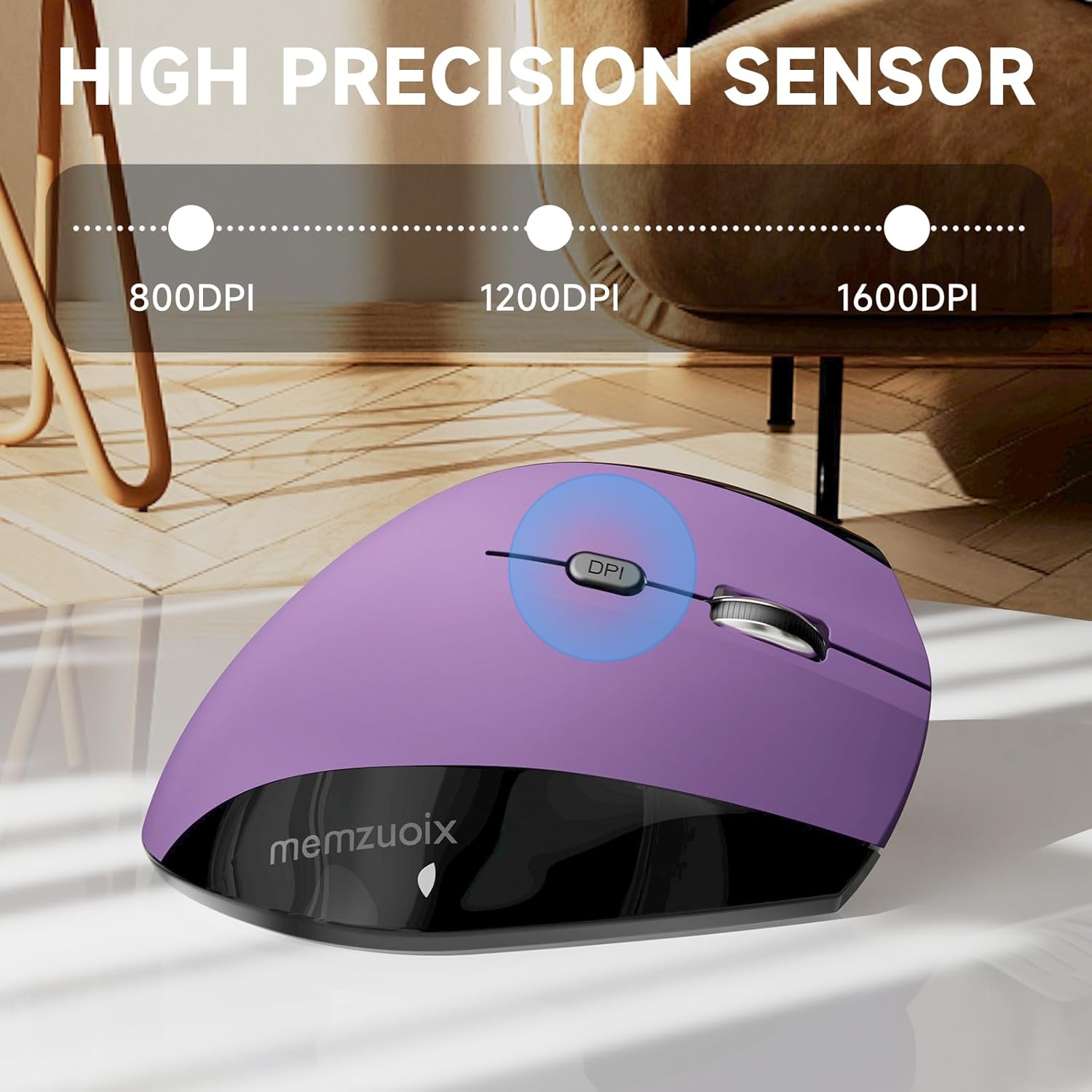
Image: The mouse with a visual indicator for the DPI button, showing the three adjustable sensitivity levels.

Image: A visual demonstrating the adjustable DPI settings (800/1200/1600) for high sensitivity and precise tracking.
Mod Penjimatan Kuasa
To conserve battery life, the mouse will automatically enter sleep mode after 7 minutes of inactivity. To reactivate the mouse, simply click any button.
Penyelenggaraan
Pembersihan
- Ensure the mouse is powered off or batteries are removed before cleaning.
- Gunakan kain lembut dan kering untuk mengelap permukaan tetikus.
- Untuk kotoran degil, ringankan dampen kain dengan air atau pembersih yang lembut dan tidak melelas. Elakkan kelembapan berlebihan.
- Do not use harsh chemicals, solvents, or abrasive materials, as these can damage the mouse's finish.
- Clean the optical sensor on the underside periodically with a cotton swab to ensure accurate tracking.
Penggantian Bateri
When the mouse's performance degrades or it stops responding, it may be time to replace the batteries. Follow the "Install Batteries" steps in the Setup Guide to replace the two AAA batteries. Dispose of used batteries responsibly according to local regulations.
Menyelesaikan masalah
| Masalah | Kemungkinan Punca | Penyelesaian |
|---|---|---|
| Tetikus tidak bertindak balas |
|
|
| Pergerakan kursor tidak menentu atau gelisah |
|
|
| Forward/Back buttons not working on Mac OS | Incompatibility with Mac OS | The forward/back buttons are not compatible with Mac OS. This is a design limitation. |
| Mouse not detected on Linux | May require specific software settings | For Linux systems, you may need to configure related software settings for the mouse to function normally. Refer to your Linux distribution's documentation for peripheral setup. |
Spesifikasi
| Ciri | Perincian |
|---|---|
| Nombor Model | ワイヤレスマウス |
| Teknologi Ketersambungan | Wayarles 2.4G (Penerima USB) |
| Pengesanan Pergerakan | Optik |
| Tetapan DPI | 800 / 1200 / 1600 DPI (Boleh Laras) |
| Bilangan Butang | 6 (Kiri, Kanan, Roda Skrol, Suis DPI, Ke Hadapan, Belakang) |
| Sumber Kuasa | 2 x Bateri AAA (tidak termasuk) |
| Dimensi Produk | 4.86 x 2.78 x 2.42 inci |
| Berat Barang | 3.9 auns |
| Keserasian | Windows 8/9/10/XP, Windows Vista, Linux (Forward/Back buttons not compatible with Mac OS) |
| Ciri Khas | Ergonomic Design, Wireless, Adjustable Sensitivity, Power Saving Mode |
Maklumat Keselamatan
- Jauhkan peranti daripada air dan cecair lain.
- Elakkan menjatuhkan atau menundukkan tetikus kepada kesan yang kuat.
- Jangan cuba membuka atau membaiki peranti ini sendiri. Ini akan membatalkan jaminan.
- Buang bateri mengikut peraturan persekitaran tempatan.
- Jauhkan daripada kanak-kanak.
Waranti dan Sokongan
memzuoix products are designed for reliability and performance. For warranty information or technical support, please refer to the contact details provided with your purchase or visit the official memzuoix webtapak. Sila simpan bukti pembelian anda untuk tuntutan waranti.
Untuk bantuan lanjut, anda boleh menghubungi penjual secara terus melalui platform tempat produk tersebut dibeli.


