pengenalan
This manual provides comprehensive instructions for the safe and effective use of your Aputure LS 300X LED Video Light. Please read this manual thoroughly before operating the device and retain it for future reference.
Ciri-ciri Utama
- Bi-Color Output: Adjustable color temperature from 2700K to 6500K.
- Ketepatan Warna Tinggi: CRI & TLCI scores of 95+, Tungsten SSI: 85; D55 SSI: 74.
- Pemasangan Bowens-S: Compatible with various optical modifiers like Fresnel 2X and Spotlight.
- Pelbagai Pilihan Kawalan: Control wheel, 2.4Ghz Aputure Wireless remote, and Sidus Link App via Bluetooth mesh network.
- Built-in Lighting Effects: 9 customizable FX including Paparazzi, Strobe, Lightning, Faulty Bulb, TV, Pulsing, Fireworks, Explosion, and Fire.
- DMX512 Compatibility: Professional control integration.
- Operasi senyap: Ultra-quiet dual-fan cooling system at 18dB.
- Kuasa Fleksibel: Supports single/dual V-mount batteries (12-16.8V, ≥15A) or AC power (100-240V).
Apa yang ada dalam Kotak
Sahkan bahawa semua item yang disenaraikan di bawah disertakan dalam pakej anda:

Image: Diagram showing the contents of the Aputure LS 300X package, numbered for easy identification.
- Peti Pembawa x1
- LS 300X Lamp x1
- Kotak Kawalan x1
- Standard Cover x1
- Cl Pelepasan Cepatamp x1
- Remote Control (VA-remote RC1+) x1
- Power Cable (Neutrik power CON cable) x1
- Connect Cable (5-pin male-to-female XLR) x1
- Cross Back Strap x1
- Coin Cell Battery x1
- Hanging Wire Post x1

Image: The Aputure LS 300X light kit neatly packed inside its carrying case, showing the main light unit, control box, and cables.
Persediaan
1. Memasang Cahaya
- Attach the Quick-Release Clamp to a light stand or appropriate support.
- Secure the Control Box to the Quick-Release Clamp.
- Mount the LS 300X Lamp onto the light stand via its yoke.

Image: The Aputure LS 300X control box securely attached to a light stand using the quick-release clamp.

Image: Close-up of the Aputure LS 300X light's yoke, illustrating its 360-degree rotation capability for flexible positioning.
2. Kuasa Penyambung
The LS 300X supports multiple power options:
- Kuasa AC: Connect the Neutrik power CON cable to the control box and a standard AC outlet (100-240V).
- Dual Lithium Battery Power: Insert two V-mount batteries (12-16.8V, ≥15A) into the battery plates on the control box. Ensure batteries are within the specified voltage and current requirements to prevent damage.
- Single Lithium Battery Power: For single battery operation, use the right-side battery interface on the control box. Note that output power will be approximately half compared to dual battery or AC power. The left-side interface does not support single battery power.

Image: Visual guide demonstrating the three power supply methods for the Aputure LS 300X: single V-mount battery, dual V-mount batteries, and AC power connection.

Image: Close-up showing the AC power input port and battery plates on the Aputure LS 300X control box.
3. Attaching Modifiers
The LS 300X features a Bowens-S mount for attaching light modifiers. Align the modifier with the mount and twist to secure it.
Arahan Operasi
1. Hidupkan/Mati Kuasa
Locate the power switch on the control box and toggle it to turn the light on or off.
2. Kaedah Kawalan
The Aputure LS 300X offers multiple ways to control its settings:
- Kotak kawalan: Use the integrated control wheel and buttons on the control box for direct adjustments.
- 2.4Ghz Aputure Wireless Remote (RC1+): The included remote allows for wireless control of various functions.
- Sidus Link App: Download the Sidus Link App to your smartphone or tablet to control the light via Bluetooth mesh network. This provides advanced control options and scene programming.
- DMX512: For professional lighting setups, the LS 300X is DMX512 compatible.

Image: The Aputure LS 300X control box display, showing options for remote control, app control via Sidus Link, and DMX integration.

Image: A visual representation of the three primary control methods: Sidus Link App interface, the physical remote control, and a DMX lighting console.

Image: A hand operating the control wheel and buttons on the Aputure LS 300X control box to adjust settings.
3. Adjusting Color Temperature (CCT) and Brightness
Use the control wheel or corresponding buttons on the remote/app to adjust the color temperature from 2700K (warm) to 6500K (cool) and the light intensity (brightness).
The light includes preset buttons for common CCT values: 2700K, 3200K, 4300K, 5500K, and 6500K.

Image: The Aputure LS 300X light unit positioned against a background of various color swatches, illustrating its bi-color capabilities.

Image: The Aputure LS 300X light emitting a warm, golden glow, illuminating a room with a mirror.
4. Keluk Memalapkan
The LS 300X features four dimming curves for precise control over light transitions:
- Linear
- Eksponen
- Logaritma
- Lengkung S
5. Special Effects (FX)
Access the 9 built-in lighting effects via the control box, remote, or Sidus Link App. These effects can often be customized with CCT control.
- Paparazi
- Strob
- kilat
- Mentol yang rosak
- TV
- Berdenyut
- Bunga api
- Letupan
- kebakaran

Image: The Aputure LS 300X light with an overlay illustrating the 9 built-in lighting effects, each with an icon and name (Paparazzi, Lightning, Explosion, Strobe, Fireworks, Faulty Bulb, Pulse, TV, Fire).
Penyelenggaraan
1. Pembersihan
- Pastikan peranti dimatikan dan dicabut plag sebelum dibersihkan.
- Gunakan kain lembut dan kering untuk mengelap permukaan luar.
- Jangan gunakan bahan kimia, pelarut atau pembersih yang kasar.
- Pastikan bukaan pengudaraan bersih daripada habuk dan serpihan.
2. Penyimpanan
- Store the light in its original carrying case or a protective bag when not in use.
- Simpan peranti di tempat yang sejuk dan kering, jauh dari cahaya matahari langsung dan suhu yang melampau.
- Tanggalkan bateri jika disimpan untuk tempoh yang lama untuk mengelakkan kebocoran.
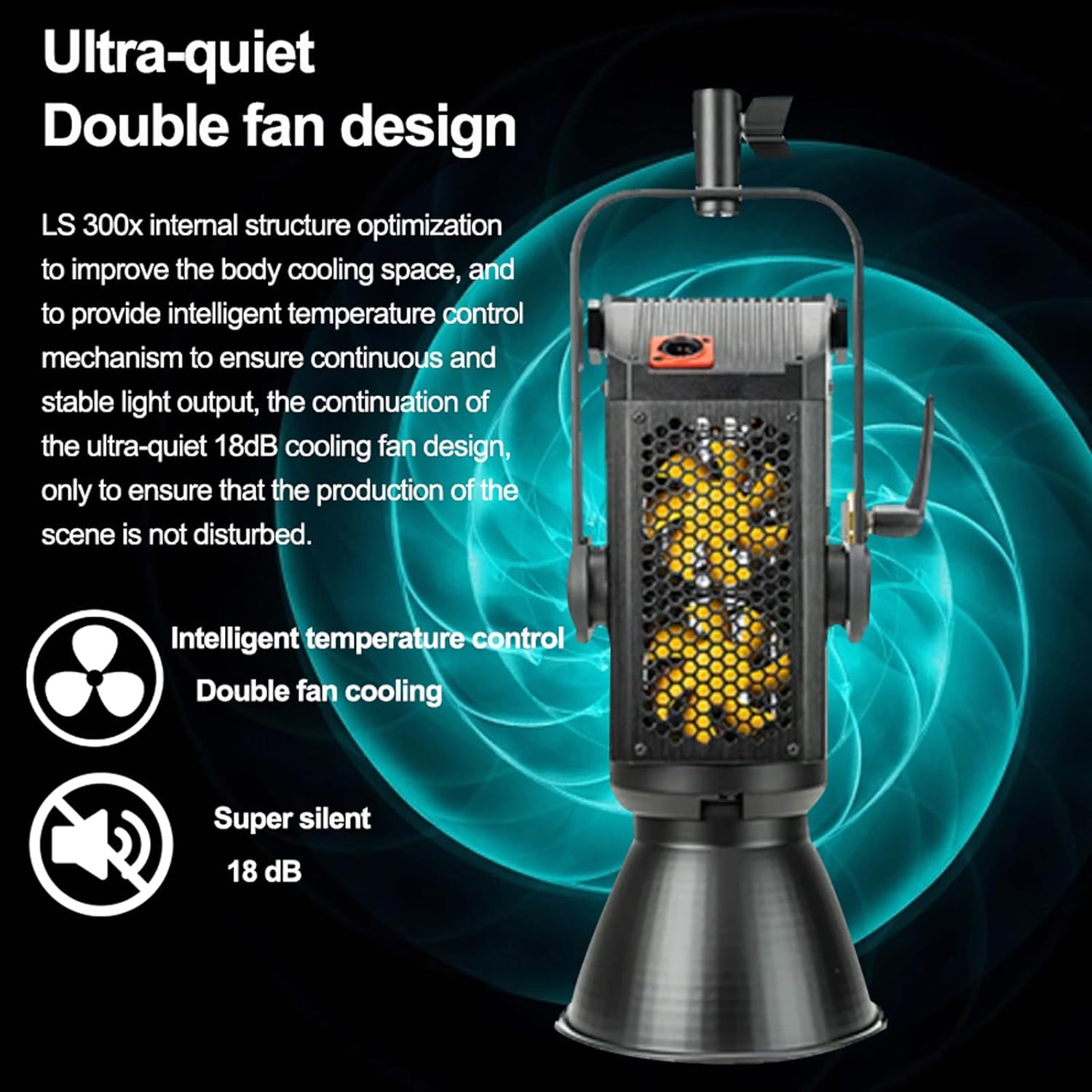
Image: The Aputure LS 300X control box, highlighting its internal structure optimization and ultra-quiet 18dB dual-fan cooling system for intelligent temperature control.

Image: A graphic illustrating the dual-fan, ultra-silent (18 dB) cooling system of the Aputure LS 300X.
Menyelesaikan masalah
| Masalah | Kemungkinan Punca | Penyelesaian |
|---|---|---|
| Lampu tidak boleh dihidupkan. | No power, loose cable, depleted battery. | Periksa sambungan kuasa AC atau cas bateri. Pastikan semua kabel disambungkan dengan kukuh. |
| Alat kawalan jauh tidak bertindak balas. | Remote battery depleted, out of range, interference. | Replace remote battery. Ensure remote is within operating range. Minimize obstructions. |
| Sidus Link App cannot connect. | Bluetooth off, app not updated, device too far. | Ensure Bluetooth is enabled on your device. Update the app. Move closer to the light. |
| Output cahaya lebih rendah daripada yang dijangkakan. | Single battery power, incorrect battery specifications. | Ensure dual batteries are used or AC power is connected for full output. Verify batteries meet 12-16.8V, ≥15A requirements. |
Spesifikasi
| Ciri | Perincian |
|---|---|
| Nombor Model | LS 300X |
| Suhu Warna | 2700K-6500K |
| CRI & TLCI | 95+ |
| Tungsten SSI | 85 |
| D55 SSI | 74 |
| Jenis Gunung | Bowens-S Mount |
| Kaedah Kawalan | Control Wheel, 2.4Ghz Remote, Sidus Link App (Bluetooth), DMX512 |
| Bekalan Kuasa | AC 100-240V, Dual V-Mount Batteries (12-16.8V, ≥15A) |
| Dimensi Produk | 11.42 x 25.2 x 12.99 inci |
| Berat Barang | 25 paun |
Waranti dan Sokongan
For warranty information, technical support, or service inquiries, please refer to the official Aputure webtapak atau hubungi bahagian perkhidmatan pelanggan mereka.
rasmi Webtapak: www.aputure.com
Sila simpan bukti pembelian anda untuk tuntutan waranti.


