1. Pengenalan
This manual provides detailed instructions for the safe and efficient operation of your Fenton AV360BT Stereo Amplifier. Please read this manual thoroughly before using the device and retain it for future reference. The AV360BT is a compact Hi-Fi mini amplifier featuring Bluetooth connectivity, an integrated MP3 player with USB/SD inputs, and an FM radio tuner, designed for versatile audio playback.
2. Arahan Keselamatan
- Memastikan ampPengaktif disambungkan kepada bekalan kuasa yang sepadan dengan volumtage dinyatakan pada peranti.
- Jangan dedahkan unit kepada hujan atau kelembapan untuk mengelakkan kejutan elektrik atau kebakaran.
- Elakkan meletakkan unit berhampiran sumber haba atau di bawah cahaya matahari langsung.
- Jangan buka casing. Rujuk semua servis kepada kakitangan yang berkelayakan.
- Jauhkan unit daripada kanak-kanak.
- Disconnect the power plug during thunderstorms or when unused for long periods.
3. Kandungan Pakej
Sahkan bahawa semua item ada semasa membongkar:
- Stereo Fenton AV360BT Amplebih hidup
- Alat Kawalan Jauh
- Manual Pengguna (dokumen ini)
4. Ciri-ciri Produk
- 2 x Stereo 40W Amplebih hidup
- Integrated Bluetooth for wireless audio streaming
- MP3 player with USB port and SD/MMC card slot
- Built-in FM radio tuner (87.5 - 108.5 MHz)
- Line input (AUX) for connecting external audio sources
- Bass, Treble, and Master Volume controls
- Output protection circuitry
- Includes remote control for MP3 player functions
5. Kawalan dan Sambungan
5.1 Panel Depan
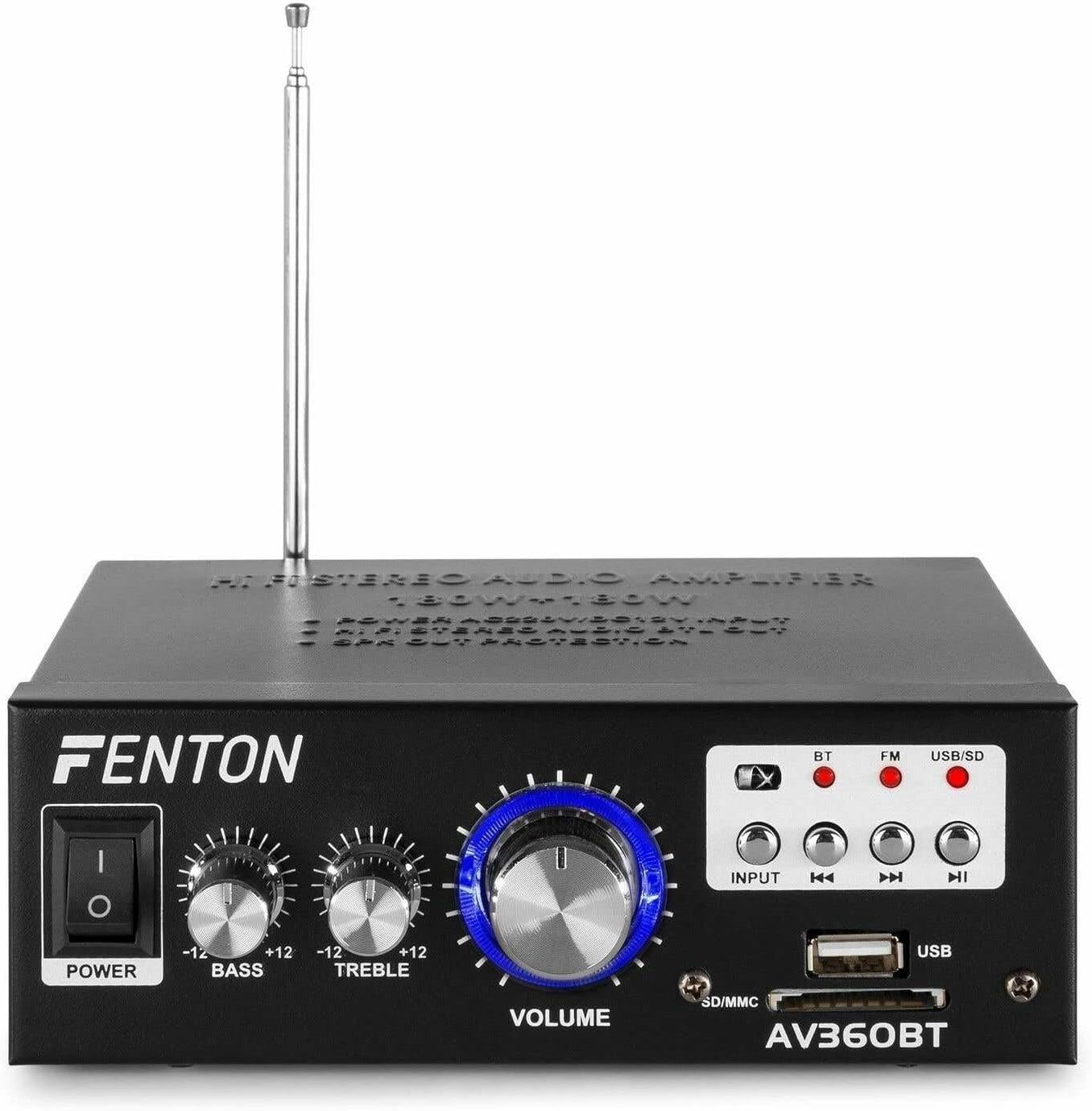
Imej: Depan view of the Fenton AV360BT amplifier, showing the power switch, bass, treble, and volume knobs, input selection buttons, playback controls, USB port, and SD/MMC card slot.
- Suis kuasa: Berpusing amphidup atau mati.
- Kawalan BASS: Melaraskan output audio frekuensi rendah.
- Kawalan TREBLE: Melaraskan output audio frekuensi tinggi.
- Kawalan VOLUME: Melaraskan volum keluaran keseluruhan.
- Butang INPUT: Selects the audio source (Bluetooth, FM, USB/SD).
- Kawalan Main Semula (Sebelumnya, Main/Jeda, Seterusnya): Used for MP3 playback and FM radio tuning.
- Port USB: Connect USB flash drives for MP3 playback.
- Slot Kad SD/MMC: Insert SD or MMC cards for MP3 playback.
5.2 Panel Belakang

Imej: Belakang view of the Fenton AV360BT amplifier, displaying the audio input (RCA), speaker connectors, FM antenna, and power input.
- AUDIO INPUT (RCA): Connect external audio devices (e.g., CD player, TV) using RCA cables.
- PEMAMBUNG SPEAKER: Connect passive speakers (8-16 ohms impedance). Ensure correct polarity (+ to + and - to -).
- ANTENNA: Panjangkan untuk penerimaan radio FM yang optimum.
- Input DC 12V/5A: For external 12V DC power supply (if applicable).
- Input Kuasa AC: Connect the supplied AC power cord.
5.3 Alat Kawalan Jauh

Image: The remote control for the Fenton AV360BT, showing buttons for power, mode, mute, playback, EQ, volume, repeat, and numeric selection.
The remote control allows for convenient operation of the MP3 player and other functions from a distance. Refer to the button labels for specific functions such as power, mode selection, mute, playback controls, equalizer, volume adjustment, repeat, and direct track selection.
6. Persediaan
- penempatan: Letakkan amppengalir udara di atas permukaan yang stabil dan rata, bagi memastikan pengudaraan yang mencukupi di sekitar unit.
- Sambungan Pembesar Suara: Connect your passive speakers to the SPEAKER CONNECTORS on the rear panel. Ensure the positive (+) terminal of the amplifier connects to the positive (+) terminal of the speaker, and the negative (-) to the negative (-). Incorrect polarity can affect sound quality.
- External Audio Source (Optional): If connecting an external device via RCA, use appropriate cables to connect its audio output to the AUDIO INPUT (RCA) on the amppanel belakang liifier.
- Sambungan Kuasa: Connect the AC power cord to the AC Power Input on the rear panel, then plug it into a suitable wall outlet.
- Antena: Extend the FM antenna for better radio reception.
7. Arahan Operasi
7.1 Hidupkan/Mati Kuasa
Tekan ke KUASA switch on the front panel to turn the amphidup atau mati.
7.2 Volume, Bass, and Treble Adjustment
Gunakan JILID, BASS, dan TREBLE knobs on the front panel to adjust the sound output to your preference.
7.3 Operasi Bluetooth
- Hidupkan amplebih hidup.
- Tekan ke INPUT button until the Bluetooth (BT) indicator light is illuminated.
- Dayakan Bluetooth pada telefon pintar, tablet atau komputer anda.
- Cari untuk available devices and select "AV360BT" from the list.
- Setelah dipasangkan, anda boleh menstrim audio secara wayarles ke amplebih hidup.
7.4 USB/SD MP3 Playback
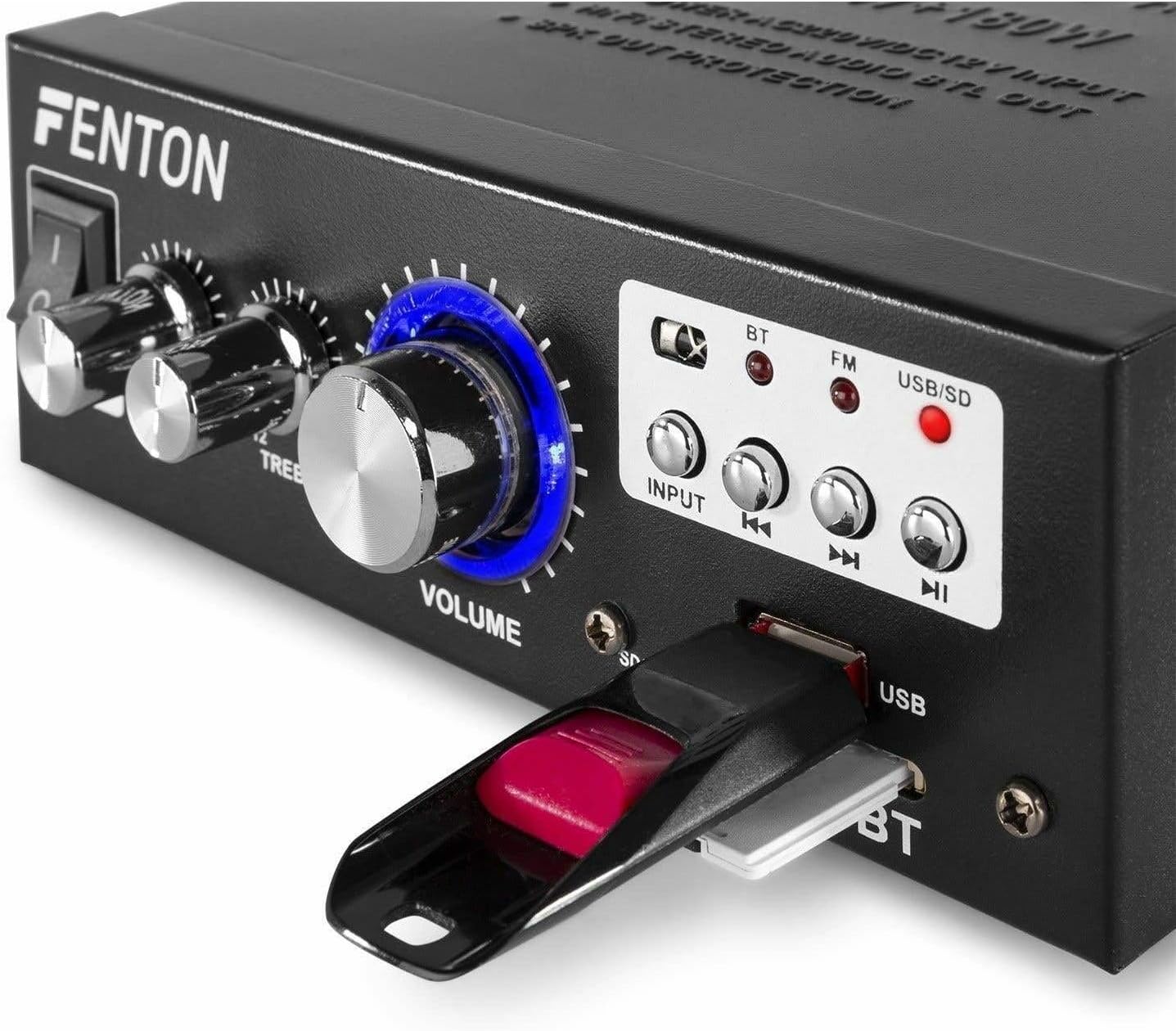
Imej: Jarak dekat view of the Fenton AV360BT's front panel, showing a USB flash drive inserted into the USB port and an SD card in the SD/MMC slot.
- Masukkan pemacu kilat USB ke dalam Port USB atau kad SD/MMC ke dalam Slot Kad SD/MMC.
- Tekan ke INPUT button until the USB/SD indicator light is illuminated. The amplifier will automatically detect and begin playing MP3 files.
- Gunakan Kawalan Main Semula (Previous, Play/Pause, Next) on the front panel or remote control to manage playback.
7.5 Operasi Radio FM
- Tekan ke INPUT button until the FM indicator light is illuminated.
- Gunakan Sebelumnya dan Seterusnya butang untuk mengimbas stesen radio.
- Ensure the antenna is fully extended for optimal reception.
7.6 Input AUX
When an external device is connected to the RCA AUDIO INPUT, select the AUX input mode using the INPUT butang. The amplifier will play audio from the connected device.
8. Penyelenggaraan
- Pembersihan: Gunakan kain lembut dan kering untuk membersihkan bahagian luar amppengikat. Jangan gunakan pembersih atau pelarut yang melelas.
- Storan: Store the unit in a cool, dry place when not in use for extended periods.
- Pengudaraan: Pastikan bukaan pengudaraan tidak disekat untuk mengelakkan terlalu panas.
9. Penyelesaian masalah
| Masalah | Kemungkinan Punca | Penyelesaian |
|---|---|---|
| Tiada keluaran bunyi | Power off; incorrect input selected; speaker connections loose; volume too low. | Ensure power is on; select correct input; check speaker wiring; increase volume. |
| Bluetooth tidak bersambung | Amplifier not in Bluetooth mode; device too far; device already paired with another unit. | Select Bluetooth input; move device closer; disconnect from other devices and try again. |
| Penerimaan radio FM yang lemah | Antena tidak dilanjutkan; isyarat lemah. | Fully extend the FM antenna; try repositioning the unit for better signal. |
| Isu main balik USB/SD | Tidak disokong file format; rosak files; incorrect input selected. | pastikan files are MP3 format; try different USB/SD media; select USB/SD input. |
10. Spesifikasi
| Ciri | Spesifikasi |
|---|---|
| Kuasa Keluaran | 2 x 40 W (80 W total) |
| Impedans | 8~16 ohm |
| Input Sensitivity (Line) | 0 ~ 2 V / 47 kohm |
| Sambungan Voltage | 220-240Vac/50Hz // 12Vdc-5A |
| Kekerapan Radio FM | 87.5 - 108.5 MHz |
| Dimensi (L x W x H) | 145 x 160 x 55 mm |
| Berat badan | lebih kurang 950 g |
| Sambungan | RCA, Bluetooth, USB, SD |
| Peranti Serasi | Penceramah |
| Sumber Kuasa (Alat Kawalan Jauh) | 1 non-standard battery (included) |
| Pengeluar | Tronios BV |
| Negara Asal | China |
11. Waranti dan Sokongan
Untuk maklumat jaminan atau sokongan teknikal, sila rujuk dokumentasi yang disediakan bersama pembelian anda atau hubungi peruncit anda. Simpan bukti pembelian anda untuk sebarang tuntutan jaminan.


