1. Pengenalan
Thank you for choosing the Technical Pro FS2BT Rechargeable Camping Fan. This multi-purpose device is designed to enhance your outdoor experiences by providing cooling, illumination, and entertainment. It features an 8-inch fan, a 24-LED work lamp, an AM/FM radio, a built-in speaker, and multiple audio input options, all powered by an internal rechargeable battery.
This manual provides essential information for the safe and efficient operation, maintenance, and troubleshooting of your FS2BT unit. Please read it thoroughly before use and retain it for future reference.

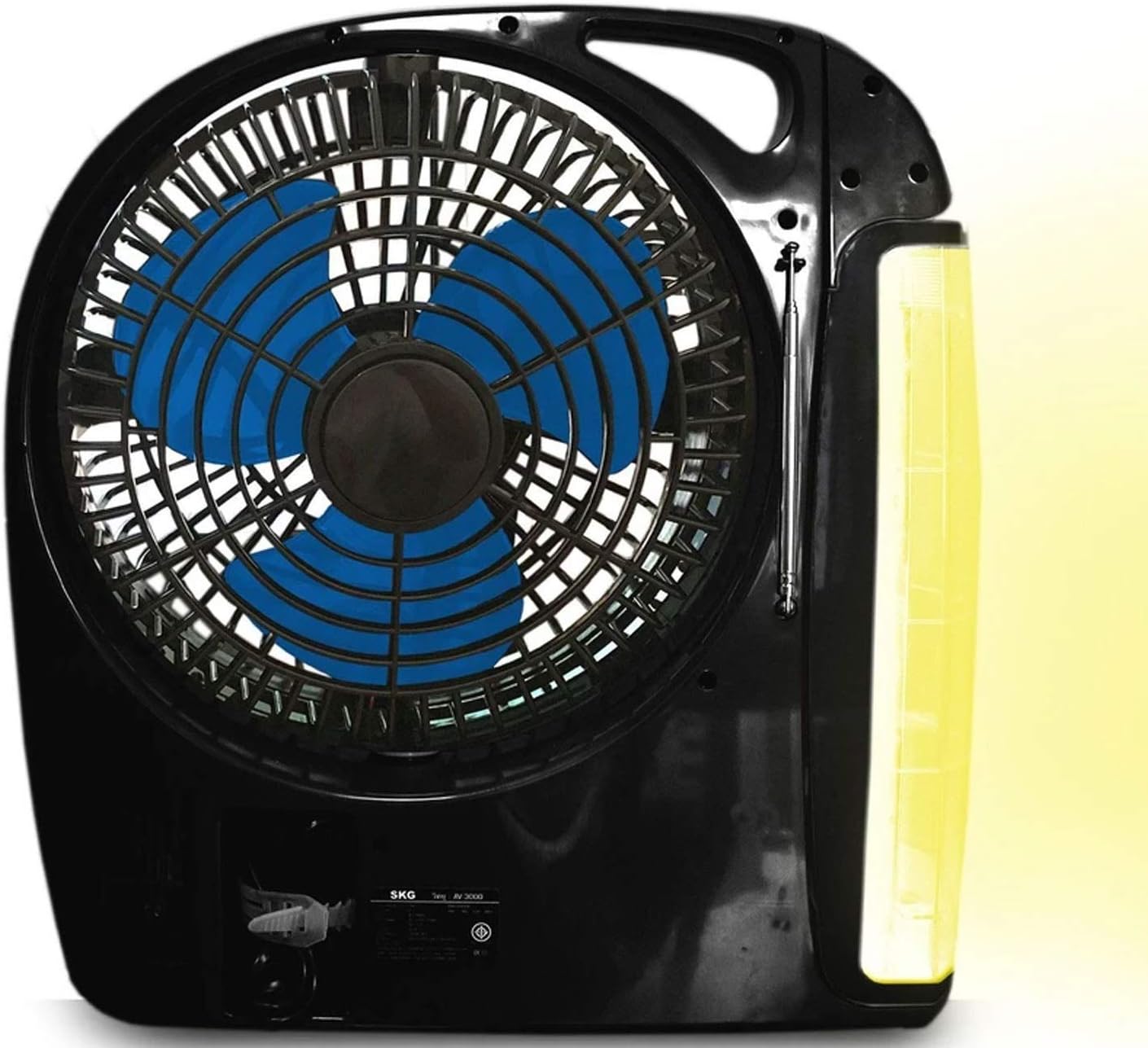
Rajah 1.1: The Technical Pro FS2BT unit with its fan, LED work lamp, and control panel. The lamp is shown in an extended, rotating position.
2. Arahan Keselamatan
Untuk memastikan operasi yang selamat dan mengelakkan kerosakan pada peranti atau kecederaan, sila patuhi langkah berjaga-jaga keselamatan berikut:
- Jangan dedahkan unit kepada hujan, kelembapan atau rendamkannya di dalam air.
- Jauhkan unit daripada cahaya matahari langsung dan sumber haba.
- Do not attempt to disassemble, repair, or modify the unit. Refer all servicing to qualified personnel.
- Ensure proper ventilation when operating the fan. Do not block the fan grille.
- Jauhkan jari dan objek lain daripada bilah kipas semasa operasi.
- Gunakan hanya kabel pengecasan dan sumber kuasa yang ditentukan.
- Fully charge the battery before first use and recharge regularly to maintain battery health.
- Simpan unit di tempat yang sejuk dan kering apabila tidak digunakan.
- Peranti ini bukan mainan. Jauhi dari kanak-kanak.
3. Persediaan dan Pengecasan Awal
Before using your Technical Pro FS2BT for the first time, it is recommended to fully charge the internal battery.
- Membongkar: Carefully remove the unit from its packaging and inspect for any damage.
- Caj Permulaan:
- Locate the retractable power cord on the unit.
- Extend the cord and plug it into a standard AC power outlet.
- The "CHARGE" indicator light (red) will illuminate, indicating that the unit is charging.
- benarkan 8-10 jam for a full charge. The "POWER" indicator light (green) will illuminate when fully charged.
- penempatan: Place the unit on a stable, flat surface. Ensure there is adequate space around the fan for optimal airflow.
Rajah 3.1: Detail of the control panel showing the charging indicators, power switch, and various function buttons.
4. Arahan Operasi
4.1. Menghidupkan/Mematikan
Locate the main power switch on the control panel. Slide it to the "AC" position for wall power, or "DC" for battery power. Slide to "OFF" to power down the unit.
4.2. Operasi Kipas
- To activate the fan, slide the "FAN" switch to "LOW" or "HIGH" for desired speed.
- To turn off the fan, slide the "FAN" switch to "OFF".
- The fan head can be manually adjusted to direct airflow.
4.3. LED Work Lamp Operasi

Rajah 4.1: The FS2BT unit demonstrating the adjustable LED work lamp in an extended position.
- The 24-LED work lamp can be folded out and rotated to various angles.
- Untuk menghidupkan lamp, slide the "LAMP" switch to the desired brightness setting (low or high).
- Untuk mematikan lamp, slide the "LAMP" switch to "OFF".
- Pencahayaan Kecemasan: When the unit is plugged into an AC outlet and the power goes out, the lamp will automatically activate (if the lamp switch is in an ON position) to provide emergency lighting.
4.4. Operasi Radio
- Extend the adjustable antenna for improved reception.
- Use the "RADIO" controls (buttons for AM/FM selection, tuning, and volume) on the control panel to select your desired station.
- Paparan digital akan menunjukkan frekuensi semasa.
4.5. Audio Playback (Bluetooth, USB, TF Card)
The FS2BT features a built-in speaker and supports various audio input methods:
- Bluetooth: Activate Bluetooth on your mobile device and pair with "FS2BT". Once connected, you can stream audio wirelessly.
- Pemacu Denyar USB: Insert a USB flash drive (up to 16GB) containing .mp3 audio files into the USB port. The unit will automatically detect and play the files.
- TF Card (Micro SD): Insert a TF card (up to 16GB) containing .mp3 audio files into the TF card slot. The unit will automatically detect and play the files.
- Use the playback controls (play/pause, skip track) on the unit to manage your audio.
5. Penyelenggaraan
- Pembersihan: Use a soft, dry cloth to clean the exterior of the unit. Do not use abrasive cleaners or solvents. For the fan grille, a soft brush can be used to remove dust.
- Penjagaan Bateri: To prolong the life of the internal rechargeable battery, avoid completely draining it. Recharge the unit fully after each use and at least once every three months if stored for extended periods.
- Storan: When not in use, store the FS2BT in a cool, dry place, away from direct sunlight and extreme temperatures. Ensure the retractable cord is properly stored in its compartment.
6. Penyelesaian masalah
| Masalah | Kemungkinan Punca | Penyelesaian |
|---|---|---|
| Unit tidak dihidupkan. | Bateri habis; Suis kuasa MATI. | Charge the unit for 8-10 hours. Ensure the power switch is set to "AC" or "DC". |
| Kipas tidak berfungsi. | Fan switch is OFF; Low battery. | Slide the "FAN" switch to "LOW" or "HIGH". Recharge the unit. |
| LED lamp is not illuminating. | Lamp switch is OFF; Low battery. | Slide the "LAMP" switch to a brightness setting. Recharge the unit. |
| Penerimaan radio yang lemah. | Antena tidak dilanjutkan; Isyarat lemah. | Fully extend the adjustable antenna. Try repositioning the unit. |
| USB/TF card audio not playing. | tak betul file format; Card/drive not inserted correctly; Card/drive capacity too large. | pastikan files are .mp3 format. Reinsert the card/drive. Use a card/drive up to 16GB. |
| Bluetooth tidak bersambung. | Bluetooth not enabled on device; Unit not in pairing mode. | Ensure Bluetooth is active on your device. Check the unit's display for pairing status. |
7. Spesifikasi

Rajah 7.1: Physical dimensions of the Technical Pro FS2BT unit.
| Nombor Model | TPFS2BT |
| Dimensi (L x W x H) | 31.75 cm x 11.43 cm x 33.02 cm (12.5" x 4.5" x 13") |
| Berat badan | 2.47 kg (5.45 lbs) |
| Bahan Bilah | plastik |
| Bilangan Bilah | 3 |
| Kelajuan Kipas | 2 (Rendah, Tinggi) |
| LED Lamp Mentol | 24 |
| LED Lamp Kecerahan | 2 tetapan |
| Sumber Kuasa | Rechargeable Lithium Ion Battery, AC Power |
| Bateri Termasuk | Ya (1 Litium Ion) |
| Masa Mengecas | 8-10 jam |
| Playtime (Fan High) | 3-4 jam |
| Playtime (Light High) | Sehingga 50 jam |
| Playtime (Speaker Medium) | Sehingga 24 jam |
| Input Audio | Bluetooth, USB (max 16GB), TF Card (max 16GB) |
| Penala Radio | Integrated Digital AM/FM |
| Jenis Bahan | plastik |
8. Waranti dan Sokongan
Technical Pro products are designed for reliability and performance. For specific warranty information, please refer to the warranty card included with your purchase or visit the official Technical Pro website. If you encounter any issues or require technical assistance, please contact Technical Pro customer support through their official channels.
Please have your model number (FS2BT) and purchase details ready when contacting support.


