1. Pengenalan
Welcome to the user manual for your new Baseus Encok W09 Bluetooth Touch Earphones. This guide will help you understand the features, set up your device, operate it effectively, and maintain it for optimal performance. Please read this manual carefully before using the product.
2. Produk Lebihview
The Baseus Encok W09 are wireless in-ear earphones designed for convenience and high-quality audio. They feature touch controls, a built-in microphone for calls, and come with a portable charging case.

Rajah 2.1: Fon Telinga dan Bekas Pengecasan
This image shows the Baseus Encok W09 earphones removed from their charging case, highlighting their sleek white design and compact form factor.
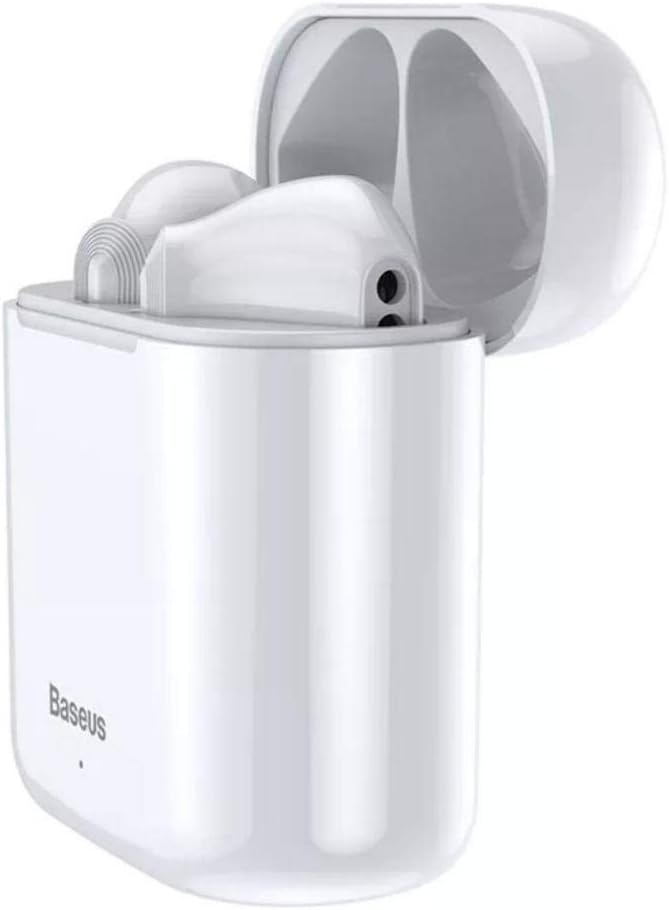
Figure 2.2: Earphones in Open Charging Case
The earphones are shown nestled within their open charging case, demonstrating how they are stored and charged. The case is also white, matching the earphones.

Figure 2.3: Closed Charging Case
This image displays the Baseus Encok W09 charging case in its closed state, showing its compact and portable design. The Baseus logo is visible on the front.
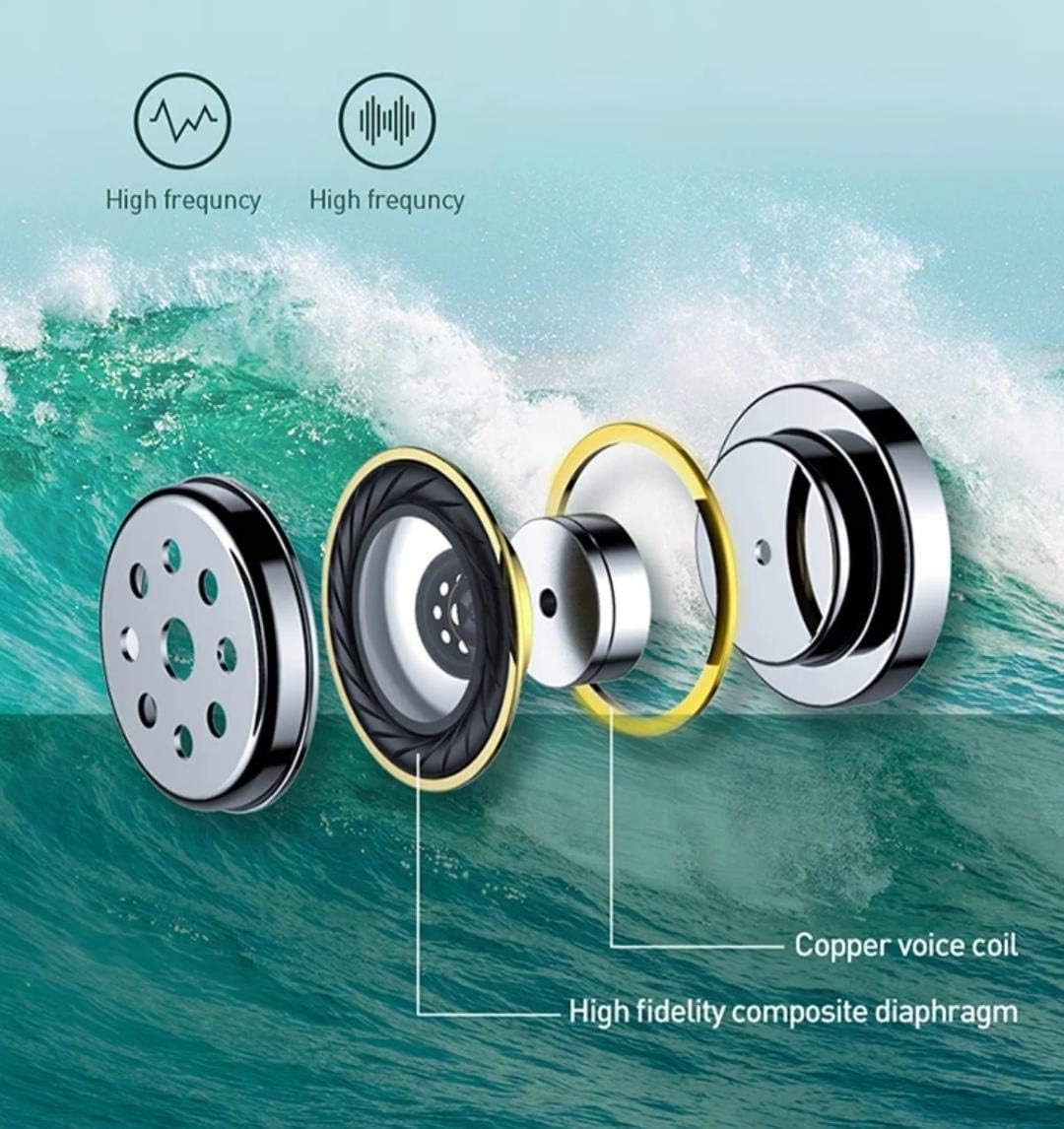
Figure 2.4: Internal Component Diagram
Sebuah meletup view diagram illustrating the internal components of the earphone, including the copper voice coil and high-fidelity composite diaphragm, which contribute to sound quality.
3. Persediaan
3.1 Mengecas Fon Telinga dan Sarung
Before first use, fully charge the earphones and the charging case. The charging case has a 450mAh battery capacity.
- Place both earphones into the charging case. Ensure they are correctly seated in their respective slots.
- Connect the charging case to a power source using a compatible USB cable (not included).
- The indicator light on the charging case will show the charging status. Refer to the indicator light guide in the packaging for specific light behaviors.
- Setelah dicas sepenuhnya, cabut kabel pengecasan.
3.2 Berpasangan Bluetooth
The Baseus Encok W09 earphones support automatic connection for easy pairing.
- Pastikan fon telinga dicas.
- Buka bekas pengecas. Fon telinga akan dihidupkan secara automatik dan memasuki mod berpasangan.
- Pada peranti anda (telefon pintar, tablet, dll.), dayakan Bluetooth.
- Cari untuk available Bluetooth devices. Select "Baseus Encok W09" from the list.
- Setelah disambungkan, anda akan mendengar nada pengesahan dan fon telinga akan sedia untuk digunakan.
- For subsequent uses, the earphones will automatically connect to the last paired device when removed from the case and Bluetooth is enabled on your device.
4. Arahan Operasi
4.1 Hidupkan/Mati Kuasa
- Hidupkan kuasa: Buka bekas pengecas, dan fon telinga akan dihidupkan secara automatik.
- Matikan: Letakkan fon telinga kembali ke dalam bekas pengecasan dan tutup penutupnya. Ia akan dimatikan secara automatik dan mula mengecas.
4.2 Kawalan Sentuhan
The Baseus Encok W09 earphones feature intuitive touch controls on each earbud.
- Main/Jeda: Ketik sekali pada salah satu fon telinga.
- Lagu Seterusnya: Ketik dua kali pada fon telinga kanan.
- Trek Sebelumnya: Ketik dua kali pada fon telinga kiri.
- Jawab/Tamatkan Panggilan: Ketik sekali pada sama ada fon telinga semasa panggilan masuk atau panggilan aktif.
- Tolak Panggilan: Tekan dan tahan salah satu fon telinga selama 2 saat semasa panggilan masuk.
- Aktifkan Pembantu Suara: Ketik tiga kali pada salah satu fon telinga.
4.3 Membuat dan Menerima Panggilan
The built-in microphone allows for clear hands-free communication.
- Ensure earphones are connected to your phone.
- Untuk menjawab panggilan masuk, ketik sekali sama ada fon telinga.
- Untuk menamatkan panggilan aktif, ketik sekali sama ada fon telinga.
- Untuk menolak panggilan masuk, tekan dan tahan mana-mana fon telinga selama 2 saat.
5. Penyelenggaraan
Proper maintenance ensures the longevity and performance of your earphones.
- Pembersihan: Gunakan kain lembut, kering dan tidak berbulu untuk membersihkan fon telinga dan bekas pengecas. Jangan gunakan pembersih yang kasar, alkohol atau pelarut kimia.
- Storan: When not in use, store the earphones in their charging case to protect them from dust and damage. Store in a cool, dry place away from direct sunlight and extreme temperatures.
- Penjagaan Bateri: To preserve battery life, avoid fully discharging the earphones and charging case frequently. Charge them regularly, even if not in use for extended periods.
- Tahan Air: These earphones are not waterproof. Avoid exposure to water, sweat, or high humidity.
6. Penyelesaian masalah
If you encounter issues with your Baseus Encok W09 earphones, try the following solutions:
- Fon telinga tidak berpasangan:
- Pastikan kedua-dua fon telinga dicas.
- Matikan Bluetooth pada peranti anda dan hidupkannya semula.
- Forget/delete "Baseus Encok W09" from your device's Bluetooth list and try pairing again.
- Letakkan fon telinga kembali ke dalam bekas, tutup penutup, tunggu beberapa saat, kemudian buka untuk memasuki semula mod berpasangan.
- Tiada bunyi dari satu fon telinga:
- Pastikan kedua-dua fon telinga dicas.
- Letakkan kedua-dua fon telinga kembali ke dalam bekas pengecas, tutup penutupnya, kemudian keluarkannya semula.
- Try resetting the earphones (refer to the product packaging or manufacturer's webtapak untuk arahan set semula khusus jika perlu).
- Sarung pengecas tidak dicas:
- Periksa kabel pengecas dan penyesuai kuasa. Cuba kabel atau penyesuai yang berbeza.
- Pastikan port pengecasan pada bekas bersih dan bebas daripada serpihan.
- Kawalan sentuh tidak bertindak balas:
- Ensure the earphones are powered on and connected.
- Clean the touch sensitive area on the earbuds.
- Mulakan semula fon telinga dengan meletakkannya di dalam bekas dan mengeluarkannya semula.
7. Spesifikasi
| Jenama | Baseus |
| Nama Model | Baseus Encok W09 |
| Nombor Bahagian Pengilang | TWS-W09 |
| warna | putih |
| Teknologi Ketersambungan | Wayarles (Bluetooth) |
| Faktor Bentuk Fon Kepala | Di Telinga |
| Mikrofon Termasuk | ya |
| Kawalan Bunyi | Pembatalan Bunyi Aktif |
| Mengecas Bateri Kes | 450mAh |
| Peranti Serasi | All devices with Bluetooth capability |
| bahan | plastik |
| Komponen yang Disertakan | Kusyen Telinga |
| Dimensi Produk | 7.8 x 4.3 x 0.7 cm |
| Berat Barang | 20 gram |
8. Maklumat Keselamatan
Sila baca dan patuhi garis panduan keselamatan ini untuk mengelakkan kecederaan atau kerosakan pada peranti anda:
- Jangan buka, baiki atau ubah suai produk. Ini boleh menyebabkan kebakaran, renjatan elektrik atau kerosakan sepenuhnya pada produk.
- Keep the product away from extreme temperatures (hot or cold), direct sunlight, and high humidity.
- Elakkan daripada menjatuhkan atau meletakkan fon telinga kepada hentaman kuat.
- Do not expose the earphones or charging case to water or other liquids.
- Gunakan hanya kabel dan penyesuai pengecas yang diluluskan.
- Pendedahan berpanjangan kepada bunyi yang kuat boleh menyebabkan kerosakan pendengaran. Laraskan kelantangan ke tahap yang selamat.
- Jauhkan daripada kanak-kanak dan haiwan peliharaan. Bahagian kecil mungkin menimbulkan bahaya tercekik.
9. Waranti dan Sokongan
Baseus products are designed with quality and reliability in mind. For warranty information, technical support, or service inquiries, please refer to the warranty card included with your product or visit the official Baseus webtapak. Simpan resit pembelian anda sebagai bukti pembelian untuk tuntutan waranti.
For further assistance, you may contact Baseus customer support through their official channels.


