1. Pengenalan
Thank you for choosing the Fortte TEZAUR Computer Desk. This manual provides essential information for the safe assembly, operation, and maintenance of your new desk. Please read these instructions carefully before beginning assembly and retain them for future reference.
The Fortte TEZAUR desk is designed for daily use in a home office or gaming setup, offering a functional and ergonomic workspace. It features a rectangular design with a black matte finish combined with orange accents, and includes a single drawer for storage.
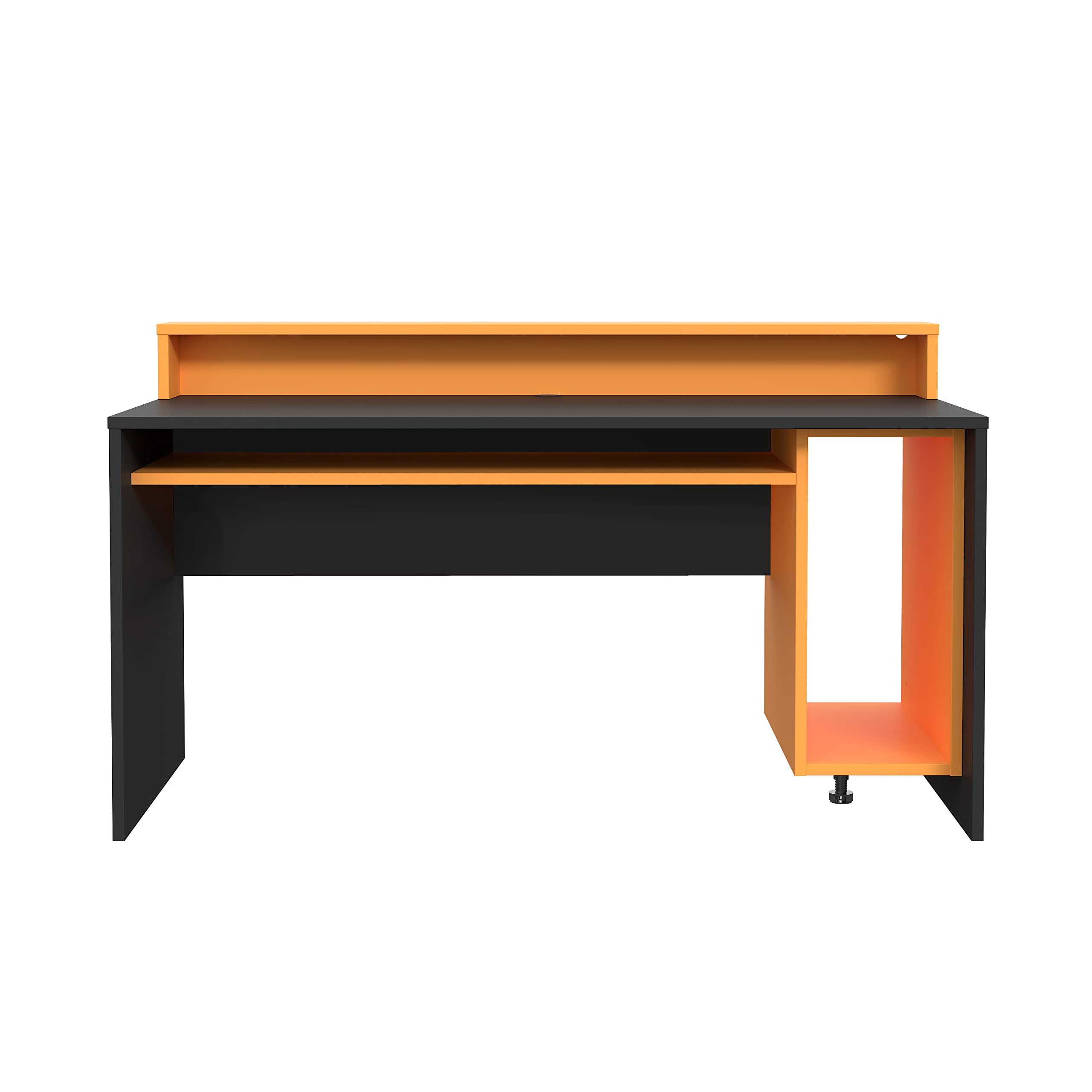
Figure 1: Fortte TEZAUR Computer Desk in a typical setup.
2. Kandungan Pakej
Your Fortte TEZAUR Computer Desk is typically shipped in multiple packages. Please ensure all packages are received and inspect them for any signs of damage before opening. If any parts are missing or damaged, please contact customer support immediately.

Figure 2: Product may be shipped in multiple packages.
The packages should contain all necessary components for assembly, including:
- Desk panels (tabletop, side panels, back panel, drawer components)
- Monitor stand/raised platform components
- Pek perkakasan (skru, dowel, kunci sesondol, slaid laci, dll.)
- Arahan pemasangan (manual ini)
3. Arahan Persediaan dan Pemasangan
Assembly of the Fortte TEZAUR Computer Desk requires basic household tools and can typically be completed by one or two adults. Please follow the step-by-step diagrams provided in the separate assembly guide included with your product. Ensure you have sufficient space for assembly and protect your floor surface.
3.1 Alat yang Diperlukan (Tidak Termasuk)
- Pemutar skru kepala Phillips
- Tukul (untuk dowel)
- Pita pengukur (pilihan, untuk penempatan)
3.2 Petua Pemasangan
- Kenal pasti semua bahagian dan perkakasan sebelum memulakan.
- Do not overtighten screws to avoid damaging the wood-based material.
- Pasang pada permukaan yang lembut dan bersih untuk mengelakkan calar.
- Ensure all connections are secure before using the desk.
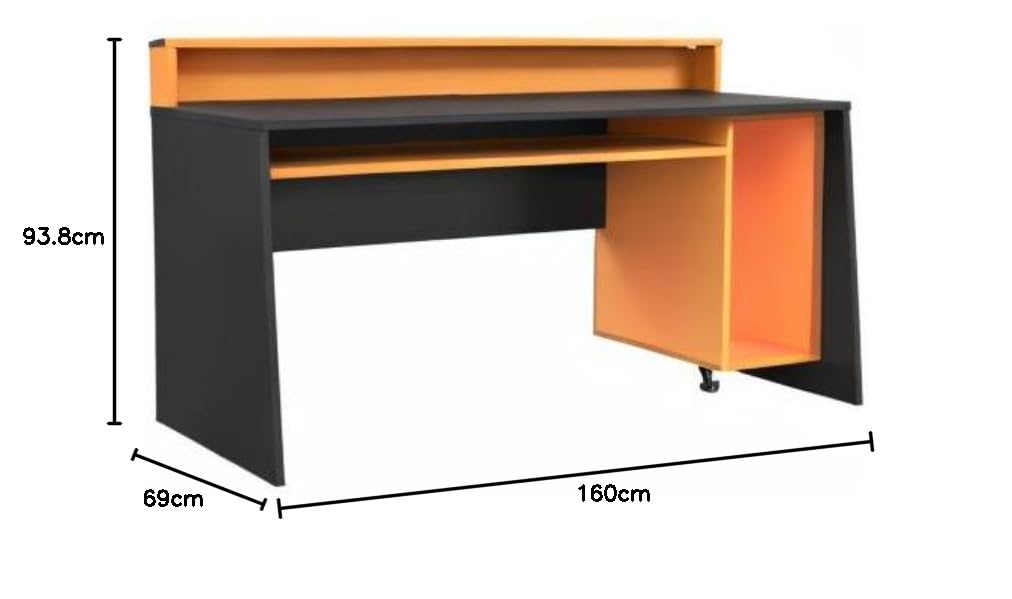
Figure 3: Desk dimensions for planning your space.
4. Arahan Operasi
The Fortte TEZAUR Computer Desk is designed for optimal functionality and comfort. Here are some key features and usage guidelines:
- Reka bentuk ergonomik: The desk features a raised platform, ideal for placing a monitor at an ergonomic viewing height, reducing neck and eye strain.
- Storan: An open compartment provides ample storage space, and a single drawer offers concealed storage for personal items or office supplies.
- Pengurusan Kabel: A cable grommet is integrated into the compartment for easy and organized cable routing, keeping your workspace tidy.
- Kapasiti Berat: The maximum load on the tabletop is 40 kg. The monitor stand can support up to 10 kg, and the compartment can hold up to 5 kg. Do not exceed these limits to ensure stability and longevity of the desk.

Figure 4: Detail of the monitor stand and storage compartment.
5. Penyelenggaraan
To ensure the longevity and appearance of your Fortte TEZAUR Computer Desk, follow these maintenance guidelines:
- Pembersihan: Lap permukaan meja dengan lembut, damp kain. Elakkan daripada menggunakan bahan kimia yang keras, pembersih yang melelas, atau pengilat yang boleh merosakkan kemasan.
- Tumpahan: Immediately wipe up any spills to prevent staining or damage to the wood-based material.
- Haba dan Kelembapan: Avoid placing hot items directly on the surface. Use coasters or protective pads. Keep the desk away from excessive moisture or direct sunlight to prevent warping or fading.
- Pemeriksaan: Periksa semua skru dan kelengkapan secara berkala untuk memastikan ia kekal ketat. Ketatkan semula jika perlu.
6. Penyelesaian masalah
If you encounter any issues with your Fortte TEZAUR Computer Desk, refer to the following common troubleshooting tips:
- Meja goyah: Ensure all screws and fittings are securely tightened. Check that the desk is placed on a level surface. Adjust any leveling feet if present.
- Laci tidak meluncur dengan lancar: Verify that the drawer slides are correctly installed and aligned. Ensure no obstructions are in the drawer tracks. Lubricate slides with a silicone-based spray if needed.
- Bahagian yang hilang: Double-check all packaging materials. If parts are genuinely missing, contact customer support with your purchase details and the specific part numbers from the assembly guide.
- Surface damage during assembly: If minor scratches or chips occur, furniture repair pens or touch-up kits can be used. For significant damage, contact customer support.
7. Spesifikasi

Figure 5: Fortte TEZAUR Computer Desk, alternative view.
| Ciri | Perincian |
|---|---|
| Jenama | Forte |
| Nombor Model | TZRB212-C913 |
| warna | Black matte combined with orange |
| Dimensi Produk (W x H x D) | 160 x 93.8 x 69 cm |
| bahan | Engineered wood, Metal, Wood-based materials, Melamine |
| Ciri Khas | Ergonomic, Cable management grommet, Damage-resistant ABS edge |
| Bilangan Laci | 1 |
| Penggunaan yang Disyorkan | Work, Gaming |
| Kapasiti Muatan Atas Meja | 40 kg |
| Monitor Stand Load Capacity | 10 kg |
| Compartment Load Capacity | 5 kg |
8. Waranti dan Sokongan
For information regarding warranty coverage, claims, or technical support, please refer to the warranty card included with your product or contact Forte customer service directly. Keep your proof of purchase for any warranty-related inquiries.
Contact information for Forte customer support can typically be found on the manufacturer's webtapak atau pada pembungkusan produk.


