1. Pengenalan
Thank you for choosing the FeinTech LED Desk Lamp LTL00600. This high-quality desk lamp is designed to provide optimal lighting for your workspace while offering convenient features such as a USB charging port, adjustable brightness, and customizable color temperature. Please read this manual thoroughly before use to ensure proper operation and to maximize the lifespan of your product.
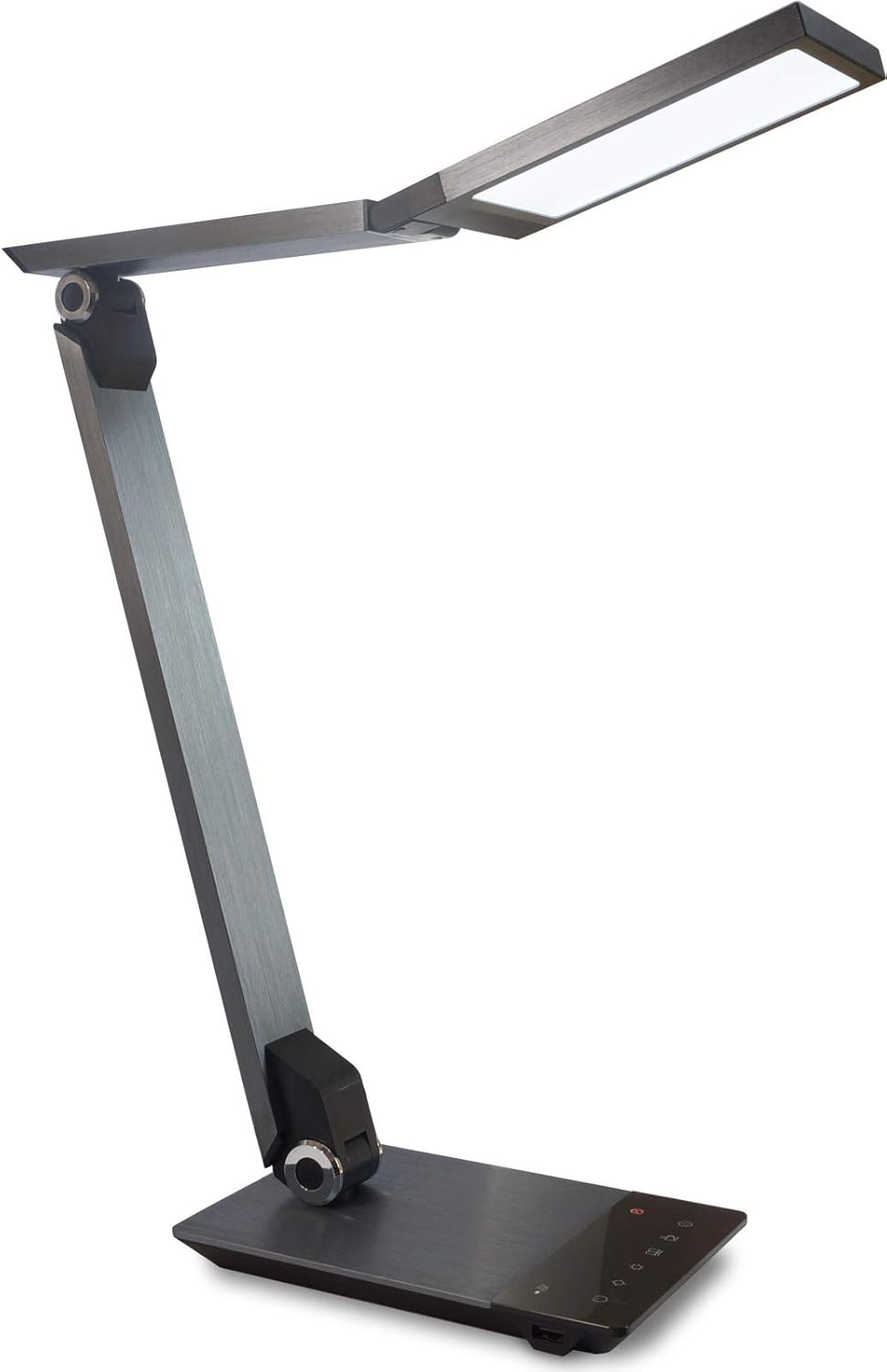
Image 1.1: FeinTech LED Desk Lamp LTL00600. This image displays the lamp dalam kedudukan tegaknya, tunjukkanasing its brushed aluminum finish and sleek design.
2. Arahan Keselamatan
Untuk mengelakkan kerosakan atau kecederaan, sila patuhi langkah berjaga-jaga keselamatan berikut:
- Ensure the power adapter is connected to a suitable power outlet.
- Jangan dedahkan lamp kepada air atau kelembapan yang berlebihan.
- Avoid disassembling or modifying the lamp. Repairs should only be performed by qualified personnel.
- Simpan lamp jauh dari sumber haba dan cahaya matahari langsung.
- Bersihkan lamp only with a soft, dry cloth. Do not use abrasive cleaners or solvents.
- Jangan melihat terus ke sumber cahaya LED untuk tempoh yang lama.
3. Kandungan Pakej
Sila pastikan semua item ada dalam pakej:
- Meja LED FeinTech Lamp (Model: LTL00600)
- Penyesuai Kuasa (12V/2A)
4. Produk Lebihview
Familiarize yourself with the components of your FeinTech LED Desk Lamp:
- Lamp Ketua: Contains the LED light source.
- Lengan boleh laras: Multiple joints for flexible positioning.
- Pangkalan: Provides stability and houses the control panel and USB port.
- Panel Kawalan: Touch-sensitive buttons for power, brightness, color temperature, and timer.
- Port Pengecasan USB: Located on the side of the base for device charging.

Imej 4.1: Atas-bawah view daripada lamp's base and control panel. This image highlights the touch-sensitive buttons for various functions.

Imej 4.2: Sisi view daripada lamp's base, showing the integrated USB charging port. This port allows for convenient charging of compatible devices.
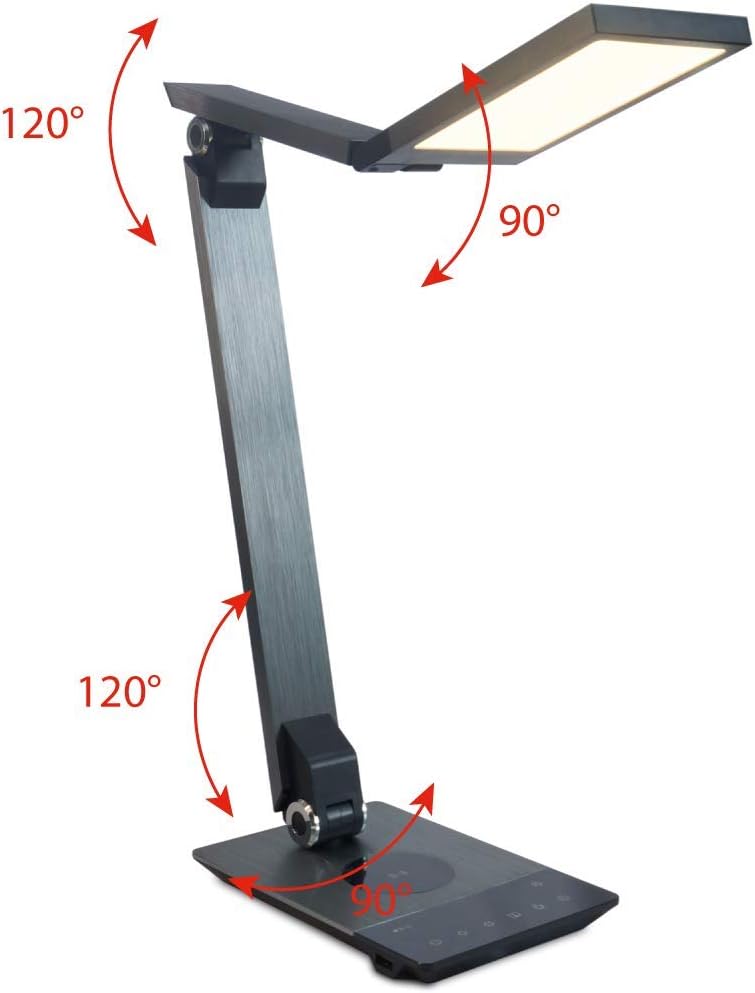
Image 4.3: Diagram illustrating the articulation angles of the lamp's joints. The lamp head can rotate 90 degrees, the upper arm 120 degrees, and the lower arm 120 degrees, allowing for flexible positioning.
5. Persediaan
Ikuti langkah ini untuk persediaan awal:
- Bongkar: Keluarkan semua komponen dari pembungkusan dengan berhati-hati.
- penempatan: Letakkan lamp base on a stable, flat surface. Ensure there is enough space for the lamp to be adjusted without obstruction.
- Sambungkan Kuasa: Insert the power adapter cable into the DC input port on the back of the lamp base. Plug the power adapter into a standard electrical outlet.
6. Arahan Operasi
The FeinTech LED Desk Lamp mempunyai kawalan sentuh intuitif pada tapaknya.
6.1 Hidupkan/Mati Kuasa
- Sentuh pada Butang kuasa on the control panel (refer to Image 4.1) to turn the lamp hidup atau mati.
6.2 Pelarasan Kecerahan (Malap)
- Dengan lamp on, touch and hold the Kecerahan Naik or Kecerahan Turun buttons (refer to Image 4.1) to steplessly adjust the light intensity.
- Lamp base will vibrate slightly when the minimum or maximum brightness level is reached.
6.3 Pelarasan Suhu Warna
- Dengan lamp on, touch and hold the Color Temperature Up or Color Temperature Down buttons (refer to Image 4.1) to steplessly adjust the light color from warm white (2700K) to cool white (6500K).
- Lamp base will vibrate slightly when the minimum or maximum color temperature is reached.
6.4 Favorite Settings
- Lamp allows you to store and recall 3 favorite light settings (brightness and color temperature).
- To save a setting: Adjust the brightness and color temperature to your desired level. Then, touch and hold one of the Butang kegemaran (refer to Image 4.1) until the lamp flashes briefly, indicating the setting is saved.
- To recall a setting: Simply touch the corresponding Butang kegemaran.
- The last used brightness and color temperature settings are automatically saved even after the lamp dimatikan.
6.5 Fungsi Pengecasan USB
- Connect your smartphone or other compatible device to the USB charging port on the side of the lamp base (refer to Image 4.2) using a suitable USB cable.
- The intelligent USB port delivers up to 2.4A for fast charging.
- An LED indicator will signal ongoing and completed charging status.
6.6 Fungsi Pemasa
- Sentuh pada Butang pemasa (refer to Image 4.1) to activate the timer function.
- The first touch activates a 3-minute timer.
- A second touch activates a 1-hour timer.
- Lamp will automatically turn off after the selected time period.
7. Penyelenggaraan
Untuk mengekalkan l andaamp's appearance and functionality:
- Sentiasa putuskan sambungan lamp daripada bekalan kuasa sebelum dibersihkan.
- Lap lamp dengan kain lembut, kering dan tidak berbulu.
- Do not use liquid or aerosol cleaners, as they may damage the finish or internal components.
- Avoid scratching the brushed aluminum surface.
8. Penyelesaian masalah
Jika anda menghadapi masalah dengan l andaamp, rujuk kepada masalah dan penyelesaian biasa berikut:
| Masalah | Kemungkinan Punca | Penyelesaian |
|---|---|---|
| Lamp tidak menyala. | Tiada bekalan kuasa. | Check if the power adapter is securely connected to the lamp and the electrical outlet. Test the outlet with another device. |
| Pengecasan USB tidak berfungsi. | Peranti tidak serasi atau kabel rosak. | Ensure your device is compatible with USB charging. Try a different USB cable. Verify the lamp dihidupkan. |
| Kawalan sentuh tidak bertindak balas. | Gangguan perisian sementara atau isu kuasa. | Disconnect the power adapter for 30 seconds, then reconnect it. Ensure your fingers are clean and dry when operating the touch controls. |
9. Spesifikasi
| Nombor Model | LTL00600 |
| Dimensi (L x W x H) | 36 x 13.5 x 44 cm (lebih kurang 14.2 x 5.3 x 17.3 inci) |
| Berat badan | 1.84 kg (kira-kira 4.06 paun) |
| bahan | Aluminium Berus |
| Sumber Cahaya | LED |
| Max. Light Output | 500 lumens (1000 lux at 40 cm distance) |
| Suhu Warna (CCT) | 2700 K (Warm White) to 6500 K (Cool White) |
| Power Consumption (Lamp sahaja) | Maks. 10 W |
| Power Consumption (Lamp & Charging) | Maks. 22 W |
| Output USB | Sehingga 2.4 A |
| Input Voltage (Penyesuai) | 12 V / 2 A |
| Jenis Suis | Sentuh |

Image 9.1: Diagram showing the dimensions of the FeinTech LED Desk Lamp. lamp measures approximately 36 cm in length, 13.5 cm in width, and 44 cm in height.
10. Waranti dan Sokongan
FeinTech products are designed for reliability and performance. For warranty information or technical support, please refer to the warranty card included with your purchase or visit the official FeinTech webtapak. Sila simpan bukti pembelian anda untuk tuntutan waranti.


