1. Pengenalan
Welcome to the ausounds AU-Stream Hybrid True Wireless Earbuds. This manual provides detailed instructions for the proper setup, operation, and maintenance of your new earbuds. Featuring Hybrid Active Noise Cancellation, Bluetooth 5.0 connectivity, and a wireless charging case, these earbuds are designed for an enhanced audio experience.
2. Kandungan Pakej
- ausounds AU-Stream Hybrid True Wireless Earbuds (Left and Right)
- Sarung Pengecas Tanpa Wayar
- Kabel Pengecas USB
- Pelbagai Saiz Petua Telinga
- Manual Arahan
3. Produk Lebihview
Familiarize yourself with the components of your ausounds AU-Stream Hybrid earbuds and charging case.

Image: The ausounds AU-Stream Hybrid earbuds resting inside their open wireless charging case. The earbuds are gold-colored with the 'AU' logo, and the case is also gold with a black interior, showing charging contacts and 'L' and 'R' indicators.
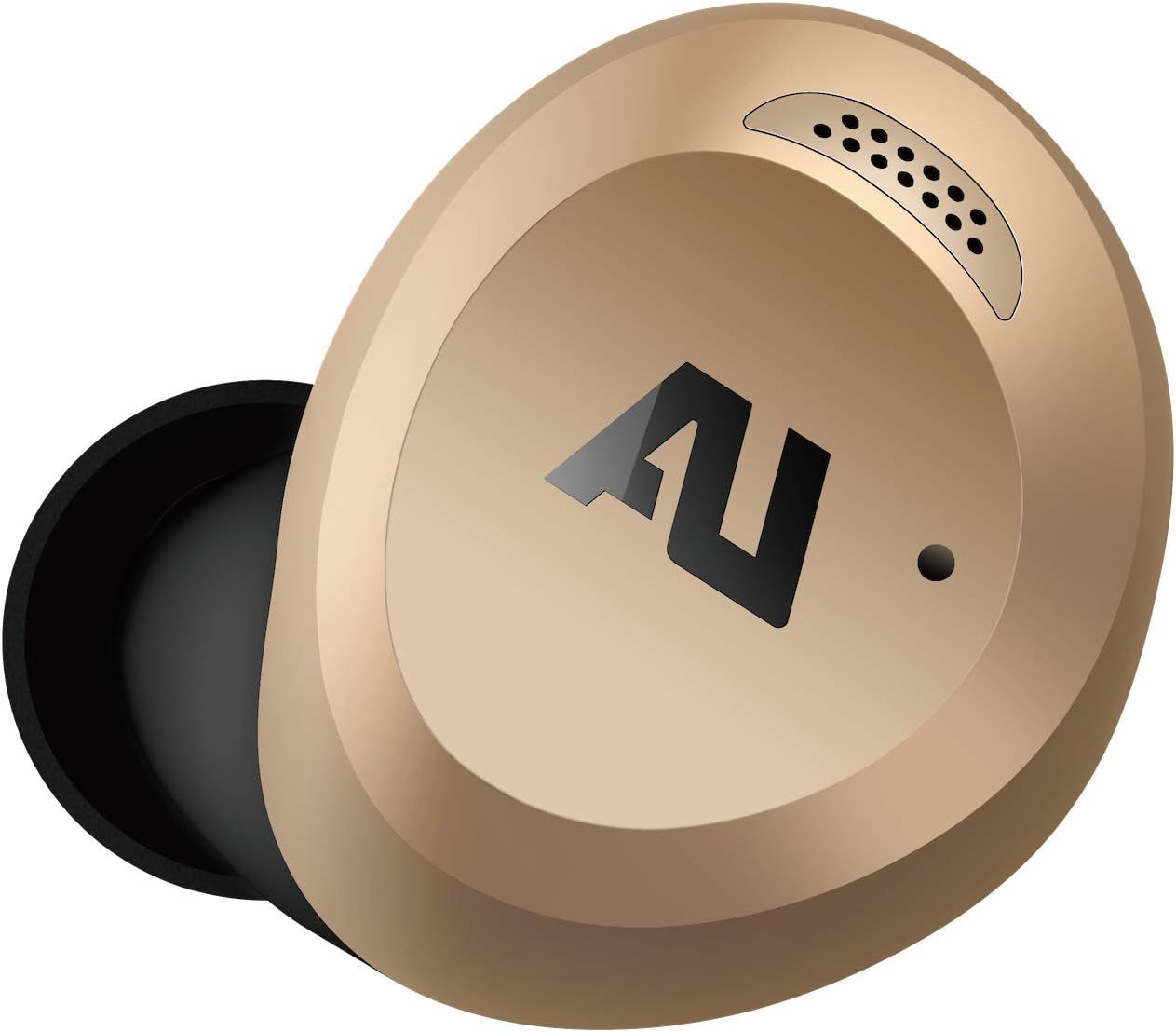
Imej: Dari dekat view of the right ausounds AU-Stream Hybrid earbud. It features a gold exterior with the 'AU' logo and a black ear tip. A small grille for microphones or sensors is visible near the top edge.

Image: The open wireless charging case for the ausounds AU-Stream Hybrid earbuds, shown empty. The gold exterior and black interior are visible, along with the charging pins for the earbuds and 'L' and 'R' indicators.
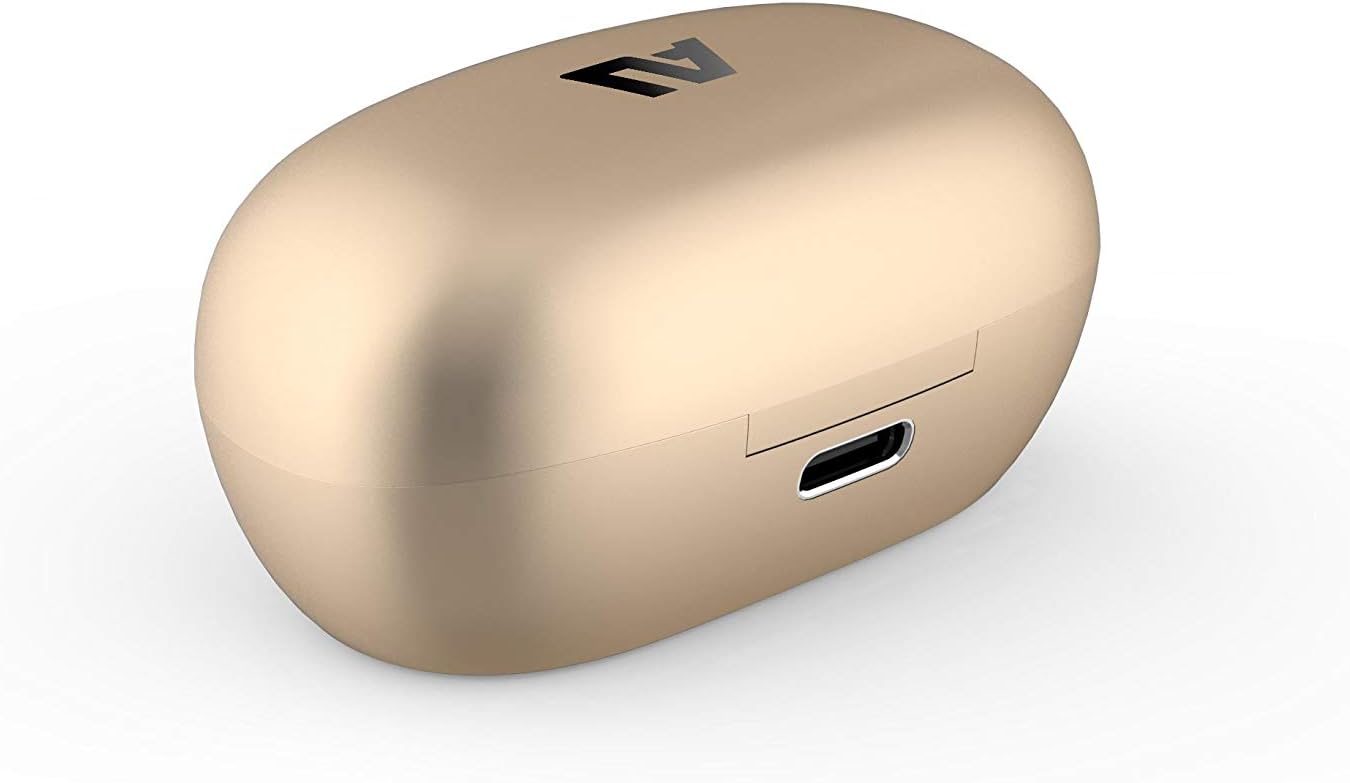
Image: The ausounds AU-Stream Hybrid charging case in a closed position, displaying its gold finish. A USB-C charging port is visible on the back of the case.
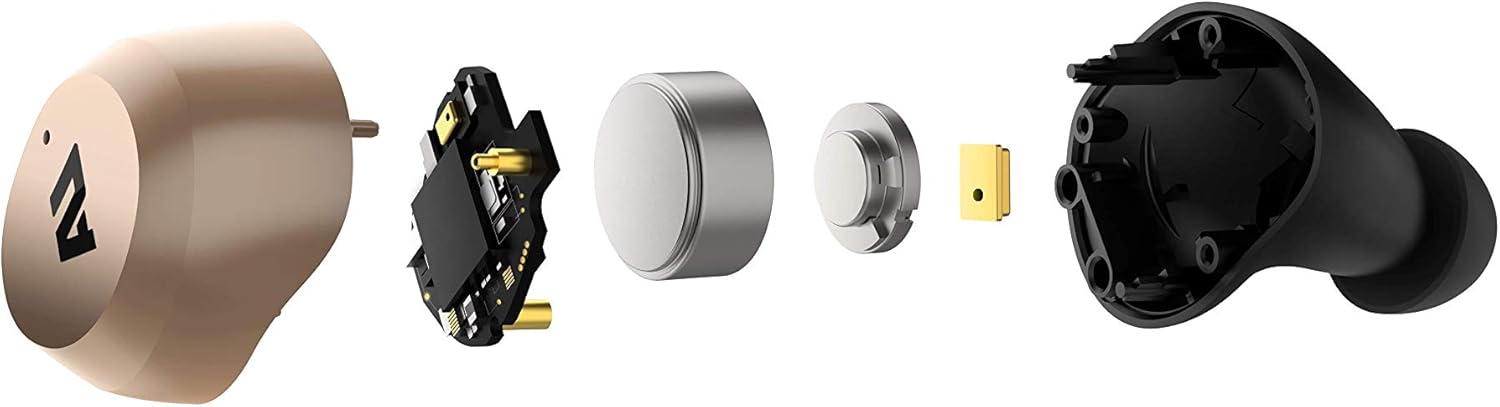
Image: An exploded diagram showing the internal components of an ausounds AU-Stream Hybrid earbud, including the outer shell, circuit board, battery, and ear tip.
4. Persediaan
4.1 Mengecas Fon telinga dan Sarung
Sebelum penggunaan pertama, cas sepenuhnya fon telinga dan bekas pengecas.
- Mengecas Kes: Connect the provided USB charging cable to the USB-C port on the charging case and a power source. The LED indicators on the case will show charging status. Alternatively, place the case on a compatible wireless charging pad. A full charge takes approximately 1.5 hours.
- Mengecas fon telinga: Place the earbuds into the charging case. Ensure they are correctly seated in their respective 'L' and 'R' slots. The earbuds will automatically begin charging. The case provides additional charges, extending total listening time to 25 hours (9 hours from earbuds + 16 hours from case).
4.2 Berpasangan Bluetooth
Untuk menyambungkan fon telinga anda kepada peranti:
- Pastikan fon telinga dicas dan diletakkan di dalam bekas pengecasan.
- Open the charging case lid. The earbuds will automatically enter pairing mode, indicated by flashing LED lights on the earbuds.
- Pada peranti anda (telefon pintar, tablet, komputer riba), pergi ke tetapan Bluetooth.
- Select "AU-Stream Hybrid" from the list of available devices.
- Once connected, the earbud LEDs will stop flashing, indicating successful pairing.
- Fon telinga akan menyambung semula secara automatik ke peranti gandingan terakhir apabila dialih keluar daripada sarung, jika Bluetooth didayakan pada peranti.
5. Operasi
5.1 Kawalan Sentuhan
The AU-Stream Hybrid earbuds feature intuitive touch controls on the outer surface of each earbud.
| Tindakan | Kawalan |
|---|---|
| Main/Jeda | Ketik sekali pada salah satu fon telinga |
| Trek Seterusnya | Ketik dua kali pada fon telinga kanan |
| Trek Sebelumnya | Ketik dua kali pada fon telinga kiri |
| Kelantangan Naik | Ketik tiga kali pada fon telinga kanan |
| Kelantangan Kurang | Ketik tiga kali pada fon telinga kiri |
| Jawab/Tamatkan Panggilan | Ketik sekali pada salah satu fon telinga |
| Tolak Panggilan | Tekan dan tahan salah satu fon telinga selama 2 saat |
| Aktifkan Pembantu Suara | Tekan dan tahan salah satu fon telinga selama 3 saat |
5.2 Pembatalan Bunyi Aktif (ANC) dan Bunyi Ambien
The AU-Stream Hybrid earbuds feature Hybrid Active Noise Cancellation (ANC) to reduce ambient noise by up to -28dB, and an Ambient Sound mode to allow you to hear your surroundings.
- Menukar Mod: Tekan dan tahan kawasan kawalan sentuh pada kiri earbud for approximately 2 seconds to cycle between ANC On, Ambient Sound, and ANC Off modes.
- ANC Hidupkan: Mengurangkan hingar luaran untuk pengalaman mendengar yang mengasyikkan.
- Bunyi Ambien: Allows external sounds to pass through, enhancing awareness of your surroundings.
5.3 Membuat Panggilan
The earbuds are equipped with dual microphones for clear call quality. Use the touch controls to manage calls as described above.
5.4 Pembantu Suara
Activate your device's AI voice assistant (Siri, Google Assistant) by pressing and holding either earbud for 3 seconds.
6. Penyelenggaraan
6.1 Pembersihan
Pembersihan tetap membantu mengekalkan prestasi dan kebersihan yang optimum.
- Lap perlahan fon telinga dan bekas pengecas dengan kain lembut, kering dan tidak berbulu.
- Tanggalkan hujung telinga dan bersihkannya dengan sabun lembut dan air, kemudian keringkan dengan teliti sebelum disambungkan semula.
- Use a dry cotton swab to carefully clean the charging contacts on both the earbuds and inside the case.
- Elakkan menggunakan bahan yang kasar, pelarut atau bahan kimia yang keras.
6.2 Tahan Air
The earbuds have an IPX5 waterproof rating, meaning they can resist a sustained, low-pressure water jet spray and sweat. They are not designed for submersion in water.
6.3 Penyimpanan
Apabila tidak digunakan, simpan fon telinga di dalam bekas pengecas untuk melindunginya dan memastikan ia kekal dicas. Simpan di tempat yang sejuk dan kering, jauh daripada suhu yang melampau.
7. Penyelesaian masalah
If you encounter issues with your ausounds AU-Stream Hybrid earbuds, refer to the following solutions:
| Masalah | Penyelesaian |
|---|---|
| Fon telinga tidak dicas | Ensure the charging case is charged. Verify earbuds are correctly seated in the case and charging contacts are clean. Try a different USB-C cable or wireless charging pad. |
| Cannot pair with device / No connection | Ensure earbuds are in pairing mode (open case lid). Turn off and on Bluetooth on your device. Forget "AU-Stream Hybrid" in your device's Bluetooth settings and re-pair. Ensure earbuds are sufficiently charged. |
| Tiada bunyi dari fon telinga | Check device volume and earbud volume. Ensure earbuds are paired and connected. Try playing audio from a different application or device. Ensure ear tips are properly sealed in your ear. |
| Active Noise Cancellation (ANC) not working effectively | Ensure ANC mode is activated (press and hold left earbud). Adjust earbud fit to ensure a proper seal. Ensure ear tips are the correct size for your ears. |
| Microphone issues during calls | Ensure earbuds are properly connected. Check for any obstructions covering the microphone ports. Test in a quieter environment. |
| Earbuds not turning on/off | Place earbuds back into the charging case and close the lid, then open again. Ensure earbuds are charged. |
8. Spesifikasi
| Ciri | Perincian |
|---|---|
| Nama Model | AU-Stream Hybrid |
| Ketersambungan | Bluetooth 5.0 |
| Julat Bluetooth | Sehingga 32.8 kaki (10 meter) |
| Kawalan Bunyi | Hybrid Active Noise Cancellation (-28dB), Ambient Sound |
| Pemacu Audio | 9.2mm AU Titanium Driver |
| Julat Kekerapan | 20Hz - 20kHz |
| Hayat Bateri (Earbud) | Sehingga 9 jam (masa bercakap) |
| Jumlah Hayat Bateri (dengan Sarung) | Sehingga 25 jam |
| Masa Pengecasan (Kes) | lebih kurang 1.5 jam |
| Antara Muka Pengecasan | USB-C, Pengecasan Tanpa Wayar |
| Tahan Air | IPX5 (kalis air) |
| Jenis Kawalan | Kawalan Sentuh, Kawalan Suara |
| Mikrofon | Dwi Mikrofon |
| Peranti Serasi | Telefon Pintar, Tablet, Komputer riba, Pembesar Suara Pintar |
| Berat Barang | 0.1 Kilogram (3.52 auns) |
| Dimensi Produk | 8.3 x 6.3 x 4.8 inci |
9. Maklumat Keselamatan
This product is intended for adult use. Please ensure proper handling and storage to prevent damage or injury. Do not attempt to disassemble or modify the product. Keep away from extreme temperatures and liquids beyond its IPX5 rating.
10. Waranti dan Sokongan
For warranty information and customer support, please visit the official ausounds webtapak atau hubungi bahagian perkhidmatan pelanggan mereka. Simpan bukti pembelian anda untuk sebarang tuntutan waranti.
Manufacturer: ausounds
UPC: 860002195896


