Produk Selesaiview
The Anlapus H.265+ 1080p Home Wired Security Camera System provides comprehensive surveillance for your home or business. This system includes an 8-channel 5MP Lite DVR and 8 high-definition 1080p weatherproof surveillance cameras, designed for reliable 24/7 monitoring.
Key features include advanced H.265+ video compression for efficient storage, flexible 4-in-1 DVR compatibility (AHD, TVI, CVI, CVBS), and customizable motion detection with instant alerts.
Apa yang ada dalam Kotak
The following components are included in your Anlapus Security Camera System package:

Image: A visual representation of the packing list, showing each component with its quantity.
- 1 x 8 Channel DVR (no hard drive included)
- 8 x 1080p HD Bullet Cameras
- 8 x Kabel CCTV BNC+DC 60FT
- 1 x Tetikus USB
- 2 x 1 to 4 Power Splitters
- 3 x 12V 2A Power Supplies
- 8 x Beg Skru Pemasangan
- 1 x Manual Arahan (dokumen ini)
- 8 x Pelekat Amaran
Komponen dan Sambungan Sistem
Familiarize yourself with the main components and their connection points:

Image: A detailed diagram illustrating the various ports on the DVR and the camera, including video input, monitor outputs (HDMI, VGA), audio input/output, USB ports, and power connections.
- DVR (Perakam Video Digital): The central unit for recording, storing, and managing video footage. It features multiple video input ports for cameras, and output ports for connecting to a monitor.
- Kamera: 1080p HD bullet cameras with 3.6mm lenses, IR-Cut filter for crisp images, and 24 IR LEDs for up to 80ft night vision. They are IP66 weatherproof for outdoor use.
- BNC+DC Cables: These cables transmit both video signal and power to the cameras, simplifying installation.
- Bekalan kuasa: Provide power to the DVR and cameras.
Panduan Persediaan
1. Sambungan Perkakasan Awal
Before powering on, ensure all connections are secure.

Image: Illustrates the wired connection process, showing cameras connected to the DVR via BNC cables, the DVR connected to a router and a monitor, and all components powered.
- Sambungkan Kamera: Connect each camera to a video input port on the DVR using the provided BNC+DC cables. Ensure the power connection is also made via the same cable.
- Sambungkan DVR ke Monitor: Use an HDMI or VGA cable to connect the DVR to a monitor or TV.
- Sambungkan Tetikus USB: Pasangkan tetikus USB ke salah satu port USB pada DVR.
- Sambung ke Rangkaian (Pilihan tetapi Disyorkan): Connect the DVR's LAN port to your router using an Ethernet cable for remote viewkeupayaan.
- Hidupkan kuasa: Connect the power adapters to the DVR and cameras, then plug them into a power outlet. The system will boot up automatically.
2. Hard Drive Installation (If Applicable)
This DVR supports one internal 3.5-inch SATA hard drive (up to 8TB capacity). If your system did not come with a pre-installed hard drive, you will need to install one for video recording.
- Buka skru dan tanggalkan penutup atas DVR.
- Sambungkan kabel data SATA dan kabel kuasa dari DVR ke cakera keras.
- Secure the hard drive inside the DVR using the provided screws.
- Pasang semula penutup atas dan pasangkannya dengan skru.
- Once powered on, navigate to the DVR's menu to format the newly installed hard drive.
3. Mobile App Download and Setup
Untuk jarak jauh viewing and alerts, download the Anlapus mobile application.
Image: Shows a smartphone displaying the Anlapus app download page and a live view from a security camera.
- Scan the QR code on the DVR or in the quick start guide, or search for "Anlapus" in your app store.
- Muat turun untuk Android: Gedung Google Play
- Muat turun untuk iOS: Apple App Store
- Register an account and add your DVR by scanning its QR code or manually entering its ID.
Mengendalikan Sistem
Langsung View
Sebaik sahaja sistem telah disediakan, anda boleh view hidup footage from your cameras on the connected monitor or through the Anlapus mobile app/AVSS software on your computer.

Image: Displays live camera feeds on a smartphone, laptop, and desktop monitor, demonstrating multi-device access.
Video Main semula
Review dirakam footage directly from the DVR or remotely via the app.

Video: An Anlapus brand video demonstrating various features and applications of their security systems, including live view and playback functionalities.
On the DVR, use the mouse to navigate the menu, select 'Playback', choose the date and time, and select the cameras you wish to review. On the mobile app, access the playback feature to view peristiwa yang dirakam.
Pengesanan Pergerakan dan Makluman
Configure motion detection to receive alerts only when activity is detected in specified areas.

Image: Shows a person walking past a camera and a smartphone receiving an instant app push notification for detected movement.
- Setup Detection Zones: Access the DVR settings to define specific areas within each camera's view where motion detection should be active. This helps reduce false alarms.
- Laraskan Kepekaan: Modify the sensitivity level of motion detection to suit your environment.
- Jenis Makluman: The system supports APP push notifications, email alerts, and an audible buzzer from the DVR when motion is detected.
H.265+ Video Compression
The system utilizes H.265+ video compression technology, which significantly improves compression and transmission efficiency without compromising video quality. This allows for maximized storage space on your hard drive and reduced bandwidth usage for remote viewing.

Image: A comparison graphic showing how H.265+ compression allows for longer recording times compared to H.264 with the same hard drive capacity.
Night Vision and Weatherproof Design
The cameras are equipped with infrared (IR) LEDs for clear night vision up to 80 feet, ensuring continuous surveillance even in complete darkness. With an IP66 weatherproof rating, the cameras are designed to withstand various outdoor conditions, including rain, snow, and extreme temperatures (-10°C to 60°C / 14°F to 140°F).
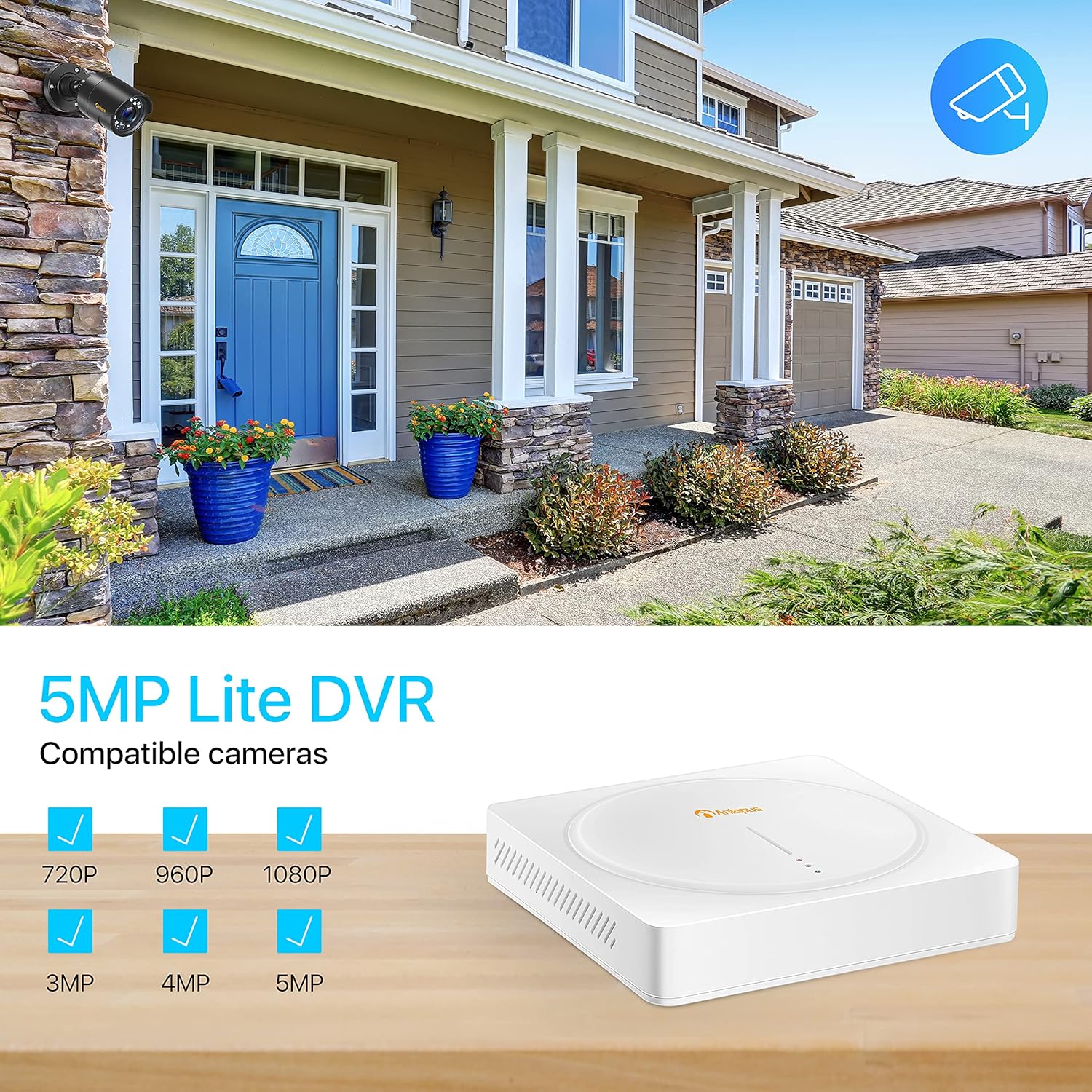
Image: Demonstrates the 1080p Full HD capability, showing a clear color image during the day and a sharp black and white image at night, highlighting the 80ft night vision range.

Image: A camera mounted outdoors under simulated rain, emphasizing its IP66 weatherproof rating and ability to operate in various weather conditions.
Penyelenggaraan
- Pembersihan tetap: Bersihkan kanta kamera secara berkala dengan lembut, damp kain untuk memastikan kualiti imej yang jelas. Elakkan pembersih yang kasar.
- Pemeriksaan Kabel: Routinely check all cables for any signs of wear, damage, or loose connections. Secure or replace as needed.
- Kesihatan Cakera Keras: If a hard drive is installed, monitor its health through the DVR's system settings. Back up important footage secara teratur.
- Kemas kini Firmware: Check the Anlapus official website or app for any available firmware updates for your DVR. Updates can improve performance and add new features.
Menyelesaikan Masalah Isu Biasa
- Tiada Isyarat Video:
- Check all BNC and power connections between the camera and DVR.
- Ensure the camera is receiving power (check power adapter and splitters).
- Verify the video input channel on the DVR is correctly selected.
- Tiada Rakaman:
- Ensure a hard drive is installed and properly connected.
- Check if the hard drive has been formatted in the DVR settings.
- Verify recording schedules or motion detection settings are configured correctly.
- Jauh Viewing Issues (App/Software):
- Ensure the DVR is connected to the internet and has a stable network connection.
- Check your router's internet connectivity.
- Verify the DVR's network settings (DHCP enabled or static IP configured correctly).
- Pastikan apl dikemas kini kepada versi terkini.
- If experiencing persistent issues with the app, try reinstalling it or checking for alternative compatible software (e.g., AVSS for PC).
- Kualiti Imej Lemah:
- Bersihkan lensa kamera.
- Ensure the camera is within its optimal operating temperature range.
- Periksa sumber cahaya yang kuat yang menghadap kamera secara langsung.
Spesifikasi Teknikal
| Ciri | Spesifikasi |
|---|---|
| Jenama | Anlapus |
| Nombor Model | AS8T2W-4B80S--124S |
| Teknologi Ketersambungan | berwayar |
| Resolusi Tangkapan Video | 1080p, 1920p |
| Ciri Khas | App Control, Night Vision, Weatherproof |
| Bilangan Saluran | 8 |
| Kapasiti Penyimpanan Memori | 8 TB (Max, for internal HDD) |
| Sumber Kuasa | Elektrik Bertali |
| Format Isyarat | Analog (AHD, TVI, CVI, CVBS) |
| Teknologi Cahaya Rendah | Penglihatan Malam |
| Mod Rakaman | Pengesanan Pergerakan |
| Input Video | BNC |
| Output Video | HDMI, VGA, BNC |
| Berat Barang | 16.66 paun (Sistem) |
| Tarikh Mula-mula Tersedia | 2 Januari 2020 |
Waranti dan Sokongan Pelanggan
Anlapus products typically come with a manufacturer's warranty. Please refer to the warranty card included in your package or visit the official Anlapus webtapak untuk terma dan syarat jaminan terperinci.
For technical assistance, troubleshooting, or warranty claims, please contact Anlapus customer support. You can often find contact information on the Anlapus brand store on Amazon or their official webtapak.
Visit the Anlapus Store for more information and support: Anlapus Amazon Store


