1. Pengenalan
Welcome to the user manual for your new Eureka NEU182B PowerSpeed Bagless Upright Vacuum Cleaner. This manual provides essential information for the safe and efficient operation, maintenance, and care of your appliance. Please read it thoroughly before first use and keep it for future reference.
2. Arahan Keselamatan Penting
AMARAN:
- When using the vacuum cleaner, the floor brush may be clogged by hairs and dirt. We recommend cleaning the roller brush and the belt every 2 weeks.
- Long-term failure to clean may cause malfunction, or even risk of smoke and belt broken.
- Sentiasa cabut plag perkakas sebelum membersihkan atau melakukan penyelenggaraan.
- Do not use the vacuum cleaner on wet surfaces.
- Jauhkan rambut, pakaian longgar, jari dan semua bahagian badan daripada bukaan dan bahagian yang bergerak.
- Jangan ambil apa-apa yang terbakar atau berasap, seperti rokok, mancis, atau abu panas.
- Jangan gunakan tanpa cawan habuk dan/atau penapis di tempatnya.
3. Kandungan Pakej
Your Eureka NEU182B PowerSpeed Bagless Upright Vacuum Cleaner package includes the following items:
- Eureka NEU182B PowerSpeed Upright Vacuum Cleaner (Main Unit)
- Berus Debu
- Alat Pelapis
- Alat Celah 7 inci
- pegang
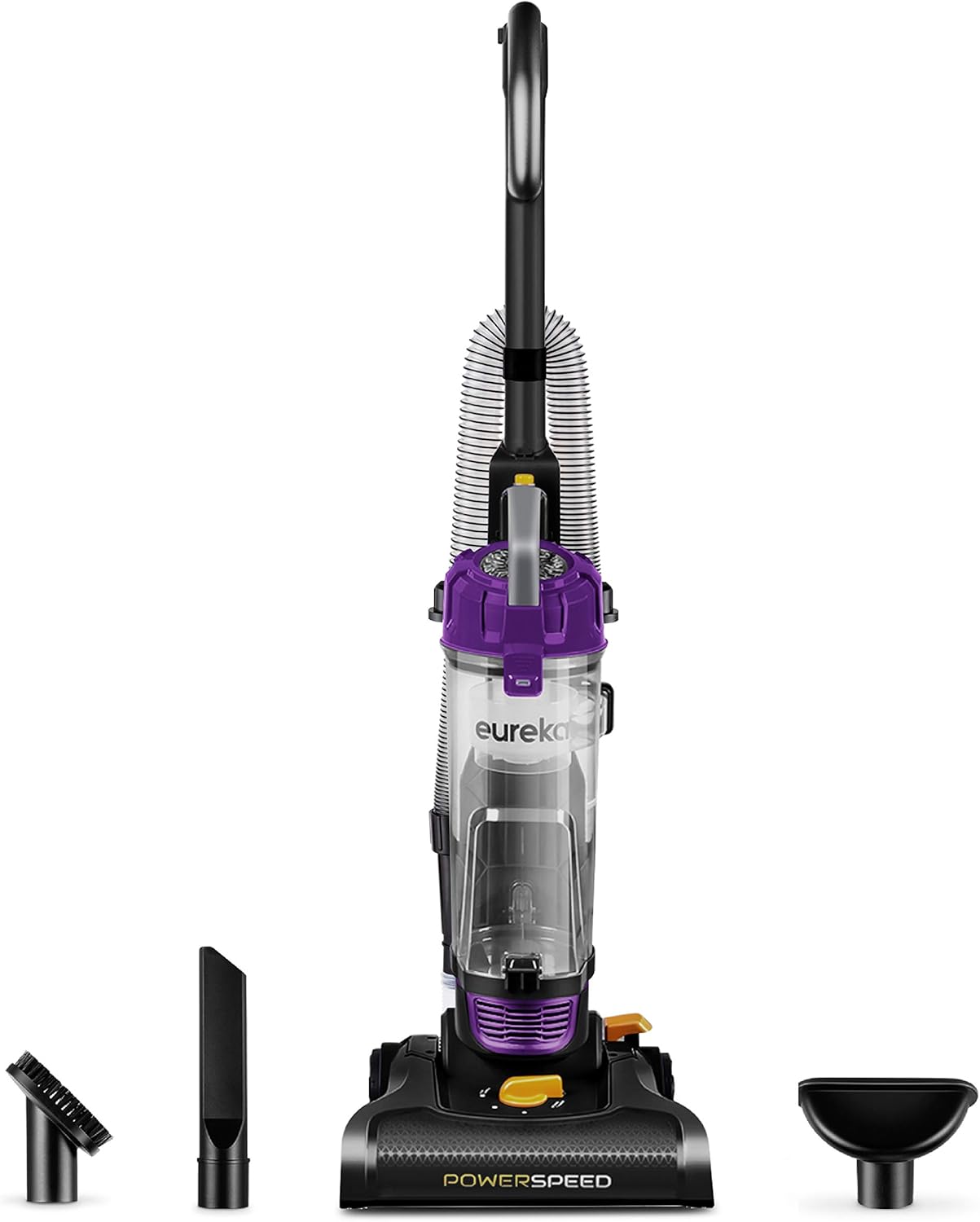
Image: The Eureka NEU182B PowerSpeed Bagless Upright Vacuum Cleaner shown with its main unit and three detachable accessories: a dusting brush, a crevice tool, and an upholstery tool.
4. Persediaan dan Pemasangan
Ikuti langkah ini untuk memasang pembersih vakum anda:
- Pasang Pemegang: Masukkan pemegang ke dalam badan vakum utama sehingga ia berbunyi klik dengan selamat pada tempatnya.
- Sambungkan Hos: Securely connect the flexible hose to the designated port on the vacuum cleaner. Ensure it is firmly attached to prevent loss of suction.
- Aksesori Kedai: Place the dusting brush, upholstery tool, and crevice tool in their onboard storage locations for easy access during cleaning.

Image: A visual guide illustrating the simple process of assembling the vacuum cleaner by inserting the handle into the main body.
5. Arahan Operasi
5.1. Menghidupkan/Mematikan
To turn the vacuum cleaner on or off, locate the power button at the base of the unit. Press it firmly with your foot.
5.2. Pelarasan Ketinggian
The Eureka NEU182B features 5 height adjustment settings to optimize cleaning performance on various floor types. Rotate the dial on the cleaner head to select the appropriate setting:
- Permaidani Rendah: Untuk permaidani dan permaidani bertimbun rendah.
- Permaidani Sederhana: Untuk permaidani bertimbun sederhana.
- Permaidani Tinggi: For high-pile and shag carpets.
- Lantai kosong: For hard floors such as wood, tile, and laminate.
- Extra High: For very thick shag carpets or when easier pushing is desired.

Image: The vacuum cleaner's base with the height adjustment dial clearly visible, set against a carpeted surface to demonstrate its function.
5.3. Using Attachments for Above-Floor Cleaning
The vacuum cleaner includes a quick-release handle and a stretch hose for convenient above-floor cleaning. To use the attachments:
- Detach the quick-release handle from the main unit.
- Connect the desired accessory (dusting brush, upholstery tool, or crevice tool) to the end of the stretch hose.
- Use the attachments to clean hard-to-reach areas such as ceilings, curtains, upholstery, and tight corners.

Image: A user demonstrating the quick-release handle feature, extending the hose to clean high surfaces like curtains, highlighting the vacuum's versatility.

Image: A composite image displaying the dusting brush cleaning blinds, the upholstery tool cleaning a sofa, and the crevice tool reaching into a tight space, showcasing the utility of each accessory.
5.4. Lightweight Design and Powerful Suction
The Eureka NEU182B is designed to be lightweight (approximately 10 lbs) for easy maneuverability throughout your home. Its powerful motor and brush roll effectively lift stubborn and heavy debris from various surfaces.

Image: A person effortlessly carrying the Eureka PowerSpeed vacuum cleaner, emphasizing its lightweight design for easy transport between rooms or up stairs.

Imej: A terperinci view of the vacuum's powerful motor and brush roll in action, demonstrating its ability to deep clean various floor types by lifting dirt and debris.
6. Penyelenggaraan
6.1. Emptying the Extra-Large Dust Cup
The vacuum features an extra-large 2.6L dust cup, reducing the frequency of emptying. To empty the dust cup:
- Pastikan vakum dicabut.
- Locate the release button on the dust cup and press it to detach the cup from the main unit.
- Pegang cawan habuk di atas tong sampah dan tekan selak pelepas bawah untuk mengosongkan kandungannya.
- Close the bottom latch and reattach the dust cup to the vacuum cleaner until it clicks securely.

Image: A visual comparison highlighting the generous capacity of the Eureka PowerSpeed's dust cup, indicating less frequent emptying compared to smaller alternatives.
6.2. Cleaning the Washable Foam Filter
The vacuum is equipped with a washable foam filter for easy maintenance and no replacement costs. To clean the filter:
- Remove the dust cup as described above.
- Carefully remove the foam filter from inside the dust cup.
- Rinse the foam filter under running water until the water runs clear.
- Allow the filter to air dry completely for at least 24 hours before reinserting it into the dust cup. Do not use the vacuum with a wet filter.
- Reassemble the filter and dust cup, then reattach to the vacuum.

Image: A close-up shot of the washable foam filter being cleaned under water, illustrating the simple process for maintaining optimal performance.
6.3. Roller Brush and Belt Cleaning
PENTING:
To ensure optimal performance and prevent malfunction, it is recommended to clean the roller brush and the belt every 2 weeks. Long-term failure to clean may cause the roller brush to become clogged by hairs and dirt, potentially leading to smoke or a broken belt.
- Cabut plag pembersih vakum daripada salur keluar kuasa.
- Turn the cleaner head over to access the roller brush.
- Carefully cut and remove any hair, threads, or debris wrapped around the roller brush using scissors.
- Inspect the belt for any damage or wear. Replace if necessary.
- Ensure all parts are clear of obstructions before resuming operation.
7. Penyelesaian masalah
If you encounter any issues with your Eureka NEU182B PowerSpeed Bagless Upright Vacuum Cleaner, please refer to the following common troubleshooting tips:
- Tiada Kuasa: Pastikan kord kuasa dipasang dengan kukuh pada soket elektrik yang berfungsi. Periksa pemutus litar jika perlu.
- Kehilangan Sedutan:
- Periksa sama ada cawan habuk penuh dan perlu dikosongkan.
- Inspect the foam filter for dirt and clean it as per Section 6.2.
- Check the hose, attachments, and cleaner head for any blockages.
- Brush Roll Not Turning:
- Ensure the vacuum is in the correct height setting for the floor type.
- Unplug the vacuum and check the brush roll for tangled hair or debris. Clean as per Section 6.3.
- Inspect the drive belt for damage.
For further assistance, please contact customer service.
8. Spesifikasi
| Ciri | Spesifikasi |
|---|---|
| Jenama | Eureka |
| Nama Model | PowerSpeed |
| Nombor Model | NEU182B |
| Ciri Khas | Bagless, Lightweight, Washable Filter, Wheels |
| Jenis Penapis | buih |
| Kapasiti | 2.6 Liter |
| Wattage | 960 watt |
| Panjang Hos | 7 Kaki |
| Dimensi Produk | 13"L x 14"W x 44"H |
| Berat Barang | 10 paun |
| Sumber Kuasa | Elektrik Bertali |
| warna | Ungu |
9. Waranti dan Sokongan
9.1. Maklumat Waranti
Your Eureka NEU182B PowerSpeed Bagless Upright Vacuum Cleaner comes with a 1-year limited manufacturer warranty. Please retain your proof of purchase for warranty claims.
9.2. Sokongan Pelanggan
For any questions, technical support, or warranty inquiries, please contact the Eureka customer service team at 1-800-282-2886.
10. Video Produk
Watch this official product video for a demonstration of the Eureka NEU182B PowerSpeed Bagless Upright Vacuum Cleaner:
Video: Satu tinjauan menyeluruhview and demonstration of the Eureka NEU182B PowerSpeed Bagless Upright Vacuum Cleaner, showcasing ciri dan operasinya.


