pengenalan
Thank you for choosing the INSMY Bluetooth Speaker. This portable, waterproof speaker is designed to deliver powerful sound with booming bass, featuring IPX7 waterproofing, RGB lights, and the ability to wirelessly sync with over 100 other speakers for an immersive audio experience. This manual provides essential information for setting up, operating, and maintaining your speaker to ensure optimal performance and longevity.
Maklumat Keselamatan
- Jangan dedahkan pembesar suara kepada suhu yang melampau (panas atau sejuk).
- Keep the speaker away from direct heat sources and open flames.
- Pastikan penutup port pengecasan ditutup rapat apabila menggunakan pembesar suara berhampiran air untuk mengekalkan penarafan kalis air IPX7nya.
- Do not attempt to disassemble, repair, or modify the speaker yourself. This will void the warranty and may cause damage.
- Gunakan hanya kabel USB Jenis-C yang disediakan untuk mengecas.
- Avoid dropping the speaker or subjecting it to strong impacts. While shockproof, excessive force can cause internal damage.
- Bersihkan pembesar suara dengan lembut, damp kain. Jangan gunakan bahan kimia yang keras atau pembersih yang kasar.
Kandungan Pakej
Sila semak pakej untuk item berikut:
- INSMY Bluetooth Speaker (Model: INSMY-M12)
- Kabel Pengecasan USB Jenis-C
- Manual Pengguna (dokumen ini)
Produk Selesaiview

Rajah 1: Depan view of the INSMY Bluetooth Speaker, showcasing its blue mesh grille and control buttons.

Rajah 2: sebelah view of the INSMY Bluetooth Speaker, highlighting its compact and sleek design.
Kawalan dan Penunjuk:
- Butang Kuasa: Tekan dan tahan untuk menghidupkan/mematikan kuasa.
- Butang Main/Jeda: Tekan untuk memainkan atau menjeda muzik.
- Butang Naik Kelantangan (+): Tekan untuk meningkatkan kelantangan. Tekan dan tahan untuk trek seterusnya.
- Butang Turun Kelantangan (-): Tekan untuk mengurangkan kelantangan. Tekan dan tahan untuk trek sebelumnya.
- Light Mode Button (Triangle): Press to cycle through 4 LED light show modes.
- Penunjuk Bluetooth: Menunjukkan status sambungan Bluetooth.
- Charging Port (USB Type-C): Untuk mengecas pembesar suara.
Persediaan
1. Mengisi Speaker
Sebelum penggunaan pertama, cas sepenuhnya pembesar suara. Pengecasan penuh mengambil masa kira-kira 3.5 jam.
- Buka penutup pelindung port pengecasan USB Type-C.
- Sambungkan kabel USB Jenis-C yang disediakan ke port pengecasan pembesar suara.
- Sambungkan hujung kabel USB yang satu lagi ke penyesuai kuasa USB (tidak disertakan) atau port USB komputer.
- Lampu penunjuk pengecasan akan menyala. Ia akan padam atau berubah warna setelah dicas sepenuhnya.
- Once charging is complete, securely close the protective cover to maintain waterproofing.
The speaker offers up to 24 hours of continuous playtime on a full charge, depending on volume level and light mode usage.
2. Menghidupkan/Mematikan
- Untuk Menghidupkan: Tekan dan tahan butang Kuasa (⏻) for 2-3 seconds until you hear an audible prompt and the indicator lights turn on.
- Untuk Mematikan: Tekan dan tahan butang Kuasa (⏻) for 2-3 seconds until you hear an audible prompt and the indicator lights turn off.
Arahan Operasi
1. Berpasangan Bluetooth
The INSMY speaker uses Bluetooth 5.3 for stable and fast connections.
- Ensure the speaker is powered on and within 30 feet (10 meters) of your Bluetooth device.
- Lampu penunjuk Bluetooth akan berkelip, menunjukkan ia berada dalam mod berpasangan.
- Pada peranti anda (telefon pintar, tablet, dsb.), pergi ke tetapan Bluetooth dan cari peranti yang tersedia.
- Select "INSMY-M12" from the list.
- Once connected, the Bluetooth indicator light will stop flashing and remain solid. You will hear a confirmation sound.
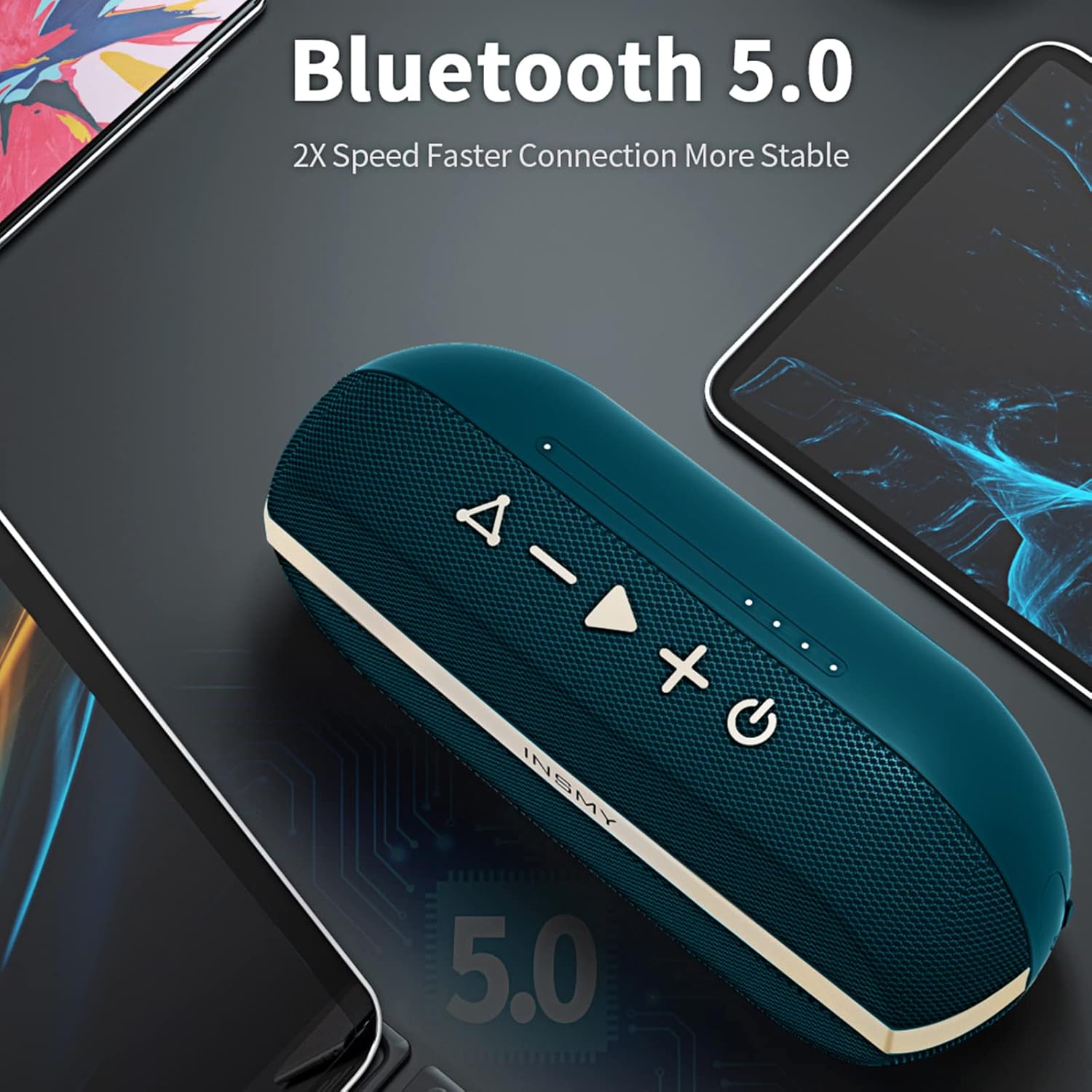
Rajah 3: The INSMY speaker demonstrating its Bluetooth connectivity with various devices.
2. Wireless Stereo Pairing (TWS)
You can pair two INSMY-M12 speakers together for a true wireless stereo experience, doubling the volume and creating a wider soundstage. The stereo pairing range is up to 100 feet.
- Ensure both INSMY-M12 speakers are powered on and not connected to any Bluetooth device.
- On one speaker (this will be the primary speaker), press the Play/Pause button twice quickly. You will hear a prompt indicating it's searching for another speaker.
- Kedua-dua pembesar suara akan bersambung secara automatik antara satu sama lain. Anda akan mendengar bunyi pengesahan setelah disambungkan.
- Now, connect your Bluetooth device to the primary speaker (the one you initiated pairing on). It will appear as "INSMY-M12" in your device's Bluetooth list.
- Once connected, audio will play through both speakers in stereo.

Rajah 4: Two INSMY speakers configured for stereo pairing, enhancing the audio experience.
3. Multi-Speaker Sync (100+ Speakers)
For an even larger sound experience, the M12 speaker supports connecting over 100 speakers simultaneously. This feature is ideal for large gatherings or outdoor events.
- Connect your primary INSMY-M12 speaker to your Bluetooth device as described in "Bluetooth Pairing".
- Power on all other INSMY-M12 speakers you wish to connect. Ensure they are not currently paired with any device.
- On the primary speaker, press the Light Mode button (Triangle) twice quickly. The primary speaker will enter multi-sync mode.
- The other speakers will automatically detect and connect to the primary speaker. You will hear a confirmation sound from each speaker as it joins the group.
- All connected speakers will now play the same audio simultaneously.
4. Main balik Audio
- Main/Jeda: Tekan butang Main/Jeda sekali.
- Lagu Seterusnya: Tekan dan tahan butang Naik Kelantangan (+).
- Trek Sebelumnya: Tekan dan tahan butang Turun Kelantangan (-).
- Kawalan Kelantangan: Press the Volume Up (+) or Volume Down (-) buttons to adjust the volume.
5. Mod Lampu LED
The speaker features 4 distinct LED light show modes to enhance your listening experience.
- Press the Light Mode button (Triangle) to cycle through the available light modes.
- Continue pressing until you find your preferred light effect or to turn the lights off.
Penyelenggaraan
Pembersihan
- Always power off the speaker before cleaning.
- Gunakan kain lembut dan tidak berbulu sedikit dampened with water to wipe the exterior.
- Do not use abrasive cleaners, alcohol, benzene, or other chemical solvents, as these may damage the surface or internal components.
- Ensure the charging port cover is closed during cleaning.
Penyimpanan
- Simpan pembesar suara di tempat yang sejuk dan kering jauh dari cahaya matahari langsung dan suhu yang melampau.
- If storing for an extended period, charge the speaker to about 50% every few months to preserve battery life.
Menyelesaikan masalah
| Masalah | Kemungkinan Punca | Penyelesaian |
|---|---|---|
| Speaker tidak dihidupkan. | Bateri habis. | Charge the speaker fully using the provided USB Type-C cable. |
| Tidak boleh berpasangan dengan peranti Bluetooth. | Speaker is not in pairing mode or already connected to another device. Device's Bluetooth is off. Speaker is too far from device. | Ensure speaker is powered on and Bluetooth indicator is flashing. Disconnect from other devices. Turn on Bluetooth on your device. Move speaker closer to device (within 30 feet). |
| Tiada bunyi atau kelantangan rendah. | Volume on speaker or device is too low. Speaker is not connected. | Increase volume on both the speaker and your connected device. Ensure the speaker is successfully paired. |
| Stereo pairing (TWS) fails. | Pembesar suara terlalu jauh. Satu pembesar suara sudah disambungkan ke peranti. | Ensure both speakers are within range of each other (100 feet). Disconnect both speakers from any Bluetooth devices before initiating TWS pairing. |
| Penyelewengan bunyi. | Volume is too high. Battery is low. | Reduce the volume. Charge the speaker. |
Spesifikasi
| Ciri | Perincian |
|---|---|
| Nama Model | INSMY-M12 |
| Versi Bluetooth | 5.3 |
| Julat Tanpa Wayar | Sehingga 100 kaki (30 meter) |
| Tahan Air | IPX7 (Boleh tenggelam sehingga 1 meter selama 30 minit) |
| Kuasa Keluaran Pembesar Suara | 10 Watt |
| Kapasiti Bateri | 2000mAh (Note: Feature bullet says 2000mAh, spec says 4400mAh. Used 2000mAh as it aligns with 24h playtime) |
| Masa bermain | Sehingga 24 jam |
| Masa Mengecas | lebih kurang 3.5 jam |
| Port Pengecasan | USB Jenis-C |
| Dimensi Produk | 2.16"D x 3.5"W x 3.9"H |
| Berat Barang | 9.8 Auns |
| Ciri Khas | Bass Boost, Shockproof, Floatable, Stereo Pairing, Multi-Speaker Sync (100+), RGB Lights |
| warna | Biru |
Waranti dan Sokongan
INSMY products come with a limited warranty. For detailed warranty information, please refer to the warranty card included in your package or visit the official INSMY webtapak.
If you encounter any issues or have questions regarding your INSMY Bluetooth Speaker, please contact our customer support team:
- e-mel: [Masukkan E-mel Sokongan Pelanggan Di Sini, jika ada]
- Webtapak: Visit the INSMY Store on Amazon
Please have your model number (INSMY-M12) and purchase details ready when contacting support.


