1. Pengenalan
The MEDION P85295 Internet Radio 2.1 offers a versatile audio experience, combining traditional radio reception with modern streaming capabilities. This device allows you to access over 25,000 internet radio stations and numerous podcasts worldwide, along with DAB+ digital radio and FM radio. It features Wi-Fi connectivity, a 3.2-inch TFT color display, and a 2.1 sound system with an integrated subwoofer for enhanced audio quality. This manual provides detailed instructions for setting up, operating, and maintaining your MEDION P85295 Internet Radio.
2. Maklumat Keselamatan
Sila baca semua arahan keselamatan dengan teliti sebelum menggunakan peranti ini. Simpan manual ini untuk rujukan pada masa hadapan.
- Bekalan Kuasa: Gunakan hanya penyesuai kuasa yang disediakan. Pastikan volumtage sepadan dengan keperluan yang dinyatakan pada peranti.
- Pengudaraan: Do not block any ventilation openings. Place the device on a stable, flat surface with adequate space around it for proper airflow.
- Air dan Kelembapan: Jangan dedahkan peranti kepada hujan, kelembapan atau titisan/percikan cecair. Jangan letakkan objek yang berisi cecair, seperti pasu, di atas peranti.
- Sumber Haba: Jauhkan peranti daripada sumber haba seperti radiator, daftar haba, dapur atau peralatan penghasil haba yang lain.
- Pembersihan: Putuskan sambungan kuasa sebelum membersihkan. Gunakan kain lembut dan kering. Jangan gunakan cecair atau pembersih aerosol.
- Servis: Jangan cuba servis produk ini sendiri. Rujuk semua perkhidmatan kepada pegawai perkhidmatan yang berkelayakan.
3. Kandungan Pakej
Sahkan bahawa semua item terdapat dalam pakej:
- MEDION P85295 Internet Radio (MD 88295)
- Alat kawalan jauh dengan bateri
- Penyesuai kuasa
- Manual pengguna
- Kad jaminan
4. Produk Lebihview
The MEDION P85295 features a user-friendly design with intuitive controls and a clear display.
4.1 Panel Hadapan dan Paparan
The front panel includes a 3.2-inch TFT color display, two rotary knobs for power/volume and navigation/selection, and several control buttons for various functions.

Imej: Depan view of the MEDION P85295 Internet Radio, highlighting the central 3.2-inch TFT color display. The display shows icons for various streaming services like Amazon Music, Spotify, Deezer, and an 'Internet Radio' icon. Two large rotary knobs are visible on either side of the display, along with several smaller buttons below, including MUTE, MODE, FAV, USB, Headphone, INFO, MENU, and Back.
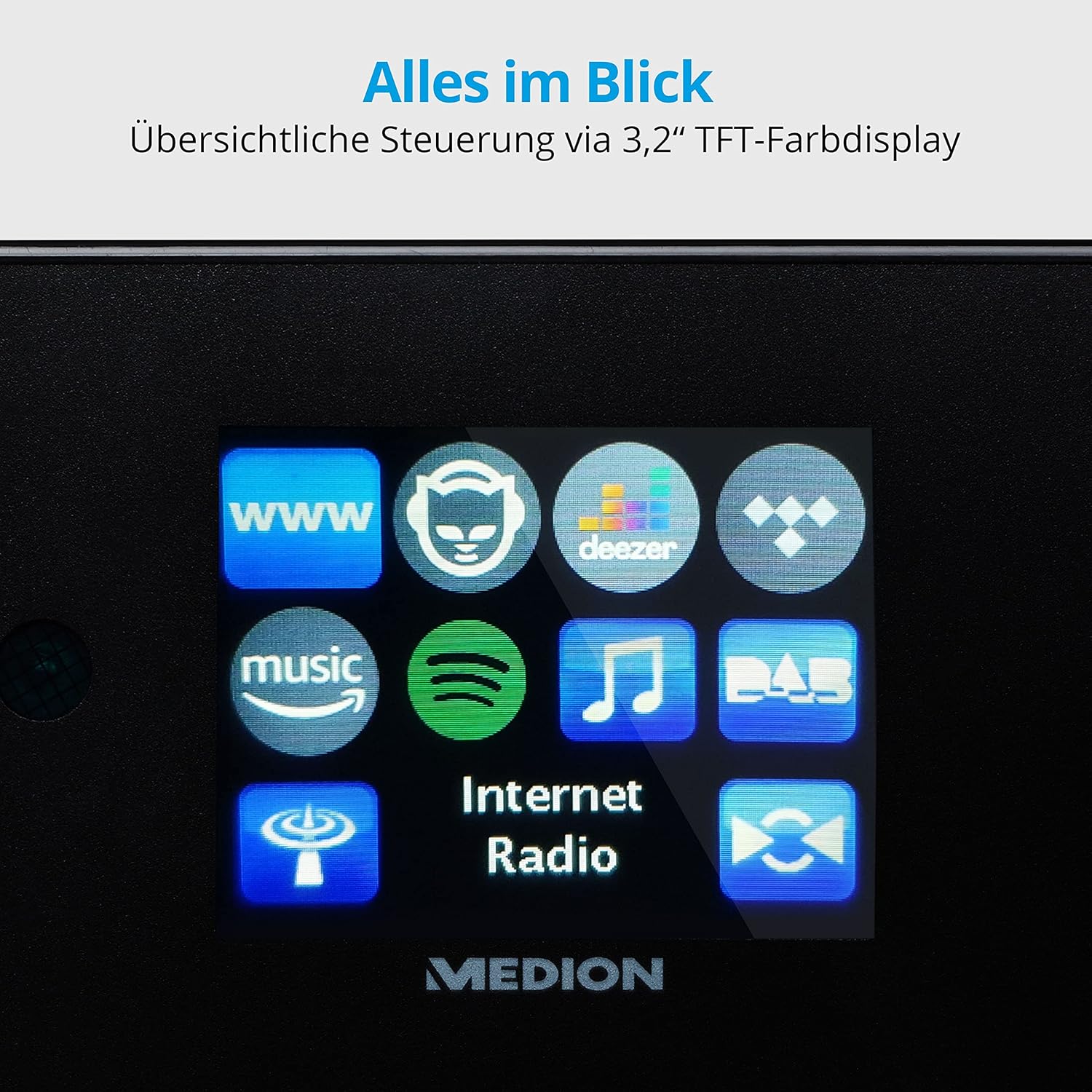
Imej: Satu jarak dekat view of the 3.2-inch TFT color display of the MEDION P85295 Internet Radio. The screen clearly shows various application icons, including WWW, a cat-like icon, Deezer, a music note, Amazon Music, Spotify, DAB, and Internet Radio, indicating the device's diverse functionalities.
4.2 Panel Belakang dan Sambungan
The rear panel provides various input and output ports for external devices and network connectivity.
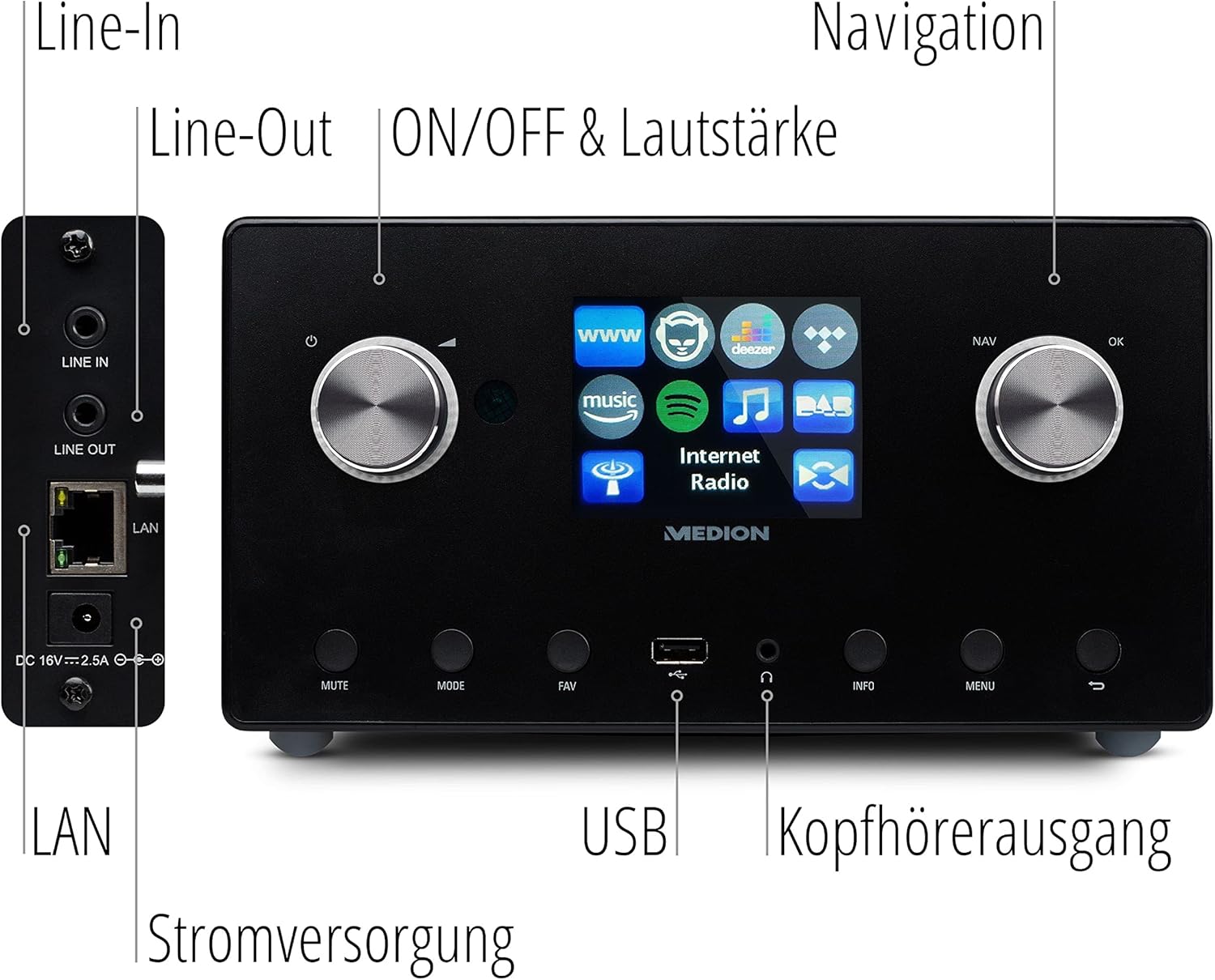
Imej: A terperinci view of the rear panel of the MEDION P85295 Internet Radio, with various ports clearly labeled. From top to bottom on the left side, there are Line-In and Line-Out jacks, followed by a LAN port and the DC 18V power input. On the front panel, below the display, a USB port and a headphone output are also indicated.
- Garis Masuk: Sambungkan sumber audio luaran.
- Beratur: Sambung ke luaran ampsistem pembesar atau stereo.
- LAN: Untuk sambungan rangkaian berwayar.
- Input Kuasa DC 18V: Untuk menyambungkan penyesuai kuasa.
- Port USB: For playing media from USB storage devices.
- Output Fon Kepala: Untuk mendengar secara peribadi.
5. Persediaan
5.1 Sambungan Kuasa
- Connect the power adapter to the DC 18V input on the rear of the radio.
- Palamkan penyesuai kuasa ke salur keluar dinding.
5.2 Wizard Persediaan Awal
Sebaik sahaja dihidupkan buat kali pertama, peranti akan membimbing anda melalui wizard persediaan awal:
- Pemilihan Bahasa: Use the navigation knob to select your preferred language and press OK.
- Masa dan Tarikh: Set the current time and date. The device can synchronize this via the internet.
- Konfigurasi Rangkaian:
- Sambungan Wi-Fi: Select 'Wireless Network' and choose your Wi-Fi network from the list. Enter the password using the on-screen keyboard and confirm.
- Sambungan LAN: If using a wired connection, connect an Ethernet cable to the LAN port on the rear of the device. The radio will automatically detect the connection.
6. Beroperasi
6.1 Kawalan Asas
- Power/Volume Knob (Left): Turn to adjust volume. Press to power on/off or mute.
- Navigation/OK Knob (Right): Turn to navigate menus. Press to confirm selection.
- Butang MOD: Switch between different operating modes (Internet Radio, DAB+, FM, USB, Line In).
- Butang FAV: Access or save favorite stations.
- Butang MENU: Akses menu utama untuk tetapan dan pilihan.
- Butang INFO: Display information about the current station or track.
6.2 Radio Modes
The MEDION P85295 supports multiple radio reception types:
- Radio Internet: Access over 25,000 stations and podcasts globally via Wi-Fi or LAN. Use the navigation knob to browse by genre, location, or search for specific stations.
- Radio Digital DAB+: Enjoy high-quality digital radio broadcasts. The radio will automatically scan for available DAB+ stations.
- Radio FM: Tune into traditional FM broadcasts. Automatic and manual station search with automatic station storage is available.
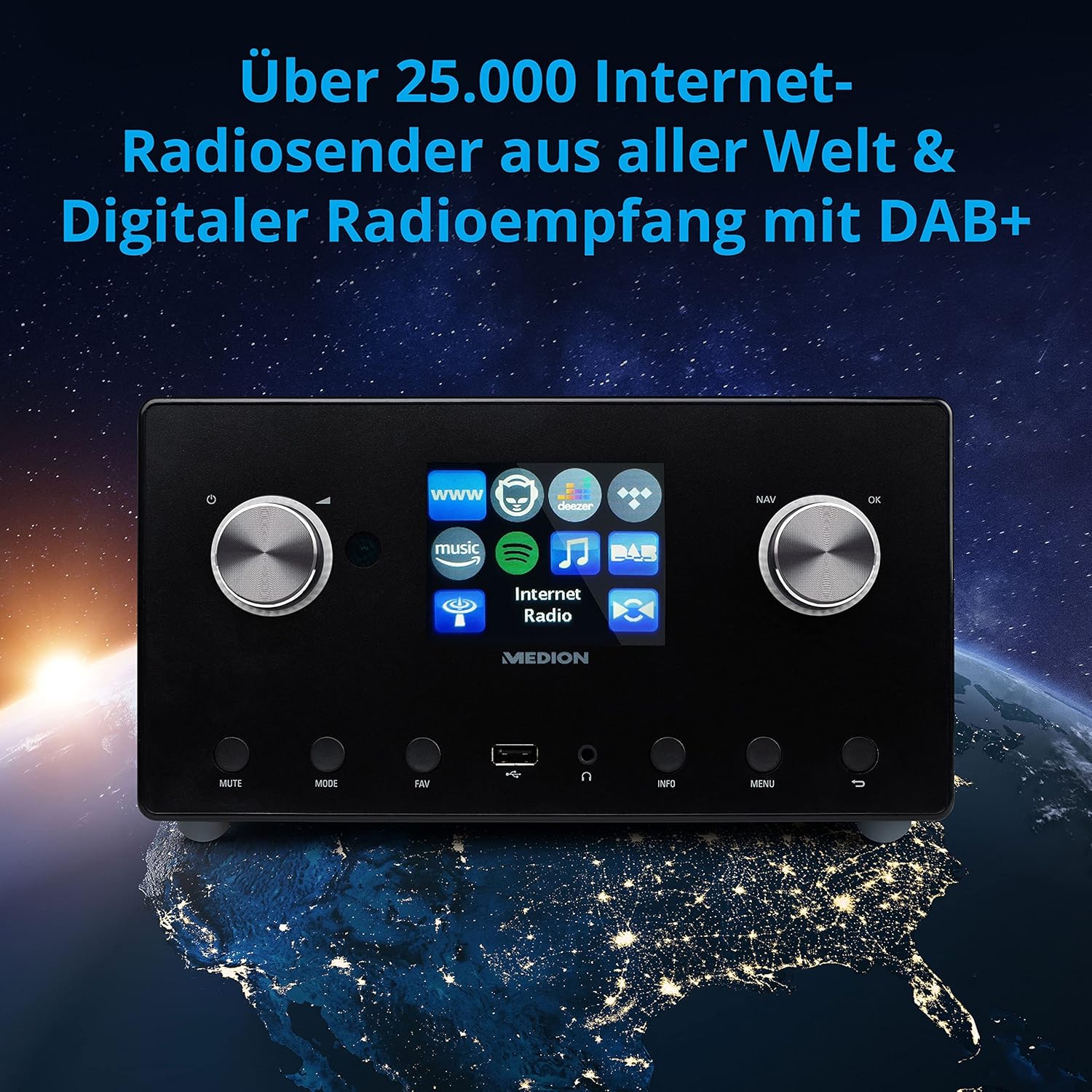
Imej: The MEDION P85295 Internet Radio positioned on a stylized globe, emphasizing its capability to receive over 25,000 internet radio stations worldwide and digital radio reception with DAB+.
6.3 Perkhidmatan Penstriman
The device supports various streaming services:
- Spotify Connect: Stream music directly from your Spotify account using the Spotify app on your smartphone or tablet.
- Amazon Music, Napster, Tidal, Deezer: Access these services directly from the radio's interface. A subscription may be required for some services.
6.4 Main Semula Media
- USB: Connect a USB storage device to the front USB port to play MP3 files.
- DLNA: Stream music from compatible devices on your home network (e.g., PC, NAS) using DLNA. Control is convenient via the MEDION LifeStream 2 App (Android or iOS).
6.5 Ciri Audio
The MEDION P85295 features a 2.1 sound system for rich audio:
- Kuasa Output: 2 x 7.5 W + 1 x 15 W RMS.
- Integrated Subwoofer: Provides powerful bass.

Imej: A diagram showing the MEDION P85295 Internet Radio with sound waves emanating from its sides and bottom, illustrating its 2.1 sound system and the additional subwoofer for powerful sound.
7. Alarm, Snooze, and Sleep Functions
The radio includes convenient time-based functions:
- Fungsi Penggera: Set two individually adjustable alarm times.
- Fungsi Tunda: Temporarily pause the alarm.
- Fungsi Tidur: Set a timer for the radio to automatically turn off.
These functions can often be configured via the device's menu or a dedicated button on the remote control.
8. Penyelenggaraan
Proper care ensures the longevity of your device:
- Pembersihan: Wipe the exterior with a soft, dry, lint-free cloth. Do not use abrasive cleaners, waxes, or solvents.
- habuk: Regularly dust the device, especially around ventilation openings, to prevent overheating.
- Storan: Jika menyimpan peranti untuk tempoh yang lama, putuskan sambungannya daripada kuasa dan simpan di tempat yang sejuk dan kering.
9. Penyelesaian masalah
Jika anda menghadapi masalah, rujuk kepada masalah dan penyelesaian biasa berikut:
| Masalah | Kemungkinan Punca | Penyelesaian |
|---|---|---|
| Tiada kuasa | Penyesuai kuasa tidak disambungkan atau alur keluar rosak. | Periksa sambungan kuasa. Cuba soket lain. |
| Tiada bunyi | Volume too low, muted, or incorrect source selected. | Increase volume, check mute status, ensure correct input mode (e.g., Internet Radio, FM). |
| Tidak dapat menyambung ke Wi-Fi | Kata laluan salah, isyarat lemah atau masalah penghala. | Verify Wi-Fi password. Move radio closer to router. Restart router. |
| Internet radio buffering/disconnecting | Slow internet connection or network interference. | Check internet speed. Reduce network traffic. Try a wired LAN connection if possible. |
| DAB+/FM reception poor | Weak signal or antenna position. | Adjust the antenna. Perform a new station scan. |
Jika masalah berterusan, sila hubungi sokongan pelanggan.
10. Spesifikasi
- Jenama: MEDION
- Nombor Model: P85295
- warna: Antrasit
- paparan: Paparan Warna TFT 3.2 inci
- Teknologi Ketersambungan: Wi-Fi, USB, LAN
- Pancaragam Radio yang Disokong: FM, DAB+, Radio Internet
- Ciri Khas: DAB+, Auxiliary Input, USB, Spotify Connect, Amazon Music, DLNA, Alarm, Snooze, Sleep Function
- Sistem Bunyi: 2.1 (2 x 7.5 W + 1 x 15 W RMS with integrated subwoofer)
- Peranti Serasi: Fon kepala
- Sumber Kuasa: Kabel Elektrik (DC 18V)
- Dimensi Produk: 24 sm (L) x 13.5 sm (W) x 19 sm (H)
- Komponen yang Disertakan: Internet Radio P85295 (MD 88295), Remote Control with Battery, Power Adapter, User Manual, Warranty Card
- Bateri: 2 AAA batteries required (for remote control)

Imej: The MEDION P85295 Internet Radio shown with its physical dimensions: 24 cm in length, 13.5 cm in width, and 19 cm in height, providing a clear understanding of its size.
11. Waranti dan Sokongan
Your MEDION P85295 Internet Radio comes with a manufacturer's warranty. Please refer to the included warranty card for specific terms and conditions.
For technical support, troubleshooting assistance, or warranty claims, please contact MEDION customer service. Contact information can typically be found on the MEDION official webtapak atau pada kad jaminan yang diberikan bersama produk anda.
Sumber Dalam Talian: Visit the official MEDION website for updated drivers, firmware, and additional support documentation.


