1. Pengenalan
This manual provides detailed instructions for the installation, operation, and maintenance of your Tonton 3MP Ultra HD Wireless Security Camera System with 8-Channel NVR Recorder. This system is designed for reliable surveillance, offering high-definition video recording and remote access capabilities.
The Tonton NVR supports up to 16 channels and is compatible with 4K, 8MP, 5MP, 4MP, 3MP, 2MP, and 1080P IP cameras. It features H.265 & H.264 compression technology, VGA & HDMI output (up to 4K), and supports various recording modes including full-time, scheduled, and motion detection. Remote viewing is available via a free app on smartphones, as well as software or web browsers on Mac and PC.
2. Kandungan Pakej
Sila sahkan bahawa semua item yang disenaraikan di bawah disertakan dalam pakej anda:
- 1 x Tonton 8-Channel NVR Recorder (1TB Hard Drive Pre-installed)
- 1 x Tetikus USB
- 1 x Bekalan Kuasa untuk NVR
- 1 x Manual Pengguna (dokumen ini)
Note: Security cameras are sold separately or as part of a complete kit. This NVR is designed to work with Tonton wireless IP cameras.
3. Persediaan Sistem
3.1 Initial NVR Connection
- Sambungkan NVR: Plug the provided power supply into the NVR's DC12V port and then into a power outlet.
- Paparan Sambungkan: Sambungkan monitor ke NVR menggunakan port HDMI atau VGA.
- Sambung Tetikus: Palamkan tetikus USB ke salah satu port USB NVR.
- Network Connection (Optional for initial setup, required for remote viewing): Connect an Ethernet cable from the NVR's NET port to your router for internet access.

Figure 3.1: Rear panel of the NVR with connection ports.
3.2 Camera Pairing (Plug and Play)
The Tonton wireless security camera system is designed for true plug-and-play operation. Cameras automatically connect to the NVR's dedicated WiFi network.
- Hidupkan Kamera: Connect each wireless camera to its respective power adapter and plug it into a power outlet.
- Sambungan Automatik: The cameras will automatically search for and connect to the NVR's internal WiFi network. Live video feeds should appear on your connected monitor within minutes.
- Wireless Repeater Function: Cameras can act as repeaters, extending the wireless range. They connect to the NVR's WiFi, not your home WiFi.

Figure 3.2: Wireless solution range and connectivity diagram.
3.3 Jauh Viewdalam Persediaan
Kepada view your camera feeds remotely, you need to connect the NVR to the internet and configure the mobile application or PC software.
- NVR Internet Connection: Ensure the NVR is connected to your router via an Ethernet cable.
- Muat turun Aplikasi: Download the free Tonton security app from your smartphone's app store (iOS or Android).
- Tambah Peranti: Open the app, create an account, and follow the on-screen instructions to add your NVR. This typically involves scanning a QR code displayed on the NVR's monitor interface.
- PC/Mac Software: For desktop viewing, install the dedicated software from the Tonton support webtapak.
4. Arahan Operasi
4.1 Mod Rakaman
The NVR comes with a pre-installed 1TB hard drive for automatic recording. You can configure the recording mode via the NVR's on-screen menu:
- Full-time Recording: Continuous recording 24/7.
- Schedule Time Recording: Tetapkan masa tertentu untuk rakaman.
- Rakaman Pengesanan Gerak: Recording starts only when motion is detected.
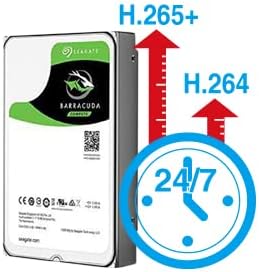
Figure 4.1: H.265+ compression for efficient storage.
4.2 Motion Detection and Email Alerts
The NVR supports motion detection and can send email alerts when motion is detected.
- Configure Motion Detection: Access the NVR's menu to define motion detection zones and sensitivity for each camera.
- Set Up Email Alerts: In the NVR's network settings, configure your email server details to enable email notifications. Any detected motion will trigger an email alert to your specified address.
4.3 Playback and Backup
Anda boleh semulaview dirakam footage directly from the NVR or remotely via the app/software.
- Main Balik Setempat: Use the NVR's interface to search for recordings by time or event.
- Main Semula Jauh: Access recorded videos through the mobile app or PC software.
- Sandaran USB: Connect a USB flash drive to the NVR's USB port to back up important video files.
5. Penyelenggaraan
Penyelenggaraan tetap memastikan prestasi optimum dan jangka hayat sistem keselamatan anda.
- Peralatan Bersih: Periodically wipe the NVR and camera lenses with a soft, dry cloth. Avoid abrasive cleaners.
- Kemas kini Firmware: Check the Tonton official website for any available firmware updates for your NVR and cameras. Follow instructions carefully for updates.
- Pengurusan Cakera Keras: The 1TB HDD will overwrite older footage when full. Regularly back up critical recordings.
- Pemeriksaan Bekalan Kuasa: Pastikan semua penyesuai kuasa disambungkan dengan selamat dan bebas daripada kerosakan.
6. Penyelesaian masalah
Bahagian ini menangani isu biasa yang mungkin anda hadapi.
- Tiada Paparan Video:
- Check NVR power connection.
- Verify monitor connection (HDMI/VGA) and input source.
- Ensure cameras are powered on.
- Cameras Not Connecting:
- Ensure cameras are within range of the NVR's wireless signal.
- Check camera power.
- If using an extension antenna, ensure it is properly installed.

Figure 6.1: Wireless extension antenna setup.
- Jauh ViewTidak Berfungsi:
- Confirm NVR is connected to the internet via Ethernet.
- Semak sambungan internet penghala anda.
- Ensure the app/software is updated and the NVR is correctly added.
- Tiada Rakaman:
- Verify the 1TB hard drive is detected and functioning.
- Check recording schedule and motion detection settings.
If issues persist, please contact Tonton technical support.
7. Spesifikasi
| Jenama | Tonton |
| Model | 8CH NVR Recorder (B082HC5GPC) |
| Teknologi Ketersambungan | HDMI, USB, VGA, Wireless |
| Resolusi Tangkapan Video | Supports up to 4K 8MP/5MP/4MP/3MP/2MP 1080p |
| Ciri Khas | Tanpa wayar |
| Bilangan Saluran | 8 (NVR supports up to 16 channels) |
| Kapasiti Penyimpanan Memori | 1TB HDD (pre-installed) |
| warna | Hitam |
| Sumber Kuasa | Elektrik Bertali |
| Peranti Serasi | Cameras, Desktop, Smartphones, Tablets |
| Teknologi Cahaya Rendah | Penglihatan Malam |
| Jumlah Port USB | 2 |
| Input Video | HDMI, USB, VGA |
| Pengeluar | Tonton security |
| UPC | 740385275593 |
| ASIN | B082HC5GPC |
| Tarikh Mula-mula Tersedia | 8 Disember 2019 |
8. Waranti dan Sokongan
Your Tonton Security Camera System comes with a Waranti 1 Tahun dari tarikh pembelian.
For technical assistance, troubleshooting, or warranty claims, please contact Tonton Technical Support. Refer to the contact information provided on the Tonton official webtapak atau dokumentasi pembelian anda.


