pengenalan
This manual provides essential information for the proper use and maintenance of your iLuv Bubble Gum True Wireless Earbuds. Please read this manual thoroughly before using the product to ensure optimal performance and longevity.
The iLuv Bubble Gum True Wireless Earbuds are designed for a seamless audio experience, featuring true wireless connectivity, simple controls, and a waterproof design for versatile use.
Kandungan Pakej
- iLuv Bubble Gum True Wireless Earbuds (Left and Right)
- Kes Pengecasan
- Kabel Pengecas USB
- Manual Pengguna (dokumen ini)
- Changeable Eartips (various sizes)
Produk Selesaiview
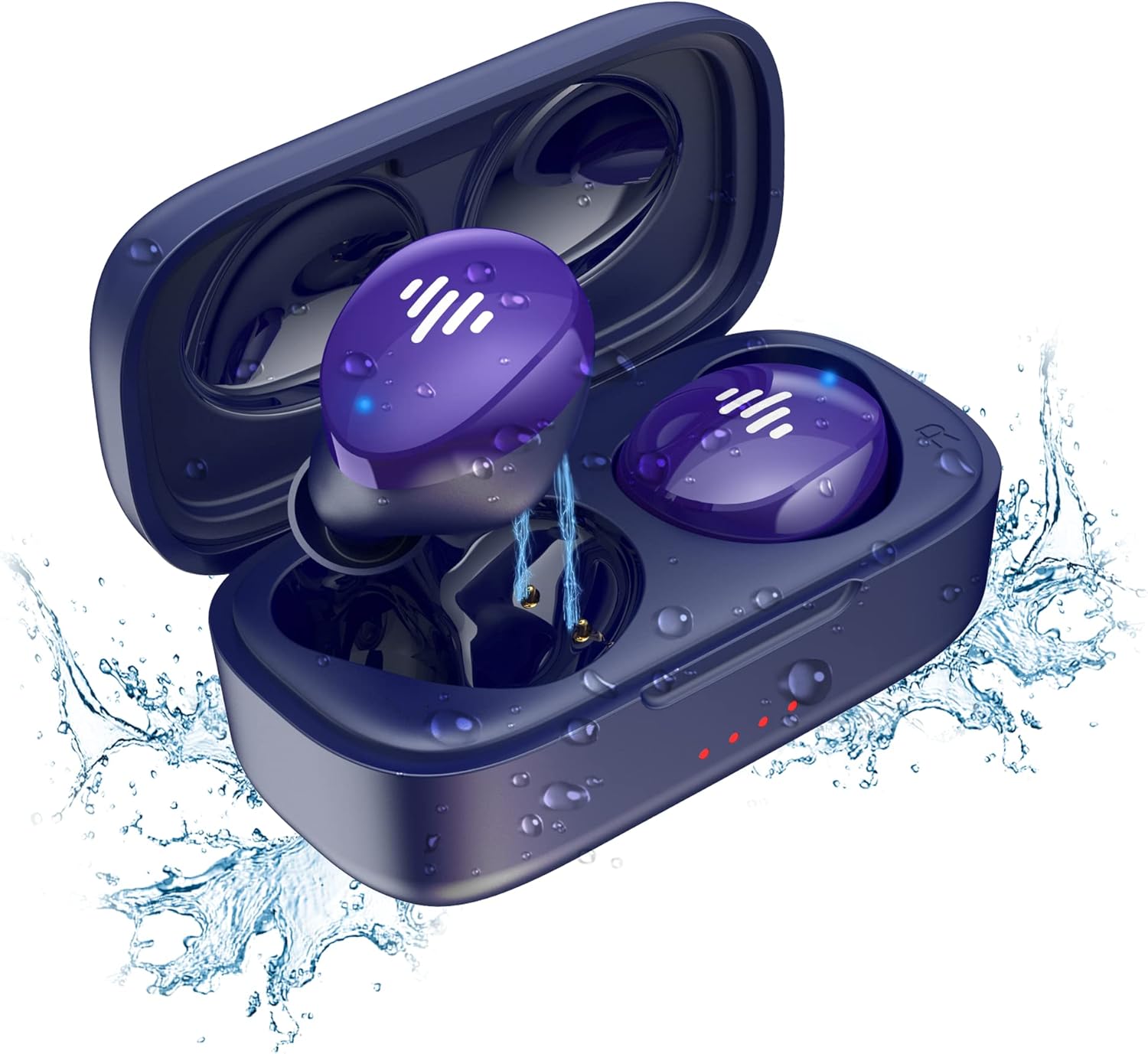
Figure 1: iLuv Bubble Gum True Wireless Earbuds and Charging Case. The image displays the blue earbuds inside their open charging case, surrounded by water droplets, highlighting their waterproof feature. The earbuds are a vibrant purple-blue with white indicator lights, and the case has small red indicator lights on the front.
The iLuv Bubble Gum True Wireless Earbuds consist of two independent earbuds (left and right) and a portable charging case. The earbuds are designed to fit comfortably in the ear and provide high-quality audio. The charging case not only protects the earbuds but also recharges them on the go.
Ciri-ciri Utama:
- Teknologi True Wireless Stereo (TWS).
- Bluetooth 5.0 for stable connectivity
- Up to 20 hours of total listening time (with charging case)
- Simple, intuitive touch controls
- Reka bentuk kalis air
- Gandingan satu langkah
Persediaan
1. Mengecas Fon Telinga dan Sarung
Sebelum penggunaan pertama, cas sepenuhnya kedua-dua fon telinga dan bekas pengecasan.
- Place the earbuds into the charging case, ensuring they are correctly seated in their respective slots (L for left, R for right).
- Connect the USB charging cable to the charging port on the case and the other end to a USB power source (e.g., wall adapter, computer USB port).
- The indicator lights on the charging case will illuminate to show charging status. Once fully charged, the lights may turn solid or turn off, depending on the model.
- The earbuds will also show an indicator light while charging inside the case, which will turn off or change color when fully charged.
2. Berpasangan dengan Peranti Anda
Fon telinga ini mempunyai padanan satu langkah untuk kemudahan.
- Buka bekas pengecas. Fon telinga akan memasuki mod berpasangan secara automatik.
- Pada peranti anda (telefon pintar, tablet, komputer), pergi ke tetapan Bluetooth.
- Pastikan Bluetooth diaktifkan.
- Cari untuk available devices. You should see "iLuv Bubble Gum TWS" or a similar name.
- Select the earbuds from the list to connect. Once connected, you will hear an audible confirmation, and the earbud indicator lights may turn off or flash slowly.
- Jika gandingan gagal, letakkan semula fon telinga ke dalam bekas, tutup penutup, tunggu beberapa saat, dan kemudian ulangi langkah.
Nota: Fon telinga akan disambungkan semula secara automatik ke peranti terakhir yang dipasangkan apabila dikeluarkan dari bekas, jika Bluetooth didayakan pada peranti.
Arahan Operasi
Kawalan Sentuh:
The iLuv Bubble Gum True Wireless Earbuds feature intuitive touch controls on each earbud. The specific functions may vary slightly, but common controls include:
| Tindakan | Fungsi |
|---|---|
| Ketik Tunggal (Kiri/Kanan) | Main/Jeda Muzik, Jawab/Tamatkan Panggilan |
| Dwiketik (Earbud Kanan) | Trek Seterusnya |
| Dwiketik (Earbud Kiri) | Trek Sebelumnya |
| Ketik Tiga Kali (Kiri/Kanan) | Aktifkan Pembantu Suara (Siri, Pembantu Google) |
| Tekan lama (2 saat) | Tolak Panggilan |
Please refer to the specific control scheme provided in your product's quick start guide if it differs.
Memakai Earbud:
For optimal sound quality and comfort, choose the correct size eartips. Gently insert each earbud into your ear canal and twist slightly to secure a snug fit. The "L" and "R" markings indicate the left and right earbuds, respectively.
Penyelenggaraan
Pembersihan:
Pembersihan tetap membantu mengekalkan kualiti bunyi dan kebersihan.
- Gunakan kain lembut, kering dan tidak berbulu untuk mengelap fon telinga dan bekas pengecas.
- Untuk kotoran degil, sedikit dampen kain dengan air. Jangan gunakan bahan kimia yang keras atau bahan yang melelas.
- Gently clean the earbud mesh and charging contacts with a dry cotton swab or a soft brush.
- Ensure the earbuds and charging case are completely dry before placing them back in the case or charging.
Storan:
Apabila tidak digunakan, simpan fon telinga dalam bekas pengecasnya untuk melindunginya dan memastikan ia dicas. Simpan bekas di tempat yang sejuk dan kering jauh dari cahaya matahari langsung dan suhu yang melampau.
Tahan Air:
The earbuds are waterproof. However, this does not mean they are suitable for swimming or prolonged submersion. They are designed to withstand sweat, splashes, and light rain. Always ensure the charging port on the case is dry before charging.
Menyelesaikan masalah
| Masalah | Penyelesaian yang Mungkin |
|---|---|
| Fon telinga tidak berpasangan |
|
| Hanya satu fon telinga berfungsi |
|
| Kelantangan rendah atau kualiti bunyi yang lemah |
|
| Kes pengecas tidak dicas |
|
Spesifikasi
| Ciri | Perincian |
|---|---|
| Nama Model | bbgtwsairbl |
| Jenama | iLuv |
| Ketersambungan | Bluetooth 5.0 |
| Penempatan Telinga | Di Telinga |
| Faktor Bentuk | Di Telinga |
| warna | Biru |
| Tahan Air | Kalis air |
| Hayat Bateri (Jumlah) | Hingga 20 jam (dengan cas pengecasan) |
| Bateri | 2 bateri Lithium Ion (termasuk) |
| Berat Barang | 3.52 auns |
| Dimensi Produk | 1.39 x 3.18 x 7.15 inci |
| Pengeluar | JWIN Electronics |
| UPC | 639247142220 |
Waranti dan Sokongan
For warranty information and customer support, please visit the official iLuv webtapak atau hubungi perkhidmatan pelanggan mereka secara langsung. Simpan bukti pembelian anda untuk tuntutan waranti.
Official iLuv Webtapak: www.iluv.com


