pengenalan
This user manual provides detailed instructions for the operation, maintenance, and troubleshooting of your Rowkin Bit Charge True Wireless Earbuds. Please read this manual thoroughly before using the product to ensure proper functionality and longevity.
The Rowkin Bit Charge earbuds are designed for a premium audio experience with true wireless freedom, featuring touch controls, a portable charging case, and noise reduction capabilities.
Produk Selesaiview
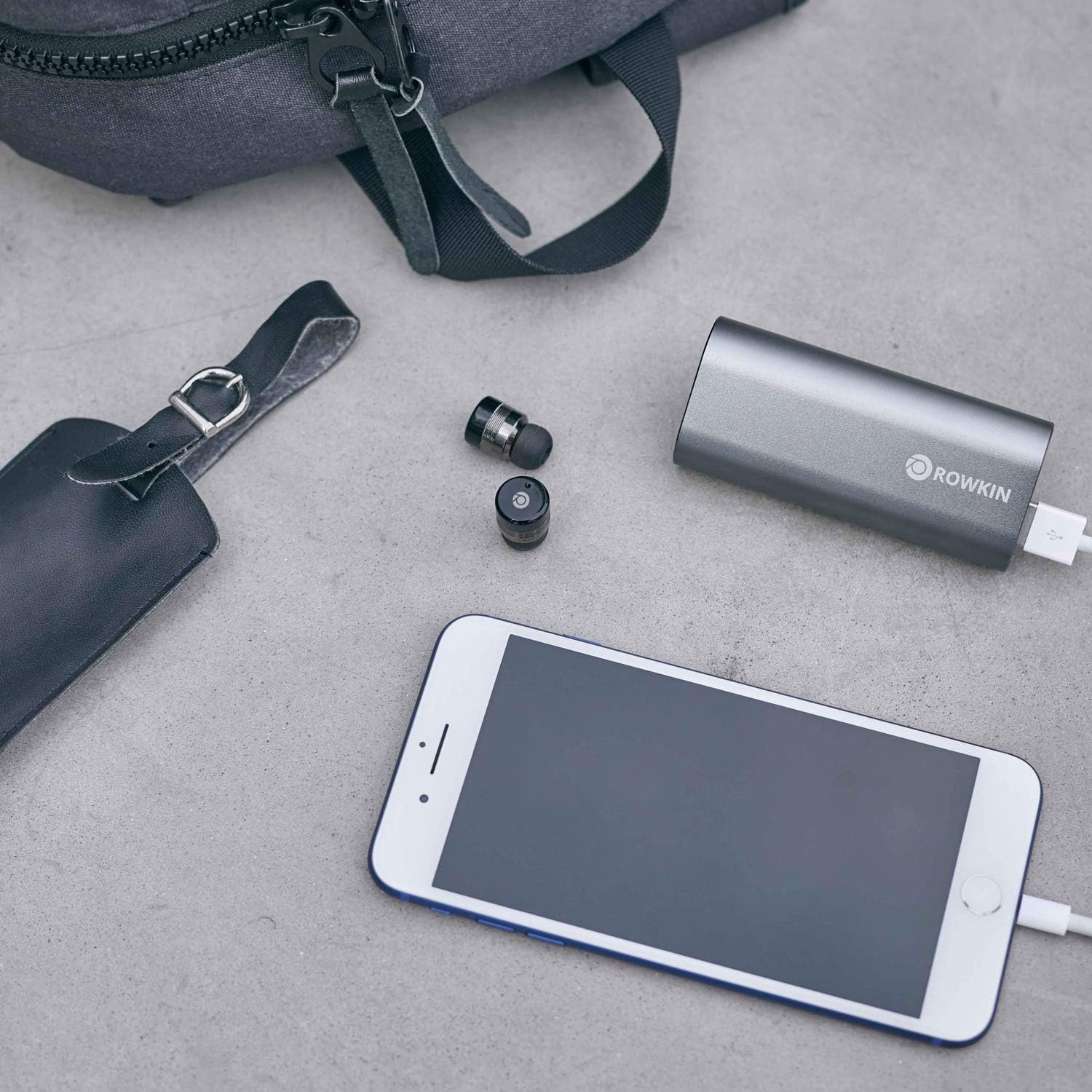
The Rowkin Bit Charge system includes two true wireless earbuds and a multi-functional portable charging case that also serves as a power bank.


Ciri-ciri utama termasuk:
- True Wireless Stereo (TWS) connectivity
- Bluetooth 5.0 for stable connection
- Capacitive touch controls
- Integrated microphone with noise reduction
- Portable charging case with power bank functionality
- rintangan air IPX5
Persediaan dan Penggunaan Pertama
Mengecas sarung dan fon telinga
Before first use, ensure both the charging case and earbuds are fully charged.
- Connect the charging case to a USB power source using the provided cable. The charging indicator lights on the case will show charging status.
- Place the earbuds into their respective slots in the charging case. Ensure they are properly seated for charging to begin. The earbuds will show an indicator light when charging.
- Charging time for earbuds is approximately 90 minutes, and for the portable charging case, it is approximately 150 minutes.
Berpasangan dengan Peranti
The earbuds are designed for easy auto-on pairing.
- Tanggalkan kedua-dua fon telinga daripada bekas pengecas. Kedua-dua fon telinga akan dihidupkan secara automatik dan cuba dipasangkan antara satu sama lain.
- Once paired with each other (indicated by a specific light pattern, refer to LED indicator section), open the Bluetooth settings on your smartphone or device.
- Look for "Rowkin Bit Charge" or a similar name in the list of available devices and select it to connect.
- Sebaik sahaja disambungkan, gesaan suara akan mengesahkan pasangan yang berjaya.

Arahan Operasi
Kawalan Sentuh
The Rowkin Bit Charge earbuds feature intuitive touch controls on their outer surface.
- Main/Jeda: Ketik sekali pada salah satu fon telinga.
- Lagu Seterusnya: Ketik dua kali pada fon telinga kanan.
- Trek Sebelumnya: Ketik dua kali pada fon telinga kiri.
- Jawab/Tamatkan Panggilan: Ketik sekali pada sama ada fon telinga semasa panggilan masuk atau panggilan aktif.
- Tolak Panggilan: Tekan dan tahan salah satu fon telinga selama 2 saat semasa panggilan masuk.
- Aktifkan Pembantu Suara (Siri/Google Assistant): Ketik tiga kali pada salah satu fon telinga.

Hidupkan/Mati Kuasa
- Hidupkan kuasa: Tanggalkan fon telinga daripada bekas pengecas. Ia akan dihidupkan secara automatik.
- Matikan: Letakkan semula fon telinga ke dalam bekas pengecasan. Ia akan dimatikan secara automatik dan mula dicas.
- Matikan Manual: Press and hold the touch area on both earbuds for approximately 5 seconds until the indicator light turns red and then off.
- Hidupkan Manual: Press and hold the touch area on both earbuds for approximately 3 seconds until the indicator light turns blue.
Using the Charging Case as a Power Bank
The portable charging case has a 2100 mAh battery and can be used to charge other USB-powered devices.
- Connect your device (e.g., smartphone) to the USB output port on the charging case using your device's charging cable.
- The charging case will automatically begin charging your device.
- The case can provide approximately one full charge for most smartphones.

Penyelenggaraan dan Penjagaan
Proper care ensures the longevity and optimal performance of your earbuds.
- Pembersihan: Gunakan kain lembut, kering, bebas serabut untuk membersihkan fon telinga dan bekas pengecas. Jangan gunakan pembersih yang melelas, alkohol atau pelarut kimia.
- Tahan Air: The earbuds are IPX5 water resistant, meaning they can withstand splashes and light rain. Do not submerge them in water or expose them to strong jets of water. Dry them thoroughly before placing them back in the charging case if they get wet.
- Storan: Simpan fon telinga di dalam bekas pengecas apabila tidak digunakan untuk melindunginya dan memastikan ia sentiasa dicas. Simpan di tempat yang sejuk dan kering, jauh daripada suhu yang melampau.
- Penjagaan Bateri: To preserve battery life, fully charge the earbuds and case at least once every three months if not used regularly.
Menyelesaikan masalah
| Masalah | Kemungkinan Punca | Penyelesaian |
|---|---|---|
| Fon telinga tidak berpasangan antara satu sama lain. | Interference, out of sync. | Place both earbuds back into the charging case, close the lid for 5 seconds, then remove them again. Ensure no other Bluetooth devices are interfering. |
| Fon telinga tidak bersambung ke peranti. | Bluetooth off, earbuds not in pairing mode, device already connected to another Bluetooth accessory. |
|
| Tiada bunyi atau kelantangan rendah. | Volume too low, earbud placement, dirty ear tips. |
|
| Kes pengecas tidak dicas. | Kabel/penyesuai rosak, port pengecasan kotor. |
|
Spesifikasi
| Ciri | Perincian |
|---|---|
| Nombor Model | RKWSP8 |
| Versi Bluetooth | 5.0 |
| Kapasiti Bateri Earbud | 55 mAh (setiap satu) |
| Kapasiti Bateri Kes Pengecasan | 2100 mAh |
| Masa Muzik / Ceramah | Up to 3 hours (earbuds), 50+ hours with charging case |
| Charging Time (Earbud) | ≤90 minit |
| Masa Pengecasan (Kes) | ≤150 minit |
| Respons Kekerapan | 20Hz-20kHz |
| Penilaian Ketahanan Air | IPX5 |
| Dimensi (Fon Telinga) | 14mm (D) x 21mm (L) |
| Dimensi (Bekas Pengecasan) | 91mm (L) x 41mm (W) x 23.5mm (H) |
| Berat (Earbud) | 0.18 oz (5.2g) each |
| Berat (Kes Pengecasan) | 2.93 oz (83g) |
| Penambahbaikan Audio | Noise reduction and echo cancellation |
Waranti dan Sokongan
Maklumat Waranti
The Rowkin Bit Charge True Wireless Earbuds come with a Waranti 6 bulan dari tarikh pembelian. Waranti ini meliputi kecacatan pembuatan dan mutu kerja di bawah penggunaan biasa. Ia tidak melindungi kerosakan yang disebabkan oleh penyalahgunaan, kemalangan, pengubahsuaian yang tidak dibenarkan atau haus dan lusuh biasa.
Sila simpan bukti pembelian anda untuk tuntutan waranti.
Sokongan Pelanggan
For technical support, warranty claims, or general inquiries, please contact Rowkin customer service. Visit the official Rowkin webtapak untuk maklumat hubungan yang paling terkini.
Anda juga boleh melawat Rowkin Store on Amazon untuk maklumat produk tambahan dan sumber sokongan.


