1. Pengenalan
This manual provides detailed instructions for setting up and operating your Rapoo 8000M Multi-Mode Wireless Keyboard and Mouse Combo. This combo offers versatile connectivity options, including Bluetooth 3.0, Bluetooth 4.0, and 2.4 GHz wireless, allowing seamless switching between multiple devices.
The Rapoo 8000M is designed for productivity and convenience, featuring a compact, spill-resistant keyboard and a silent, high-performance optical mouse.
2. Kandungan Pakej
Sila sahkan bahawa semua item terdapat dalam pakej anda:
- Papan Kekunci Tanpa Wayar
- Tetikus Tanpa Wayar
- USB Receiver (for 2.4 GHz connection)
- 2 Bateri Beralkali AA (prapasang)
- Panduan Mula Pantas

Image: Rapoo 8000M Multi-Mode Wireless Keyboard and Mouse Combo, showcasing both the keyboard and mouse in white.
3. Arahan Persediaan
3.1. Pemasangan Bateri
The Rapoo 8000M combo comes with pre-installed batteries. If replacement is needed:
- Cari petak bateri di bahagian bawah papan kekunci dan tetikus.
- Buka penutup petak.
- Insert 2 AA alkaline batteries into the keyboard and 1 AA alkaline battery into the mouse, ensuring correct polarity (+/-).
- Tutup penutup petak dengan selamat.
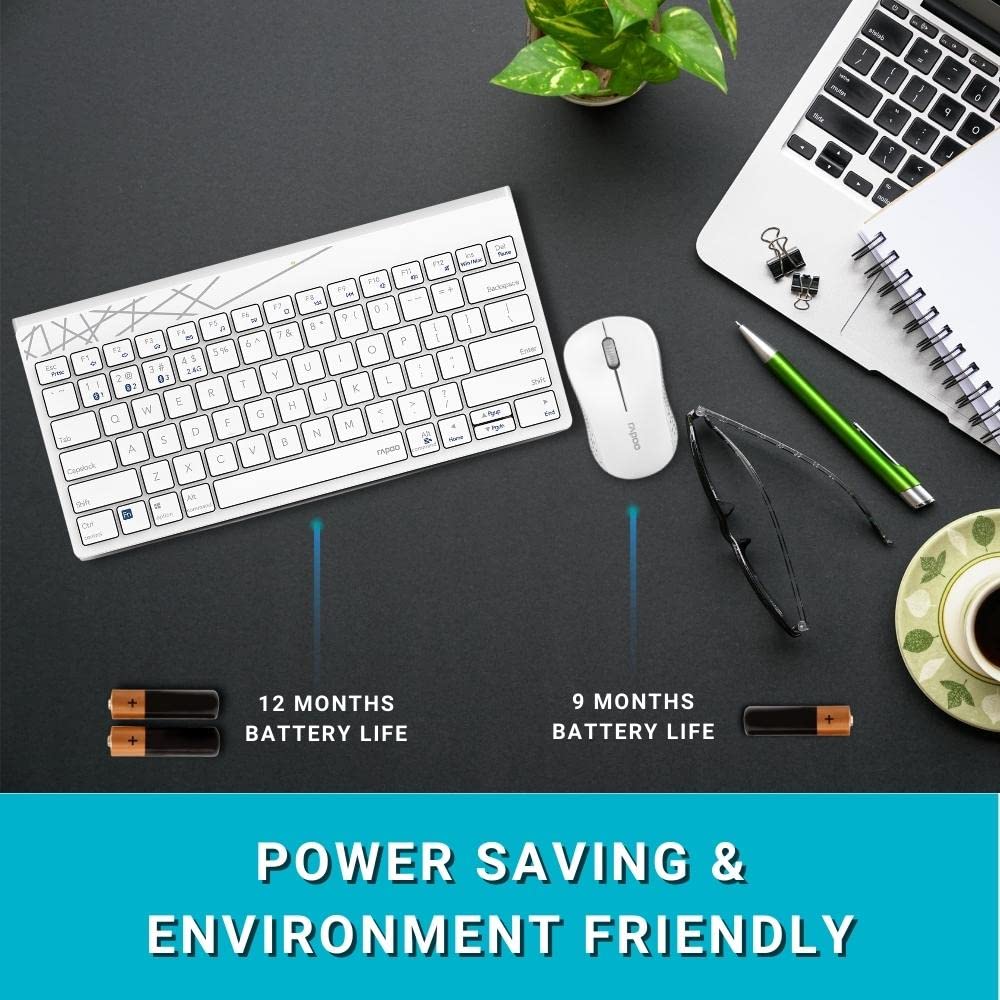
Image: Illustration of the Rapoo 8000M keyboard and mouse, highlighting their extended battery life.
3.2. Sambungan Wayarles 2.4 GHz
For 2.4 GHz wireless connectivity:
- Remove the USB receiver from its storage slot, typically found in the mouse battery compartment.
- Palamkan penerima USB ke dalam port USB yang tersedia pada komputer anda.
- The keyboard and mouse should automatically connect. If not, ensure the devices are powered on and within range.
3.3. Sambungan Bluetooth
The Rapoo 8000M supports Bluetooth 3.0 and 4.0. You can pair up to three Bluetooth devices.
- Gandingan Papan Kekunci:
Tekan dan tahan butang fn+1, fn+2, atau fn+3 key combination for 3 seconds to select a Bluetooth channel. The indicator light will flash slowly. - Pada peranti anda (komputer, tablet, telefon pintar), dayakan Bluetooth dan cari peranti baharu.
- Select "Rapoo 8000M Keyboard" from the list of available devices. Follow any on-screen prompts to complete pairing.
- Pasangan tetikus:
Press the Bluetooth button on the underside of the mouse to switch to a Bluetooth channel (indicated by a slow flash). - On your device, search for new Bluetooth devices and select "Rapoo 8000M Mouse". Follow any on-screen prompts.

Image: The Rapoo 8000M keyboard and mouse connected to a desktop, laptop, and tablet, demonstrating multi-device connectivity.
4. Arahan Operasi
4.1. Bertukar Antara Peranti
Untuk bertukar antara peranti yang disambungkan:
- papan kekunci: Tekan fn+1, fn+2, fn+3 to switch to the corresponding Bluetooth device, or fn+4 for the 2.4 GHz connection.
- tetikus: Press the Bluetooth button on the underside of the mouse to cycle through the paired Bluetooth devices and the 2.4 GHz connection.
4.2. Kekunci Panas Multimedia
The keyboard features multimedia hotkeys for quick access to various functions. These keys are typically located on the F-row and can be activated by pressing them directly or in combination with the Fn key, depending on your keyboard's default mode.
- F1-F12: Functions may include media player control (play/pause, next/previous track), volume adjustment, mute, homepage, and more. Refer to the keycap legends for specific functions.
4.3. Mouse DPI
The mouse operates at 1300 DPI, providing accurate and smooth cursor control on various surfaces.
5. Penyelenggaraan
5.1. Pembersihan
The keyboard features a spill-resistant design, offering protection against accidental liquid spills. However, it is recommended to clean the keyboard and mouse regularly to maintain performance and hygiene.
- Gunakan yang lembut, damp kain untuk mengelap permukaan.
- Elakkan menggunakan bahan kimia yang keras atau bahan yang melelas.
- For spills, immediately disconnect the device, wipe dry, and allow it to air dry completely before reuse.

Image: Close-up of the Rapoo 8000M keyboard with water splashing on it, illustrating its spill-resistant design.
5.2. Hayat Bateri
With Rapoo's energy-saving technology and power switch, the keyboard and mouse can achieve a battery life of up to 9 months. To conserve battery:
- Turn off the devices using their respective power switches when not in use for extended periods.
- Gantikan bateri apabila prestasi menurun.

Image: The Rapoo 8000M mouse, highlighting its silent click design for a quiet working environment.
6. Penyelesaian masalah
If you encounter issues with your Rapoo 8000M combo, refer to the following common problems and solutions:
- No Connection / Device Not Detected:
- Pastikan bateri dipasang dan dicas dengan betul.
- For 2.4 GHz, ensure the USB receiver is securely plugged into a working USB port.
- For Bluetooth, ensure Bluetooth is enabled on your device and the keyboard/mouse are in pairing mode or selected channel.
- Try re-pairing the devices (refer to Section 3.3).
- Try a different USB port for the receiver. - Keys Not Responding / Mouse Not Tracking:
- Check battery levels and replace if necessary.
- Ensure the device is connected to the correct channel (2.4 GHz or Bluetooth 1/2/3).
- Clean the optical sensor of the mouse if tracking is erratic.
- Ensure no physical obstructions are blocking the keys or mouse movement. - Sambungan Terputus-putus:
- Move the devices closer to the receiver or Bluetooth-enabled device.
- Avoid using the devices near strong interference sources (e.g., Wi-Fi routers, other wireless devices).
- Ensure your computer's Bluetooth drivers are up to date.
7. Spesifikasi
| Ciri | Penerangan |
|---|---|
| Jenama | Rapoo |
| Model | 8000M |
| Teknologi Ketersambungan | Bluetooth 3.0, Bluetooth 4.0, 2.4 GHz Wireless |
| Peranti Serasi | Personal Computer (Windows OS), Tablets, Smartphones |
| DPI tetikus | Optik 1300 DPI |
| Ciri Khas | Multi-Mode, Multi-Device Switching, Multimedia Hotkeys, Spill-Resistant Keyboard, Silent Mouse Design |
| Hayat Bateri | Sehingga 9 bulan |
| Sumber Kuasa | Dikuasakan oleh Bateri (2 AA untuk papan kekunci, 1 AA untuk tetikus) |
| Dimensi Produk | 36.4 x 14.8 x 3.4 cm (Keyboard); 350 g (Total Item Weight) |

Image: The Rapoo 8000M keyboard and mouse, illustrating their compact dimensions for productivity.
8. Waranti dan Sokongan
The Rapoo 8000M Multi-Mode Wireless Keyboard and Mouse Combo is covered by a Waranti 3 tahun dari tarikh pembelian. Waranti ini meliputi kecacatan pembuatan dan memastikan operasi yang boleh dipercayai di bawah penggunaan biasa.
Untuk tuntutan jaminan, sokongan teknikal atau bantuan lanjut, sila hubungi perkhidmatan pelanggan Rapoo melalui pegawai mereka webtapak atau peruncit tempat produk dibeli. Simpan bukti pembelian anda untuk pengesahan waranti.
Untuk maklumat lanjut, lawati pegawai Rapoo Store on Amazon.


